MagicMirror Forum
    • Recent
    • Tags
    • Unsolved
    • Solved
    • MagicMirror² Repository
    • Documentation
    • 3rd-Party-Modules
    • Donate
    • Discord
    • Register
    • Login
    A New Chapter for MagicMirror: The Community Takes the Lead
    Read the statement by Michael Teeuw here.

    MMM-CalendarExt

    Scheduled Pinned Locked Moved Productivity
    198 Posts 45 Posters 232.9k Views 45 Watching
    Loading More Posts
    • Oldest to Newest
    • Newest to Oldest
    • Most Votes
    Reply
    • Reply as topic
    Log in to reply
    This topic has been deleted. Only users with topic management privileges can see it.
    • ? Offline
      A Former User @nobita
      last edited by

      @nobita

      0_1565254014688_ttt.png
      Basically It should be resized. but your custom css modification might be the reason of preventing works.
      How have you modified?

      1 Reply Last reply Reply Quote 0
      • ? Offline
        A Former User @nobita
        last edited by

        @nobita
        Or where have you placed the month view? That view is such a wide so it will not fit in smaller area for displaying normally.

        1 Reply Last reply Reply Quote 0
        • J Offline
          JonOpelGT
          last edited by

          Hello, I’m working with CalendarExt. Its a great module! Ihave a small feature request that would be very helpful to me. currently there are several views “upcoming,” “current,” etc. I would like to request a “recent” view which shows items in the recent past. This should be fairly straitforward. What is the process to get an addition like that? Thanks.

          1 Reply Last reply Reply Quote 0
          • N Offline
            Newtothis
            last edited by

            Hi, great looking module.

            Would you be able to post your config for the first screenshot please? I am having trouble working out the config.

            Thanks :)

            1 Reply Last reply Reply Quote 0
            • D Offline
              dolszews89
              last edited by

              I can´t seem to enable the event time (eg. 17:00-19:00 next to the event title), what might be the problem here?

              Well, I assumed in month view and weeks view people might not need exact time, (Mirror is too small to display many things), So I disabled it by default.
              Add this to your css/custom.css

              div.CALEXT div.tableStyle div.eventContainer div.eventTime {
                display:block;
              } 
              

              This is from a while ago but I am running into a problem. I would also like to add time stamps to my month view. I have add the recommended code to the end of my custom.css file but the time stamps still do not appear. Should be code refer to the “month” view somewhere?

              ? 1 Reply Last reply Reply Quote 0
              • ? Offline
                A Former User @dolszews89
                last edited by A Former User

                @dolszews89
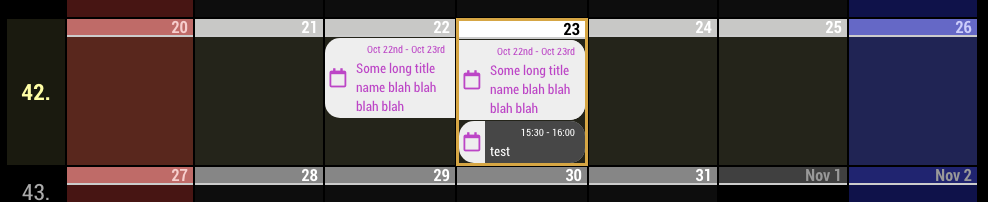
                I don’t recommend to display event time on tableStyle (weeks, month), but if you want,
                0_1571816120551_926a30f3-9de3-4eba-b214-fea9ce933bf9-image.png
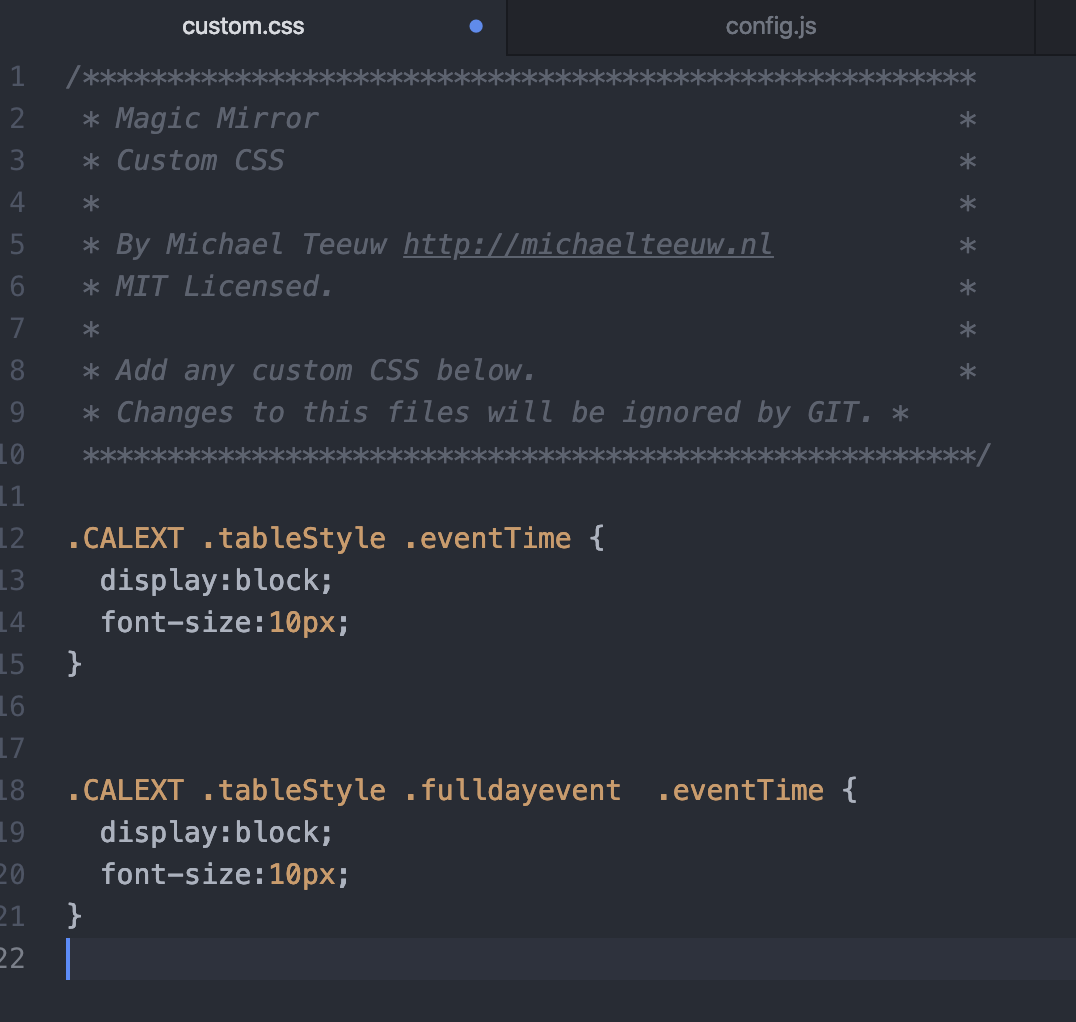
                Add this into your css/custom.css

                .CALEXT .tableStyle .eventTime {
                  display:block;
                  font-size:10px;
                }
                
                
                .CALEXT .tableStyle .fulldayevent  .eventTime {
                  display:block;
                  font-size:10px;
                }
                

                PS : There is no other modification in my css/custom.css
                0_1571816534171_28335ce3-19d4-487f-ada1-892f10914ac3-image.png

                1 Reply Last reply Reply Quote 0
                • M Offline
                  migitcheetah
                  last edited by

                  Is there a way to set my month view to start on Monday instead of Sunday? I have events that are Monday through Sunsay, and would like to avoid them wrapping from one line to the next, and instead have them on one single line from Monday to Sunday.

                  ? 1 Reply Last reply Reply Quote 0
                  • ? Offline
                    A Former User @migitcheetah
                    last edited by

                    @migitcheetah
                    It depends on your locale.

                    M 1 Reply Last reply Reply Quote 0
                    • M Offline
                      migitcheetah @Guest
                      last edited by

                      @Sean ok,
                      How would I know which locals have a monday start date, and would that change the entire mirrors language? Can I change local just for the calendar?

                      ? 1 Reply Last reply Reply Quote 0
                      • ? Offline
                        A Former User @migitcheetah
                        last edited by

                        @migitcheetah
                        So, what is your default language of MM?

                        https://github.com/eouia/MMM-CalendarExt/wiki/Configuration#system

                        If you are using English, use en-GB. In UK, a week would start from Monday. (but in US, starts from Sunday.)

                        M 1 Reply Last reply Reply Quote 0
                        • M Offline
                          migitcheetah @Guest
                          last edited by

                          @Sean thanks!
                          My default language is English US.
                          So I was looking at the calendar config and will set its local to en-gb and see if that works, if not, I can use en-gb for the entire mirror.

                          Thanks for your reply.

                          1 Reply Last reply Reply Quote 0
                          • M Offline
                            migitcheetah
                            last edited by

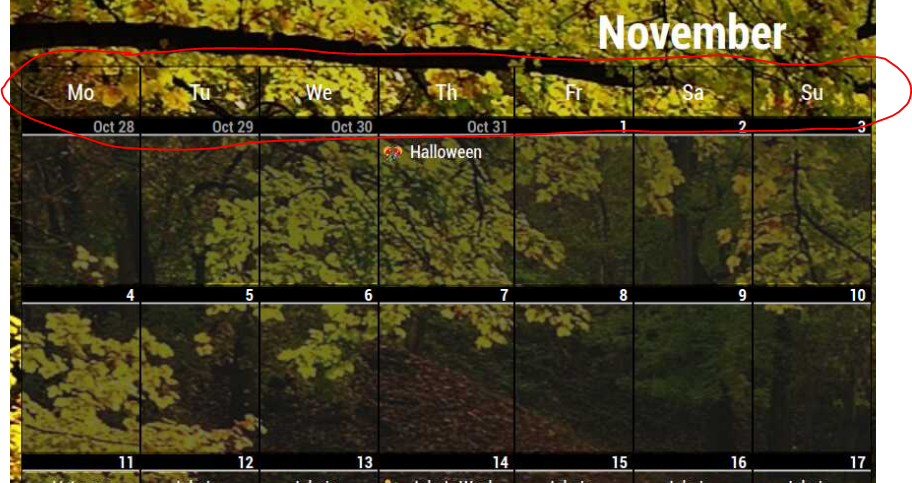
                            How can I change the background color on the month view day of the week header? I have fixed everything else to look the way I like, but the background is transparent, and the text is white, and I would like to make the background solid black, but just cant seem to find the right css block.

                            ? 1 Reply Last reply Reply Quote 0
                            • ? Offline
                              A Former User @migitcheetah
                              last edited by

                              @migitcheetah
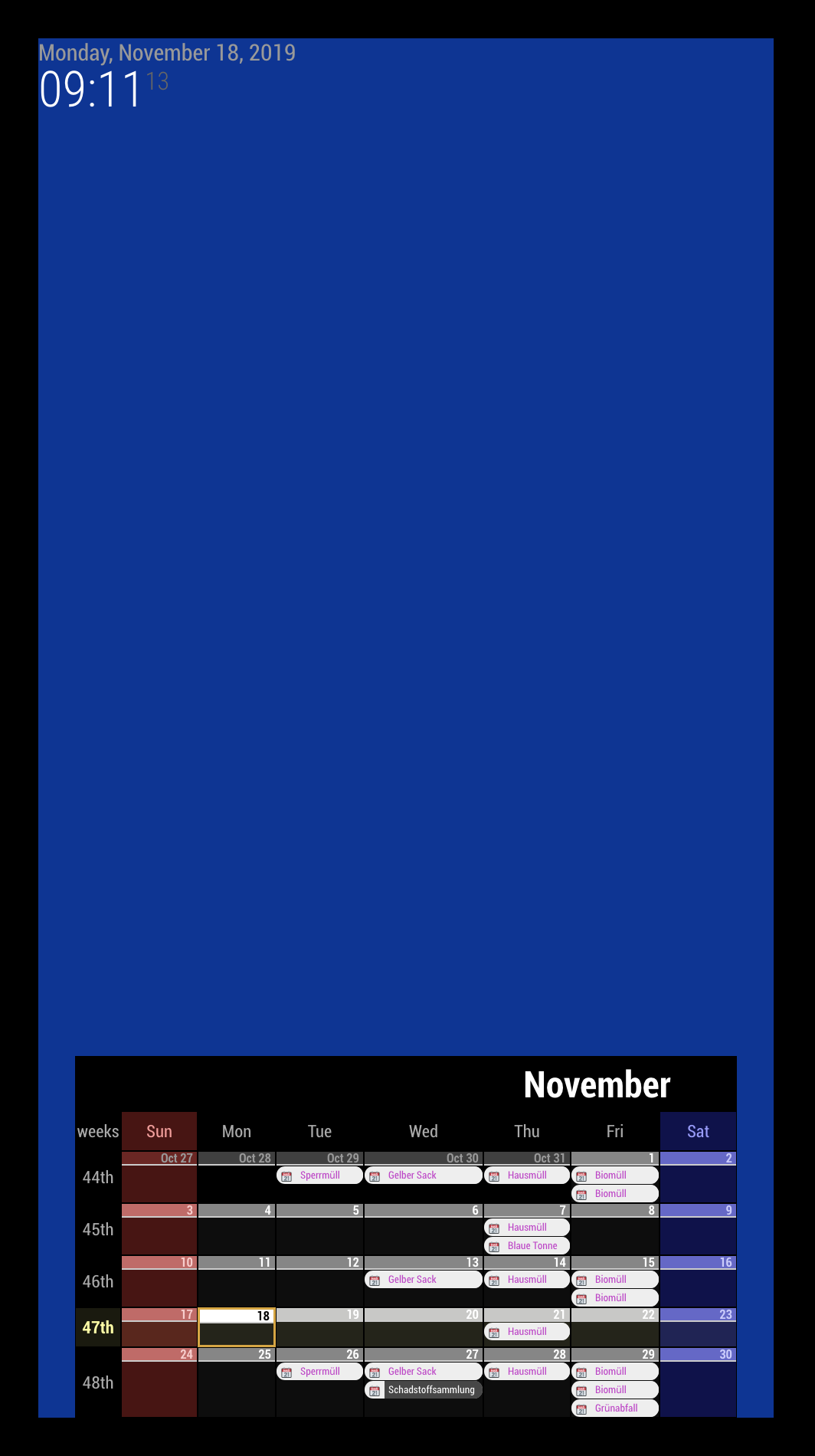
                              Easily, you can use like this;

                              .CALEXT #CALEXT_month {
                                background-color:black;
                              }
                              

                              0_1574064687048_c4ff8c11-e433-4ab7-b0fe-91e3ac31cbbe-image.png
                              I put the blue color to body intentionally to check.

                              M 1 Reply Last reply Reply Quote 0
                              • M Offline
                                migitcheetah @Guest
                                last edited by

                                @Sean Thanks for this, that is a great solution, but before I commit to it, I wanted to just check in and see if I could just change the background on the day of the week headers?
                                I like the rest as I have it in my screen shot, but if it is not possible, then your solution will work.
                                0_1574579465533_91d06d21-0928-4f52-8d6c-17658c9c24be-image.png

                                Thanks for all your help.

                                ? 1 Reply Last reply Reply Quote 0
                                • ? Offline
                                  A Former User @migitcheetah
                                  last edited by

                                  @migitcheetah

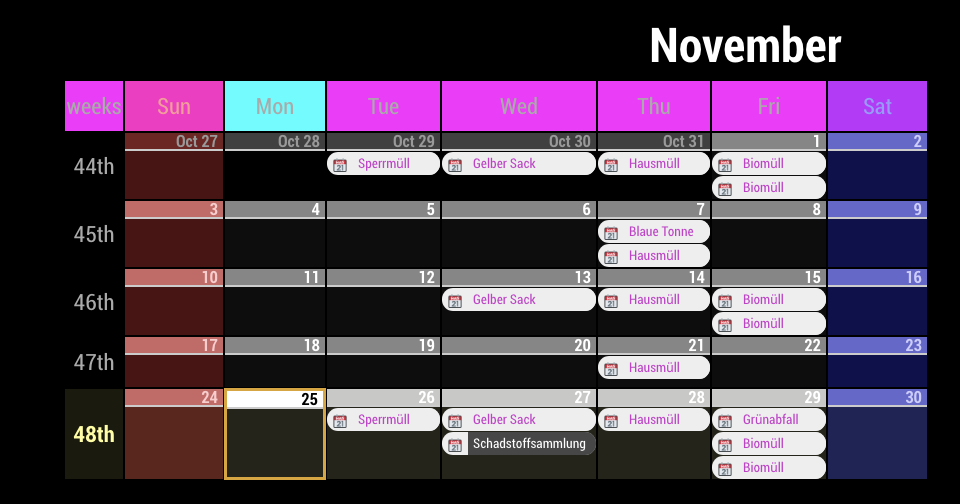
                                  css/custom.css

                                  .CALEXT .calendarMonth .weekHeader {
                                    background-color:#FF00FF;
                                  }
                                  
                                  .CALEXT .calendarMonth .weekHeader .day_1 {
                                    background-color: #00FFFF;
                                  }
                                  

                                  0_1574674780897_87ca5854-2cdc-466c-ba9e-28b319928858-image.png

                                  M 1 Reply Last reply Reply Quote 0
                                  • M Offline
                                    migitcheetah @Guest
                                    last edited by

                                    @Sean said in MMM-CalendarExt:

                                    .CALEXT .calendarMonth .weekHeader {
                                    background-color:#FF00FF;
                                    }

                                    Thanks!:folded_hands:

                                    1 Reply Last reply Reply Quote 0
                                    • K Offline
                                      Keith
                                      last edited by

                                      Is there any way to get a “month” view of the following month? I can do it in CalendarExt2 but I like the layout of CalendarExt better.
                                      Both are excellent modules BTW

                                      1 Reply Last reply Reply Quote 0
                                      • J Offline
                                        JRB1988
                                        last edited by

                                        Re: MMM-CalendarExt

                                        I’m trying to change the background colors of slot headers for the the next two months but can’t seem to find where to change that in the CSS. Was hoping to get some direction where to find change this. Thanks.

                                        1 Reply Last reply Reply Quote 0
                                        • C Offline
                                          Clubjack
                                          last edited by

                                          Hello together.

                                          I have an upcoming View with some calendars.
                                          One calendar has descriptions in the events.

                                          Possible to disable this in the configs?

                                          1 Reply Last reply Reply Quote 0
                                          • C Offline
                                            Clubjack
                                            last edited by

                                            I got it with…

                                            .CALEXT. eventLocation

                                            1 Reply Last reply Reply Quote 1

                                            Hello! It looks like you're interested in this conversation, but you don't have an account yet.

                                            Getting fed up of having to scroll through the same posts each visit? When you register for an account, you'll always come back to exactly where you were before, and choose to be notified of new replies (either via email, or push notification). You'll also be able to save bookmarks and upvote posts to show your appreciation to other community members.

                                            With your input, this post could be even better 💗

                                            Register Login

                                            • 1
                                            • 2
                                            • 6
                                            • 7
                                            • 8
                                            • 9
                                            • 10
                                            • 10 / 10
                                            • First post
                                              Last post
                                            Enjoying MagicMirror? Please consider a donation!
                                            MagicMirror created by Michael Teeuw.
                                            Forum managed by Sam, technical setup by Karsten.
                                            This forum is using NodeBB as its core | Contributors
                                            Contact | Privacy Policy