Read the statement by Michael Teeuw here.
MMM-PilotWX
-
Weather conditions for International Airports
-
Monitor a variable number of ICAO’s in static or rotating display
-
Layout as per actual pilot’s recommendations
-
Designed to be usable in all regions
-
Standard or Alternative colored icon for Flight Rules
Examples:
- Static config option. Display many or few.
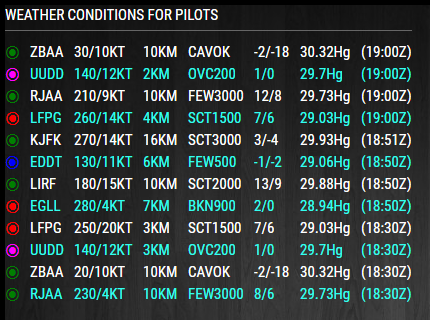
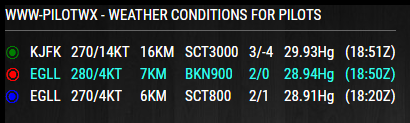
- Rotating config option

A very special thanks to user Area 49
For taking the initiative and adding table view, the ability to choose a variable
number of ICAO’s, alternative heading option, C or F temperature option. I personally
would like to thank him for his efforts and his generosity. Thanks! :-)Download:
[card:mykle1/MMM-PilotWX]
-
-
The “Productivity” subcategory of “Modules” has a paper airplane icon. I just saw that! :-)
-
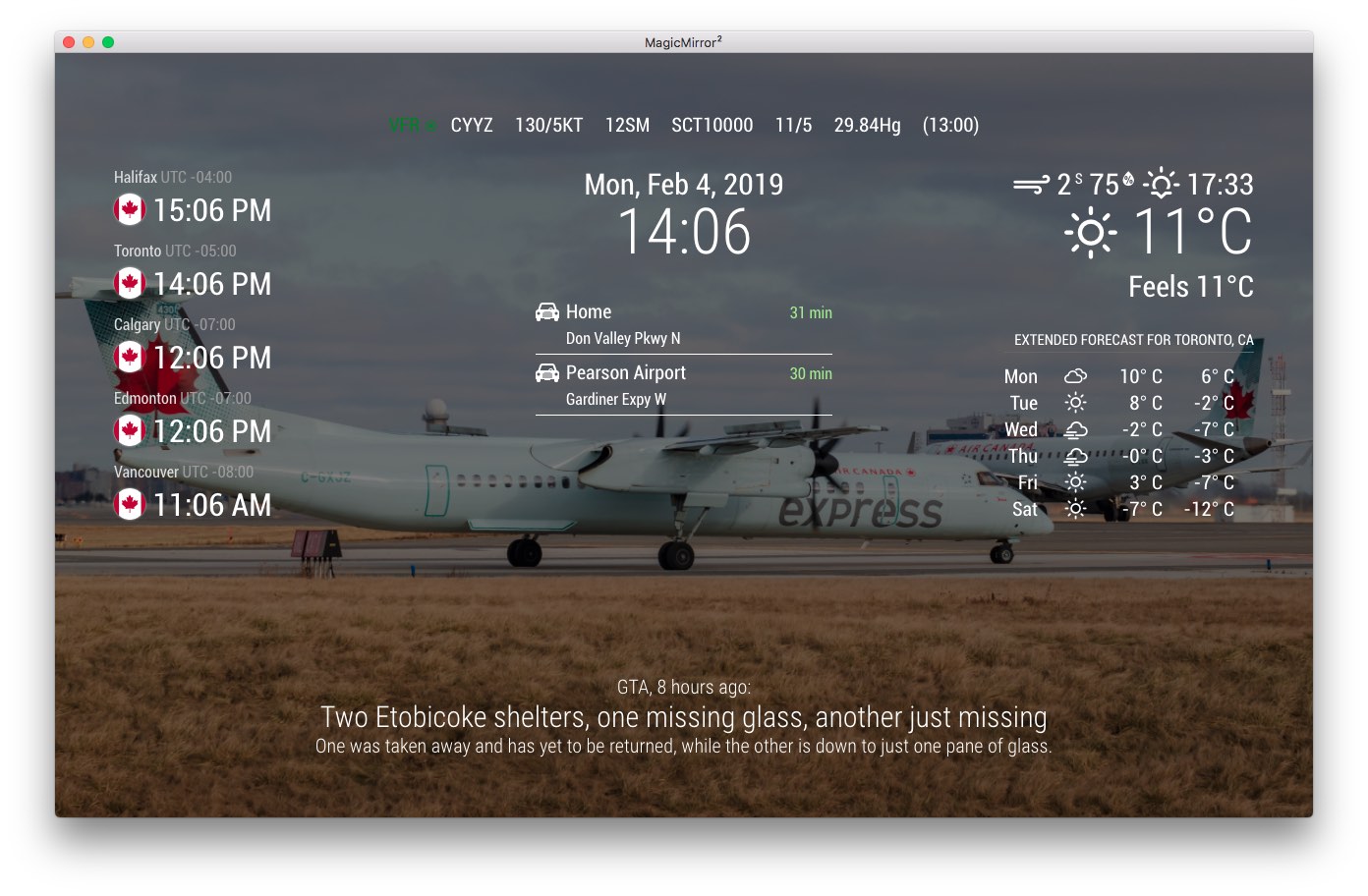
I’m loving this module. I found, however, that I was getting multiple results for some airports where the METAR had changed more than once in the last hour. That was easily fixed by editing the .js to add ‘&mostRecentForEachStation=true’ to the end of the url. And because I’m not a pilot, I couldn’t remember what the red, blue, green, etc colours meant, so I hardcoded those in as well. Much more useful to me now!
-
@sonicgoose said in MMM-PilotWX:
And because I’m not a pilot,
I’m not a pilot either. I made this module by request of a few users. It was quite an ambitious undertaking for me as I was still quite a novice then. (I still am). Once I had the module working well enough, another user sent me a PR which included a more elegant, efficient way of coding the module as well as some table magic.
I’m glad you are enjoying the module and thank you for your kind words.
-
@mykle1 If I wanted to increase the font size for the entire line (mode: rotating,) which css element would need to be edited?
-
@sonicgoose said in MMM-PilotWX:
font size for the entire line (mode: rotating,) which css element would need to be edited?
For your custom.css file. It works. I just tested it before posting. Modify to your liking.
.MMM-PilotWX .bottom_bar { color: cyan; /* Color line. Default is white. */ font-size: .9em; /* Or you can use Ex. 12px */ } -
@mykle1 said in MMM-PilotWX:
.MMM-PilotWX .bottom_bar {
color: cyan; /* Color line. Default is white. /
font-size: .9em; / Or you can use Ex. 12px */
}Yep, that works. Perfect. Thank you.
-
-
Loving this module, but for some reason the list doesn’t appear in the same order that I entered them in the config.
Is there a way to fix that?
-
@brentevjen said in MMM-PilotWX:
the list doesn’t appear in the same order that I entered them in the config.
No, they wouldn’t. The divs are dynamically created based on the return from the API. The most recent item (timestamped) will always be at the top, dropping down as more recent data comes in. So, there is nothing to fix.
Of course, you can always fork the repo and make any changes you like.
-
@Mykle1 Thanks for the info! I wouldn’t even know where to start with that!
Cheers -
Reviving an old thread, I just installed the module but it stays stuck on “loading PilotWX”, I have just one airport (LIBD) in the list and copy-paste the configuration from the example changing just the location to bottom_left.
Any hint on how to make it work? -
@on8cb this module suffers from this.
https://forum.magicmirror.builders/topic/15778/fix-for-black-screen-in-2-16-and-later
and it’s possible the API has changed in 3 years
the author is not available currently.
-
@sdetweil Thank you.
I noticed that several 3rd party modules are in the same conditions either for the broken/old libraries or for the expired certificates or because the API are no longer working (WUnderground, DarkSky) or a combination of the three.
I will try to understand how it work and eventually how to create my own modules.
-
@on8cb old libs problem
a module should identify all the libs it uses in it’s package.json file, as 'dependencies.
it worked and the authors didn’t know about this.
we deleted the libs as they were removed from distribution (deprecated)… and oops the module still needs them but didn’t say so.
if they had, and created a package.json file (npm init -y) the problem would not have occurred.
apis not working… well nobody wants to drag old stuff along anymore ‘too much work’… so they change whatever they want, too bad for developers or users.
when I worked for IBM my mentor reminded me often that, when u document an API, it lives like that forever. same input produces the same output. you want to ADD stuff ok, it’s a new API… stuff doesn’t break… customers can continue to depend on you…
anyhow…
certs… well they expire… app owners should plan for that… nah, too much work, we’ll deal w it then…

Hello! It looks like you're interested in this conversation, but you don't have an account yet.
Getting fed up of having to scroll through the same posts each visit? When you register for an account, you'll always come back to exactly where you were before, and choose to be notified of new replies (either via email, or push notification). You'll also be able to save bookmarks and upvote posts to show your appreciation to other community members.
With your input, this post could be even better 💗
Register Login