Read the statement by Michael Teeuw here.
[octomirror-module] Monitor & Control an OctoPrint 3D Printer Server
-
Description:
Monitor & Control an OctoPrint 3D Printer Server. Originally created by @DongerZonnie, expanded & updated by @shbatm
The module will allow you to:
View a live feed of the raspicam stream
Start and stop prints
View G-Code viewer
Manually control the printer
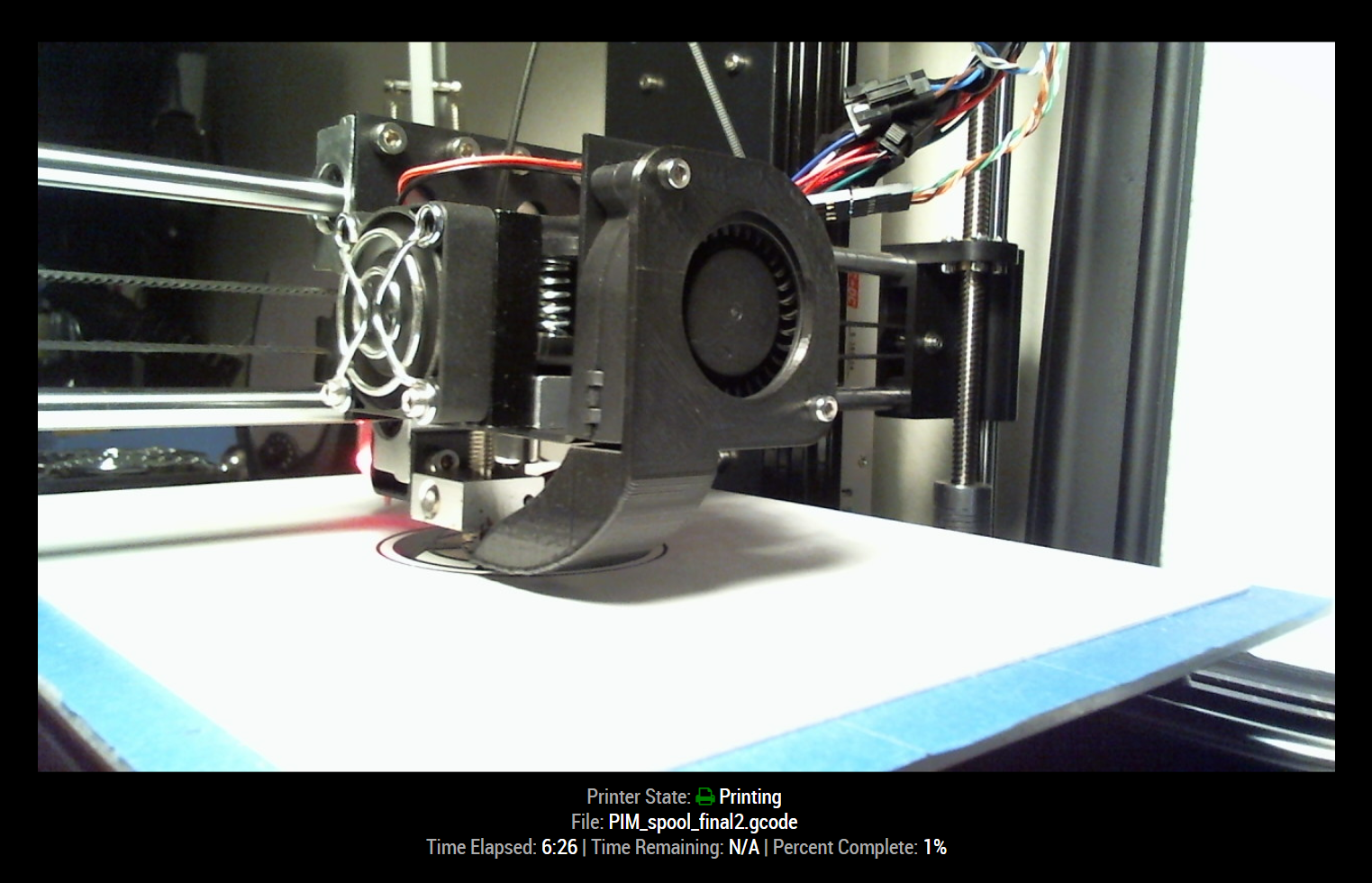
Recieve live updates on printer statusScreenshots:
Download:
[card:shbatm/octomirror-module]
Version 1.0.4
- Implemented translations feature and added English & German
- Added ability to show most recent temperatures
- Added ability to hide additional details when the printer is offline.
Version 1.0.3
- Added options to disable camera feed and customize stream URL.
Version 1.0.2
- Refactored to use OctoPrint Client JS library and provide live updates via SockJS connection.
-
Nice!
Since i only have a 19" MM (going to update to 22" these days) i do not have enough space left for this nice little thing.I guess my wife would slowly start to kill me, if i would add a stream of the actual print ;)
since the printer is only 5 meters away from the MirrorNeed to build another mirror i guess :P
-
Would it be possible to just see the
status like ETA and % and the stream optional?Exactly like your screenshot, but without the stream?
I guess i would find some place for that infromation ;) -
@barnosch Yep! Done! Pull the updated version and add
showStream: falseto your config.Also FYI – right now I only include the information useful to me, but the module interacts with the full OctoPrint API, so if there’s something else you’d like to see, or want to customize how it’s displayed, please let me know!
API Reference – http://docs.octoprint.org/en/master/api/push.html
-
Awesome. Thanks, dude.
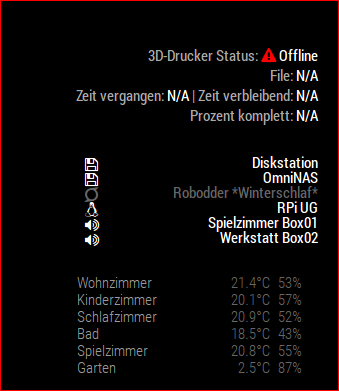
made some little adustments to fit my needs.
The only thing which i think could be also interesting is maybe the temperatures of the nozzle and the bed? -
@barnosch: Made some more changes:
- Implemented MM Translations and added English and what I could of German.
- Added most recent nozzle & bed target & actual temperatures – can be enabled/disabled with
showTempsconfig option. - Added option to hide the file, time, and temps when the printer is offline – can be enable/disabled with
showDetailsWhenOfflineoption.
You’ll have to move your lines around again after you update it–for now, anyway–I’m adding “Add Stylesheet and auto format for width” to my to-do list for the module, as well as hide camera window when not printing.
-
Perfect! Already pulled and adjusted.
Thank you really much.
I appreciate your fast and nice work. -
Is there any chance to give the stream object a CSS name to override the common resolution of the webstream via CSS?
Right now, as i can see it, it fetches the stream from http://octopiIP:8080 as it is.
Thats killing my mirror ;) -
@barnosch - it’s on the To-do list.
For now, try setting the height/width in your
custom.cssfile with something like:div.octomirror-module img { height: 150px; width: 150px; }EDIT: Removed the
>in the selector line above. -
Great. Good idea, since it is “only” a img tag, it is pretty easy.
i was thinking to complicated. Now it fits nicely.
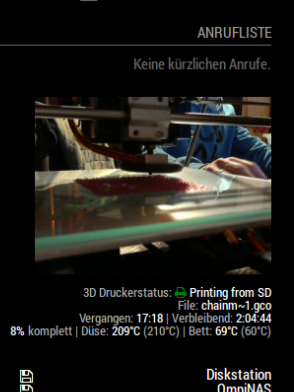
Looking forward for the “hide camera window when not printing” feature.
But no hurry.Great work!
-
My stream showing upside down. any idea ?
-
this works for me:
div.octomirror-module img {
transform: rotate(180deg); -
Installed this on my pi3 for the Mp select mini today. This is great!
-
I can not seam to get the informatin to show up all items say n/a but my video shows no problem, would realy apricate any help
-
Can you please post your config section? Have you enabled the API and provided an API key?
-
@shbatm said in [octomirror-module] Monitor & Control an OctoPrint 3D Printer Server:
please post your config section -
}, {
        module: "octomirror-module",
        position: "bottom_left",
        config: {
            url: "http://192.168.2.141",
            api_key: "B7ACF3C4BDD04D61BF5176C75778661E",
        }
    },
so i obviously cannot figure out how to copy paste my config i feel like i have some issues
-
@shbatm yes I have enabled the API as you can c it is in my config
-
@citizendevpi Try adding
debugMode: true,to the config and see if you get any useful information in the logs. I can’t remember if they’ll show up in the console or DevTools. Also, it’s been a while since I’ve used the module, but it will only show data when it’s actually printing too. -
@citizendevpi said in [octomirror-module] Monitor & Control an OctoPrint 3D Printer Server:
url: “http://192.168.2.141”
Looks like link isn’t complete. Should looks like this http://ip_address/webcam/?action=stream{ module: 'MMM-MotionEye', position: 'top_right', config: { width: "460px", autoHide: false, url: "http://octoprint IP address/webcam/?action=stream", debug: false, user: "pi" } },I hope this will help you

Hello! It looks like you're interested in this conversation, but you don't have an account yet.
Getting fed up of having to scroll through the same posts each visit? When you register for an account, you'll always come back to exactly where you were before, and choose to be notified of new replies (either via email, or push notification). You'll also be able to save bookmarks and upvote posts to show your appreciation to other community members.
With your input, this post could be even better 💗
Register Login