Read the statement by Michael Teeuw here.
MMM-iFrame-Ping
-
Hello,
after struggling with existing iFrame modules, I decided to create my own…
Here are some other iFrame module :
- iFrame from desertblade : the original one with basics functions : one URL, no periodic refresh
- MMM-iFrame from alberttwong : allow several rotating URL but no periodic refresh of the content
- MMM-iFrameReload from TheBogueRat : one possible URL with periodic refresh
The functionnalities of my new iFrame module :
- Allow periodic refresh of the iFrame, or not (configurable), this allow to display images (with refresh) or video (without refresh)
- Ping the URL before trying to display the content. Display an error (with the last successful PING date and time) if the host is not reachable. PING code from MMM-Ping by CFenner
- If a PIR-sensor using MMM-PIR-Sensor module is used, the iFrame will not be updated during screen off (this behavior works also with all other module that send the notification “USER_PRESENCE”) and will be refresh with screen on.
- If the iFrame-Ping module is hidden (by REMOTE-CONTROL or any Carousel module for example), the iFrame will not be updated. As soon as one MMM-iFrame-Ping module will be again displayed on the screen, an update will be requested.
- Possibility to display the date and time of the last update request (configurable)
- CSS file
I tested it with MM² version 2.4.1.
I hope it can also be helpful for others, please let me know any issue.
Some screenshot :
Display YouTube :
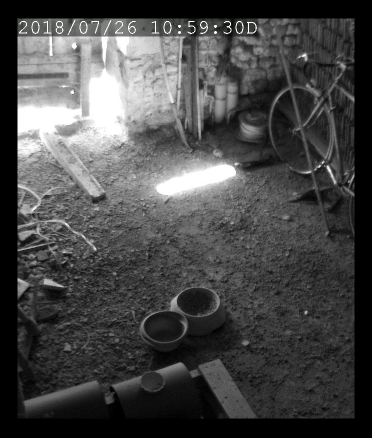
Display camera snapshot (with updates) :
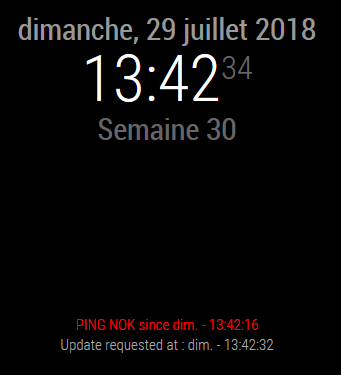
PING Nok :
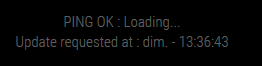
PING Ok, iFrame upload on-going :
All infos and installation instruction :
[card:AgP42/MMM-iFrame-Ping] -
This post is deleted! -
@AgP42 Thank you for this version of iFrame. Works well for me :)
I do get a white line around the embedded iFrame. Could you please tell me, how to get rid of it? -
@rudibarani said in MMM-iFrame-Ping:
@AgP42 Thank you for this version of iFrame. Works well for me :)
I do get a white line around the embedded iFrame. Could you please tell me, how to get rid of it?Hello,
you can try the following :
On the file “MMM-iFrame-Ping.js”, on lines 135, 136 and 137 there is :
iframe.width = this.config.width;
iframe.height = this.config.height;
iframe.scrolling = this.config.scrolling;
with those lines, please add :
iframe.style = "border:0"This should solve your problem !
Bye,
AgP42 -
@agp42 Thanks for the quick help!
-
Dear @AgP42,
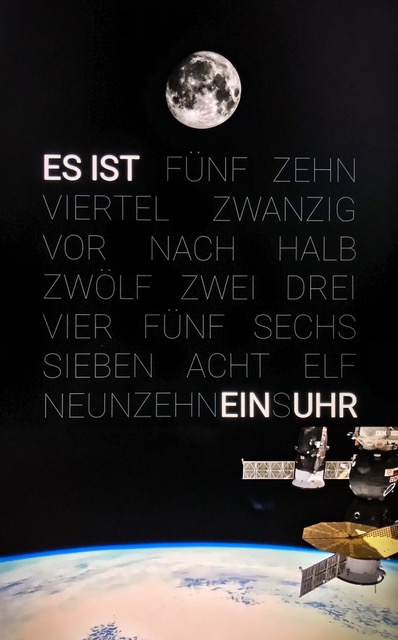
one of my use cases for your module is showing a livestream from the ISS on the night-page of my mirror, if a user is present. Looks really good!
Now i thought of enhancing it and playing some curated movies from the ISS during those moments, when it is not flying in daylight.Would it be possible / difficult to add a limited number of youtube links and either select one of them for playback via a notification or play them randomly?
-
@agp42 Would it be possible to have 2 instances in the config file, working independently?
-
@rudibarani Sorry for my late answer. Did you consider to create a youtube playlist and make it run on the Mirror ? (This way of doing is now describe on the readme file) I guest it will fulfill your need !
-
@agp42 Ok, thanks for the tip, I’ll checkup the README file.
-
@johans Hello, in fact I already try to manage this functionality (on another plugin), but it’s very hard to make it work.
Here is an easy way for you :- duplicate the plugin (copy/paste the full folder and rename it, for example “MMM-iFrame-Ping-2”)
- enter the folder and rename the file “MMM-iFrame-Ping.js” into “MMM-iFrame-Ping-2.js” (no need to change the css file, you can also delete it)
- open the file “MMM-iFrame-Ping-2.js” and and the very first line, also change :
Module.register("MMM-iFrame-Ping",{to
Module.register("MMM-iFrame-Ping-2",{- then you can declare this “new” module on your config file and use it with another URL
(Yes this is a very very bad looking solution :grimacing_face: , please don’t tell anyone it comes from me !:winking_face: )
-
Dear @agp42,
unfortunately, a playlist does not help for my use case:
I found a 90 min 4K Video Collection from the ISS and want use a defined / selected / random 35 minute section to fill in for the time when the ISS is in the dark.
Currently, I am circumventing it by having multiple copies of the “Night”-page with MMM-Page-Selector and defining different instances of MMM-iFrame-Ping for each page. Each of these instances get a defined URL and I call the pages via notifications, depending on the daylight-status of the ISS.
Having a little more flexibility in the module would make this a lot easier and more dynamic.Maybe it could be possible to pass on an URL via a notification?
-
@rudibarani
Hello,
to better understand your request, by “notification” do you mean the internal MM notification mecanism ? (describe here on the official doc)
In that case, which module will send the url request to the MMM-iFrame-Ping module ? and what will be the notification request format ?Thanks,
AgP42 -
@AgP42 Thanks for your reply and happy new year!
I using MMM-Remote-Control to inject notifications from my home automation system (FHEM), as it knows all the other relevant states in the house (user-presence, lighting situation, etc.).Maybe your module could listen to
"iFrame_Ping_URL"notifications and take the"URL"from the payload and use it until a new one is provided or until a restart, in which case it would revert back to the standard URL from the setup?This way, it would not change its behavior presented to its current users and just gain an option to change the preconfigured URL on the fly.
-
@rudibarani
Yes it seams possible to do, but then MMM-Remote-Control has also to be modified to be able to send such notification, no ?
Could you let me know the other modules you uses than catch MMM-Remote-Control notification, so I will look the source code please ?Thanks,
AgP -
@rudibarani
Hello,
I guess I managed what you asked, could you please test it before I release it ?
This new version is here : https://github.com/AgP42/MMM-iFrame-Ping/tree/dev
Only the file MMM-iFrame-Ping.js has been modified, so you can copy/paste it on your MM directly and restart your MM.Then to allow URL modification through Remote-Control you can use the following request :
http://192.168.xx.xx:8080/remote?action=NOTIFICATION¬ification=iFrame_Ping_URL&payload={%22url%22:%22https://magicmirror.builders/%22}or
http://192.168.xx.xx:8080/remote?action=NOTIFICATION¬ification=iFrame_Ping_URL&payload={%22url%22:%22https://www.youtube.com/embed/Qwc2Eq6YXTQ?autoplay=1%22}(edit : the forum text editor seams not to like my link : this strange symbol “¬” has to be remplaced by “& not” (without the space…))
(edit2 : the “%22” is the URL-encoded form of the symbol ". You can also try directly with ", and if it is not working try with %22 instead)It’s a cool new functionality ! :smiling_face:
-
Dear AgP42,
thank you so much for considering this and spending the time to make it happen. I am traveling at the moment but am looking forward to testing it when I get back home.
Have a nice weekend!
-
@rudibarani
Thanks and you are welcome, it’s a pleasure to see that my work is useful and appreciated :-)I did a little bit more debugging and I also to try to change the URL through a rotating button or through the scheduler and I found some issues on the code I sent you for testing.
Next week I am also traveling but as soon it look like acceptable I will send the new version.This functionality to be able to change dynamically the URL will really make this module much more interesting than the actual version !
Every module will be able to send a notification to change the url, so many many new possibilities ! :relieved_face: -
@agp42 Hi AgP42, your idea to duplicate the PlugIn doesn’t work for me. I made the adjustments as described, but I only see one iFrame at a time. Sometimes the initial display shows the iFrame of the second instance in the first instance. After a few seconds the content is displayed correctly for the second instance. The first instance remains empty.
If I have understood and researched this correctly so far, there are problems to differentiate between the two instances when displaying the ‘Payload’.
Do I have to make further changes to the second instance? -
@AgP42
Hi, Thanks for the work, good module.
Would it be possible to update the module by adding notification mgt to move to next url, .ie :- upon “IFRAMEPING_NEXT_URL” : display the next url of the list
- Same with previous
- Add Start / Pause option through notification also.
I’m using MMM-GroveGestures and would like to be able to switch from URL1 to URL2 with gestures.
Regards
-
Dear @agp42,
I am finally getting back at my mirror and get some time to incorporate your updated module. Thanks again for making dynamic URLs possible!Would you mind changing
this.urlToDisplay = payload.url;tothis.urlToDisplay = payload;in your code? Thus, one could send a plain url as payload without the need to process it to be in the format{"url":"http://..."}.
This would make things easier and as the payload will only contain a URL if the notification is iFrame_Ping_URL, this should not cause any problems with other possible content.

Hello! It looks like you're interested in this conversation, but you don't have an account yet.
Getting fed up of having to scroll through the same posts each visit? When you register for an account, you'll always come back to exactly where you were before, and choose to be notified of new replies (either via email, or push notification). You'll also be able to save bookmarks and upvote posts to show your appreciation to other community members.
With your input, this post could be even better 💗
Register Login