Read the statement by Michael Teeuw here.
MMM-MirrorMirrorOnTheWall installation issue
-
@oceank Yea that worked to some extent. When I say show me images it says that something is not supported.
Amazon Photos is not supported on this device. View your photos using the Amazon Photos app or website, or on devices like Fire TV or Echo Show.
When I say Alexa, start magic mirror, it promptly replies : “Hello my Queen, what can I do for you?” so that is working (Although I would like to change that message later)
-
@Radu_Stancu did you follow the guide for google custom search? you have to enable images search for the custom engine.
so the syntax will be “alexa…magic mirror…(then she will say hello my queen etc) and then you say .show me pictures of apples”
-
@oceank I did follow the guide, and put the necessary api keys. I will redo the steps, maybe I missed something.
-
@oceank I redid the steps. Just to be clear, I need to do only the api steps right? not installing whatever they are saying there?
I keep getting the same message after I re-uploaded to lamba with new api keys.
-
@Radu_Stancu exactly just the API steps. when you made the custom search engine did you do :
- Enable Image Search
In your search engine settings, enable “Image search”:
and I think you need 2 different projects at google developers console
- google search (add google custom engine, and make the API key)
- youtube (add the youtube data v3? I think its called, and the make API key)
- Enable Image Search
-
@oceank I can confirm search images is on. I have also added youtube javascript v3 to the api. Are you sure 2 different projects are required?
-
@radu_stancu well I have read that in some forums that it was required. When I had 1 project with 2 different API it didnt work for me so thats why I tryed the other option with 2 seperate projects and API and then it worked for me.
-
@oceank Okay, I`ll try that now. Nothing changed unfortunately…
-
did you check the cloudwatch logs? see what error you get…
-
@oceank I can`t seem to find anything relevant in the logs… I keep getting
Amazon Photos is not supported on this device. View your photos using the Amazon Photos app or website, or on devices like Fire TV or Echo Show.
and similar for videos.
-
so how do you trigger the search for videos or pictures?
seems that its not triggering the magic mirror module, seems that its trying to use some amazon service?
Are you saying this to alexa?
alexa…magic mirror…and then the whole hello my queen is going on. and then you say “find pictures of apples”
or how do you trigger the syntax?
-
@oceank I start with Alexa, start magic mirror, which works just fine. Then Search image of apples, find image of apple or any other possible way of saying I want an image of an apple results in:
Amazon Photos is not supported on this device. View your photos using the Amazon Photos app or website, or on devices like Fire TV or Echo Show.
for videos I get:
I couldn’t find any enabled video skills that can find that. Go to the Alexa app to manage your video skills and devices.
#Solved. Forgot to modify the app ID line pointed out a few pages ago. Waiting for my echo dot to arrive to play around.
-
@richland007 its all done man =)
-
@oceank Dang it man i am the only one who hasn’t gotten around to finish it up. I will try tonight but i might need your help my man :)
-
@richland007 im available today so just send me a chat!
-
@oceank @blackpanda OK well i have triple checked my appID and pasted on the index.js file i have triple checked the endpoint and pasted on the mirrormirror.js file.
Went and checked my API keys on Google i had like 8 of them, however none of them were what i had on keys.json file (so wired) so i picked 2 from the list and wrote them there along with my custom search ID uploaded to Lambda and copied over to the MMM-MirrorMirrorOnTheWall folder as well.
I can see the MagicMirror: Connected to AWS IoT Subscribed for new-text, new-images, new-video, change-module also on Lambda i see the invocations getting posted on the logs all the time when i test from the developer.alexa with the invocation “magic mirror” i get the response “hello my queen blah blah blah…” but when i type show pictures of dwarfs i still get “there was a problem with requested skills response”
What am i doing wrong???
Is it the API keys form google ?? Where i can i see if they are getting hit with requests?
…and do you all get any errors on Lambda logs when you test Lambda (how do you test Lamda) i still get the appId not unique when it is absolutely mine!!!It is an ass whooping this module :) i am gonna throw a party when its done LOL
D -
@richland007 can you close and open the modules? does any of the magic mirror skill work? if you can close and open modules, there might be something with the API for google and youtube.
I do get labda error when I try to set up a test so I dont know why its like that. But all functions are working for me now. close, open all modues, find pictures, autostart youtube clip, clearing it etc.
What you can do is start the mirror with development option then you can see exactly what happens.
at the google console you can see both youtube and google search hits if they are succesfull or not.
At cloudwatch you can check the logs if it finds video or pictures…
-
@oceank Hey buddy… no wit won’t work with turning on and off modules either it just says “there was a problem with requested skills response” here are my Lamda errors
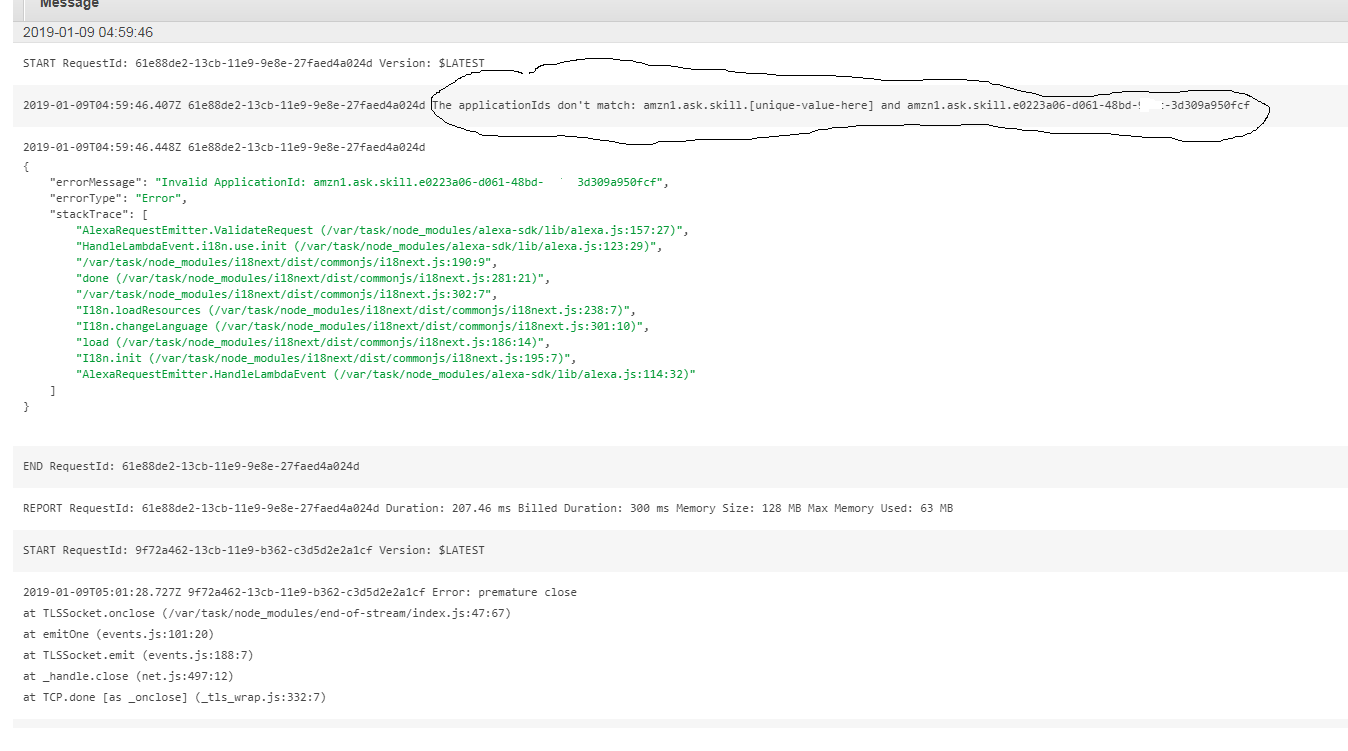
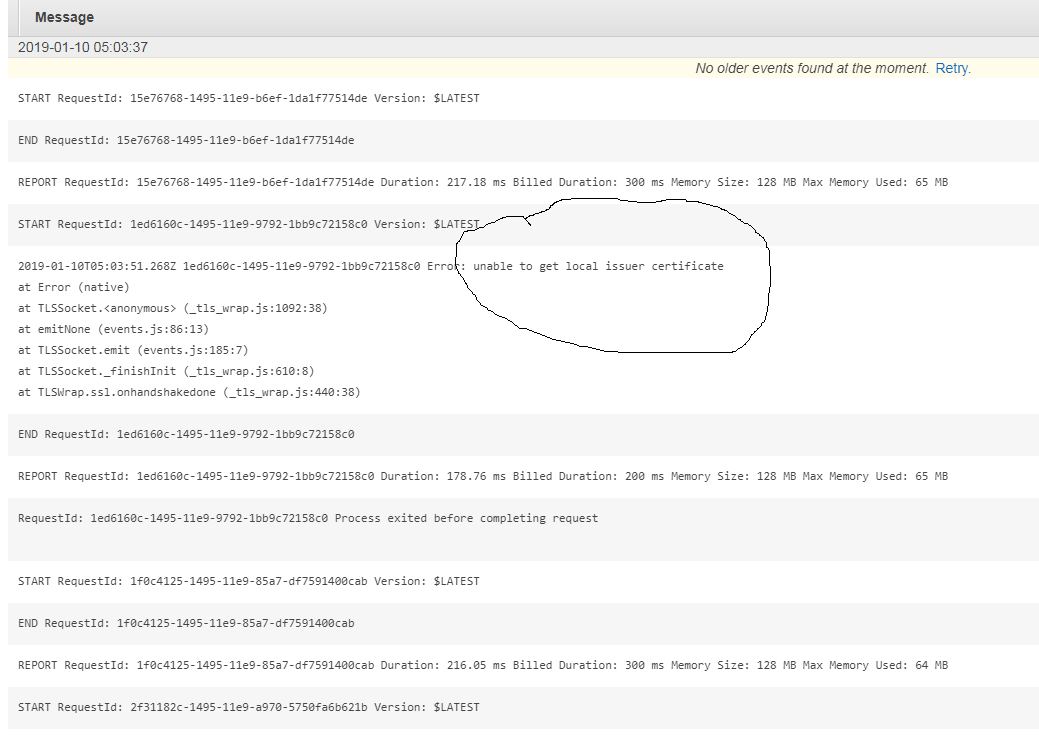
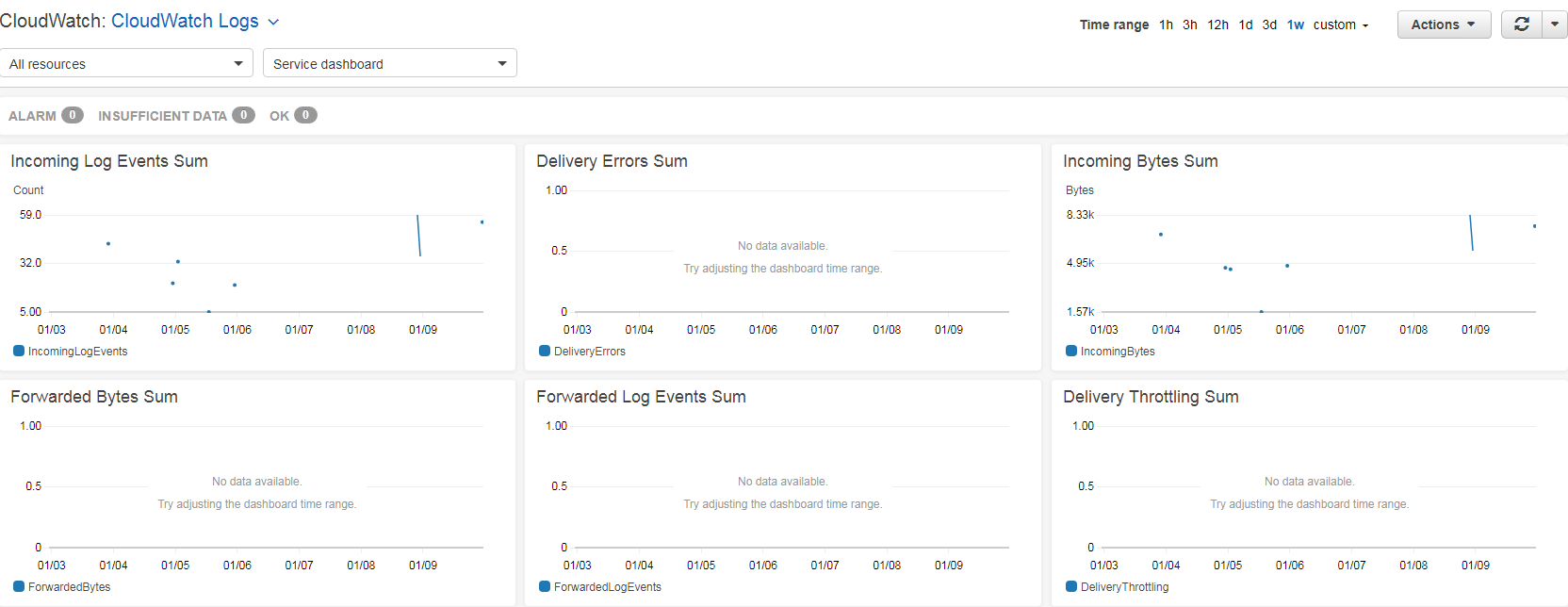
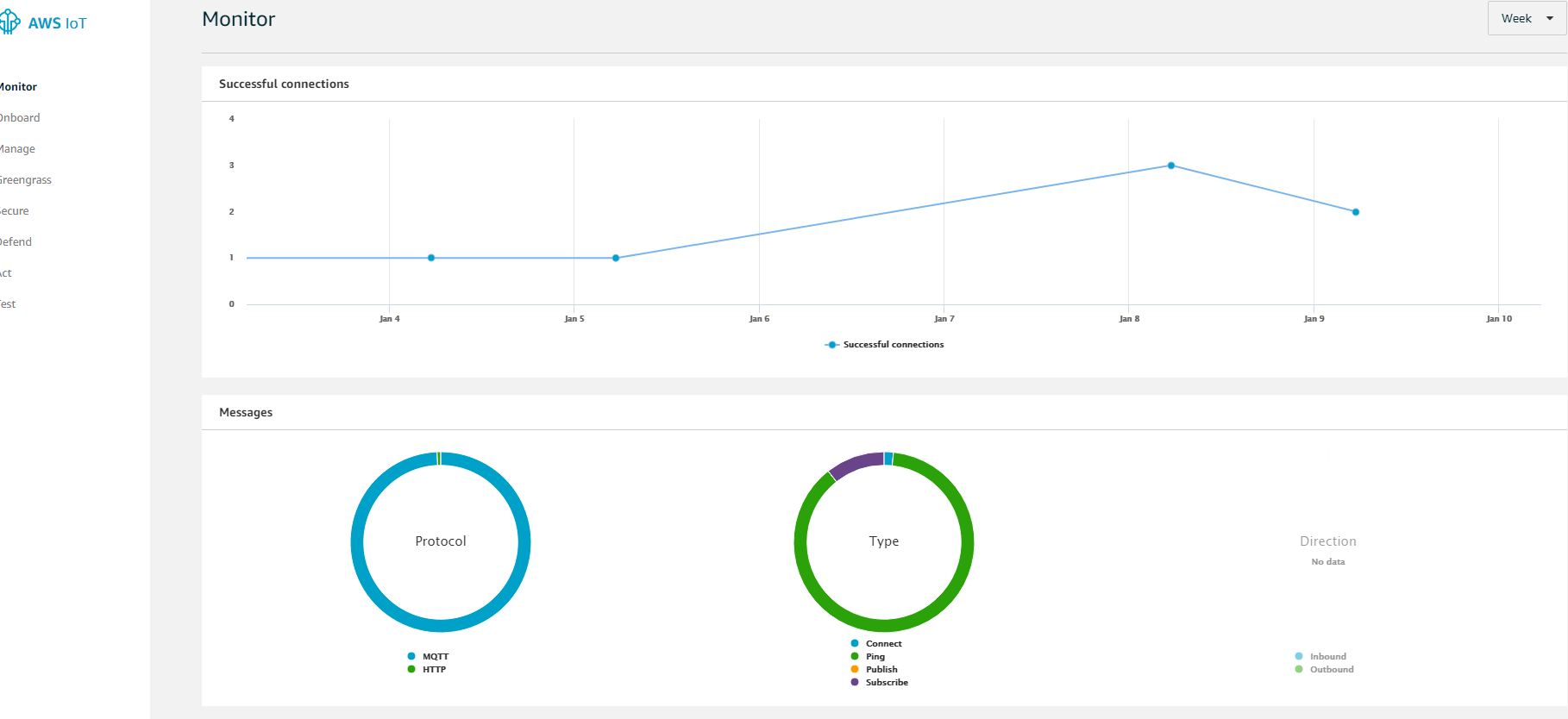
And MM says connected to AWS IoT obviously for all text, video, images, modules.
What the heck is going on where should i start troubleshooting
@blackpanda please help me :) i will greatly appreciate it
D -
@richland007 pm me I know how to get this done!
-
@oceank @blackpanda I deleted my Alexa skill and started from the beginning on the developers.alexa i also deleted my Lambda function and built it from the beginning still the same result.
IoT connects and Lambda gets hit i can see it in the metrics when i invoke the skill i can hear “Hello my queen how can i help etc…” but when i ask about anything else it says “There was a problem with your skills response”.
I went and checked the API keys on Google and they have never been hit, at the same time the MM modules do not turn on or off just in case the keys are off!!!
So what is causing it?? is it the interaction model ?? Cause i am sure it is not the certs because the IoT is connecting I can see that on startup the Connected to AWS IoT Subscribed for new-text, new-images, new-video, change-module…and and it is not the keys (although they have never been hit, but i am not 100% percent sure that they are right either) but than why is it not doing anything with the Magic Mirror such as turning On and Off modules and than saying there is nothing coming form the searches so that would tell us that it is the keys.
I think the next step will do to redo my interaction model since it is pretty big and just use someones that i know its working just to test, but other than that i am fresh out of ideas and i would love to hear form the experts if you will please… so i can get this going as well cause it is driving me nuts LOL :)

Hello! It looks like you're interested in this conversation, but you don't have an account yet.
Getting fed up of having to scroll through the same posts each visit? When you register for an account, you'll always come back to exactly where you were before, and choose to be notified of new replies (either via email, or push notification). You'll also be able to save bookmarks and upvote posts to show your appreciation to other community members.
With your input, this post could be even better 💗
Register Login