MagicMirror Forum
    • Recent
    • Tags
    • Unsolved
    • Solved
    • MagicMirror² Repository
    • Documentation
    • 3rd-Party-Modules
    • Donate
    • Discord
    • Register
    • Login
    A New Chapter for MagicMirror: The Community Takes the Lead
    Read the statement by Michael Teeuw here.

    MMM-CalendarExt2

    Scheduled Pinned Locked Moved Utilities
    486 Posts 83 Posters 938.9k Views 83 Watching
    Loading More Posts
    • Oldest to Newest
    • Newest to Oldest
    • Most Votes
    Reply
    • Reply as topic
    Log in to reply
    This topic has been deleted. Only users with topic management privileges can see it.
    • F Offline
      flopp @flopp
      last edited by

      @flopp

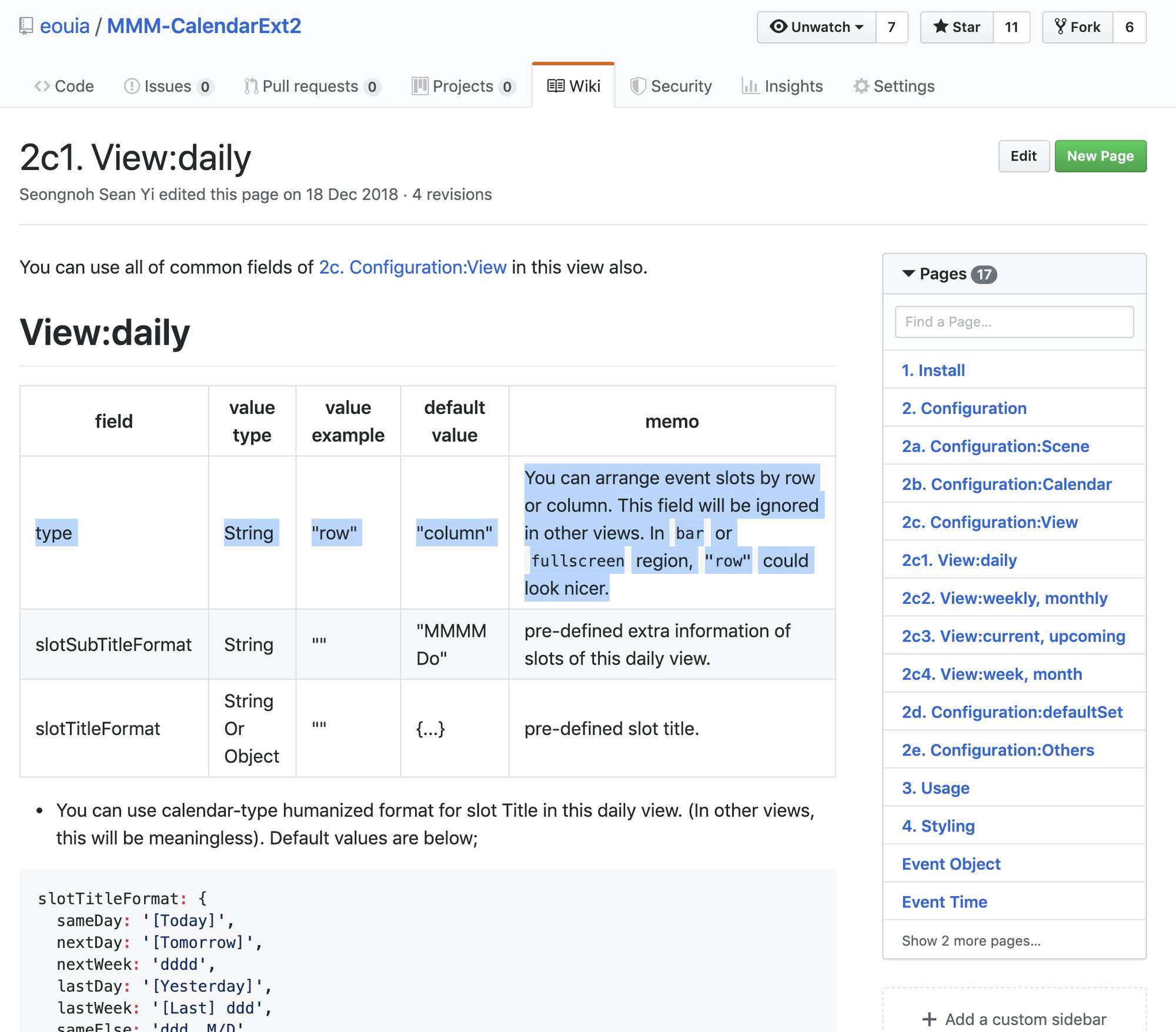
      what is was missing was “type: row” in Views. It doesn’t says anything about this in the docs.
      I found an example with “type: row”

      ? 1 Reply Last reply Reply Quote 0
      • ? Offline
        A Former User @flopp
        last edited by

        @flopp
        Sorry for unkind docs; but it is described already. ;)
        0_1568663648466_39511789-52e2-44f4-bc93-5e586877499a-image.png

        1 Reply Last reply Reply Quote 0
        • G Offline
          gekberlin
          last edited by

          Hi folks,
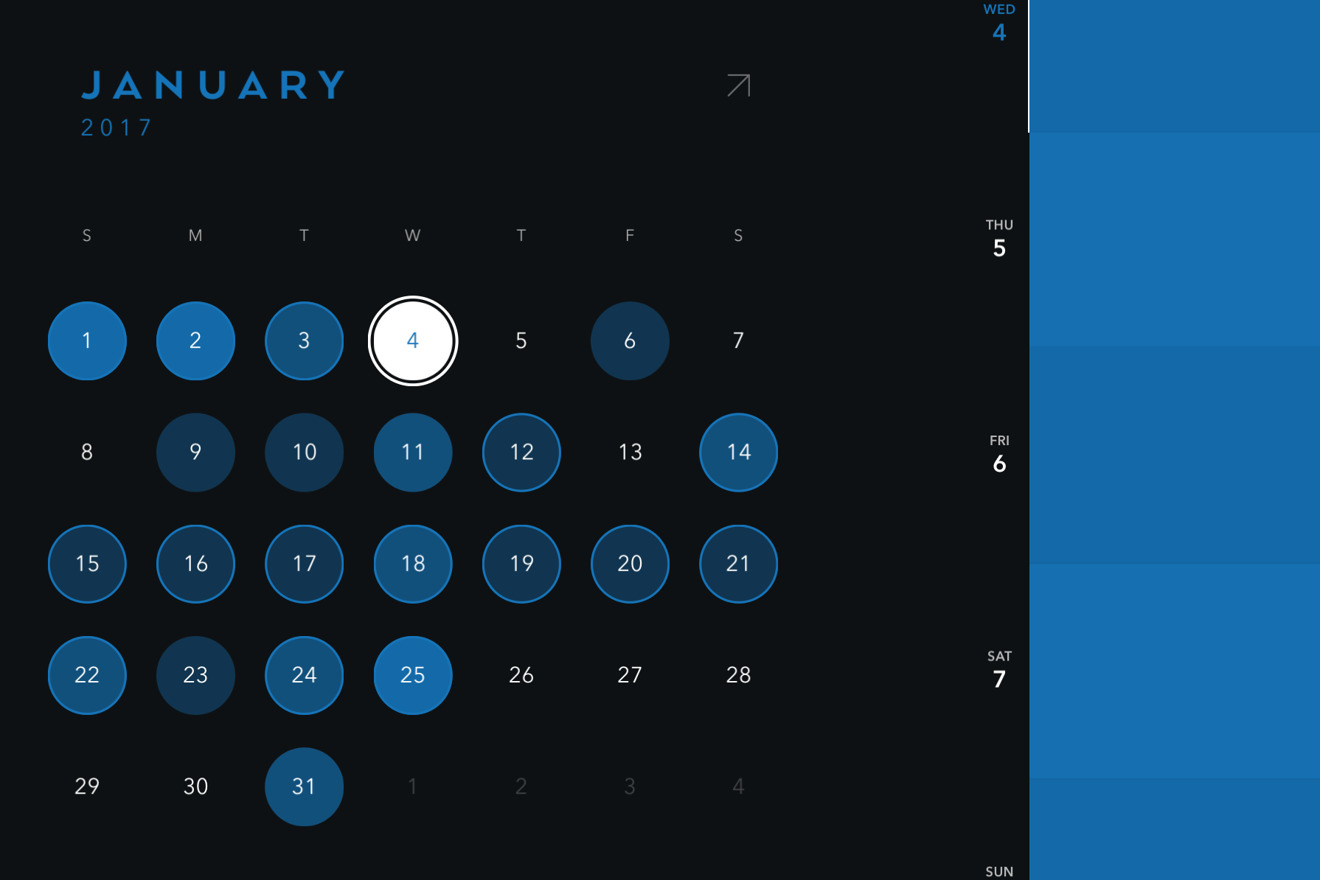
          is there a chance to show a circle arround a day in case of an event in the month view?
          For example like on this photo: Timepage IOS-App
          ? 2 Replies Last reply Reply Quote 0
          • ? Offline
            A Former User @gekberlin
            last edited by

            @gekberlin
            Very Beautiful. Anyway, at this moment I have no idea. seems not so easy. :D.

            G 1 Reply Last reply Reply Quote 0
            • G Offline
              gekberlin @Guest
              last edited by

              @Sean Hahaha damn! I hoped maybe you have an idea how to achieve such a notification system.

              ? 1 Reply Last reply Reply Quote 0
              • ? Offline
                A Former User @gekberlin
                last edited by A Former User

                @gekberlin
                I think it’s not difficult to create new one to show like above picture, but modifying current existing MMM-CalendarExt2 is not easy. :D

                1 Reply Last reply Reply Quote 0
                • ? Offline
                  A Former User @gekberlin
                  last edited by

                  @gekberlin
                  Hmmm…

                  How about this?
                  0_1569353606272_d261a192-fd55-4e14-8af7-cc16100dda61-image.png

                  Just have challenged. not yet released. maybe tomorrow or later.

                  G 1 Reply Last reply Reply Quote 0
                  • G Offline
                    gekberlin
                    last edited by

                    That looks absolutely incredible ! I would really appreciate it, if you could publicate this or that I could test it! As well maybe you could drop me a pm with your PayPal data ;)

                    1 Reply Last reply Reply Quote 0
                    • G Offline
                      gekberlin @Guest
                      last edited by

                      @Sean Hi Sean, any news regarding the module ?

                      ? 2 Replies Last reply Reply Quote 0
                      • ? Offline
                        A Former User @gekberlin
                        last edited by

                        @gekberlin
                        Sorry, almost done. But always writing manual is boring work. Only manual remains. I hope I can release this in a few hours. (Maybe… after my lunch. :D)

                        1 Reply Last reply Reply Quote 0
                        • ? Offline
                          A Former User @gekberlin
                          last edited by

                          @gekberlin
                          Released.
                          [card:eouia/MMM-CalendarExtMinimonth]

                          1 Reply Last reply Reply Quote 0
                          • D Offline
                            Doni90
                            last edited by

                            Hi everybody! I’m setting up Calendar-ext2 but I’m not able to read the location and the description of the event. Is there a specific setting to show it? Thanks!😁

                            ? 1 Reply Last reply Reply Quote 0
                            • ? Offline
                              A Former User @Doni90
                              last edited by

                              @Doni90
                              By Default, upcoming and current view shows location and description automatically by default. (In week and monthviews, not allowed - you can modify CSS to reveal even in those views, but not recommended)
                              If you want to show location/description on daily, weekly, and monthly views, add this into your css/custom.css

                              .CX2 .eventSub {
                                display:block;
                              }
                              
                              D 1 Reply Last reply Reply Quote 1
                              • D Offline
                                Doni90 @Guest
                                last edited by

                                @Sean said in MMM-CalendarExt2:

                                @Doni90
                                By Default, upcoming and current view shows location and description automatically by default. (In week and monthviews, not allowed - you can modify CSS to reveal even in those views, but not recommended)
                                If you want to show location/description on daily, weekly, and monthly views, add this into your css/custom.css

                                .CX2 .eventSub {
                                  display:block;
                                }
                                

                                Thank you! :D

                                1 Reply Last reply Reply Quote 0
                                • G Offline
                                  gonzonia
                                  last edited by

                                  Okay. This is all amazing. I was starting to configure MMM-CalendarExt when I found a reference to this. It has some features that I like a lot but I’m having some issues.

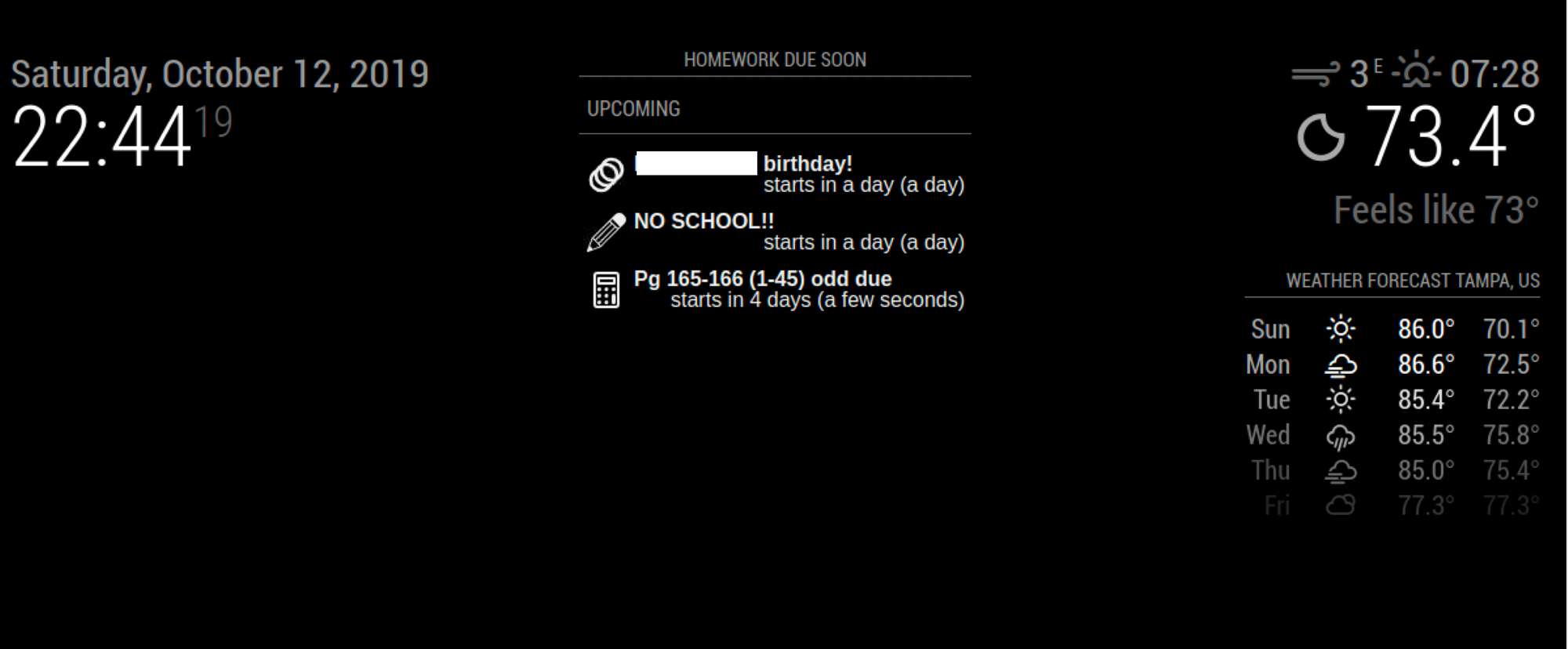
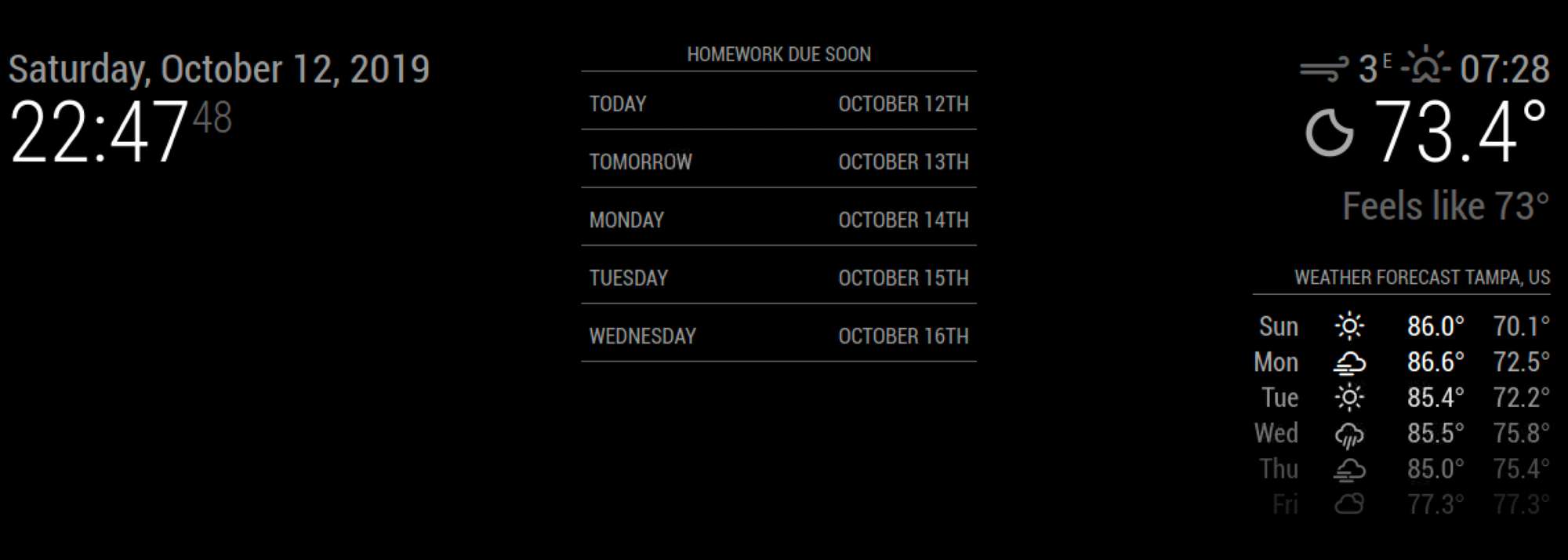
                                  1. It doesn’t seem to always load the data. Sometimes it works, sometimes it doesn’t. I’ve been trying to narrow this down. I’ve got 6 calendars I’m loading to show my sons homework. I put them in an upcoming and I see some data so I know they are loading (at least 3 of them), but I switch to daily (5 slots) and I get nothing even though some of the data is for the next few days.

                                  One second view it loads one calendar fine, but the moment I add a second the data disappears. I

                                  Config for upcoming view -
                                  {
                                  name: “Homework”,
                                  mode: “upcoming”,
                                  title: “Homework Due Soon”,
                                  position: “top_center”,
                                  calendars: [“Algebra”, “Latin”, “Transitions”, “Ceramics”,“English”, “Biology”],
                                  maxItems: 50,
                                  maxDays: 5,
                                  },
                                  0_1570934894744_Screen Shot 2019-10-12 at 10.44.20 PM.png

                                  for daily view (not working)-
                                  {
                                  name: “Homework”,
                                  mode: “daily”,
                                  title: “Homework Due Soon”,
                                  position: “top_center”,
                                  calendars: [“Algebra”, “Latin”, “Transitions”, “Ceramics”,“English”, “Biology”],
                                  slotCount:5,
                                  hideOverflow: false
                                  },
                                  0_1570934908018_Screen Shot 2019-10-12 at 10.47.48 PM.png

                                  1. In a daily view when the data is getting cut off because it’s too long for the column width. What do I need to change to remove some of the column spacing or expand the height of each data cell based on the data.
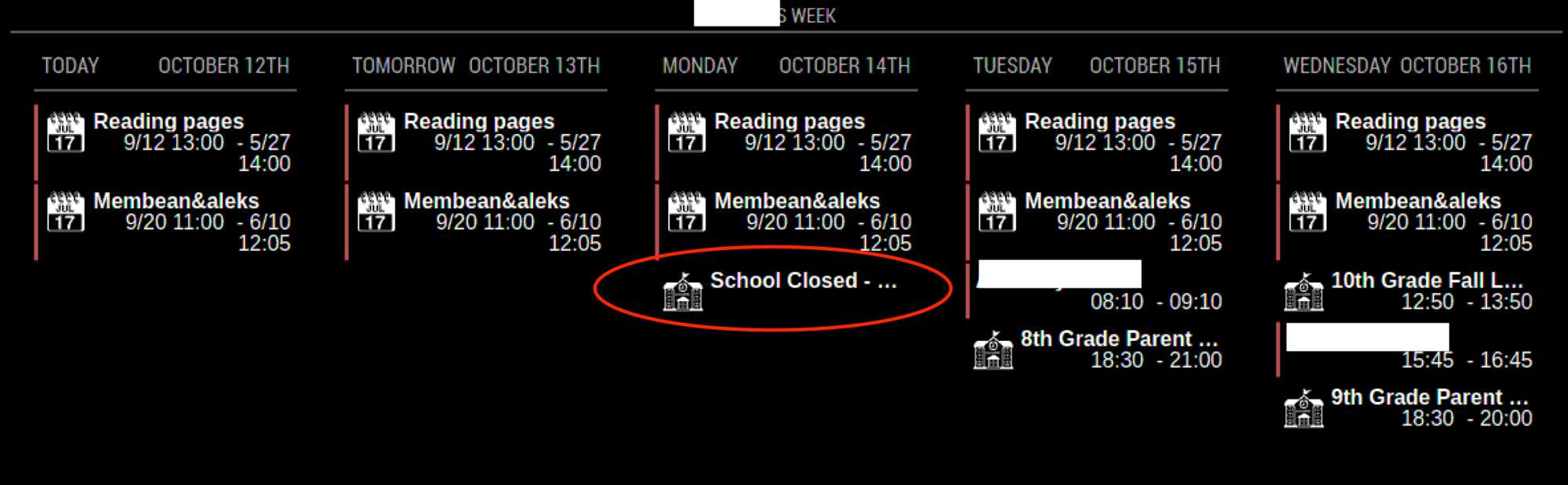
                                    0_1570935270045_Screen Shot 2019-10-12 at 4.35.19 PM.png

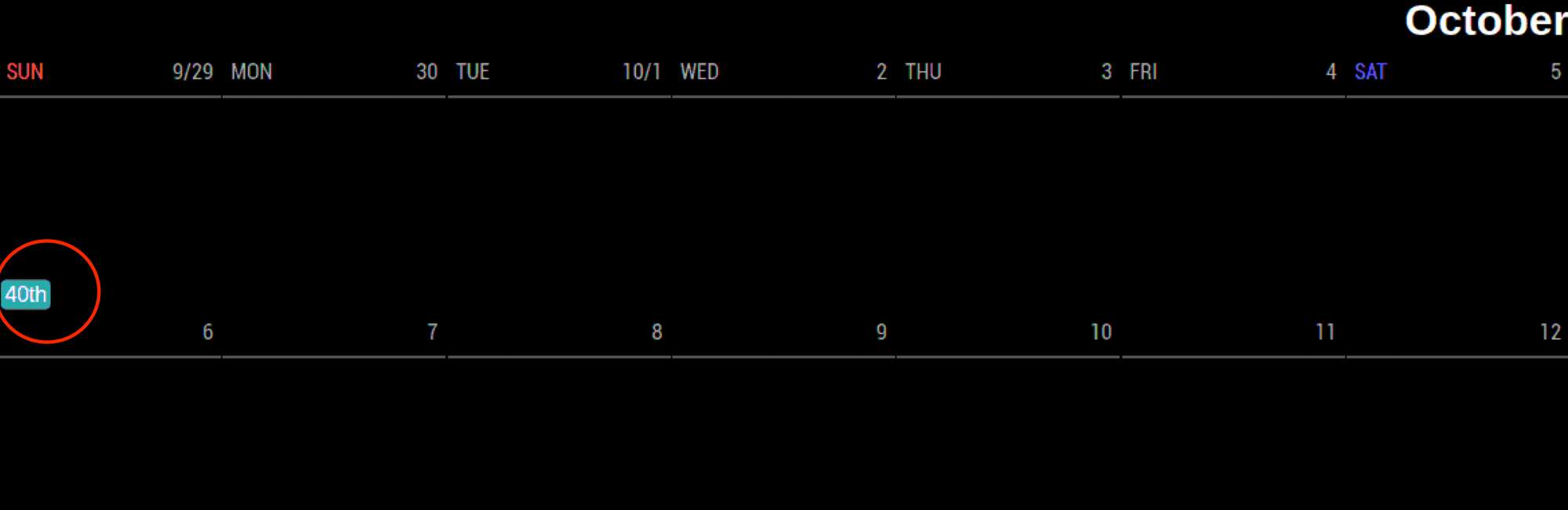
                                  2. How do I hide the Week count (41st ,42nd, etc) in a monthly view. 0_1570934373594_Screen Shot 2019-10-12 at 4.35.50 PM.png
                                  1 Reply Last reply Reply Quote 0
                                  • ? Offline
                                    A Former User
                                    last edited by

                                    @gonzonia

                                    1. I think maxItems should be bigger for using many calendars at the same time. Your config says 50 events to be loaded in that view and many of those events were old to be displayed in that view.
                                      Smaller values will make performance better but by that value, some events would be dropped. You can use filter to filter UNNECESSARY events, but somewhat difficult, so just giving a bigger value to maxItems would work.

                                    2. Width of horizontal MM is not enough wide to display 5 columns :D If you are using 1920x1080 resolution, the width will be 1080(max) or somehow narrower. It means usually each column will take 200px or smaller in 5 columns.
                                      Anyway, there could be a few solutions.

                                    • remove the outer frame margin/padding of MagicMirror itself.

                                    • adjust the column size of MMM-CalendarExt2
                                      It is not such an easy because it is hard-coded.
                                      https://github.com/eouia/MMM-CalendarExt2/blob/e7535e8fda1fdad1078af158d6e299f730292174/CALEXT2_View.js#L284

                                        if (this.config.type == "row") slotDom.style.width = ((100 / count) - 3) + "%"
                                    

                                    You can modify this. (change 3 to 1 or 0 and save it) But not recommended.

                                    • make font smaller
                                      redefine --font-size in CSS(in your css/custom.css. referenced by MMM-CalendarExt2.css). Adjusting details might be needed.

                                    • Title as multi-lines. (Recommended)
                                      add this into your css/custom.css

                                    .CX2 .period .eventTitle {
                                      white-space:normal;
                                    }

                                    

                                    0_1570966645163_111111.png

                                    • Or you can abbreviate long title to shorter by using transform
                                    1. add this into your css/custom.css
                                    .CX2 .weeksmark {
                                      display:none;
                                    }
                                    
                                    1 Reply Last reply Reply Quote 1
                                    • G Offline
                                      gonzonia
                                      last edited by gonzonia

                                      Thanks for the quick reply!

                                      I think it’s much closer to where I want it now. It takes some time for the data to load initially, but it seems to be working. Still some visual tweaks to make.

                                      I kinda miss the built in styles from CalendarExt. It made it easy to just make each calendar different.

                                      1 Reply Last reply Reply Quote 0
                                      • F Offline
                                        Fr8Trayne
                                        last edited by

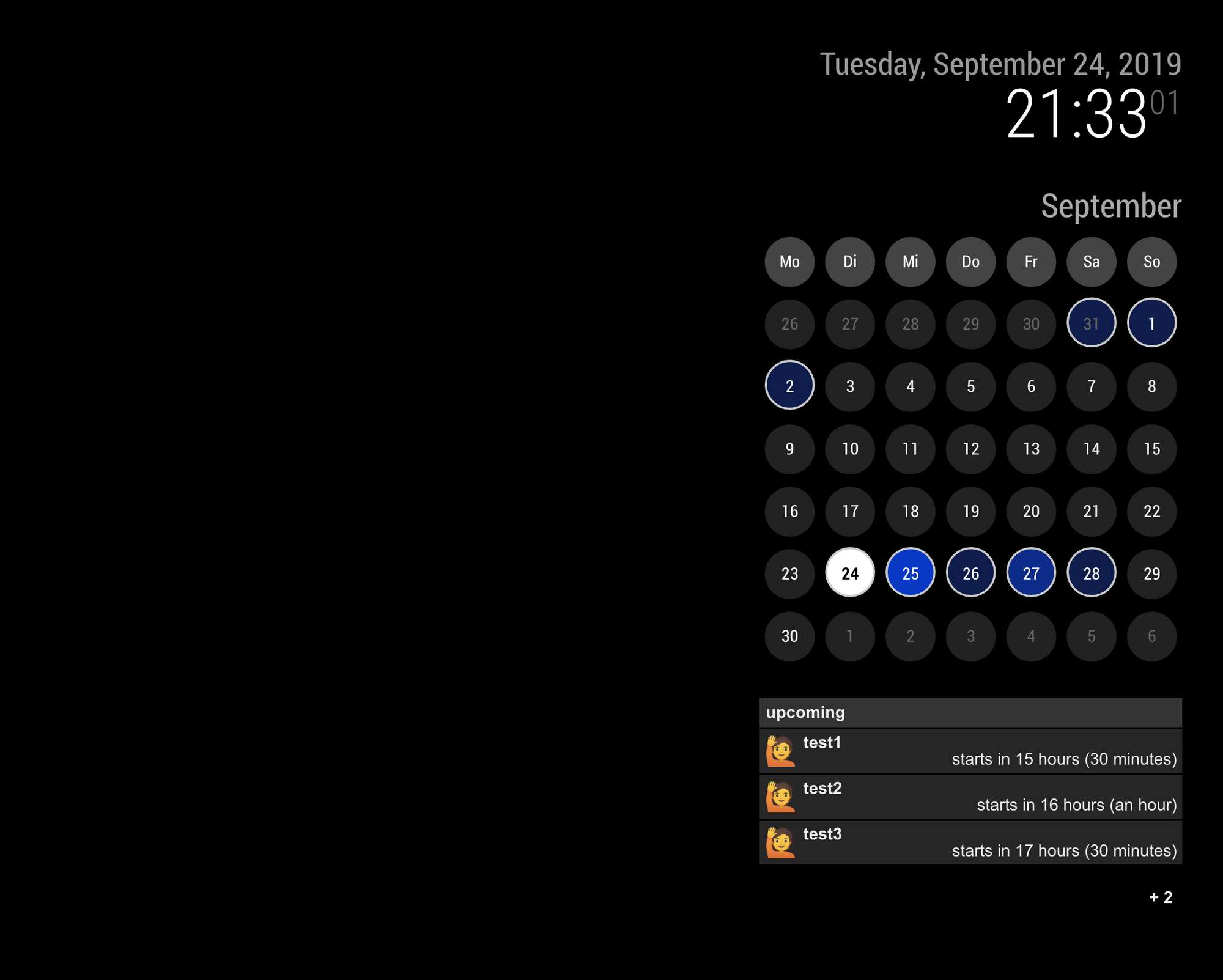
                                        Howdy @Sean something weird is happening. I have this module setup and it’s been working great for a while. It is a scene with two views. The first view is great, but the second view which has the exact same calendars only shows today. The rest of the month is blank. Have you seen this happen before?

                                        ? 1 Reply Last reply Reply Quote 0
                                        • ? Offline
                                          A Former User @Fr8Trayne
                                          last edited by

                                          @Fr8Trayne
                                          show me the configuration.

                                          1 Reply Last reply Reply Quote 0
                                          • F Offline
                                            Fr8Trayne
                                            last edited by

                                            I’ve removed the actual links to calendars solely for this . Please note that it has been working up until 2 days ago. I love this module just not sure this stopped working. Also note I have a second version of this one a weekly view that still is working just fine.
                                            {
                                            module: “MMM-CalendarExt2”,
                                            pages: {second: “fullscreen_above”},
                                            defaultset: {
                                            view: {
                                            slotCount: 5,
                                            },
                                            },

                                            		config: {
                                            
                                            				scenes: [
                                              					{
                                                				name: "Month Calendar",
                                            				views: ["family"],
                                            				className: "scene_1",
                                              					},
                                            					],
                                            			
                                            				views: [
                                              					{
                                            				    name: "family",
                                                				    mode: "week",
                                            				    fromNow:0,
                                            				    className: "view_1",
                                            				    calendars: [],
                                            				    slotTitleFormat:"MM/DD",
                                            				    slotSubTitleFormat: "dddd",
                                            				    beforeDays: "7",
                                            				    hideOverflow: false,
                                            				    type: "row",
                                              					},
                                            					],
                                            
                                            				calendars: [
                                            				    {
                                            				    name: "Family Calendar",
                                            				    url: "https://calendar.google.com/calendar/ical",
                                            				    scanInterval: 2000,
                                            				    className: "family_calendar",
                                            				    maxIterations: 100,
                                            				    },
                                            
                                            				    {
                                            				    name: "Dad's Calendar",
                                            				    url: "https://calendar.google.com/calendar/ical",
                                            					    scanInterval: 2000,
                                            				    className: "dads_calendar",
                                            				    maxIterations: 100,
                                            				    },
                                            
                                            				    {
                                            				    name: "Mom's Calendar",
                                            				    url: "https://calendar.google.com/calendar/ical",
                                            				    scanInterval: 2000,	
                                            				    className: "moms_calendar",
                                            				    maxIterations: 100,
                                            				    },
                                            
                                            				    {
                                            				    name: "Alana's Calender",
                                            				    url: "https://calendar.google.com/calendar/ical",
                                            				    scanInterval: 2000,
                                            				    className: "alanas_calendar",
                                            				    maxIterations: 100,
                                            				    },
                                            
                                            				    {
                                            				    name: "John's Calendar",
                                            				    url: "https://calendar.google.com/calendar/ical",
                                            				    scanInterval: 2000,
                                            				    className: "johns_calendar",
                                            				    maxIterations: 100,
                                            				    },
                                            
                                            				    {
                                            				    name: "Holiday Calendar",
                                            				    url: "https://calendar.google.com/calendar/ical,
                                            				    scanInterval: 2000,
                                            				    className: "holiday_calendar",
                                            				    maxIterations: 100,
                                            				    },
                                            				],
                                            			},
                                            	},
                                            
                                            ? 1 Reply Last reply Reply Quote 0

                                            Hello! It looks like you're interested in this conversation, but you don't have an account yet.

                                            Getting fed up of having to scroll through the same posts each visit? When you register for an account, you'll always come back to exactly where you were before, and choose to be notified of new replies (either via email, or push notification). You'll also be able to save bookmarks and upvote posts to show your appreciation to other community members.

                                            With your input, this post could be even better 💗

                                            Register Login

                                            • 1
                                            • 2
                                            • 21
                                            • 22
                                            • 23
                                            • 24
                                            • 25
                                            • 38 / 25
                                            • First post
                                              Last post
                                            Enjoying MagicMirror? Please consider a donation!
                                            MagicMirror created by Michael Teeuw.
                                            Forum managed by Sam, technical setup by Karsten.
                                            This forum is using NodeBB as its core | Contributors
                                            Contact | Privacy Policy