Read the statement by Michael Teeuw here.
[MMM-Dreambox] to connect a Dreambox or a Enigma2 Receiver (like VU or VU+) to MagicMirror and stream stations via omxplayer
-
Hi,
What does
pm2 logsay?And do you see omxplayer in the process list ?
$ ps -eaf | grep omxplayer | grep -v grepFinally, can you see if omxplayer works standalone ?
$ omxplayer --vol -6000 --win "0 0 720 576" --live http://192.168.1.50:8001/1:0:19:2B66:3F3:1:C00000:0:0:0: -
@Eisblume
I have some ideas and need your feedback:- is there a special reason why you are using the
dev branch? If not, try themaster branchinstead - is streaming of recordings working?
- your log shows that omx player is doing something, please consider it takes up to 15 seconds before a stream starts after you send
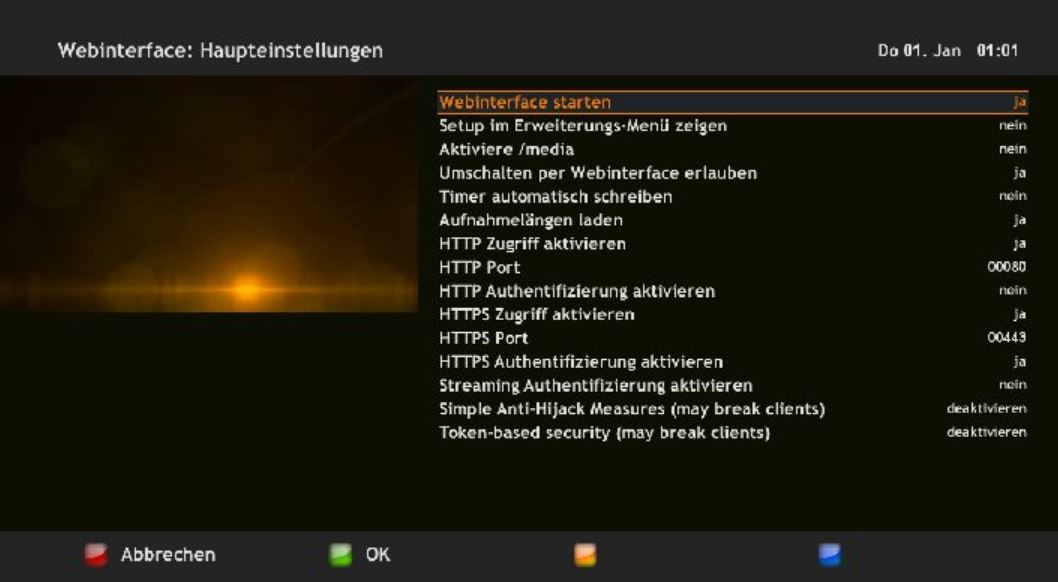
DB-Play - are your enigma2 settings on your VU like this (similar, the following screenshot is of a Dreambox DM800SE with a oozoon image):
AxLED
- is there a special reason why you are using the
-
Hey Guys,
thanks a lot for your help. I checked everything you mentioned.
But at last the problem was that I did everything which is written in the Tutorial for installing MagicMirror on a Raspberry ;-) !
In the Tutorial for “Configuring the Raspberry Pi” is recommended to enable the OpenGL-Driver. I did it before installing anything else.
But this was the Problem, when I disable this driver, omxplayer works fine with this module. -
-
Yes, works perfect as you can see on the picture.
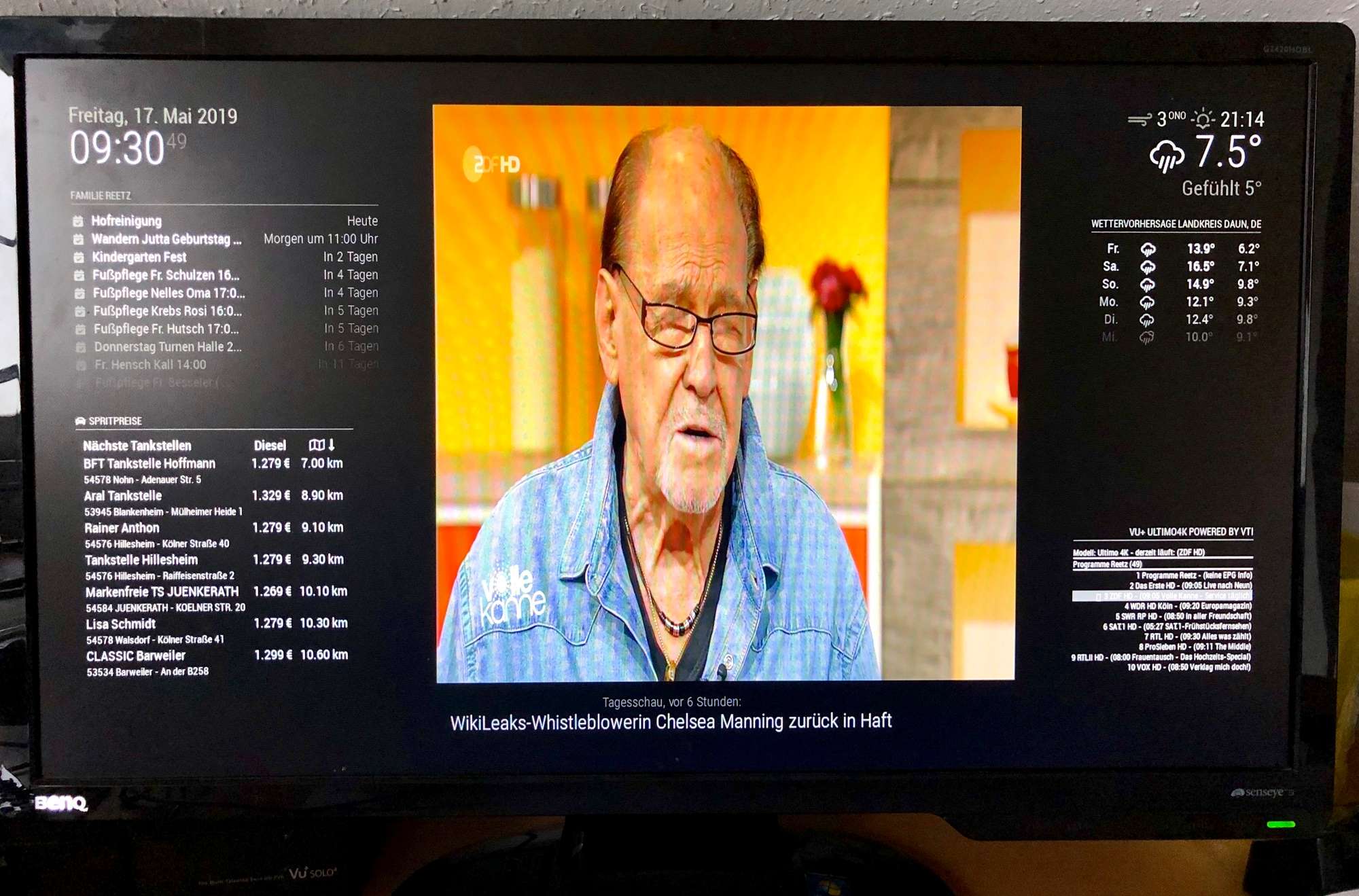
Now I finally have to build the frame with the mirror ;-).
-
Hallo, i installed the module like in github say.
After install and restart! this is the log after starting:
pi@InfoTerminal:~ $ tail -fn 20 /home/pi/.pm2/logs/MagicMirror-error.log
    at Module._compile (node:internal/modules/cjs/loader:1118:14)
    at Module._extensions..js (node:internal/modules/cjs/loader:1173:10) {
  code: 'MODULE_NOT_FOUND',
  requireStack: [
    '/home/pi/MagicMirror/modules/MMM-Dreambox/node_helper.js',
    '/home/pi/MagicMirror/js/app.js',
    '/home/pi/MagicMirror/js/electron.js',
    '/home/pi/MagicMirror/node_modules/electron/dist/resources/default_app.asar/main.js',
    undefined
  ]
}
[07.11.2022 23:20.08.526] [ERROR] MagicMirror² will not quit, but it might be a good idea to check why this happened. Maybe no internet connection?
[07.11.2022 23:20.08.527] [ERROR] If you think this really is an issue, please open an issue on GitHub: https://github.com/MichMich/MagicMirror/issues
MESA-LOADER: failed to retrieve device information
MESA-LOADER: failed to retrieve device information
MESA-LOADER: failed to retrieve device information
MESA-LOADER: failed to open kms_swrast (search paths /usr/lib/arm-linux-gnueabihf/dri:\$${ORIGIN}/dri:/usr/lib/dri)
failed to load driver: kms_swrast
MESA-LOADER: failed to open swrast (search paths /usr/lib/arm-linux-gnueabihf/dri:\$${ORIGIN}/dri:/usr/lib/dri)
failed to load swrast driver
any tip for me?
Thanks -
@robiv8 back up in the log output about 10 lines is the thing missing
see
https://forum.magicmirror.builders/topic/15778/fix-for-black-screen-in-2-16-and-later/1 -
@sdetweil
many thanks
Update:
The list is coming and with http://192.168.3.140:8080/remote?action=NOTIFICATION¬ification=DB-SERVICE-NEXT i can go up and down in the Favourites.
When i put http://192.168.3.140:8080/remote?action=NOTIFICATION¬ification=DB-PLAY in a browser,
on the epglist comes the play sign but no video?
The test with:omxplayer http://192.168.3.105:8002/1:0:1:2F1D:441:1:C00000:0:0:0:
is fine and the video is playing fine.any tip for me
-
I solved it myself :-)
The problem was that no video was played. With Omxplayer and the direct streamlink it did.
But! My VU Solo2 sends 2 streams, one normal and one transcoded. I think the second one is the weakened one for weak players :-)
The original stream goes through port 8001 and the transcoded one through 8002, and that was the solution.
I changed that in the node_helper.js at DB-PLAY.It would be great if you could set this individually in the config.
Deutsch:
Probblem war das kein Video abgespielt wurde. Mit Omxplayer und dem direkten streamlink hat es aber getan.Aber! Meine VU Solo2 sendet 2 streams, einmal den Normalen und einmal den Transkodierten. Ich denke der zweite ist der abgeschwächte für schwache Player :-)
Der Original Stream läuft über den port 8001 und er Transkodierte über 8002, und das war die lösung.
Ich habe das in der node_helper.js geändert bei DB-PLAY.Es wäre toll wenn man das in der Config Individuell einstellen könnte.
-
Now I need some help,
- why doesn’t it show me the EPG info.
- can I put it in 2 columns next to each other (to save space) with so many channels?
and last but not least
When you press DB-PLAY it takes about 5-10 seconds until the video comes, can you set a status bar with a sample message until the stream starts: Video coming or similar.
Thank you very much
And this module is awesome :-)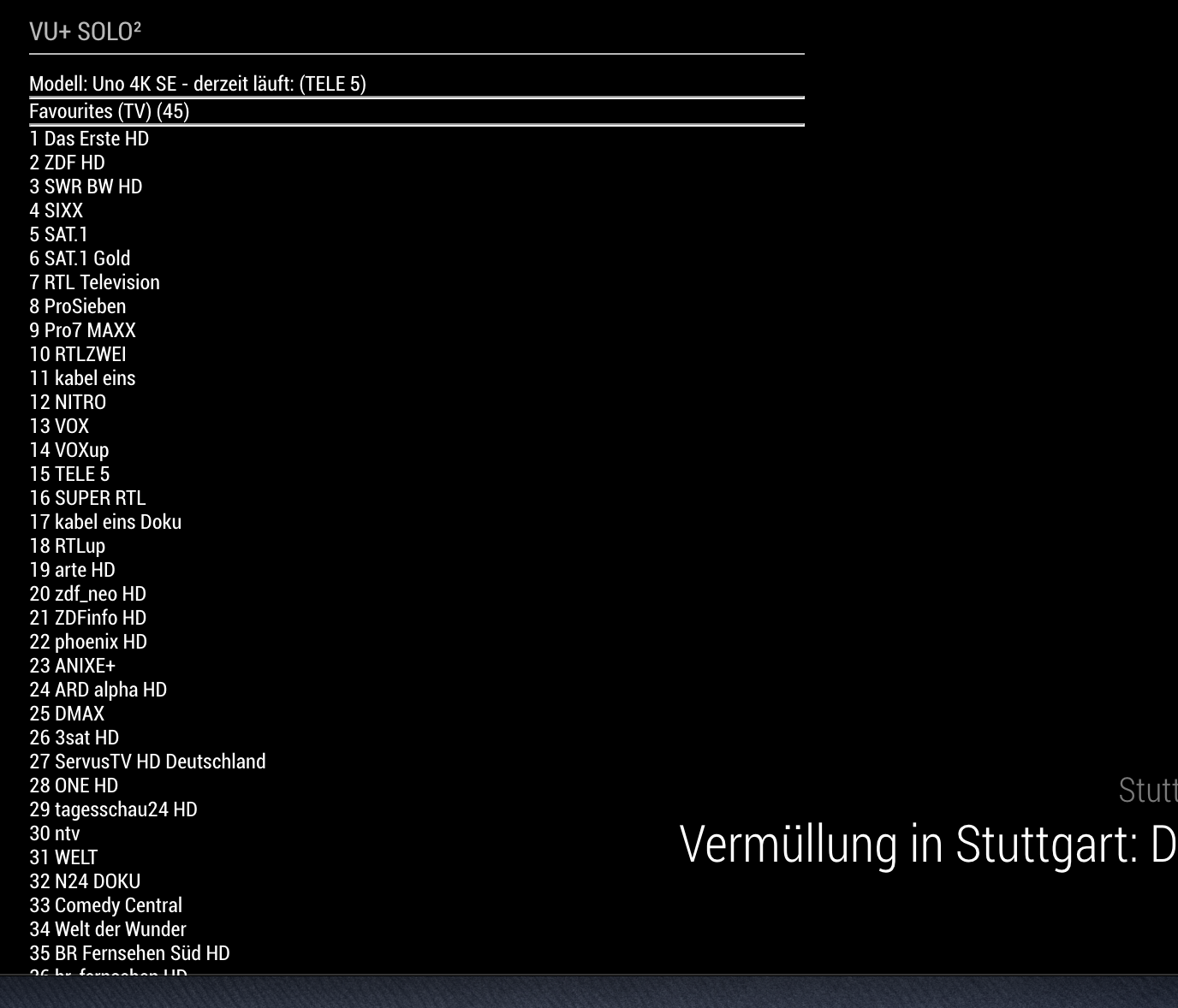

Hello! It looks like you're interested in this conversation, but you don't have an account yet.
Getting fed up of having to scroll through the same posts each visit? When you register for an account, you'll always come back to exactly where you were before, and choose to be notified of new replies (either via email, or push notification). You'll also be able to save bookmarks and upvote posts to show your appreciation to other community members.
With your input, this post could be even better 💗
Register Login