Read the statement by Michael Teeuw here.
Animated rainbow color gradient for the default clock module
-
I wanted to introduce some more color to my MagicMirror so i made a animated rainbow color gradient which i used to spice up my default clock module. Here is a gif with the result:
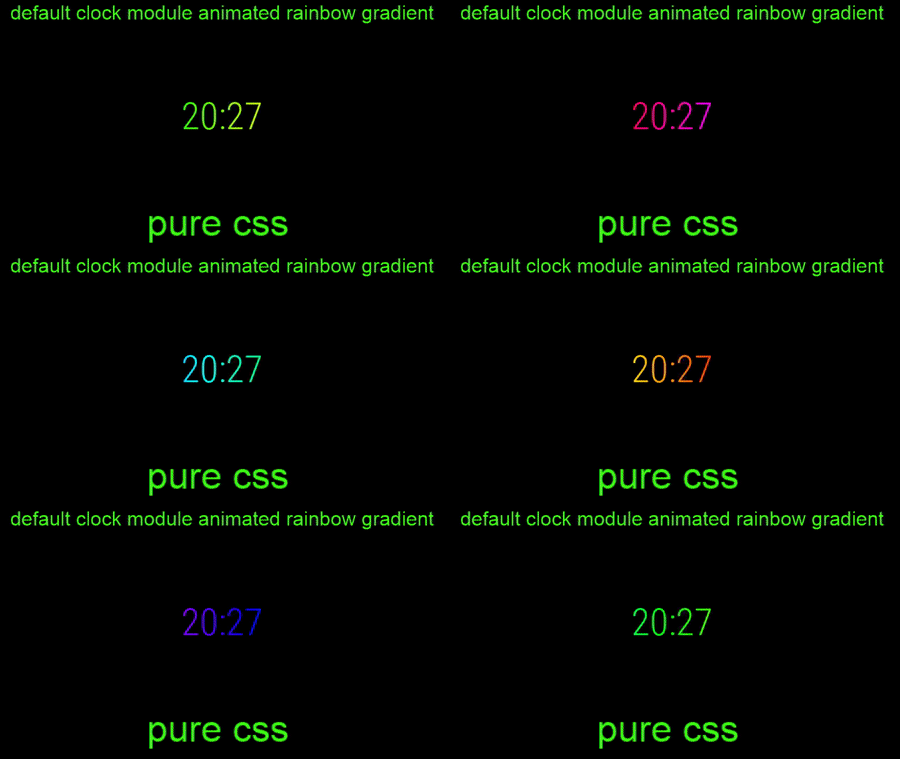
The code.clock-time-only-color { background-image: linear-gradient(to left, #ff0000,#ff4000,#ff8000,#ffbf00,#ffff00,#bfff00,#80ff00,#40ff00,#00ff00,#00ff40,#00ff80,#00ffbf,#00ffff,#00bfff,#0080ff,#0040ff,#0000ff,#4000ff,#8000ff,#bf00ff,#ff00ff,#ff00bf,#ff0080,#ff0040,#ff0000); -webkit-background-clip: text; -webkit-animation: animate 60s linear infinite; background-size: 1000%; color: transparent; } @-webkit-keyframes animate{ 0% {background-position: 0% 500%;} 100% {background-position: 500% 1000%;}If somebody has any idea of improving the image quality for the animation i’m really interested!
-
hi,
in custom.css ?
-
@Smotx Jup in custom.css.
ps. I have two clock modules, one with time only and the other with date only ;) -
I have set on custom.css but no result on MM :(.
body { margin: 5px; height: calc(100% - 10px); width: calc(100% - 10px); background: #000; color: #FA72A8; } .dimmed { color: #BCDDFF; } .normal { color: #D4FDED; } .clock .time { font-size: 98px; } .clock .seconds { color: #985F8E; } .clock .date { color: #F0C8DA; } .clock-time-only-color { background-image: linear-gradient(to left, #ff0000,#ff4000,#ff8000,#ffbf00,#ffff00,#bfff00,#80ff00,#40ff00,#00ff00,#00ff40,#00ff80,#00ffbf,#00ffff,#00bfff,#0080ff,#0040ff,#0000ff,#4000ff,#8000ff,#bf00ff,#ff00ff,#ff00bf,#ff0080,#ff0040,#ff0000); -webkit-background-clip: text; -webkit-animation: animate 60s linear infinite; background-size: 1000%; color: transparent; } @-webkit-keyframes animate { 0% {background-position: 0% 500%;} 100% {background-position: 500% 1000%;} } .region.upper.third { top: 38%; } .region.middle.center { top: 48%; } .region.lower.third { top: 60%; } -
@Smotx
This line below in your custom.css has to match the module class in your config.js.clock-time-only-colorMy 2e clock mudule inside config.js looks like
{
 module: "clock",
  position: "top_center",
  classes: "clock-time-only",  //this line
    config: {
    timeFormat: 24,
    showPeriod: true,
    displaySeconds: false
    }
If you have any more questions let me know :winking_face:
-
@ganget said in Animated rainbow color gradient for the default clock module:
{
module: “clock”,
position: “top_center”,
classes: “clock-time-only”, //this line
config: {
timeFormat: 24,
showPeriod: true,
displaySeconds: false
}Ok but it’s not ok on mine :(.
{
			module: "updatenotification",
			position: "top_bar"
		},
		{
			module: "clock",
			position: "top_left",
			classes: "clock-time-only"
		},
Hello! It looks like you're interested in this conversation, but you don't have an account yet.
Getting fed up of having to scroll through the same posts each visit? When you register for an account, you'll always come back to exactly where you were before, and choose to be notified of new replies (either via email, or push notification). You'll also be able to save bookmarks and upvote posts to show your appreciation to other community members.
With your input, this post could be even better 💗
Register Login