What is Depot in relation to this module? I’ve never heard term in relation to stocks.
A New Chapter for MagicMirror: The Community Takes the Lead
Read the statement by Michael Teeuw here.
Read the statement by Michael Teeuw here.
 Offline
Posts
-
MMM-JaST Depot
-
RE: Clearing Custom CSS warnings from editor,
@sdetweil It’s in the ClendarExt2
.CX2 { /* default values which are used frequently or dependently */
  row-min-width: 100px;
  row-max-width: 500px;
  column-min-width: 300px;
  column-max-width: 400px;
  font-size: 12px;
}
Unknown property: ‘row-min-width’, same with all 4
-
Clearing Custom CSS warnings from editor,
I use VS Code as my editor and it is fine at recognizing standard CSS items of which there must be thousands but I see in some of these modules developers create custom CSS items and VS Code flags them, I think I saw same when I was using other editors early on.
Code throws up a warning flag on the custom items but I’m at a loss as to how to clear them. I imagine it i similar to writing an engineering heavy document where I just say “add to dictionary” and resolves problem. Do these code editors have a similar way of clearing the warning. I’ve tried to figure out in VS Code but so far have not been successful so just ignoring -
RE: Keyboard Shortcut for Developer Tools
@sdetweil Thank You. I do appreciate the help.
I’m going to post another question but it’s kinda-sorta a CSS and code editor question so will post there. -
RE: Keyboard Shortcut for Developer Tools
@sdetweil That was the ticket, Is it just random modules use that request module or is there a common thread among the modules that require(d) use of that module?
Also, is that something module developers have to fix? I was using on my original MM an iFrame module and when I was going to use it this time there was a notice on developers readme.md with about an 80 sized font saying this module broken after that 2.16 update. I’ll leave it at that.
Do you all post issues and work-arounds in like this github repository?
I already know of a module that was doing same yesterday
-
RE: Keyboard Shortcut for Developer Tools
@sdetweil I’ve seen those but those all are parts that I don’t know how to fix. I get that it is telling me it needs a module but not sure where to get that module then how to subsequently install. I’m capturing the first error at each time stamp as I assume other following errors just downstream effect
Uncommenting SystemStats I get the below:
[ERROR] WARNING! Could not load config file. Starting with default configuration. Error found: Error: Cannot find module 'request'Recommenting SystemStats, uncommenting NewsFeedTicker I get:
[13.07.2021 15:46.38.418] [ERROR] Error: Cannot find module 'request' -
RE: Keyboard Shortcut for Developer Tools
@sdetweil I’m baffled. I get a ton of errors, none of which appear to be anything I would even interact with.
I was wrestling with MMM-NewsFeedTicker when I first posted. So I commented out that portion of config.js restart, everything good.
So I tried a different module, MMM-SystemStats, same exact result, installed module in mm/modules like I am supposed to, copied the config portion, pasted in to config.js, restarted MM, black screen. Commented out its portion config file, restarted everything runs.FWIW I have refortmatted sd card, installed Pi OS, then MM like 3 times, all with the same exact reslt
-
Keyboard Shortcut for Developer Tools
I am having a vexxing problem I am unable to figure out.
When I do fresh install of MM, all the pre-loaded modules run fine.
I have tried to install several different modules by running the git command in MagicMirror/modules like normal.
As soon as I do copy/paste the module script in config.js and hit SAVE MM cranks up but all there is is black screen with nothing on it. Not even the screen that says your config.js has a problem.
I then have to call up a terminal via ctl+alt+t and then pm2 stop MagicMirror and it stops.
What is keyboard shortcut to get the Developer Tools to run since hitting the alt key does not show VIEW so unable to reach them from that direction.
I’ve made about 4 MM’s no problems so I know the process. This fresh install of both Pi OS---->MagicMirror and I can not get modules to run. -
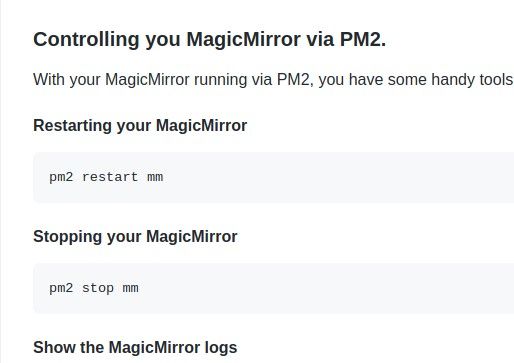
RE: pm2 start
@sdetweil Just thinking might be confusing to someone if they forgot that command, went hunting for it, saw pm2 start mm then don’t know why it won’t start.
First installation I did was the “official” manual installation.
That actually bit me on my second installation which used your installation script. I had the manual installation pm2 start mm set in my head from manual installation. I figured it out pretty promptly but I still like to skim through those first few sections to make sure I didn’t miss/forget a step.