MagicMirror Forum
    • Recent
    • Tags
    • Unsolved
    • Solved
    • MagicMirror² Repository
    • Documentation
    • 3rd-Party-Modules
    • Donate
    • Discord
    • Register
    • Login
    1. Home
    2. ankonaskiff17
    3. Posts
    A New Chapter for MagicMirror: The Community Takes the Lead
    Read the statement by Michael Teeuw here.
    Offline
    • Profile
    • Following 1
    • Followers 5
    • Topics 78
    • Posts 318
    • Groups 0

    Posts

    Recent Best Controversial
    • RE: Script seems to be failing

      @sdetweil Sorry for the ultra-slow reply. I think this was a stumble at Raspberry Pi
      I had 3 separate Raspberry Pi 4B’s that I needed to do some tweaking on over the course of the last 2 - 3 weeks.
      Want to note that I have an app I use to delete partitions, format drives in any of the formats out there FAT,NTFS etc. I’ve used it forever but just want to mention I use that tool rather than the format tool in Windows.

      So, the first Pi4 was one set up to run Pi-Hole. I messed it up somehow but net result was I started over formatted SD card, used Pi Imager, chose the Pi 4 64 bit Pi OS and loaded Pi OS on this Pi4. No problems whatsoever. It was unknown to me at the time but an update to the Raspberry Pi Imager was right around the corner. The imager application GUI was slightly different but the OS install went just fine.

      A few days later I went to tackle Pi 4B number 2.
      Formatted the SD Card like I normally do and that went fine. Started the Imager tool and it immediately told me there was an update to the imager and to do the update. I did that with no problems.
      Just like the Pi4 above, I chose Pi4 64 bit Pi OS Full desktop version which I always do, even though I do not necessarily need to.

      The “new” Imager steps through the process a bit different than the older version did, but much of that seems to be just a glossy wrapper around raspi-config. Worked my way through the various steps. The last step is they tell the user there are updates ask if you want to update or skip. That is the last step, I did it a couple of times skipping the updates and doing the updates but it had no bearing on the Pi Imager problem that was going to hit me next.
      Once the update step is either completed or skipped the next window is Congratulations, installation is done, click to launch the Desktop.
      That click took me back to the first configuration step consistently. The two Pi4’s had been sitting in a drawer for a while so I thought maybe that Pi is doing something flaky. I have a 3D printer and those printers seem to like to destroy SD cards so I got a fresh SD card out along with the second Pi4. Did the whole install process with the Pi Imager tool and got the same exact result. Endless loop through the initial Pi setup. Called it a day at that point.

      Next day I got up and took a crack at seeing if I could get the Imager to make it through the entire process, which it did.
      I then tried to run the MM install script which gave me the failure I posted about.

      I have today, with the original Pi4 it had no issues installing the current version of Pi OS so went right to the MM install script and it all installed just fine.
      I went back to Github because you can see when things are updated and was curious about if any Imager or OS updates were taking place at the same time as my problems and yes, there were a bunch of updates that took place at the same time.
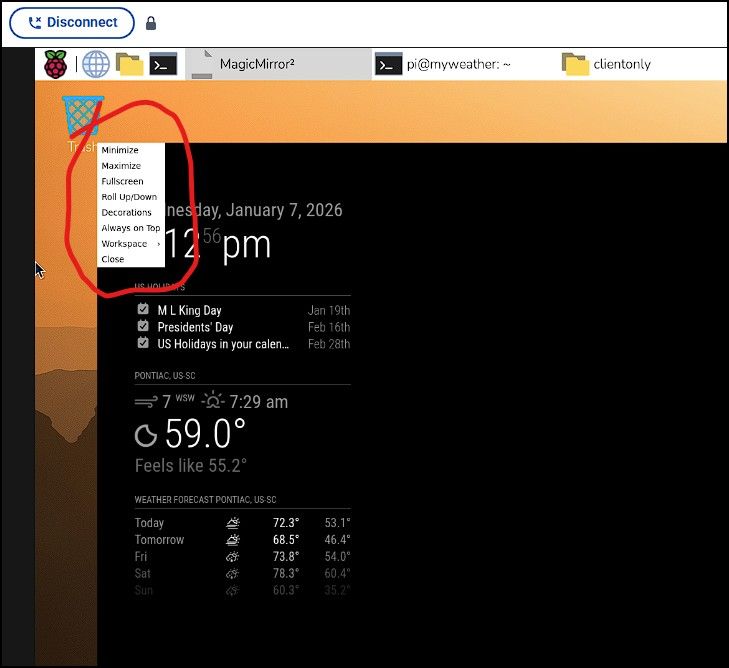
      I’m looking at the MM initial screen one gets telling me my overweight *** looks hot so l think this was an issue that was really a Pi Imager and OS image problem.

      posted in Troubleshooting
      ankonaskiff17A
      ankonaskiff17
    • RE: Script seems to be failing

      @sdetweil This is not a Docker install.

      I would note that I had a very difficult time with installing Pi OS even before I got to the point of using your alternative MM install script.
      I tried to run the script again just a few minutes before this reply with the same result. The log file should be on its way to you via your address.

      I am going to run through the Pi OS install then follow right behind with a fresh attempt at MM install.
      The folks who manage the Pi OS just upgraded the Imager tool last week.
      Coincidentally I did two separate Pi OS installs in last couple of weeks. One was before the Imager was upgraded, and one after the Imager upgrade.

      Had no issues with the Pi OS install via the older Imager tool. After the upgrade I had nothing but trouble. My low level of programming knowledge tells me that the problem is with the Pi OS image , not the imager tool but either way, it may be that the failure to install the MM is being caused by whatever is causing me trouble with Pi OS setup.

      I want to see what happens start to finish.

      posted in Troubleshooting
      ankonaskiff17A
      ankonaskiff17
    • Script seems to be failing

      I am setting up a new MM and using Sam’s alternative install method. I have done this several times with no issues.
      I copied the script as instructed, executed it. It runs for a bit but then I get the following failure message.
      This is being done via Pi Connect.
      Here are the lines I get.

      Installing helper tools ...
      nvm_command is sudo n v22.18.0
      installing correct version of node and npm, please wait
      tar: bin: Directory renamed before its status could be extracted
      tar: Exiting with failure status due to previous errors
      Error: failed to extract archive for 22.18.0
      node failed to install, exiting
      
      posted in Troubleshooting
      ankonaskiff17A
      ankonaskiff17
    • RE: Weather.gov problem in default weather module.

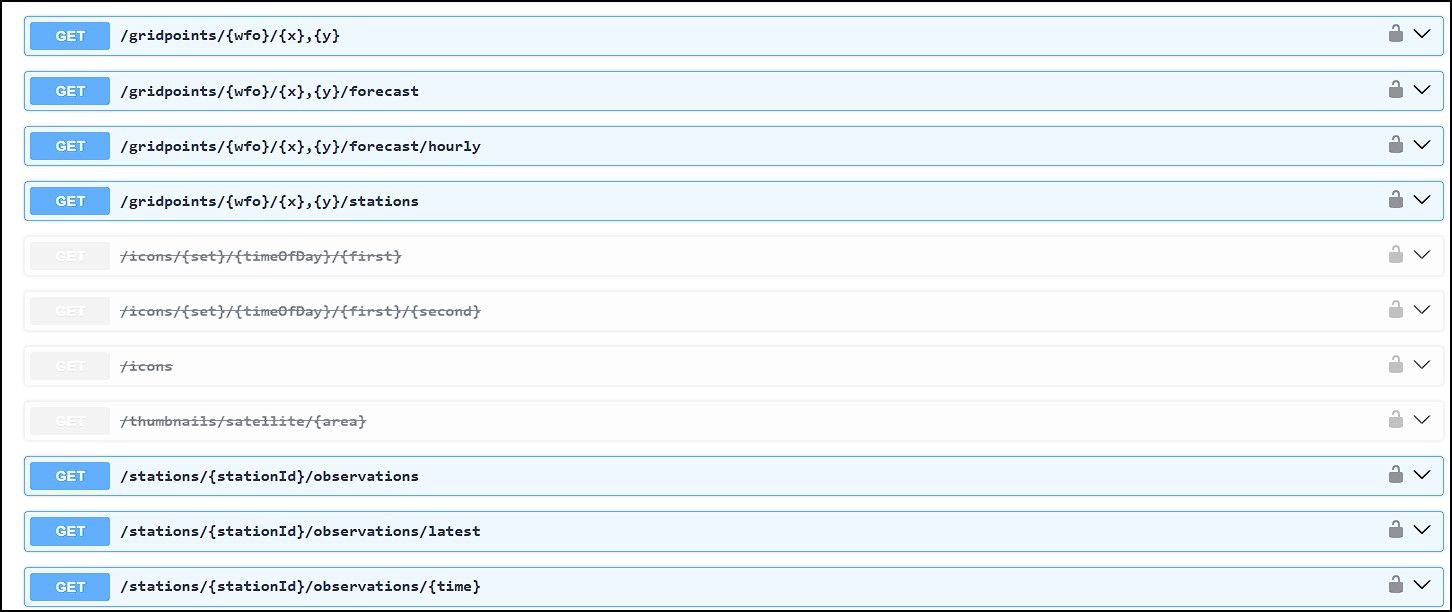
      @sdetweil I’ve done that. I intend to follow-up with those folks tomorrow. There are a few NWS API pages that indicate what options are available and while they show various iterations of Forecast, Current is not in the list. They have the api set where you can plug in GPS coordinates, the NWS office that manages those GPS coordinates and it will generate the https address so you just plug it into the module. That is what I did a few years ago when I first built that MM.
      I am going to look at Observations options at bottom of the picture to see if the have changed the format.

      api picture.jpg

      posted in Troubleshooting
      ankonaskiff17A
      ankonaskiff17
    • Weather.gov problem in default weather module.

      I am using the default weather module and accessing the Weather.gov option to give me both the current weather and the forecast using “current” and forecast options. They are stacked one above the other.
      About a month ago the “current” option quit working and I am leaning toward NWS changing the API to a different term. Does anyone have experience with that module using weather.gov as who they are pulling the data from that might have some insight?

      posted in Troubleshooting
      ankonaskiff17A
      ankonaskiff17
    • Updating an older MM

      I am in the process of getting an older MM up to date and doing some tweaking of individual modules while I am at it.
      When I load config.js file into VS Code, it looks like two instances of Code launch but the Pi appears to lock up and become unresponsive and I have to toggle power to get it to reset.
      I say “it looks like” because the locked up Pi shows two instances of Code in the Pi OS version of the task bar.
      The mirror runs fine, does what it is supposed to do, and I can edit the config file in one of the other editors with no issues.
      I did uninstall and reinstall Code but that did not help.

      posted in Troubleshooting
      ankonaskiff17A
      ankonaskiff17
    • RE: Midori Firefox Browser Question

      @sdetweil Thank You

      posted in General Discussion
      ankonaskiff17A
      ankonaskiff17
    • Midori Firefox Browser Question

      Hello folks
      It’s been a while since I’ve built a new MM and was looking at Sam’s installation script on Github. Down a bit is a section about other browsers. I had never heard of Midori so Googled it and on Wikipedia there is the following text.

      In 2019, the Midori project was acquired by the Astian Foundation.[7][8] After the acquisition, the project became a derivative of the Firefox browser.[9]

      Can anyone opine on this as I do not want to go down some browser rabbit hole. The Github dates for Midori are very old and the links that point to Astian.org as a source for the code are spitting out a 404 error.
      I am assuming this is optional to use as a browser within MM.
      It seems like Midori has died and maybe just to use Firefox rather than a Firefox derivative (Midori)??

      posted in General Discussion
      ankonaskiff17A
      ankonaskiff17
    • RE: Toggle Fullscreen

      @sdetweil Thanks, I do appreciate it.
      Are you supporting Wayland going forward and just letting the old [name I can’t remember] wither away to old app/process heaven?

      That was good where you and the other current administrators put together that list of modules that were no longer maintained. Saw Mykle’s name in there which is too bad. He provided me with some good guidance on occasion.

      Magic Mirrors are going to be my Christmas gifts this year so time to get cracking!!

      posted in Utilities
      ankonaskiff17A
      ankonaskiff17
    • Toggle Fullscreen

      Since it has been about a century since I’ve built a MM, the most important keystroke combo which is to toggle Fullscreen mode on and off that I used no longer works.
      What is the current set of keys or specific key I need to use to get the MM out of fullscreen. Pi 5 w 8GB

      posted in Utilities
      ankonaskiff17A
      ankonaskiff17
    • 1
    • 2
    • 3
    • 4
    • 5
    • 31
    • 32
    • 1 / 32