@kusselin details will be here https://forum.magicmirror.builders/category/17/magicmirror
A
Offline
A New Chapter for MagicMirror: The Community Takes the Lead
Read the statement by Michael Teeuw here.
Read the statement by Michael Teeuw here.
Posts
-
RE: Mercedes EV-car me.connet
@JerryP Yes, it is sandbox (fake data) for developers to test. note the url vhicledata_tryout. In actual api call actual vehicle id from marcedes needs to be used.
-
RE: Display waste bins in color
@kusselin : once new version of MM is released today, you will get all the latest code and then it should work.
-
RE: calendar_monthly: Please help me with column width.
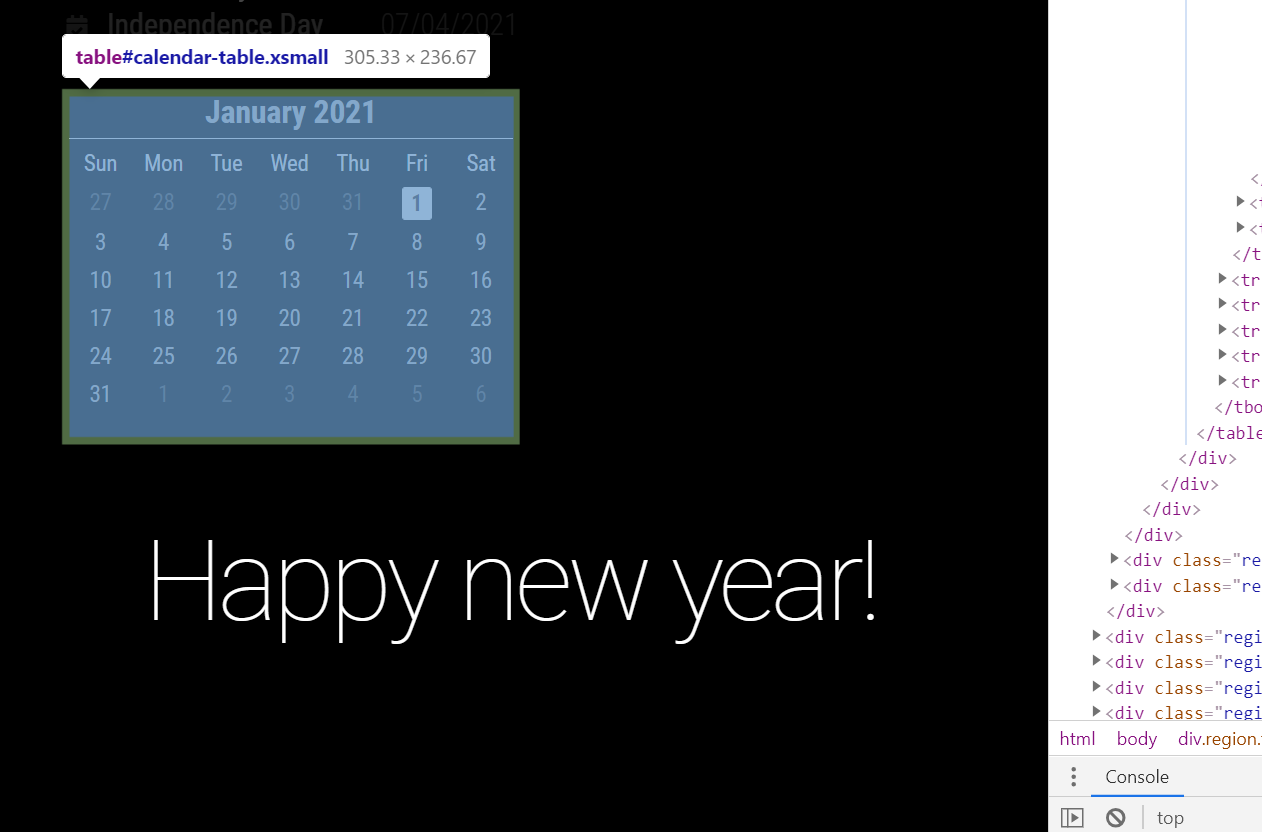
@MaXi-XCeL You can adjust the width of calendar using custom.css, right now it is set to 100% and each cell (day) is set to 14.2 % (so 14.2 x 7 = ~ 100 full width of calendar). Put below in your custom.css adjust the 80% to your taste.
#calendar-table {
	width: 80%;
}
Before
After
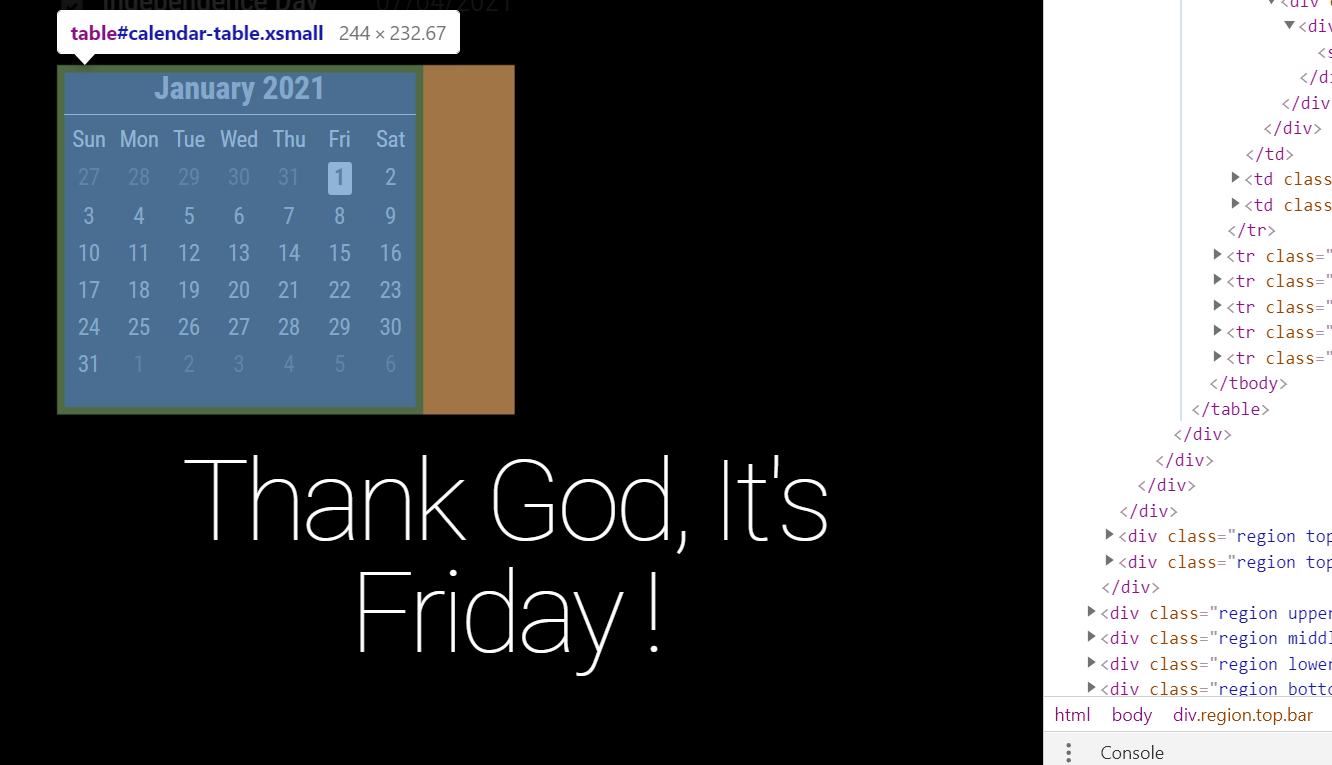
-
RE: Can I rotate the pages (MMM-Pages) with MMM-TelegramBot or MMM-RemoteControl?
@MiguelDAD the telegram bot syntax looks incorrect. Check the wiki https://github.com/bugsounet/MMM-TelegramBot/wiki/Custom-Command as @Bugsounet suggested or try below (I have not tested it my self yet)
customCommands: [
{
    command: "nextpage",
    description: "Show next page"
    callback: (command, handler, self) => {
      self.sendNotification("PAGE_INCREMENT")
      handler.reply("TEXT", "Okay... next page will be shown!")
    }
  }
]
you can then use
/nextpagecommand in telegram to change the page -
RE: Mercedes EV-car me.connet
@JerryP @cykelstyre I was interested in this one, also did some basic research and got the response from Mercedes api. Its is easy to get data but it will be hard for end user to get it configured as it only supports OAuth2 authorization code flow (AFAIK).
Below is sand box api

-
RE: Can I rotate the pages (MMM-Pages) with MMM-TelegramBot or MMM-RemoteControl?
@MiguelDAD You should be able to do it with remote control or telegram module. check the documentation of MMM-Pages. You need to send notification to it to change the page.
-
RE: Viewed at 15m - Scale everything up x10+
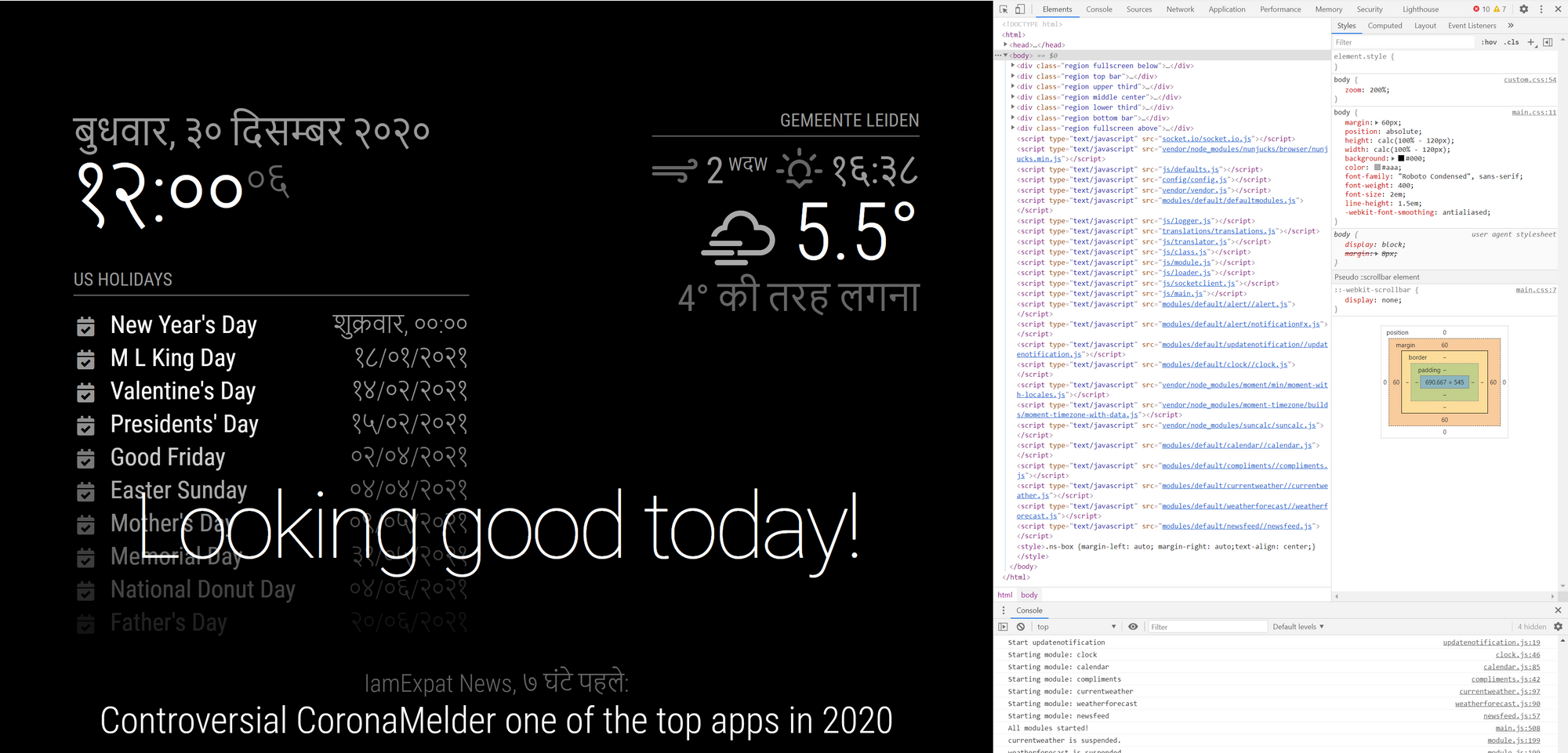
@Bill-Door You can use custom.css with zoom property for body. Adjust 200% below to your taste.
body {
	zoom: 200%;
}
PS: It will also survive the reboots :)
-
RE: Question/help
@innovation There is Google TTS module which can speak from text. You might be able to use it with Remote control or other scheduler to send text to this module and let it speak. Also you do not need MM module to do this, Raspberry pi can also have scheduled job which can do this thing.
-
RE: Display waste bins in color
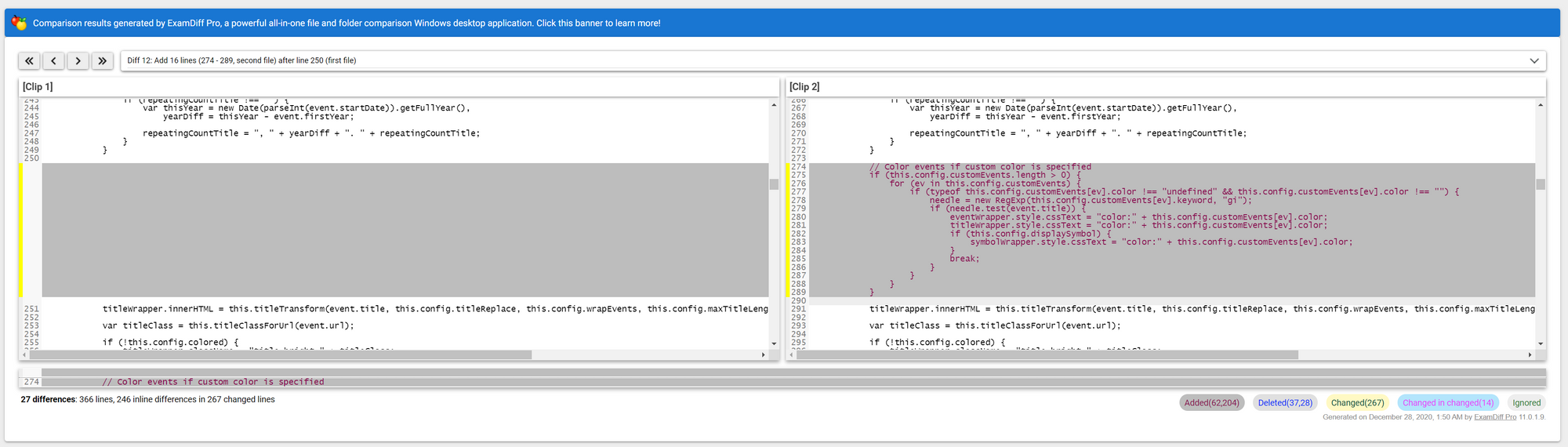
@kusselin Looks like you are using very old calendar module (so as Magic Mirror). Please update the Magic Mirror to latest version and then test (make sure to keep backup of you config.js and other custom.css files).
-
RE: Display waste bins in color
@kusselin you can open dev tools in Mozilla browser as well (key might be different). Yes MM should be running.
-
RE: Display waste bins in color
@kusselin Can you check if your code is reaching here ?
- Open dev tool using ctrl + shift + i
- Go to sources tab
- Press control + P to get the files list
- Type calendar.js
- Keep break point at below position and also few more breakpoints before it.
- Press F5 to reload the Magic Mirror
- If it hits break point, you can press F10 to step to each line and you can press F8 to continue execution (if it reaches to highlighted line then it should work)
Also check if there are any errors in console.


-
RE: Display waste bins in color
@kusselin : looks like you are missing comma in your config.js

-
RE: Display waste bins in color
@kusselin The config is JSON and should never be added to css. you need to add this in config.js
onfor calendars check below for new year’s day{ module: "calendar", header: "NL Holidays", position: "top_left", config: { calendars: [ { symbol: "calendar-check", url: "webcal://www.calendarlabs.com/ical-calendar/ics/101/Netherlands_Holidays.ics" } ], customEvents: [ { "keyword": "Christmas Day", "symbol": "calendar-icon-christmas", "color": "red" }, { "keyword": "New Year's Day", "color": "yellow" }, { "keyword": "Easter Sunday", "symbol": "calendar-icon-easter", "color": "blue" } ] } }, -
RE: MMM-MyWastePickup
- You renamed the recycle to recycle1 in the icon_sprite.svg file right ?
- You should use relative web url in css, then it will always work even if your Pi’s ip address changes.
Do below in custom.css this file should be in css folder in magicmirror directory
.waste-pickup-icon.recycle { background-image:url('../modules/MMM-MyWastePickup/recycle-bin2.svg'); } -
RE: MMM-MyWastePickup
@MyMirror I tried to edit it but image didn’t work correctly. moreover the image you uploaded contains image data(base64 encoded). While on https://www.svgrepo.com/vectors/bin/4 files are with svg xml only and not image data. Looks like some svg editor needs to be use to combine the images. or you can use below my hacky solution.
- Edit the icon_sprite.svg and rename recycle to recycle1 for symbol id (this is to load empty svg)
< svg xmlns="http://www.w3.org/2000/svg"> < !-- recycle --> < symbol id="recycle1" viewBox="0 0 24 24"> < --this line- add below in custom.css
.waste-pickup-icon.recycle {
  background-image:url('https://www.svgrepo.com/show/270587/recycle-bin-trash.svg');
}
Result

-
RE: Two way mirror shop in Netherlands (near Leiden)
@George Thank you for mentioning it might helpful to others. Mine was cheaper while bigger in size. I paid ~80 euro for 72.5X42 cm mirror with smoothen(not polished) edges.
-
RE: Two way mirror shop in Netherlands (near Leiden)
Thank you all for your inputs. After ordering few samples and checking the mirror in shop I finally bought one from https://glashandelhillegom.nl/. They are super nice with good service. Will post the mirror result in Show your mirror section.
Also would like to mention https://www.pyrasied.nl/en/product/spy-mirror/ and https://plexiglasstunter.nl/ they have excellent customer care service. only reason I did not use their mirror is it is acrylic and on 32" size of TV it might not fit well.
-
RE: Change font size of the calendar
@DreadFog Check if it works for you by adding below code in custom.css and adjusting font size.
.calendar .title
{
	font-size:15px;
}