MagicMirror Forum
    • Recent
    • Tags
    • Unsolved
    • Solved
    • MagicMirror² Repository
    • Documentation
    • 3rd-Party-Modules
    • Donate
    • Discord
    • Register
    • Login
    1. Home
    2. blebbens
    3. Posts
    A New Chapter for MagicMirror: The Community Takes the Lead
    Read the statement by Michael Teeuw here.
    B
    Offline
    • Profile
    • Following 0
    • Followers 1
    • Topics 12
    • Posts 32
    • Groups 0

    Posts

    Recent Best Controversial
    • Monitor - energy saving

      Hi there,

      2 years ago I built my own RIBBA-MagicMirror using a 19" TFT monitor. The monitor`s energy consumption is 25W. This is why I am using a PIR for saving energy. But, is has to switch on many times a day because it is standing on the relatively crowded floor.

      This I why I would like to ask for a more energy saving idea. At first e-ink displays came to my mind, of MM does not show IP cam feeds or similar.

      Is there a energy saving MagicMirror out there ?

      posted in Hardware
      B
      blebbens
    • RE: Error updating MM

      No one? Why does MM not update to the newest version?

      posted in Troubleshooting
      B
      blebbens
    • Error updating MM

      Hi,

      Tried to update MM to newest version using git pull & npm install via ssh.

      But, all I get is this (german) error messsage:

      fatal: Kein Remote-Repository angegeben. Bitte geben Sie entweder eine URL
      oder den Namen des Remote-Repositories an, von welchem neue
      Commits angefordert werden sollen.
      

      Could someone tell me the the solution for this problem?

      posted in Troubleshooting
      B
      blebbens
    • Upgrading to MM 2.6.0

      Hi,

      started my MM after several months not using it.
      At first I executed sudo apt update && sudo apt upgrade -y.

      The following error occurred:

      Konfigurationsdatei »/etc/xdg/lxsession/LXDE-pi/autostart«
       ==> Geändert (von Ihnen oder von einem Skript) seit der Installation.
       ==> Paketverteiler hat eine aktualisierte Version herausgegeben.
         Wie möchten Sie vorgehen? Ihre Wahlmöglichkeiten sind:
          Y oder I : Die Version des Paket-Betreuers installieren
          N oder O : Die momentan installierte Version beibehalten
             D     : Die Unterschiede zwischen den Versionen anzeigen
             Z     : Eine Shell starten, um die Situation zu begutachten
       Der Standardweg ist das Beibehalten der momentanen Version.
      *** autostart (Y/I/N/O/D/Z) [Vorgabe=N] ? N
      Neue Version der Konfigurationsdatei /etc/xdg/lxsession/LXDE-pi/desktop.conf wird installiert ...
      Neue Version der Konfigurationsdatei /etc/xdg/menus/lxde-pi-applications.menu wird installiert ...
      Openbox-Message: Konnte das Display aus der Umgebungsvariable DISPLAY nicht öffnen.
      The desktop has been updated.
      Some obsolete configuration files have been removed and backed up in ~/oldconffiles.
      To apply the updates, please reboot your Pi, and then select one of the options on the Defaults page in Appearance Settings.
      Unable to init server: Verbindung ist gescheitert:Verbindungsaufbau abgelehnt
      
      (zenity:26783): Gtk-WARNING **: cannot open display: 
      Removing obsolete conffile /etc/xdg/lxpanel/profile/LXDE-pi/panels/panel ...
      Removing obsolete conffile /etc/xdg/lxpanel/profile/LXDE-pi/config ...
      Removing obsolete conffile /etc/xdg/lxsession/LXDE-pi/autokey.sh ...
      

      Later I tried to update MM to 2.6 using git pull && npm install, but I got the error:
      “fatal: Kein Git-Repository (oder irgendein Elternverzeichnis): .git”

      What went wrong ?

      posted in Troubleshooting
      B
      blebbens
    • RE: {HowTo} turn on/off your monitor (Time based, PIR/Button, App)

      Hello,

      I‘m using the PIR python-script-method.
      It is working fine… but, my mirror is installed in a floor, where people are crossing the mirror several times a day without looking at it.

      It would be a helpful solution, if the script switches on the monitor if a person is standing in front of the mirror for 6 seconds.

      Is there a possibility for modifying the script ?

      posted in Tutorials
      B
      blebbens
    • RE: MM not starting automatically

      Thank you, done this several times… but this time I haven´t seen it…

      posted in Troubleshooting
      B
      blebbens
    • MM not starting automatically

      Hi there,

      I flashed a brand new SD card with Raspbian Stretch and installed MM 2.41 using “bash -c “$(curl -sL https://raw.githubusercontent.com/MichMich/MagicMirror/master/installers/raspberry.sh)””

      During this installation the script asked me, if I want to use pm2 for starting MM automatically at start up. I´ve chosen “yes”, but MM did not start at the end of the boot.

      So, I tried:
      sudo npm install -g pm2
      pm2 startup
      cd ~
      nano mm.sh

      and added the lines:
      “cd ~/MagicMirror
      DISPLAY=:0 npm start”

      Then:
      chmod +x mm.sh
      pm2 start mm.sh
      pm2 save

      But, MM is not starting after the end of the boot sequence.
      I have to type in “pm2 start mm.sh” every time, but it is not working automatically.

      Could someone help ?

      posted in Troubleshooting
      B
      blebbens
    • RE: Needing help - MagicMirror sometimes working

      Anyone?

      Monitor is freezing or switching on/off all the time…

      posted in Troubleshooting
      B
      blebbens
    • Needing help - MagicMirror sometimes working

      Hi there,

      i took my 1-year-old MagicMirror and switched from a Raspberry Pi 3B to a 3B+. I flashed the newest Raspbian Stretch to my SD card and installed MagicMirror 2.41 without any problems.

      After installing a couple of modules, I added a python script to crontab for fan controlling in cases of a system temperature over 58 degrees.

      I set up the PIR-sensor for switching on/off the monitor behind the mirror using MMM-Display-Controller - it is not a module.

      All this hardware and software was working in my old MagicMirror-Setup. The difference from the old to the new MagicMirror is the MagicMirror Version 2.41, Raspberry 3B+ and the fan python script.

      The new setup was working fine, too, including the PIR-sensor. But, after running fine for 1-2 boot sequences, it all comes to the same:

      • the system boots up into MagicMirror and shows all the working modules. If no one is in front of the mirror, the monitor switches off. If the motion sensor detects a person, a blank screen is coming up, without any modules
      • or, the monitor shows half of the modules at various places
      • or, the monitor shows all the working modules, but the screen freezes (clock is not counting time etc)

      Sometimes, the system is answering via SSH - sometimes, it answers after a couple of minutes.

      I am very dissapointed - put a lot of work into this mirror…

      Could someone help ?
      Why is the new installed system freezing or showing a blank screen after all was working fine ? Are there any known problems with the Raspberry Pi 3B+ ? Is there a log I can post ?

      Thanks in advance…

      0_1537724952413_fullsizeoutput_48be.jpeg

      posted in Troubleshooting
      B
      blebbens
    • Switching Raspberry Pi

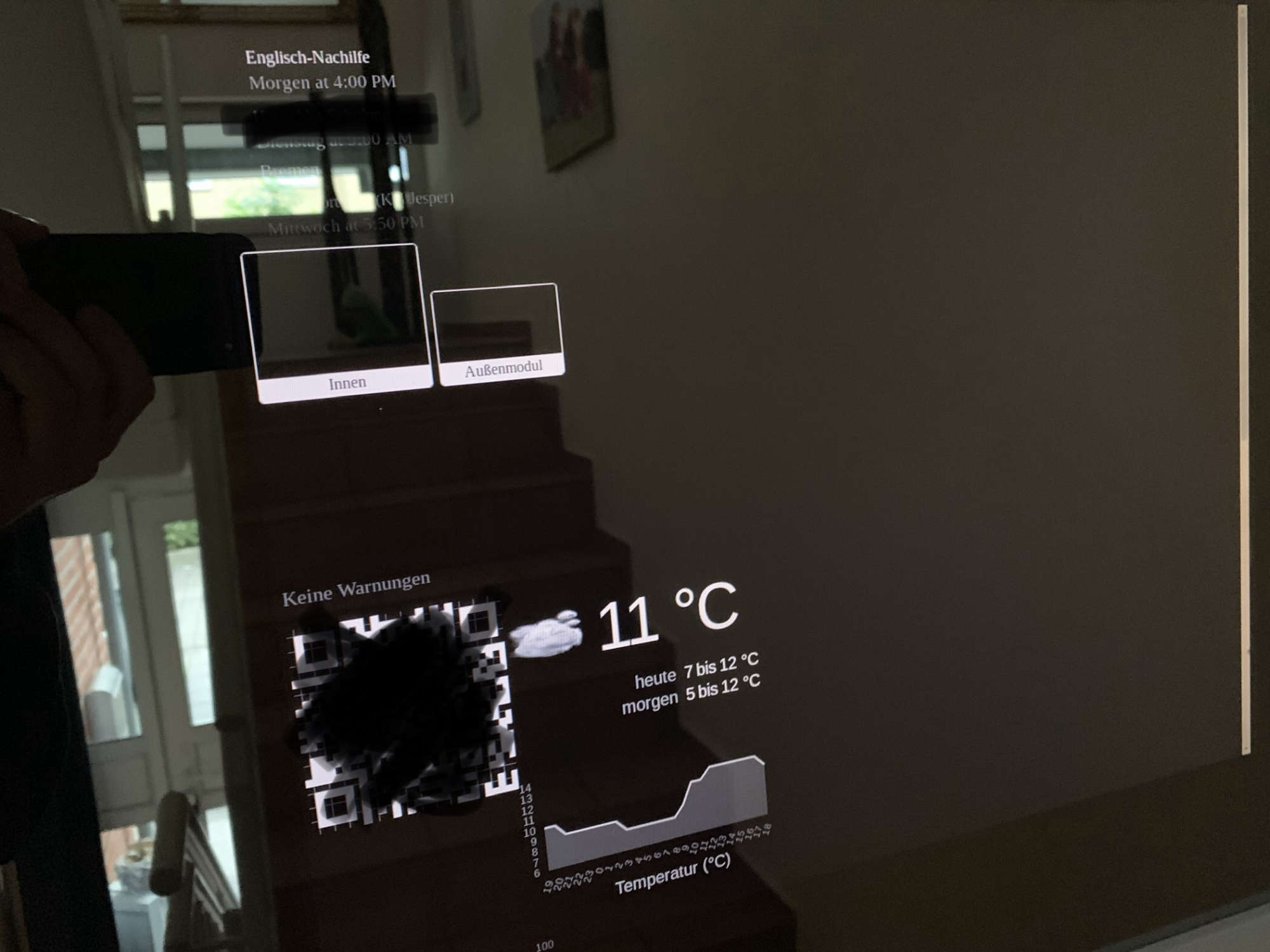
      Hi there,

      after months of not using my MagicMirror, I wanted to modify some components.

      I changed the Raspberry Pi 3 to a 3B+ and put the SD card into the newer one.

      Now, nothing is working like before…

      Raspbian is working very slow… most of the time the OS hangs for 2-3 minutes before executing my orders.

      I updated Raspbian using sudo apt-get update && sudo apt-get upgrade -y and pushed MagicMirrorOS to 2.41 using git pull & npm install. Then I switched to the GL driver via raspi-config.

      MagicMirror shows the screen like in good old times, but the modules are not updating after their initial screen. System temperature, for example, is showing 49 degrees all the time.

      Installed a PIR-script for my PIR-sensor, which was working fine in the past. Now, after 10 seconds, it is showing the screen for 5 seconds and switches it off again.

      The hole system is slow like hell…

      At the moment I am very dissapointed… tried to get it running several times using a SD backup…

      Is there anything I have to think about after switching the Raspberry Pi to a newer version ?
      posted in Troubleshooting
      B
      blebbens
    • Problems with updating MagicMirror

      Hi,

      tried to update my MM-installation from 04/2018 to the latest version…

      There a a lot of warnings and errors… could someone tell me how to update successfully without any warnings/errors ?

      (node:18232) [DEP0022] DeprecationWarning: os.tmpDir() is deprecated. Use os.tmpdir() instead.
      npm WARN package.json array-unique@0.2.1 license should be a valid SPDX license expression
      npm WARN package.json base64-arraybuffer@0.1.5 No license field.
      npm WARN package.json JSV@4.0.2 'repositories' (plural) Not supported. Please pick one as the 'repository' field
      npm WARN package.json JSV@4.0.2 No license field.
      npm WARN package.json bcrypt-pbkdf@1.0.1 No repository field.
      npm WARN package.json better-assert@1.0.2 No license field.
      npm WARN package.json blob@0.0.4 No license field.
      npm WARN package.json callsite@1.0.0 No repository field.
      npm WARN package.json callsite@1.0.0 No license field.
      npm WARN package.json component-bind@1.0.0 No license field.
      npm WARN package.json component-inherit@0.0.3 No license field.
      npm WARN package.json console-browserify@1.1.0 No license field.
      npm WARN package.json css-value@0.0.1 No license field.
      npm WARN package.json current-week-number@1.0.7 license should be a valid SPDX license expression
      npm WARN package.json date-now@0.1.4 No license field.
      npm WARN package.json deep-is@0.1.3 license should be a valid SPDX license expression
      npm WARN package.json dev-null@0.1.1 license should be a valid SPDX license expression
      npm WARN package.json domelementtype@1.3.0 No license field.
      npm WARN package.json domhandler@2.3.0 No license field.
      npm WARN package.json domutils@1.5.1 No license field.
      npm WARN package.json entities@1.1.1 license should be a valid SPDX license expression
      npm WARN package.json esquery@1.0.0 license should be a valid SPDX license expression
      npm WARN package.json esutils@2.0.2 No license field.
      npm WARN package.json exit@0.1.2 No license field.
      npm WARN package.json findup-sync@0.3.0 No license field.
      npm WARN package.json foreachasync@3.0.0 license should be a valid SPDX license expression
      npm WARN package.json getobject@0.1.0 No license field.
      npm WARN package.json glob-base@0.3.0 license should be a valid SPDX license expression
      npm WARN package.json has-binary2@1.0.2 No repository field.
      npm WARN package.json hooker@0.2.3 No license field.
      npm WARN package.json indexof@0.0.1 No repository field.
      npm WARN package.json indexof@0.0.1 No license field.
      npm WARN package.json is-primitive@2.0.0 license should be a valid SPDX license expression
      npm WARN package.json json-schema@0.2.3 No license field.
      npm WARN package.json json3@3.3.2 No license field.
      npm WARN package.json jsonlint@1.6.2 No license field.
      npm WARN package.json nomnom@1.8.1 No license field.
      npm WARN package.json nugget@2.0.1 license should be a valid SPDX license expression
      npm WARN package.json object-component@0.0.3 No repository field.
      npm WARN package.json object-component@0.0.3 No license field.
      npm WARN package.json optimist@0.6.1 license should be a valid SPDX license expression
      npm WARN package.json postcss-resolve-nested-selector@0.1.1 No repository field.
      npm WARN package.json prelude-ls@1.1.2 No license field.
      npm WARN package.json preserve@0.2.0 license should be a valid SPDX license expression
      npm WARN package.json punycode@1.4.1 punycode is also the name of a node core module.
      npm WARN package.json querystring@0.2.0 querystring is also the name of a node core module.
      npm WARN package.json querystring@0.2.0 No license field.
      npm WARN package.json range_check@1.4.0 license should be a valid SPDX license expression
      npm WARN package.json repeat-element@1.1.2 license should be a valid SPDX license expression
      npm WARN package.json rrule-alt@2.2.8 No license field.
      npm WARN package.json rx-lite@4.0.8 No license field.
      npm WARN package.json rx-lite-aggregates@4.0.8 No license field.
      npm WARN package.json source-map@0.1.43 No license field.
      npm WARN package.json speedometer@0.1.4 No license field.
      npm WARN package.json string_decoder@0.10.31 string_decoder is also the name of a node core module.
      npm WARN package.json svg-tags@1.0.0 No license field.
      npm WARN package.json shelljs@0.3.0 license should be a valid SPDX license expression
      npm WARN package.json to-array@0.1.4 No license field.
      npm WARN package.json trim@0.0.1 No repository field.
      npm WARN package.json trim@0.0.1 No license field.
      npm WARN package.json underscore@1.6.0 No license field.
      npm WARN package.json url@0.11.0 url is also the name of a node core module.
      npm WARN package.json url-template@2.0.8 license should be a valid SPDX license expression
      npm WARN package.json valid-url@1.0.9 No license field.
      npm WARN package.json wgxpath@1.0.0 No license field.
      npm WARN package.json x-is-string@0.1.0 No license field.
      npm WARN package.json xmlhttprequest-ssl@1.5.5 No license field.
      npm WARN package.json xtend@2.1.2 No license field.
      npm ERR! Error: Method Not Allowed
      npm ERR!     at errorResponse (/usr/share/npm/lib/cache/add-named.js:260:10)
      npm ERR!     at /usr/share/npm/lib/cache/add-named.js:203:12
      npm ERR!     at saved (/usr/share/npm/node_modules/npm-registry-client/lib/get.js:167:7)
      npm ERR!     at FSReqWrap.oncomplete (fs.js:135:15)
      npm ERR! If you need help, you may report this *entire* log,
      npm ERR! including the npm and node versions, at:
      npm ERR!     <http://github.com/npm/npm/issues>
      
      npm ERR! System Linux 4.14.69-v7+
      npm ERR! command "/usr/bin/node" "/usr/bin/npm" "install"
      npm ERR! cwd /home/pi/MagicMirror
      npm ERR! node -v v8.11.1
      npm ERR! npm -v 1.4.21
      npm ERR! code E405
      npm ERR! 
      npm ERR! Additional logging details can be found in:
      npm ERR!     /home/pi/MagicMirror/npm-debug.log
      npm ERR! not ok code 0
      
      
      posted in Troubleshooting
      B
      blebbens
    • RE: Problems using MMM-WunderGround24hours

      But, the pws still exists and the key, too…
      Is there any problem with incompatibility with the newest version of mm?

      posted in Troubleshooting
      B
      blebbens
    • Problems using MMM-WunderGround24hours

      Hi there,

      switched on my MagicMirror after a couple of months.

      I am wondering why the module MMM-WunderGround24hours is not running anymore. It does not show any temperatur or other values:

                      {
                              module: 'MMM-WunderGround24Hours',
                              position: 'top_right',
                              config: {
                                      appid: 'secret',
                                      location: 'pws:INIEDERS657',
                              }
      

      All other modules are working… I just updated to the newest version of MagicMirror since 04/2018.

      posted in Troubleshooting
      B
      blebbens
    • RE: Cooling Raspberry

      So, I bought a Nocutra 5V fan and coded a script like this:
      https://codingworld.io/project/lueftersteuerung-raspberry-pi

      posted in Troubleshooting
      B
      blebbens
    • Cooling Raspberry

      Hi there,

      A few months ago I built my first MagicMirror.
      I am still satisfied with it.

      But, today I changed from Raspberry Pi 3 to a Raspberry Pi 3B+.
      The temperature always was a little bit too high before, especially in summer.

      Now I am looking for a solution to cool down the system using a mirror.

      The frame offers approx. 3-4cm height. So I tried a tiny 5V-fan, connected to RPi´s PINs 5V and GND. The fan was very noisy and had a high frequency. I would like to connect it to PIN 3.3V instead of 5V, so it rotates slower - which would be sufficient. But, I´ve read about a max. of 16mA/PIN. I don´t know how much energy the fan is going to consume. The fan was part of a cooling case for a RPi, which has to be connected to PINS 5V and GND.

      What kind of cooling solution would you recommend in my situation ?

      posted in Troubleshooting
      B
      blebbens
    • RE: {HowTo} turn on/off your monitor (Time based, PIR/Button, App)

      Thanks for this tutorial…

      I am using a PIR. The monitor switches on immediately after detection of motion. I am looking for an option to switch on the monitor if a person stands in front of it for 10 seconds. Mine is a floor mirror, so some people are crossing the floor many times a day without looking at the mirror.

      posted in Tutorials
      B
      blebbens
    • RE: iCloud calendar

      Thanks, it is working…

      But, I am wondering… I don´t need auth, because it is public…
      Thought, I have to set it public for accessing it with mm-modules ?
      Where do you use 2FA ?

      posted in Troubleshooting
      B
      blebbens
    • RE: MMM-PIR-Sensor problems

      I put the potentio meters to the left position - like in your picture.

      The screen switches on in seconds… looking for a possibility to turn it on if someone stands in front of the mirror for 10 seconds.

      Using MagicMirror-Display-Controller instead of MMM-PIR-SENSOR.

      Hope, this could be done using right “time” potentio meter. Not sure.

      posted in Troubleshooting
      B
      blebbens
    • RE: iCloud calendar

      Ok, public does not mean other people can access it, just people with the secret URL?
      Where did you set your family calendar public?
      Do you use 2 factor authentification?

      posted in Troubleshooting
      B
      blebbens
    • iCloud calendar

      Hi there,

      At the moment my family is using Apple iClound calendar (family sharing). Now I would like to show this calendar on my mirror‘s screen.

      As this iCloud does not have an URL, I wanted to sync the content to gmail calendar. But, I did not find an automatically syncing solution.

      Next idea was to use IFTTT, but this only works for new appointments.

      I don‘t want to do this manually using Windows/macOS?
      Is there a way to show iCloud calendar under MagicMirror?

      posted in Troubleshooting
      B
      blebbens
    • 1
    • 2
    • 1 / 2