o.0
dammit… Congrats man. Very very well done.
 C
Offline
C
Offline
o.0
dammit… Congrats man. Very very well done.
Just type a header in the config:
{
    			module: "MMM-EasyPix",
			header: "WLAN-Code",
			position: "bottom_left",
			config: {
				picName: "guest_wifi_config.png", // Enter the picture file name.
				maxWidth: "150px",      // Size picture precisely. Retains aspect ratio.
			}
		},
When u say yes for using pm2 while installation, it will make a MagicMirror process by itself.
type pm2 status
If there is a task called “MagicMirror”, then try:
cd
pm2 stop MagicMirror
pm2 start mm.sh
pm2 save
edit: however i need to say, that 90 minutes is really really much!
The whole installation of the raspbian OS including the MagicMirror took me about one hour
and your mm.sh should look exactly like this:
cd MagicMirror  //here must be a wordwrap. so don't use one line
DISPLAY=:0 npm start
to create this file type in console:
cd
nano mm.sh
adding the lines above and save with “ctrl+x” and “y”
chmod +x mm.sh
did you set it up freshly?
i can’t imagine that you haven’t crashed something before. Please try a new installation of raspbian
great :)
first i tried it with “192.168.178.0/24”, too but couldn’t get it work. i read something about disabling IPv6 would help etc.
but however i am glad u got it working
well, i allowed to listen to all ip’s at all:
var config = {
        address: "0.0.0.0", // Address to listen on, can be:
                              // - "localhost", "127.0.0.1", "::1" to listen on lo$
                              // - another specific IPv4/6 to listen on a specific$
                              // - "", "0.0.0.0", "::" to listen on any interface
                              // Default, when address config is left out, is "loc$
        port: 8080,
        ipWhitelist: [], // Set [] to allow all IP addresses
                                                               // or add a specifi$
                                                               // ["127.0.0.1", ":$
                                                               // or IPv4 range of$
                                                               // ["127.0.0.1", ":$
Maybe thats the reason. I had a few problems with just allowing single ip dresses so i went to this option. But works fine, and i have a hardware firewall installed in my network so i hope that this is enough^^
for external access i use VPN
strange… i use the actual version and remote control is working. i even updated the mirror with the remote control module XD worked fine :)
@carltonb said in Failed at the magicmirror@2.2.2 start script ‘sh-run-start.sh’:
Configuring the Raspberry Pi
Oh sorry, i enabled display rotate in the config. And to disable the screensaver i used sudo apt get install xscreensaver, then via VNC on the Desktop move to the upper left corner (the raspberry button) and go to Preference -> Screensaver and disable it.
Maybe use sudo apt-get install unclutter to hide mouse.
I just set it up to proof, if there are any issues ^^ So this was a quick install “guide”
But yes, there is no extra npm install or something like that necessary.
VNC can be enabled with raspi-config
edit:
oh, and keep in mind that u have to set pm2 to automatically start at reboot.
maybe after the first restart after installation finished there is no automatically startet MagicMirror.
https://github.com/MichMich/MagicMirror/wiki/Auto-Starting-MagicMirror
I think i figured out what went wrong ;)
i set up a new raspbian (Desktop Version) and could install the MagicMirro without any issues.
IMPORTANT:
while the installation of MagicMirror (automatic installer) u will see this:
Cloning MagicMirror Done!
Installing dependencies ...
npm WARN deprecated coffee-script@1.10.0: CoffeeScript on NPM has moved to "coffeescript" (no hyphen)
npm WARN prefer global coffee-script@1.10.0 should be installed with -g
npm WARN prefer global jsonlint@1.6.2 should be installed with -g

> uws@0.14.5 install /home/pi/MagicMirror/node_modules/uws
> node-gyp rebuild > build_log.txt 2>&1 || exit 0
When u arrived this, it seems the installation is done. But wrong! just wait. it will take some time even if there is no cursor blinking.
Just wait and you will see some more installation steps:
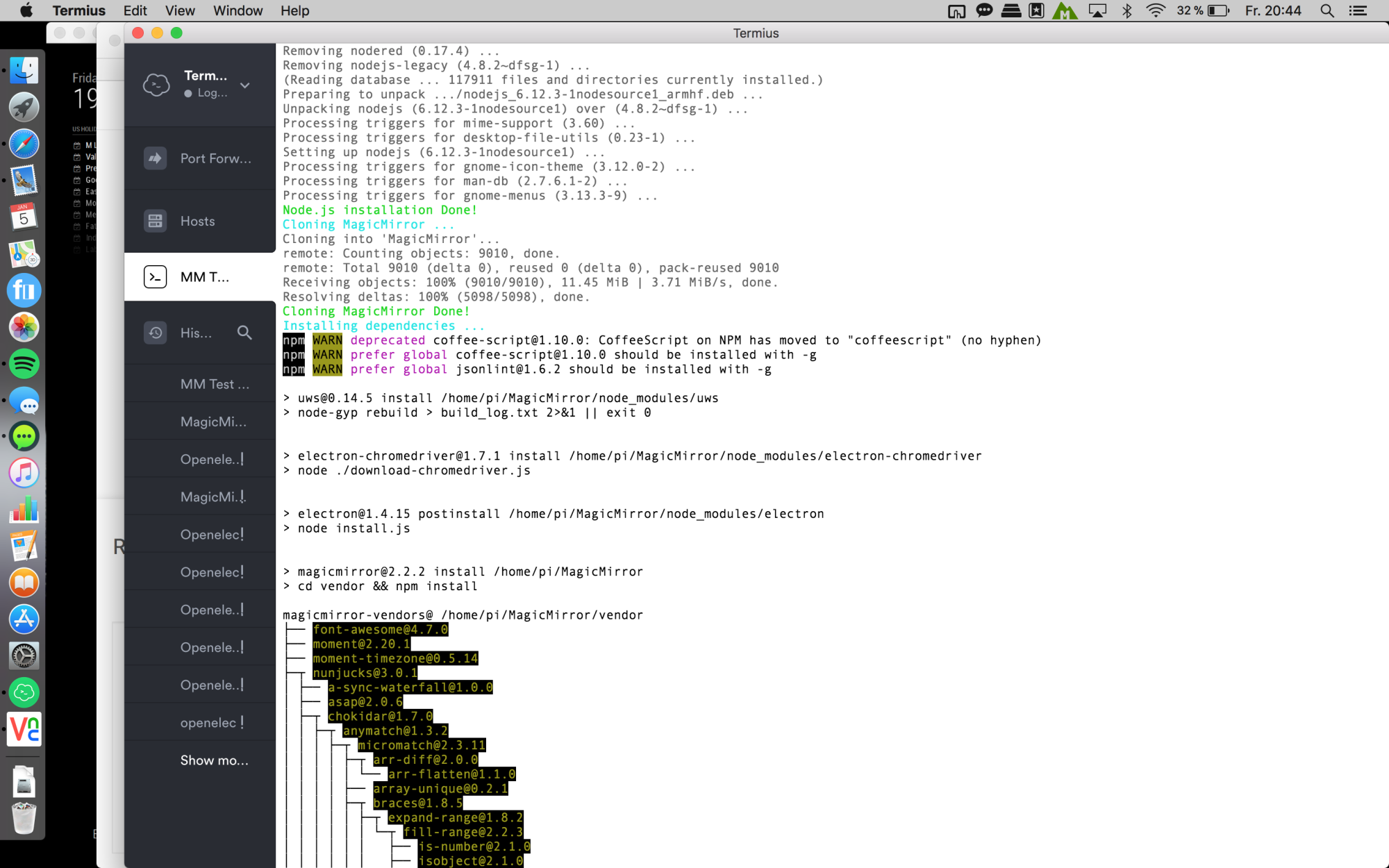
Wait again:
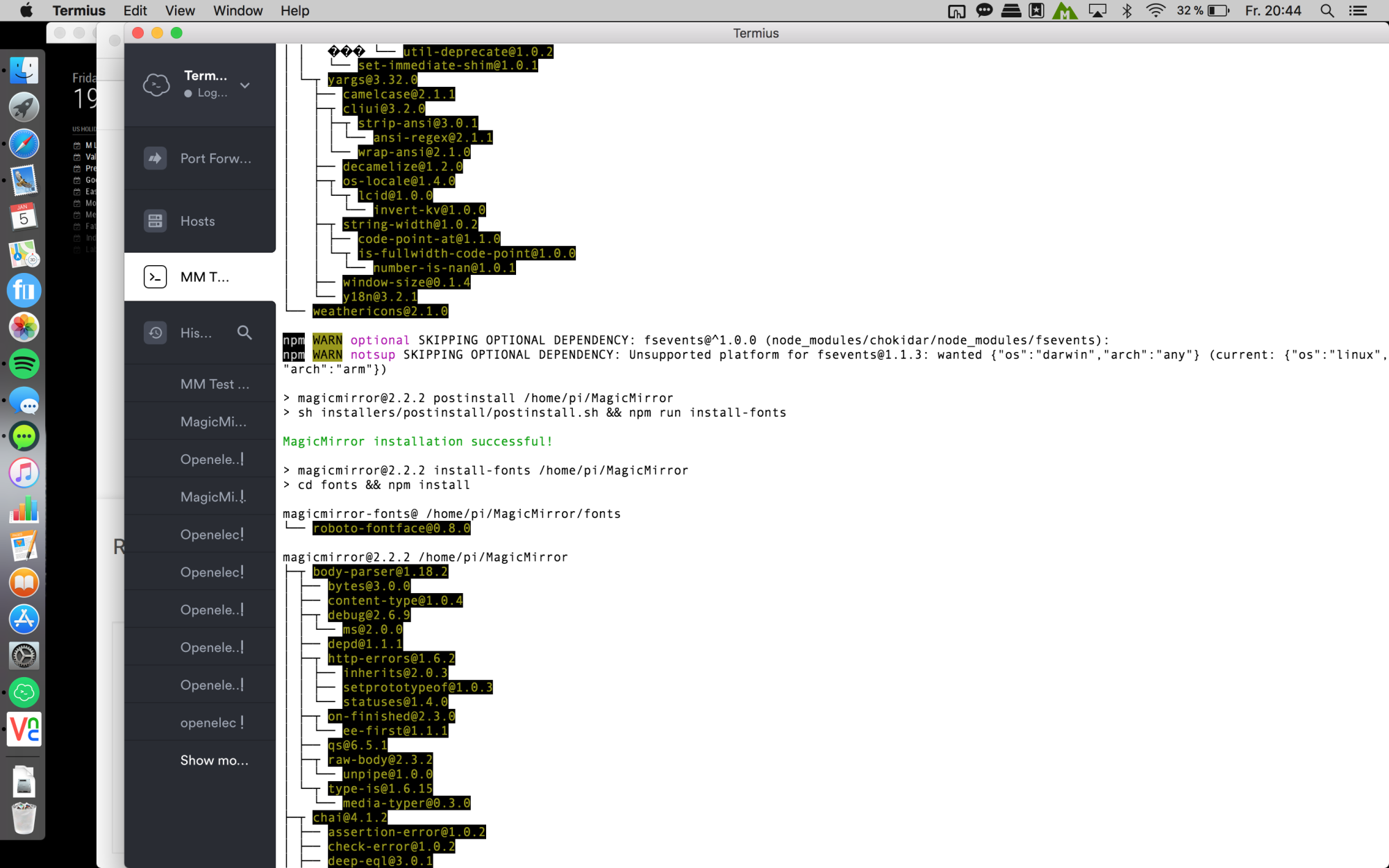
wait again ^^ and u will be asked if u want to use pm2. say YES! :
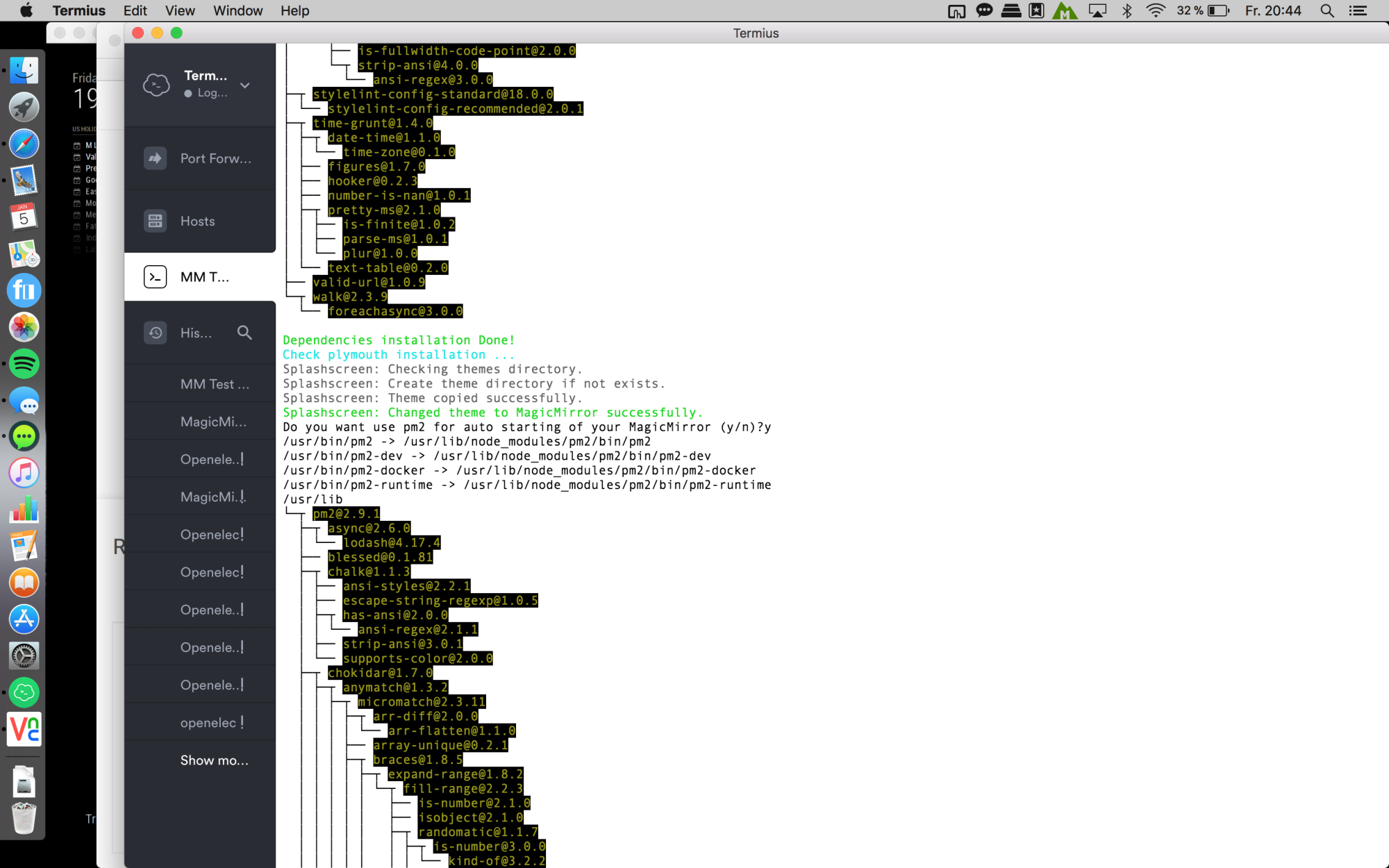
Finally u will see this:
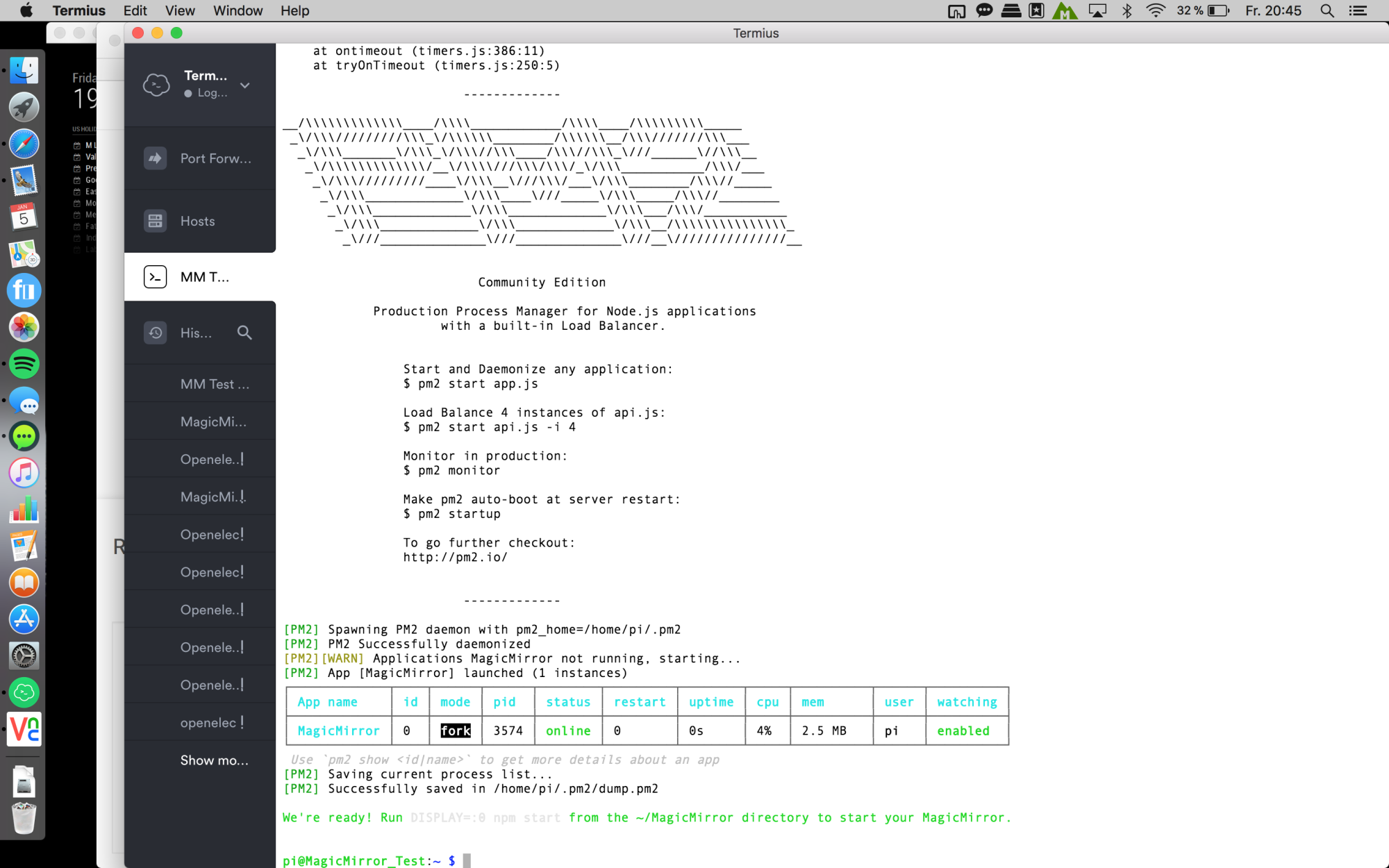
And after a few seconds the magic mirror will start automatically and u can enjoy :D
Edit:
so just to get sure, here are the quick steps i did:
loaded the newest raspbian stretch with desktop from here
copy to SD card with ApplePi-Baker
put an empty file named “ssh” on the boot directory to enable ssh
start the pi
via ssh sudo raspi-config
set up some configurations like Network-Name, Screen resolution, enabled VNC, expand filesystem etc.
reboot
sudo apt-get update ; sudo apt-get upgrade
this will take a while
sudo rpi-update
this will take a while, too
reboot
bash -c "$(curl -sL https://raw.githubusercontent.com/MichMich/MagicMirror/master/installers/raspberry.sh)"
Then just wait! ;)
Because i am very interested why there are so much problems i will install a complete new Raspbian and MagicMirror. Let me try, i will report soon
@L_i_v_e said in Failed at the magicmirror@2.2.2 start script ‘sh-run-start.sh’:
If i use a VNC can i start it with npm start only?
Yes.
Since i started my project a few weeks/month ago i have had some trouble, too. But it was all about my inexperience. So at this point im out at all, sorry.
Hope someone can help you.
But if i said before: Reading the many tutorials and do it like it’s written there brought me to the goal.
Only difference to you was, that i was using the early magic mirror versions.
Maybe u should give it a last try with Version 2.1.3 and updating later or hoping that there are other guys who can help you. :(
@L_i_v_e
Ok i checked your earlier posts again.
U did execute the whole stuff as root user. Thats not necessary and even not good!
I don’t know what else u did as root, but maybe first try to delete the whole MagicMirror Folder and run the command without sudo.
bash -c "$(curl -sL https://raw.githubusercontent.com/MichMich/MagicMirror/master/installers/raspberry.sh)"
Or try a new installation of the raspbian and begin with this (for a full raspbian) or this (for a lite raspbian) tutorial. Do it exactly as its wrote down!
didn’t expect that ^^
try going to your MagicMirror folder and type npm install electron@1.4.15
Maybe it will say, that this version is invalid.
Check the version here: /home/pi/MagicMirror/node_modules/electron/dist/version
or try it global sudo npm install -g electron@1.4.15
Question: Did u first install it manually and then with the automatic installer?
If so, did u delete your MagicMirror folder before using the automatic installer? If not, maybe this causes the error.
So try deleting the MagicMirror folder and then use the automatic installer again.
No you are stuck ^^
It is done. You can safely ignore warnings ;)
Just copy and rename the sample config.js and start the mirror in the MagicMirror folder with using „npm Start“
Or better use pm2
Take a look at the great tutorials in the Forum.
Okay… false alarm. Just forget it, it’s working now :D Sorry
i did it exactly as wrote in this tutorial:
https://github.com/MichMich/MagicMirror/wiki/Jessie-Lite-Installation-Guide
only difference:
i used Raspbian stretch lite and to disable the screensaver i used xscreensaver
does need a little bit longer because u need to install the dependancies first, but it runs from the beginning without issues.
but to be on the safety side, you can use raspbian jesse full as many users wrote about problems with stretch
Well, i am using Raspberry Pi 3 with raspbian stretch lite and it works great.
what OS are u using?
Did u use the automatic installer or u did it manually?
via ssh u have to use: DISPLAY=:0 npm start
Got the same problem.
Runs for a few hours and then the module seems to freeze. Doesn’t update anymore.
this morning i did a “pm2 flush”
This evening i checked the “pm2 logs”
0|mm       | there was a Wunderlist problem { error:
0|mm       |    { type: 'server_error',
0|mm       |      translation_key: 'api_error_unknown',
0|mm       |      message: 'An unknown server error occurred' } } 500
Maybe someone has an idea…
Re: MMM-Podcast dont´t show the latest video
Hey,
i installed the MMM-Podcast module and it works as it should. I can send a notification or simply press a button, and the video starts playing. Unfortunately its the same video since 3 days. I use the default feedURL (Tagesschau in 100 sek.)
I looked into the Podcast folder with an ftp-program an it says that the video.mp4 was created today at 05:05 am. But its the same video as 3 days before ?!?!?!
I looked at the website of this feed, and there are still newer videos. Maybe someone got the same problem or an idea and can help.
this morning i typed “pm2 flush”.
this evening i checked pm2 logs and it says:
TypeError: this.socketNotificationReceived is not a function
    at Timeout._onTimeout (/home/pi/MagicMirror/modules/MMM-Podcast/node_helper.js:32:32)
    at tryOnTimeout (timers.js:232:11)
    at Timer.listOnTimeout (timers.js:202:5)
My config:
{
                        module: 'MMM-Podcast',
                        config: {
                                updateVideoHours: 5,
                                updateVideoMinutes: 5,
                                feedurl: 'http://www.tagesschau.de/export/video-podcast/webxl/tagesschau-in-100-sekunden/'
                        }
                },
thank you :)
what size? ^^
u search only for a display or a hole monitor?
https://forum.magicmirror.builders/topic/25/what-monitor-did-you-use?page=1