@sdetweil said in Google Calendars not loading:
let`s go back to the prior parser
cd ~/MagicMirror
npm install node-ical@0.16.1and restart MagcMirror
Does the Job. Thank you …
 E
Offline
E
Offline
@sdetweil said in Google Calendars not loading:
let`s go back to the prior parser
cd ~/MagicMirror
npm install node-ical@0.16.1and restart MagcMirror
Does the Job. Thank you …
Hello … getting this Error with npm start DEV
[17:08:01.452] [LOG] Error: Error no fuel station detail
at setStationInfos (/home/pi/MagicMirror/modules/MMM-Fuel/apis/tankerkoenig.js:189:19)
at process._tickCallback (internal/process/next_tick.js:68:7)
    module: "MMM-Fuel",
    position: "top_right",
    config: {
	//provider: "tankerkoenig",
        api_key: "xxxxxxxxxxxxxxxxxxxxxx",
	lat: 50.873798,
        lng: 8.023410,
        types: ["E5"],
	updateInterval: 60000,
	stationIds:
			[
  {
    "id": "9ac83212-c785-476f-9862-34a4b04f6320",
    "name": "BELL Oil",
     ......................................
What could that be ?
Sorry für die späte Antowort.
lag an den IDs. Ich musste erst die richtigen für die jweilige Funktion finden.
Läuft jetzt.
IP statt DNS Name hab ich schon probiert. Läßt sich auch anpingen mit Hostnamen und FQDN
and in english : ( I try )
for some few days i used the new CCU3 for my Homematic System. I want to see some sensor status messages on my mirror, so i installed 2 Modules on it.
I tryed both MMM-Homematic and MMM-Homematic-rooms, but both do not initialize properly. the fist one is still loading the whole time,
the other is initializing and nothing happend.
My Mirror is version 2.10.1, XML API is installed on the CCU3 and the scripts are reachable and working from the Mirrors (Raspis) Browser.
PM2 shows no errors, Ping on FQDN and IP works, Firewall on CCU3 is open.
I dont know the next step… Who can help ?
Mahlzeit
Ich habe seit ein paar Tagen eine CCu3 mit ein paar Sensoren im Einsatz. Nun möchte ich den Stauts der Sensoren auf dem MM2 darstellen. Installiert und (Grund)konfiguriert habe ich die beiden Module
MMM-Homematic-Rooms
MMM-Homematic
Beide bleiben aber im Status der Initialisierung hängen
MM2 läuft in der Version 2.10.1
Die Skripte der CCU kann nach der Installation den XML-API vom Browser des RASPIs aufrufen und werden auch angezeigt.
{
			module: 'MMM-Homematic',
				position: 'top_center',
				header: 'SMART HOME',
				config:	{
					ccuHost: 'ccu3-webui',
					tempUnit: "°C",
					datapoints: [
						{
							id: "1410",
							name: "Wintergarten",
							type: "window",
							warnOnly: "true"
						},
						{
							id: "1505",
							name: "Garage",
							type: "window",
							warnOnly: "true"
						}
					]
		}
		},
		{
			module: 'MMM-Homematic-Rooms',
			header: 'MMM-Homematic-Rooms',
			position: 'bottom_right',
			config: {
				homematicURL: "http://ccu3-webui"
			}
		}
IDs habe auch schon einige ausprobiert, Firewall der CCU hab ich auf gemacht, ping fqdn und IP geht, und die PM2 logs melden auch keine Fehler … ich komme nicht dahinter wo der Bock sitzt.
Hat wer noch einen richtungsweisenden Schubs ?
LG
Stefan
OK … PM2 Error Log shows this ->
[08:07:53.958] [ERROR] Calendar Error. Could not fetch calendar: https://xxxxxxxxxxx/owa/calendar/8456a764565f46f99167b97b4472d1b1@xxxxxxxxxx/94aa659549e24d74b36b420eb4f48e0915693393472327735305/calendar.ics { Error: unable to verify the first certificate
at TLSSocket.onConnectSecure (_tls_wrap.js:1055:34)
at TLSSocket.emit (events.js:182:13)
at TLSSocket._finishInit (_tls_wrap.js:635:8) code: ‘UNABLE_TO_VERIFY_LEAF_SIGNATURE’ }
had to remove the (s) from https and it works :-)
Thanx for your help, sam :-)
Yes I did see those mssages in pm2 log.
[07:53:29.363] [LOG] Create new calendar fetcher for url: https://xxxxxxxxxxxxxxxxx/owa/calendar/8456a764565f46f99167b97b4472d1b1@xxxxxxxxxx/94aa659549e24d74b36b420eb4f48e0915693393472327735305/calendar.ics - Interval: 300000
But no Items show up :-(
Hi Sam
I have done that on the PI. Where did you read I did that on my PC ?
Hi Sam
That works fine. I can download the file and open it.
Informations in there are also confirmed …
But both modules say : No Events
mm2 don’t Show up any ical Calender.
A few days ago the Standard caledner stops showing up my four ICAL calender
2 x local Exchange 2010
1 x Trash Can fetching Dates for my City
1 x local Holidays
I tryed to figure out some Networking issues (DNS and Exchange) but that’s not the case, I think. the two other wont work also and they are exteral reached via Internet.
So I installed MMM-CalenderWeek but there is the same Problem.
Both caledner show up : Now Entry’s (Keine Termine)
Any Ideas ?
Hey Guys
Having some Trouble Updateing the Weather Data. Don’t know the timeframe, but every morning the Module stuck with data from the last day.
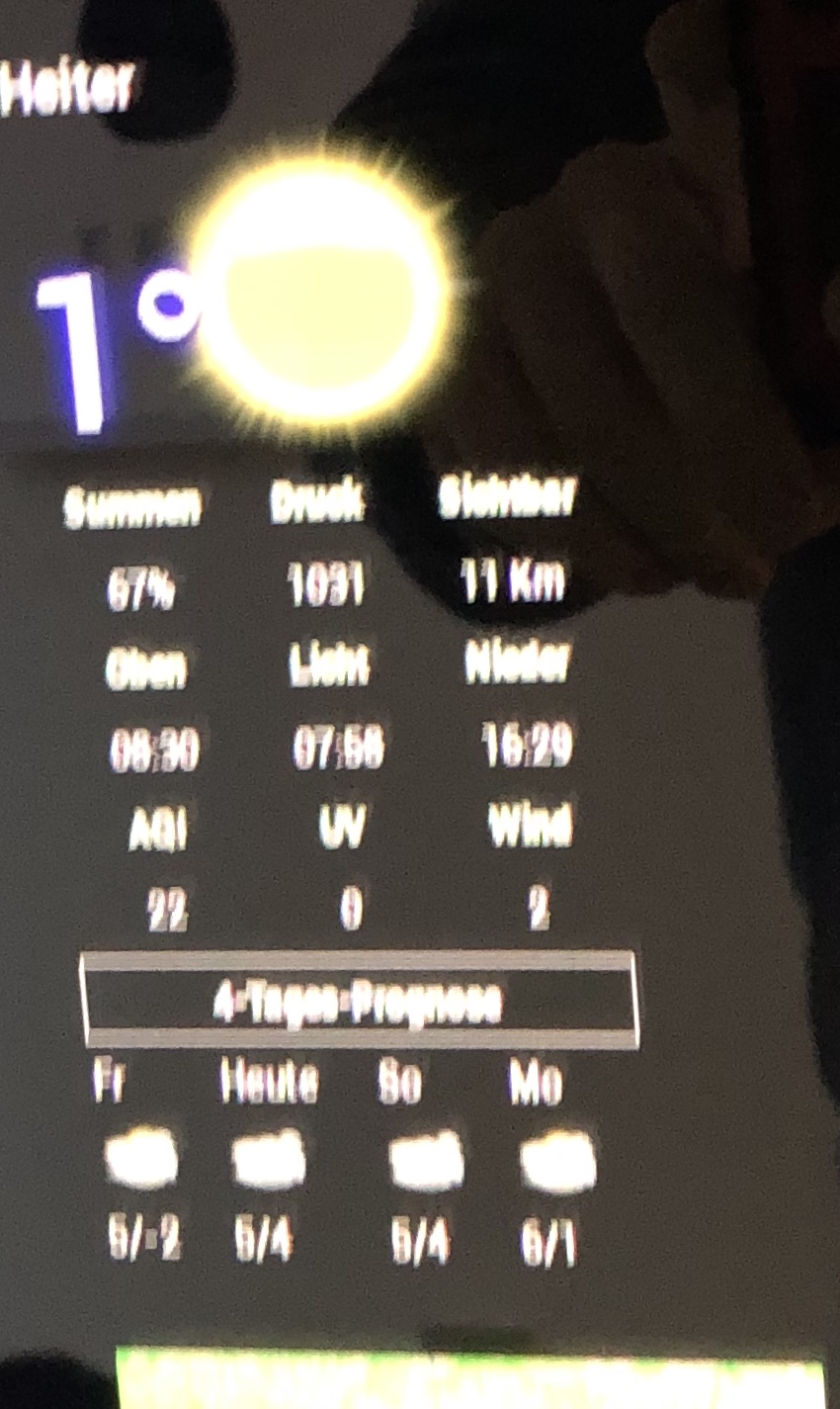
But not all Data is stuck. At the forecast you can see that the Days are changing. Moves the last day bevor the actual day. (Fr = yesterday , heute = today)
“Heiter” and the sunny Icon was also yesterday. Today it is raining. After a pm2 restart the values are Ok for a wile, but in a few hours the module is stuck again.
That is my code :
{
			module: "MMM-NOAA3",
			position: "top_left",
   				config: {
       					provider: "darksky",
						apiKey: "xxxxxxxxxxxxxxxx",
						//useAir: "False",
						airKey: "xxxxxxxxxxxxxxxx",
       					css: "NOAA3",
       					updateInterval: 30 * 60 * 1000,
						userlat: "50.xxxxx",
       					userlon: "7.xxxx"
				     	}
    		},
Any ideas ?
@cowboysdude
Works for me. (sorry for my late reply)
Up… and Running …
Now I can hear the hadrdisk working… I don’t wounder how much access the HD does , the sd cards died quickly :(
I think it was the SD Card. So many different Files with syntax errors so I’d mounted a Notebook HD with a Adapter and reinstalled the RaspberryOS. Gve it an new try
And anotherone error … I think that is my last try with MM2. Have a lot of different issues and that is the last one.
2 Month running without Problems, no reboot, no error, no frozen module … running well. But yesterday the calender Module does not update. reboot the Pi with VNC und volia … no MM anymore …
This is what happens ->
pi@raspberrypi:~ $ ./mm.sh

> magicmirror@2.5.0 start /home/pi/MagicMirror
> sh run-start.sh

App threw an error during load
/home/pi/MagicMirror/node_modules/express/lib/application.js:164
    onerror: logerror."ind(th)s)
                      ^^^^^^^^^^

SyntaxError: Invalid or unexpected token
    at createScript (vm.js:80:10)
    at Object.runInThisContext (vm.js:139:10)
    at Module._compile (module.js:606:28)
    at Object.Module._extensions..js (module.js:653:10)
    at Module.load (module.js:561:32)
    at tryModuleLoad (module.js:504:12)
    at Function.Module._load (module.js:496:3)
    at Module.require (module.js:586:17)
    at require (internal/module.js:11:18)
    at Object.<anonymous> (/home/pi/MagicMirror/node_modules/express/lib/express.js:18:13)
A JavaScript error occurred in the main process
Uncaught Exception:
/home/pi/MagicMirror/node_modules/express/lib/application.js:164
    onerror: logerror."ind(th)s)
                      ^^^^^^^^^^

SyntaxError: Invalid or unexpected token
    at createScript (vm.js:80:10)
    at Object.runInThisContext (vm.js:139:10)
    at Module._compile (module.js:606:28)
    at Object.Module._extensions..js (module.js:653:10)
    at Module.load (module.js:561:32)
    at tryModuleLoad (module.js:504:12)
    at Function.Module._load (module.js:496:3)
    at Module.require (module.js:586:17)
    at require (internal/module.js:11:18)
    at Object.<anonymous> (/home/pi/MagicMirror/node_modules/express/lib/express.js:18:13)
That is what “sudo npm run config:check” bings back.
pi@raspberrypi:~/MagicMirror $ sudo npm run config:check

> magicmirror@2.5.0 config:check /home/pi/MagicMirror
> node tests/configs/check_config.js

/home/pi/MagicMirror/node_modules/jshint/data/non-ascii-identifier-start.js:1
(function (exports, require, module, __filename, __dirname) { var str = ' Bunch of Numbers ! )

SyntaxError: Unexpected identifier
    at new Script (vm.js:51:7)
    at createScript (vm.js:136:10)
    at Object.runInThisContext (vm.js:197:10)
    at Module._compile (internal/modules/cjs/loader.js:618:28)
    at Object.Module._extensions..js (internal/modules/cjs/loader.js:665:10)
    at Module.load (internal/modules/cjs/loader.js:566:32)
    at tryModuleLoad (internal/modules/cjs/loader.js:506:12)
    at Function.Module._load (internal/modules/cjs/loader.js:498:3)
    at Module.require (internal/modules/cjs/loader.js:598:17)
    at require (internal/modules/cjs/helpers.js:11:18)
npm ERR! code ELIFECYCLE
npm ERR! errno 1
npm ERR! magicmirror@2.5.0 config:check: `node tests/configs/check_config.js`
npm ERR! Exit status 1
npm ERR!
npm ERR! Failed at the magicmirror@2.5.0 config:check script.
npm ERR! This is probably not a problem with npm. There is likely additional logging output above.

npm ERR! A complete log of this run can be found in:
npm ERR!     /root/.npm/_logs/2018-12-21T16_48_22_625Z-debug.log
pi@raspberrypi:~/MagicMirror $
Bunch of Numbers was blockt as Spam from Askinet.com ? I removed them …
Any ideas ? I don’t what to bury that nice project, but it is the fifth time i have to repair that thing after an Upgrade or Update, reboot or unclean shutdown.
{
			module: 'MMM-iFrameReload',
				position: 'top_left',	// This can be any of the regions.
				config: {
					url: "https://gadgets.buienradar.nl/gadget/zoommap/?lat=50.8838492&lng=8.020959100000027&overname=2&zoom=8&naam=siegen&size=2&voor=0",
					width: "250px",
					height: "315px",
					refreshInterval: 3600
					}
		},
Great Module that makes me change from Wonderground to NOAA3, but I have found an issue that my wife don’t like :-)
Since i activated NOAA3 the align from calender und Wounderlist is centered. if i deactivate the Module the caldender entries are aligned left as they schould do.
Any ideas ?
Same here. Did you find the problem ?
i removed on Module form the config.js file and add another module.
if I change back to the Old config file the Text is align right so as I want it.
I comment out the Module I add and the align is corect again.
I add the mmm-noaa3 Module