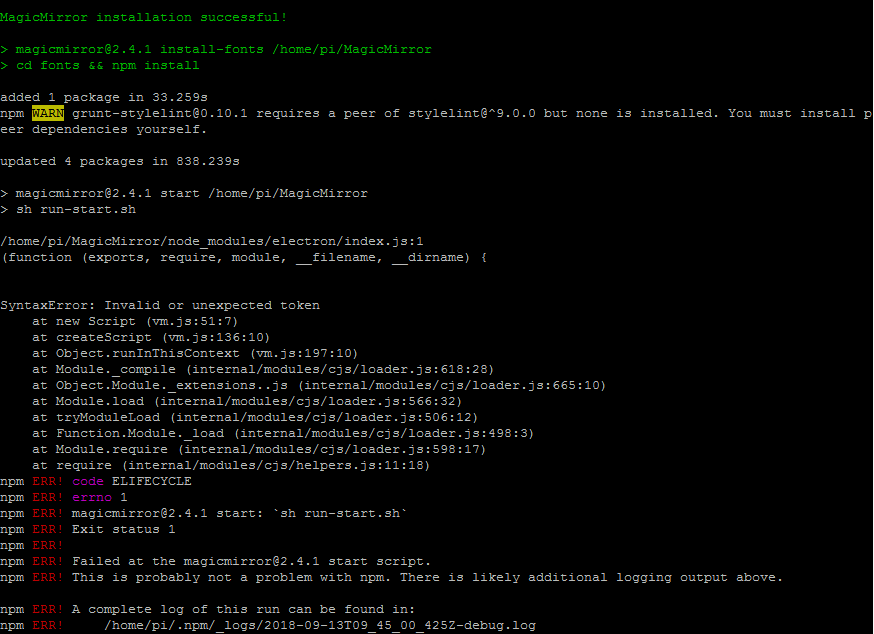
Issue found, everything works now.
Problem was my SD card, it, is (becomes) corrupt at some point.
A New Chapter for MagicMirror: The Community Takes the Lead
Read the statement by Michael Teeuw here.
Read the statement by Michael Teeuw here.
E
Offline
Posts
-
RE: Rpi 3B+, can't install
-
RE: Rpi 3B+, can't install
Still doesn’t work for me.
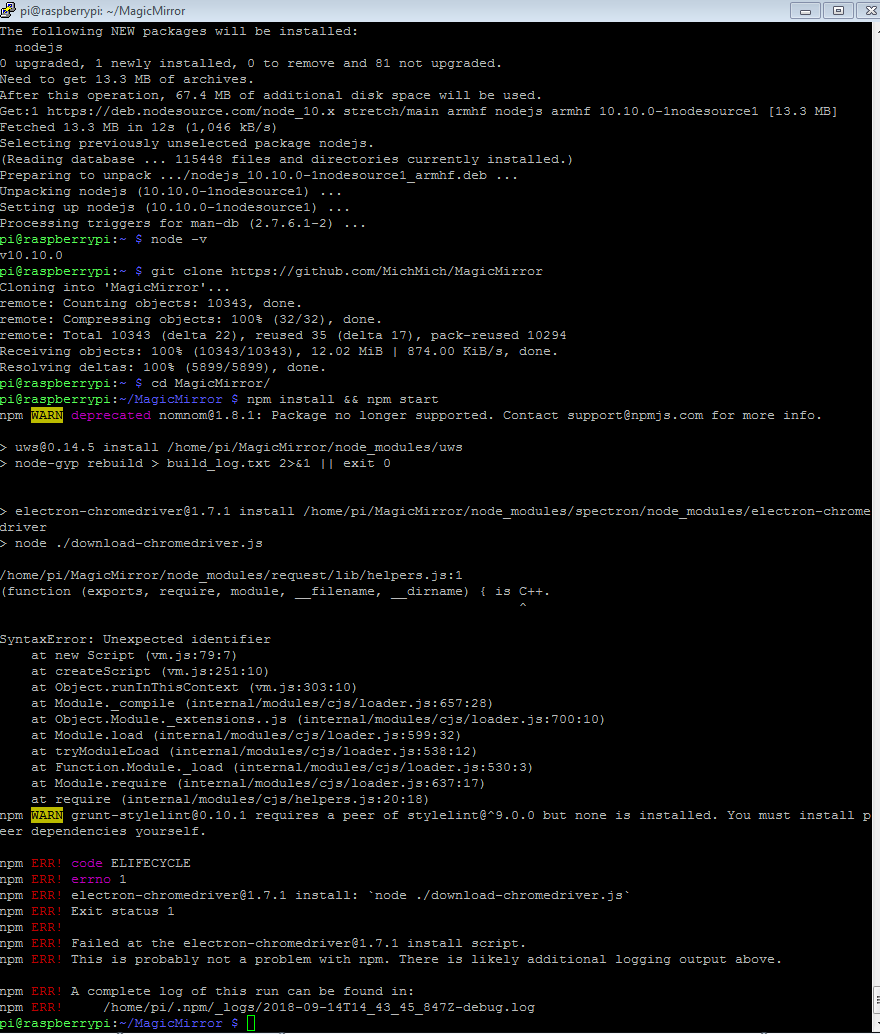
What I did is- Install fresh RASPBIAN STRETCH WITH DESKTOP
- After install, configure wifi credentials and enable SSH access
- Connect via SSH and proceed with
curl -sL https://deb.nodesource.com/setup_10.x | sudo -E bash -
sudo apt install -y nodejs
node -v
(got answer “v10.10.0”)
git clone https://github.com/MichMich/MagicMirror
cd MagicMirror/
npm install && npm start
-
RE: Rpi 3B+, can't install
I have set up WAN Port Forwarding to RPi, if there is somebody willing to help me.
-
RE: Rpi 3B+, can't install
so I did
mv MagicMirror MagicMirror3
git clone https://github.com/MichMich/MagicMirror
npm start
and I see
Segmentation fault -
RE: Rpi 3B+, can't install
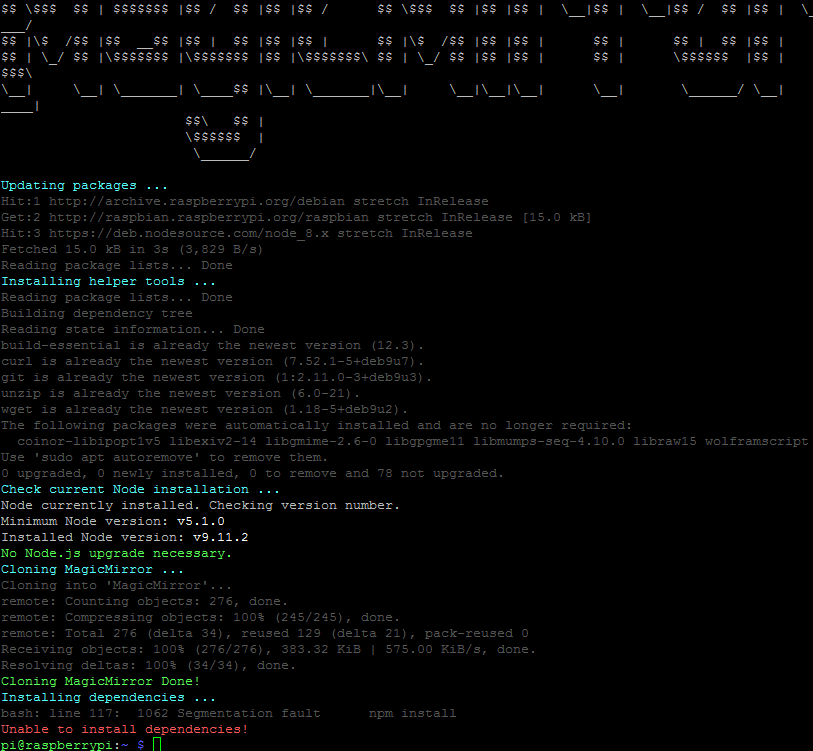
Would you please type correct commands? I’m not too good with commandline.
I usedmv MagicMirror MagicMirror2 bash -c "$(curl -sL https://raw.githubusercontent.com/MichMich/MagicMirror/master/installers/raspberry.sh)"I see an error
-
RE: NPM install is giving Error.
pi@raspberrypi:~/MagicMirror $ npm start

> magicmirror@2.4.1 start /home/pi/MagicMirror
> sh run-start.sh

/home/pi/MagicMirror/node_modules/electron/index.js:1
(function (exports, require, module, __filename, __dirname) {


SyntaxError: Invalid or unexpected token
    at new Script (vm.js:51:7)
    at createScript (vm.js:136:10)
    at Object.runInThisContext (vm.js:197:10)
    at Module._compile (internal/modules/cjs/loader.js:618:28)
    at Object.Module._extensions..js (internal/modules/cjs/loader.js:665:10)
    at Module.load (internal/modules/cjs/loader.js:566:32)
    at tryModuleLoad (internal/modules/cjs/loader.js:506:12)
    at Function.Module._load (internal/modules/cjs/loader.js:498:3)
    at Module.require (internal/modules/cjs/loader.js:598:17)
    at require (internal/modules/cjs/helpers.js:11:18)
npm ERR! code ELIFECYCLE
npm ERR! errno 1
npm ERR! magicmirror@2.4.1 start: `sh run-start.sh`
npm ERR! Exit status 1
npm ERR!
npm ERR! Failed at the magicmirror@2.4.1 start script.
npm ERR! This is probably not a problem with npm. There is likely additional logging output above.

npm ERR! A complete log of this run can be found in:
npm ERR!     /home/pi/.npm/_logs/2018-09-13T10_40_56_673Z-debug.log