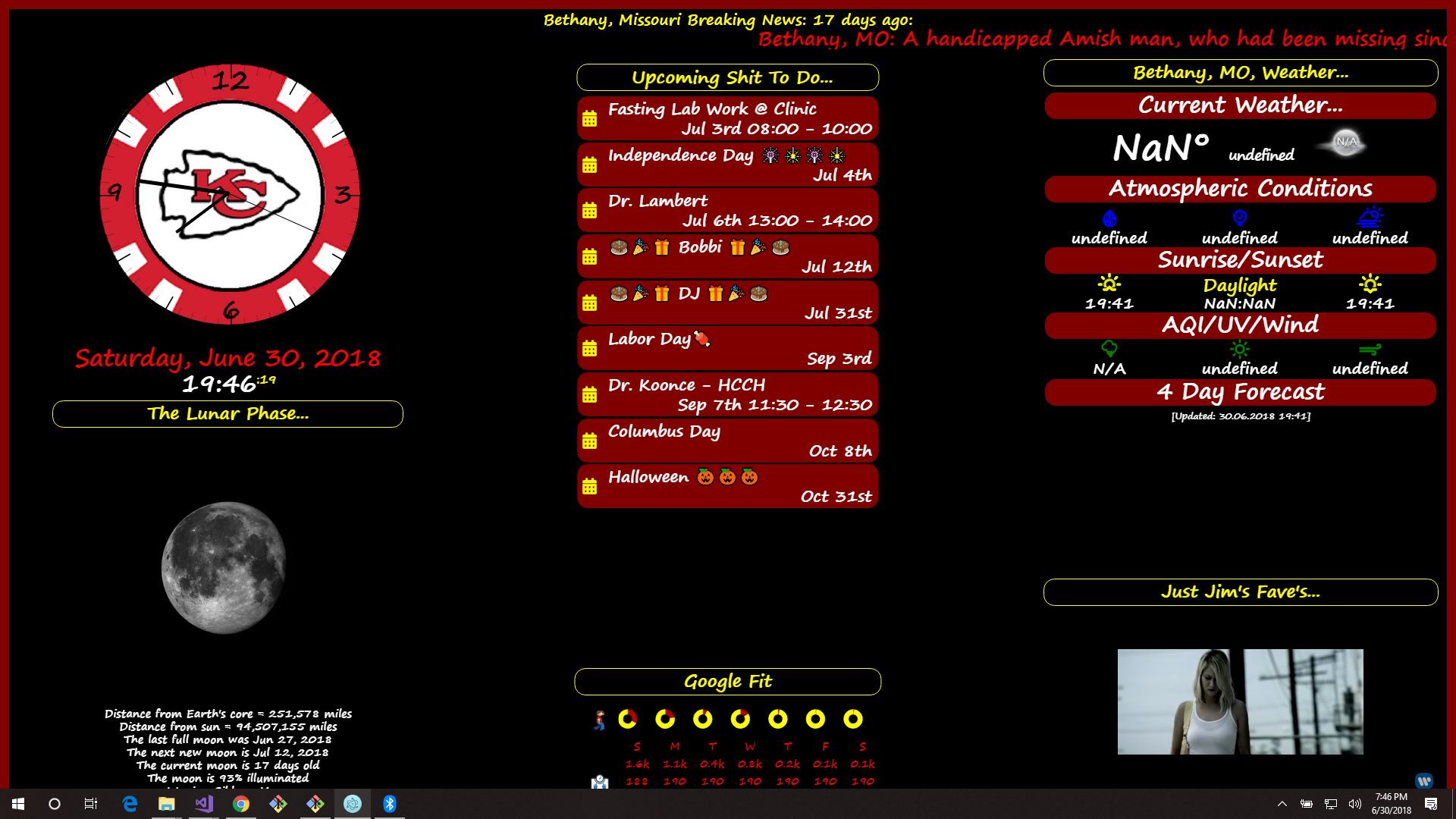
That I didn’t see. I’ll have to take a look… :smiling_face_with_sunglasses:
A New Chapter for MagicMirror: The Community Takes the Lead
Read the statement by Michael Teeuw here.
Read the statement by Michael Teeuw here.
 Offline
Posts
-
RE: mmm-moon-phases don't work for me
-
RE: mmm-moon-phases don't work for me
Yeah, I saw that. Very cool. I like when they can be modified like that.
-
RE: mmm-moon-phases don't work for me
kind of what I was thinking…
I haven’t tried the other 2 I tried last night, but that is just fine, yours is the the one I wanted,
It’s a great module!!!
-
RE: mmm-moon-phases don't work for me
It is working now. I just haven’t been back on here to let it be known.
Last night none of them would work, wouldn’t show anything but the header and the loading message.
Like on yours, it just stayed in the lower corner of the region I have it set to, Showing the header and that message… “When the moon hits your eyes…”.Thanks though, not sure when it started working, left it like that when I went to bed, and it was working this morning. :smiling_face_with_sunglasses:
-
RE: "HIDE" and/or "SHOW" modules automatically...
Thanks for the reply…
I’m using the Module Scheduler at the moment.
Works Great!!! :smiling_face_with_sunglasses: :smiling_face_with_sunglasses: :smiling_face_with_sunglasses:
-
RE: mmm-moon-phases don't work for me
there’s like 3 different moon or lunar modules.
I’ve tried all of them and none are working for me.
i get the header and the loading message. that’s it.
at first I had one working.
but after the reload it didn’t work anymore.I had thought that maybe it only shows when the moon is visible to my area when I can physically see it.
but none of them worked last bight when the moon was showing. -
Weather Radar module...
Anybody know how to pull a local radar to display on the Mirror as a realtime module?
Getting into tornado season here in the midwest and would love to have one on my mirror.
-
RE: Emoji
you can change to show colors in your config.js…
here are the list of defaults as shown in the calendar.js…
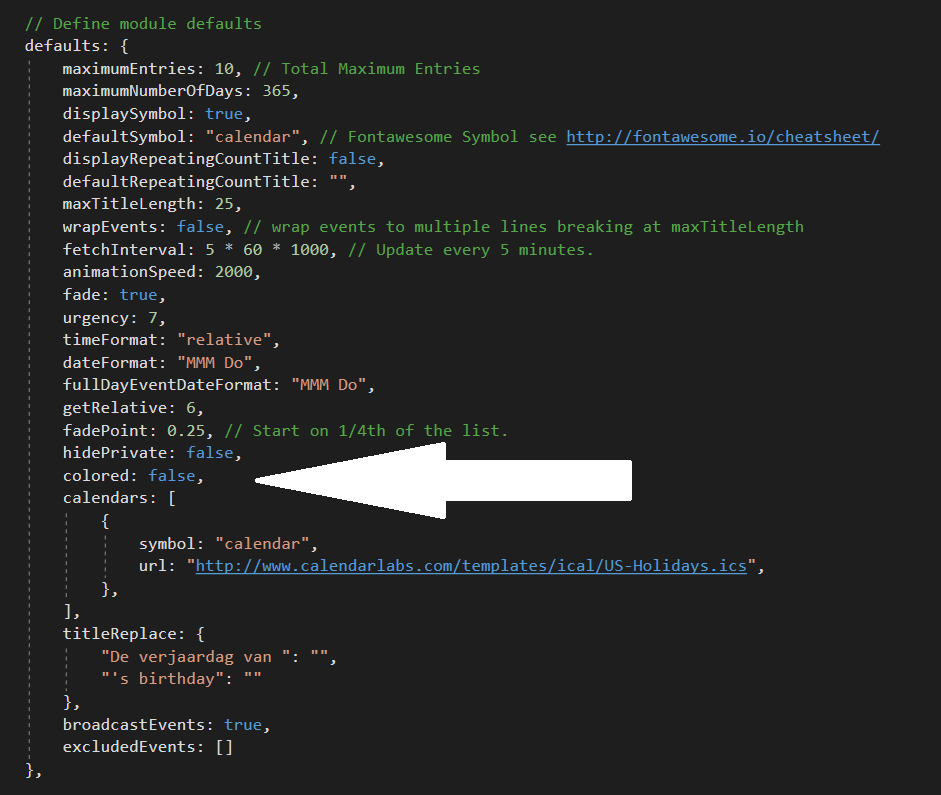
The big white arrow points out the line you need to add to your config.js to show color.
EXAMPLE…
{
module: "calendar",
position: "top_left",	// This can be any of the regions. Best results in left or right regions.
config: {
	colored: true,
	calendars: [
		{
			url: 'http://www.calendarlabs.com/templates/ical/US-Holidays.ics',
			symbol: 'calendar',
			auth: {
			    user: 'username',
			    pass: 'superstrongpassword',
			    method: 'basic'
			}
		},
	],
}
},
Hopefully this works out for you! :smiling_face_with_sunglasses:
-
"HIDE" and/or "SHOW" modules automatically...
I was wondering if anyone knew if there was a way to HIDE or SHOW modules automatically via a certain time of day. I am sure I read about it a some point, but now I can’t find anything on it.
for example…
I would like to place 2 modules in the same spot (bottom_left), the recipe module, and the lunar phase module. And, have the recipe module show during the day, and the lunar module show at night.
It seems that the lunar module will only work at night when the moon is visible to my area. So, to me it makes sense to show it when it is visible and a different module when it is not…
So, I am wanting the recipe module to show from dawn to dusk, and the lunar module to show from dusk to dawn. (you know, to be ready for those pesky vampires!!!)
Frankly, it would be awesome to have the lunar module to show the moon phase I am currently in 24/7.
(those vampires don’t wait until I’m ready. They start their shit as soon as it is dark enough!!!)
But, if it’s only gonna show when it is visible, then I would like to have a different module taking up the space on the mirror.Any help on this would be awesome!
(something needs to be done about the vampire infestation in northern Missouri!!!)