@sdetweil Oh! So simple? It is like at Windows. Only with mouse configuration. I found it under Screen configuration - > orientation
Thank you again for your help. You are my little hero 😉
A New Chapter for MagicMirror: The Community Takes the Lead
Read the statement by Michael Teeuw here.
Read the statement by Michael Teeuw here.
K
Offline
Posts
-
RE: Can´t rotate my display
-
RE: Can´t rotate my display
@sdetweil I got the following infos
pi@raspi-mm-bad:~ $ ps -ef | grep labwc pi 645 619 42 16:50 ? 00:35:55 /usr/bin/labwc -m pi 714 645 0 16:50 ? 00:00:00 /usr/bin/ssh-agent /usr/bin/labwc-pi pi 33729 32904 25 18:15 pts/0 00:00:00 grep --color=auto labwc -
RE: Can´t rotate my display
@sdetweil I use
Raspberry Pi OS with desktop
Release date: November 19th 2024
System: 64-bit
Kernel version: 6.6
Debian version: 12 (bookworm)and a Raspberry 3 Model b+
-
Can´t rotate my display
I have just reinstalled my MMM. Everything is fine except the last step.
I am trying to rotate my display 90 degrees clockwise. To do this, I have added
/boot/firmware/config.txtI commented out the line following line
# dtoverlay=vc4-kms-v3dand added the line
display_hdmi_rotate=1underneath
But by commenting the line out, the Raspi no longer starts correctly. Only a black screen appears.
The operating system is already started. I can still access it via SSH. But I can see only a black screen.
As soon as I uncomment the line
dtoverlay=vc4-kms-v3dagain, the Raspi starts correctly. But then the screen is not rotated, even though I have not deleted the line
display_hdmi_rotate=1It would be great if you could help me again.
Than in advance
Klinge -
RE: Cannot find module 'undici' - 'npm install' doesn't work
@sdetweil Yes, you’re absolutely right, of course. Sometimes you have to learn from your own mistakes ;-) so we just call it a Layer8 problem ;-) Thanks anyway for your effort
-
RE: Cannot find module 'undici' - 'npm install' doesn't work
@sdetweil Shit, that’s the same problem I had with my second mirror a few weeks ago. Well, it’s been running fine since 2016.
Many thanks for your tips. With your scripts I’ll quickly install the new one. -
RE: Cannot find module 'undici' - 'npm install' doesn't work
@sdetweil Thank you for your help.
After updating to 20.18.1 unfortunately I get the following error
pi@raspberrypi:~/MagicMirror $ pwd
/home/pi/MagicMirror
pi@raspberrypi:~/MagicMirror $ npm run install-mm
node: /usr/lib/arm-linux-gnueabihf/libstdc++.so.6: version `GLIBCXX_3.4.26' not found (required by node)
And yes, the next time I will use your upgrade script ;-)
-
Cannot find module 'undici' - 'npm install' doesn't work
Hi,
since today my MMM don´t start.
When I start it, I got the following error message
pi@raspberrypi:~/MagicMirror $ display=:0 npm start

> magicmirror@2.30.0 start
> npm run start:x11


> magicmirror@2.30.0 start:x11
> DISPLAY="${DISPLAY:=:0}" ./node_modules/.bin/electron js/electron.js

[2025-01-02 09:01:37.931] [ERROR] App threw an error during load
[2025-01-02 09:01:37.938] [ERROR] Error: Cannot find module 'undici'
Require stack:
- /home/pi/MagicMirror/js/app.js
- /home/pi/MagicMirror/js/electron.js
    at Module._resolveFilename (node:internal/modules/cjs/loader:1055:15)
    at s._resolveFilename (node:electron/js2c/browser_init:2:115476)
    at Module._resolveFilename (/home/pi/MagicMirror/node_modules/module-alias/index.js:49:29)
    at Module._load (node:internal/modules/cjs/loader:908:27)
    at c._load (node:electron/js2c/node_init:2:13672)
    at Module.require (node:internal/modules/cjs/loader:1122:19)
    at require (node:internal/modules/helpers:130:18)
    at Object.<anonymous> (/home/pi/MagicMirror/js/app.js:15:40)
    at Module._compile (node:internal/modules/cjs/loader:1256:14)
    at Module._extensions..js (node:internal/modules/cjs/loader:1311:10)
    at Module.load (node:internal/modules/cjs/loader:1098:32)
    at Module._load (node:internal/modules/cjs/loader:945:12)
    at c._load (node:electron/js2c/node_init:2:13672)
    at Module.require (node:internal/modules/cjs/loader:1122:19)
    at require (node:internal/modules/helpers:130:18)
    at Object.<anonymous> (/home/pi/MagicMirror/js/electron.js:4:14)
A JavaScript error occurred in the main process
When I try “npm install” I got the following
pi@raspberrypi:~/MagicMirror $ npm install
npm error code EBADENGINE
npm error engine Unsupported engine
npm error engine Not compatible with your version of node/npm: magicmirror@2.30.0
npm error notsup Not compatible with your version of node/npm: magicmirror@2.30.0
npm error notsup Required: {"node":">=20.18.1 <21 || >=22"}
npm error notsup Actual:   {"npm":"10.8.2","node":"v18.20.5"}
npm error A complete log of this run can be found in: /home/pi/.npm/_logs/2025-01-02T08_02_32_005Z-debug-0.log
So I tried to update my npm with
sudo apt update
sudo apt full-upgrade
sudo apt remove node
sudo apt remove nodejs
sudo apt install nodejs
but npm has still the version 10.8.2
So, what have I done wrong?
It would be really nice, if you have some advice for me.
Thank you in advance.
Kind regards
Klinge -
Problem with generating Google Assistant token
Hi,
I installed and configured the MMM-GoogleAssistant from @bugsounet and entered the Name of the OAuth client (MMM-GoogleAssistant) and Authorized redirect URIs as https://googleassistant.bugsounet.fr and now I have a problem at the end when I generate the token.
After
npm run tokenI got the following error message from the google page
You cannot log in because this app has sent an invalid request. Try again later or contact the developer. More information about this error
If you are the developer of this app, you can find more information in the error details.

Error 400: redirect_uri_mismatch
When I checked my authorized domains in “OAuth consent screen” I have added the domain “bugsounet.fr”.
But obviously something I made wrong.
It would be nice, if someone could help me.
Thank you in advance.
Klinge -
RE: Unable to install MagicMirror
@sdetweil I have installed a completely new system. The current raspbian OS and of course the MM. The MM itself is running. At the moment I’m fighting with a news module and with the GoogleAssistant from @bugsounet. I am optimistic that I will win the battle. Otherwise, I’m looking for advice from this great community ;-) But first I’m going on holiday with my family tomorrow :-) Many thanks for your help
-
RE: Unable to install MagicMirror
@MarcLandis @sdetweil Ok, then I have to do it. Thank you for your help :-)
-
RE: Unable to install MagicMirror
@sdetweil Ok, now I see the message when I start your script.
But I think I updated my OS as you can see. It seems it is actual.
pi@raspberrypi:~ $ sudo apt update
OK:1 http://archive.raspberrypi.org/debian buster InRelease
OK:2 http://raspbian.raspberrypi.org/raspbian buster InRelease
OK:3 https://deb.nodesource.com/node_10.x buster InRelease
Paketlisten werden gelesen... Fertig
Abhängigkeitsbaum wird aufgebaut.
Statusinformationen werden eingelesen.... Fertig
Alle Pakete sind aktuell.
pi@raspberrypi:~ $
pi@raspberrypi:~ $
pi@raspberrypi:~ $ sudo apt full-upgrade
Paketlisten werden gelesen... Fertig
Abhängigkeitsbaum wird aufgebaut.
Statusinformationen werden eingelesen.... Fertig
Paketaktualisierung (Upgrade) wird berechnet... Fertig
0 aktualisiert, 0 neu installiert, 0 zu entfernen und 0 nicht aktualisiert.
pi@raspberrypi:~ $ sudo apt-get update
OK:1 http://archive.raspberrypi.org/debian buster InRelease
OK:2 http://raspbian.raspberrypi.org/raspbian buster InRelease
OK:3 https://deb.nodesource.com/node_10.x buster InRelease
Paketlisten werden gelesen... Fertig
But it is still buster. So I have to install a complete new image on the card?
-
Unable to install MagicMirror
Hi,
I try to install MM again on my Raspi.
I use the intallation script from Sam @sdetweil but unfortunately it cancels with the following message in the install.log
Die folgenden Pakete haben unerfüllte Abhängigkeiten:
 vlc-bin : Hängt ab von: libvlc-bin (= 3.0.11-0+deb10u1+rpt3) aber 3.0.20-0+deb10u1 soll installiert werden
 vlc-plugin-base : Hängt ab von: vlc-data (= 3.0.11-0+deb10u1+rpt3) aber 3.0.20-0+deb10u1 soll installiert werden
 vlc-plugin-skins2 : Hängt ab von: vlc-plugin-qt (= 3.0.20-0+deb10u1) aber 3.0.11-0+deb10u1+rpt3 soll installiert werden
E: Beschädigte Pakete
ESC[96mInstalling helper tools ...ESC[0m
Paketlisten werden gelesen...
Abhängigkeitsbaum wird aufgebaut....
Statusinformationen werden eingelesen....
build-essential ist schon die neueste Version (12.6).
wget ist schon die neueste Version (1.20.1-1.1).
wget wurde als manuell installiert festgelegt.
Die folgenden zusätzlichen Pakete werden installiert:
  libcurl4
Vorgeschlagene Pakete:
  git-daemon-run | git-daemon-sysvinit git-doc git-el git-email git-gui gitk
  gitweb git-cvs git-mediawiki git-svn zip
Die folgenden Pakete werden aktualisiert (Upgrade):
  curl git libcurl4 unzip
4 aktualisiert, 0 neu installiert, 0 zu entfernen und 450 nicht aktualisiert.
Es müssen 4.892 kB an Archiven heruntergeladen werden.
Nach dieser Operation werden 456 kB Plattenplatz zusätzlich benutzt.
Holen:1 http://ftp.gwdg.de/pub/linux/debian/raspbian/raspbian buster/main armhf curl armhf 7.64.0-4+deb10u9 [257 kB]
Holen:3 http://ftp.gwdg.de/pub/linux/debian/raspbian/raspbian buster/main armhf git armhf 1:2.20.1-2+deb10u9 [4.187 kB]
Holen:2 http://mirror.netcologne.de/raspbian/raspbian buster/main armhf libcurl4 armhf 7.64.0-4+deb10u9 [296 kB]
Holen:4 http://ftp.halifax.rwth-aachen.de/raspbian/raspbian buster/main armhf unzip armhf 6.0-23+deb10u3 [152 kB]
apt-listchanges: Changelogs werden gelesen...
Es wurden 4.892 kB in 6 s geholt (840 kB/s).
(Lese Datenbank ... ^M(Lese Datenbank ... 5%^M(Lese Datenbank ... 10%^M(Lese Datenbank ... 15%^M(Lese Datenbank ... 20%^M(Lese Datenbank ... 25%^M(Lese
 Datenbank ... 30%^M(Lese Datenbank ... 35%^M(Lese Datenbank ... 40%^M(Lese Datenbank ... 45%^M(Lese Datenbank ... 50%^M(Lese Datenbank ... 55%^M(Lese
Datenbank ... 60%^M(Lese Datenbank ... 65%^M(Lese Datenbank ... 70%^M(Lese Datenbank ... 75%^M(Lese Datenbank ... 80%^M(Lese Datenbank ... 85%^M(Lese D
atenbank ... 90%^M(Lese Datenbank ... 95%^M(Lese Datenbank ... 100%^M(Lese Datenbank ... 104394 Dateien und Verzeichnisse sind derzeit installiert.)
Vorbereitung zum Entpacken von .../curl_7.64.0-4+deb10u9_armhf.deb ...
Entpacken von curl (7.64.0-4+deb10u9) über (7.64.0-4+deb10u1) ...
Vorbereitung zum Entpacken von .../libcurl4_7.64.0-4+deb10u9_armhf.deb ...
Entpacken von libcurl4:armhf (7.64.0-4+deb10u9) über (7.64.0-4+deb10u1) ...
Vorbereitung zum Entpacken von .../git_1%3a2.20.1-2+deb10u9_armhf.deb ...
Entpacken von git (1:2.20.1-2+deb10u9) über (1:2.20.1-2+deb10u3) ...
Vorbereitung zum Entpacken von .../unzip_6.0-23+deb10u3_armhf.deb ...
Entpacken von unzip (6.0-23+deb10u3) über (6.0-23+deb10u1) ...
unzip (6.0-23+deb10u3) wird eingerichtet ...
git (1:2.20.1-2+deb10u9) wird eingerichtet ...
libcurl4:armhf (7.64.0-4+deb10u9) wird eingerichtet ...
curl (7.64.0-4+deb10u9) wird eingerichtet ...
Trigger für libc-bin (2.28-10+rpi1) werden verarbeitet ...
Trigger für man-db (2.8.5-2) werden verarbeitet ...
Trigger für mime-support (3.62) werden verarbeitet ...
installing on "Raspbian GNU/Linux 10 (buster)" NAME
ESC[96minstalling correct version of node and npm, please waitESC[0m
  installing : node-v20.9.0
       mkdir : /usr/local/n/versions/node/20.9.0
       fetch : https://nodejs.org/dist/v20.9.0/node-v20.9.0-linux-armv7l.tar.xz
     copying : node/20.9.0
   installed :  (with npm )
node failed to install, exiting
install starting  - Fr Sep 13 14:41:05 CEST 2024
installing on armv7l processor system
the os is PRETTY_NAME="Raspbian GNU/Linux 10 (buster)" NAME="Raspbian GNU/Linux" VERSION_ID="10" VERSION="10 (buster)" VERSION_CODENAME=buster ID=raspb
ian ID_LIKE=debian HOME_URL="http://www.raspbian.org/" SUPPORT_URL="http://www.raspbian.org/RaspbianForums" BUG_REPORT_URL="http://www.raspbian.org/Ras
pbianBugs"
              total        used        free      shared  buff/cache   available
Mem:            923         157         501          17         263         695
Swap:          1277           0        1277
ESC[96mUpdating packages ...ESC[0m
Get:1 http://archive.raspberrypi.org/debian buster InRelease [54.2 kB] Get:2 http://raspbian.raspberrypi.org/raspbian buster InRelease [15.0 kB] Hit:3
https://deb.nodesource.com/node_10.x buster InRelease Get:4 http://archive.raspberrypi.org/debian buster/main armhf Packages [400 kB] Fetched 469 kB in
 2s (220 kB/s) Reading package lists...
apt-get update  completed ok
Paketlisten werden gelesen...
Abhängigkeitsbaum wird aufgebaut....
Statusinformationen werden eingelesen....
pv ist schon die neueste Version (1.6.6-1).
Die folgenden Pakete wurden automatisch installiert und werden nicht mehr benötigt:
  libdav1d3 python-colorzero
Verwenden Sie »sudo apt autoremove«, um sie zu entfernen.
0 aktualisiert, 0 neu installiert, 0 zu entfernen und 0 nicht aktualisiert.
apt-get upgrade  started
apt-get upgrade result =rc=0 Paketlisten werden gelesen...
Abhängigkeitsbaum wird aufgebaut....
Statusinformationen werden eingelesen....
Paketaktualisierung (Upgrade) wird berechnet...
Die folgenden Pakete wurden automatisch installiert und werden nicht mehr benötigt:
  libdav1d3 python-colorzero
Verwenden Sie »sudo apt autoremove«, um sie zu entfernen.
0 aktualisiert, 0 neu installiert, 0 zu entfernen und 0 nicht aktualisiert.
ESC[96mInstalling helper tools ...ESC[0m
Paketlisten werden gelesen...
Abhängigkeitsbaum wird aufgebaut....
Statusinformationen werden eingelesen....
build-essential ist schon die neueste Version (12.6).
curl ist schon die neueste Version (7.64.0-4+deb10u9).
git ist schon die neueste Version (1:2.20.1-2+deb10u9).
unzip ist schon die neueste Version (6.0-23+deb10u3).
wget ist schon die neueste Version (1.20.1-1.1).
Die folgenden Pakete wurden automatisch installiert und werden nicht mehr benötigt:
  libdav1d3 python-colorzero
Verwenden Sie »sudo apt autoremove«, um sie zu entfernen.
0 aktualisiert, 0 neu installiert, 0 zu entfernen und 0 nicht aktualisiert.
node not installed, trying via apt-get
Paketlisten werden gelesen... Abhängigkeitsbaum wird aufgebaut.... Statusinformationen werden eingelesen.... E: Paket nodejs:armv7l kann nicht gefunden werden. E: Paket npm:armv7l kann nicht gefunden werden.
npm not installed, trying via apt-get
npm installed now, install n
Paketlisten werden gelesen... Abhängigkeitsbaum wird aufgebaut.... Statusinformationen werden eingelesen.... Einige Pakete konnten nicht installiert werden. Das kann bedeuten, dass Sie eine unmögliche Situation angefordert haben oder, wenn Sie die Unstable-Distribution verwenden, dass einige erforderliche Pakete noch nicht erstellt wurden oder Incoming noch nicht verlassen haben. Die folgenden Informationen helfen Ihnen vielleicht, die Situation zu lösen: Die folgenden Pakete haben unerfüllte Abhängigkeiten: npm : Hängt ab von: nodejs (>= 6.11~) soll aber nicht installiert werden Hängt ab von: node-abbrev (>= 1.1.1~) soll aber nicht installiert werden Hängt ab von: node-ansi-regex (>= 3.0~) soll aber nicht installiert werden Hängt ab von: node-ansistyles (>= 0.1.3~) soll aber nicht installiert werden Hängt ab von: node-aproba (>= 1.2~) soll aber nicht installiert werden Hängt ab von: node-archy (>= 1.0~) soll aber nicht installiert werden Hängt ab von: node-cacache (>= 10.0.4~) soll aber nicht installiert werden Hängt ab von: node-bluebird (>= 3.5.1~) soll aber nicht installiert werden Hängt ab von: node-call-limit (>= 1.1~) soll aber nicht installiert werden Hängt ab von: node-chownr (>= 1.0.1~) soll aber nicht installiert werden Hängt ab von: node-config-chain (>= 1.1.11~) soll aber nicht installiert werden Hängt ab von: node-detect-indent (>= 5.0~) soll aber nicht installiert werden Hängt ab von: node-detect-newline (>= 2.1~) soll aber nicht installiert werden Hängt ab von: node-editor (>= 1.0~) soll aber nicht installiert werden Hängt ab von: node-fs-vacuum (>= 1.2.10~) soll aber nicht installiert werden Hängt ab von: node-fs-write-stream-atomic (>= 1.0.10~) soll aber nicht installiert werden Hängt ab von: node-glob (>= 7.1.2~) soll aber nicht installiert werden Hängt ab von: node-graceful-fs (>= 4.1.11~) soll aber nicht installiert werden Hängt ab von: node-has-unicode (>= 2.0.1~) soll aber nicht installiert werden Hängt ab von: node-hosted-git-info (>= 2.6~) soll aber nicht installiert werden Hängt ab von: node-iferr (>= 0.1.5~) soll aber nicht installiert werden Hängt ab von: node-inflight (>= 1.0.6~) soll aber nicht installiert werden Hängt ab von: node-inherits (>= 2.0.3~) soll aber nicht installiert werden Hängt ab von: node-ini (>= 1.3.5~) soll aber nicht installiert werden Hängt ab von: node-npm-package-arg soll aber nicht installiert werden Hängt ab von: node-promzard soll aber nicht installiert werden Hängt ab von: node-jsonstream (>= 1.3.2~) soll aber nicht installiert werden Hängt ab von: node-json-parse-better-errors (>= 1.0.1~) soll aber nicht installiert werden Hängt ab von: node-lazy-property (>= 1.0~) soll aber nicht installiert werden Hängt ab von: node-libnpx (>= 10.0.1~) soll aber nicht installiert werden Hängt ab von: node-lockfile (>= 1.0.3~) soll aber nicht installiert werden Hängt ab von: node-lru-cache (>= 4.1.1~) soll aber nicht installiert werden Hängt ab von: node-mississippi (>= 3.0~) soll aber nicht installiert werden Hängt ab von: node-mkdirp (>= 0.3.3) soll aber nicht installiert werden Hängt ab von: node-move-concurrently (>= 1.0.1~) soll aber nicht installiert werden Hängt ab von: node-nopt soll aber nicht installiert werden Hängt ab von: node-normalize-package-data (>= 2.4~) soll aber nicht installiert werden Hängt ab von: node-gyp (>= 3.6.2~) soll aber nicht installiert werden Hängt ab von: node-resolve-from (>= 4.0~) soll aber nicht installiert werden Hängt ab von: node-encoding soll aber nicht installiert werden Hängt ab von: node-errno soll aber nicht installiert werden Hängt ab von: node-npmlog (>= 4.1.2~) soll aber nicht installiert werden Hängt ab von: node-once (>= 1.4~) soll aber nicht installiert werden Hängt ab von: node-opener (>= 1.4.3~) soll aber nicht installiert werden Hängt ab von: node-osenv (>= 0.1.5~) soll aber nicht installiert werden Hängt ab von: node-path-is-inside (>= 1.0.2~) soll aber nicht installiert werden Hängt ab von: node-promise-inflight (>= 1.0.1~) soll aber nicht installiert werden Hängt ab von: node-ansi soll aber nicht installiert werden Hängt ab von: node-qw (>= 1.0.1~) soll aber nicht installiert werden Hängt ab von: node-read (>= 1.0.7~) soll aber nicht installiert werden Hängt ab von: node-read-package-json (>= 2.0.13~) soll aber nicht installiert werden Hängt ab von: node-request (>= 2.83~) soll aber nicht installiert werden Hängt ab von: node-retry (>= 0.10.1~) soll aber nicht installiert werden Hängt ab von: node-rimraf (>= 2.6.2~) soll aber nicht installiert werden Hängt ab von: node-safe-buffer (>= 5.1.1~) soll aber nicht installiert werden Hängt ab von: node-semver (>= 5.5~) soll aber nicht installiert werden Hängt ab von: node-sha (>= 2.0.1~) soll aber nicht installiert werden Hängt ab von: node-slide (>= 1.1.6~) soll aber nicht installiert werden Hängt ab von: node-sorted-object (>= 2.0.1~) soll aber nicht installiert werden Hängt ab von: node-from2 soll aber nicht installiert werden Hängt ab von: node-stream-iterate soll aber nicht installiert werden Hängt ab von: node-ssri (>= 5.2.4~) soll aber nicht installiert werden Hängt ab von: node-strip-ansi (>= 4.0~) soll aber nicht installiert werden Hängt ab von: node-tar (>= 4.4~) soll aber nicht installiert werden Hängt ab von: node-text-table (>= 0.2~) soll aber nicht installiert werden Hängt ab von: node-uid-number (>= 0.0.6~) soll aber nicht installiert werden Hängt ab von: node-unique-filename (>= 1.1~) soll aber nicht installiert werden Hängt ab von: node-unpipe (>= 1.0~) soll aber nicht installiert werden Hängt ab von: node-boxen (>= 1.2.1~) soll aber nicht installiert werden Hängt ab von: node-import-lazy soll aber nicht installiert werden Hängt ab von: node-is-npm (>= 1.0~) soll aber nicht installiert werden Hängt ab von: node-latest-version (>= 3.0~) soll aber nicht installiert werden Hängt ab von: node-semver-diff (>= 2.0~) soll aber nicht installiert werden Hängt ab von: node-xdg-basedir (>= 3.0~) soll aber nicht installiert werden Hängt ab von: node-validate-npm-package-name (>= 3.0~) soll aber nicht installiert werden Hängt ab von: node-which (>= 1.3~) soll aber nicht installiert werden Hängt ab von: node-wrappy (>= 1.0.2~) soll aber nicht installiert werden Hängt ab von: node-write-file-atomic (>= 2.3~) soll aber nicht installiert werden E: Probleme können nicht korrigiert werden, Sie haben zurückgehaltene defekte Pakete.
installing on "Raspbian GNU/Linux 10 (buster)" NAME
ESC[92mnode failed to execute, please check the error message and resolve before trying againESC[0m
install aborted - Fr Sep 13 14:41:54 CEST 2024
At the moment I think my only option is to install a new OS completely. But on the other side I hope a better option exist.
It would be great if someone could help me.
Thank you in advance.
Kind regards
Klinge -
RE: Module MMM-OpenWeatherMapForecast is not running
@sdetweil Now I corrected the first line and then I tried to update the module again.
What should I say. Now the MMM is running.
But now I have on my second mirror another problem. I will open a new post for it.
Thank you all for your help :-)
-
RE: Module MMM-OpenWeatherMapForecast is not running
@mumblebaj Thank you for your advice. I configured the following line in my config
language: "de",and I changed the node.helper as @sdetweil had advised
-
RE: Module MMM-OpenWeatherMapForecast is not running
@sdetweil Ok, I did “git diff” and got the following result
pi@raspberrypi:~/MagicMirror/modules/MMM-OpenWeatherMapForecast $ git diff
diff --git a/node_helper.js b/node_helper.js
index 74c92ae..620e2b5 100644
--- a/node_helper.js
+++ b/node_helper.js
@@ -1,4 +1,4 @@
**-/***********************************
+//*********************************

   Node Helper for MMM-OpenWeatherMapForecast.

@@ -60,7 +60,7 @@ module.exports = NodeHelper.create({
                         self.sendSocketNotification("OPENWEATHER_ONE_CALL_FORECAST_DATA", resp);

                     } else {
-                        console.log("[MMM-OpenWeatherMapForecast] " + moment().format("D-MMM-YY HH:mm") + " ** ERROR ** " + error);
+                        console.log("[MMM-OpenWeatherMapForecast] " + moment().format("D-MMM-YY HH:mm") + " ** ERROR ** " + response.statusCode);
                     }

                 });
diff --git a/package-lock.json b/package-lock.json
index e597610..5fdbf9f 100644
--- a/package-lock.json
+++ b/package-lock.json
@@ -1,51 +1,72 @@
 {
     "name": "mmm-openweathermapforecast",
     "version": "1.0.0",
-    "lockfileVersion": 1,
+    "lockfileVersion": 3,
     "requires": true,
-    "dependencies": {
-        "debug": {
+    "packages": {
+        "": {
+            "name": "mmm-openweathermapforecast",
+            "version": "1.0.0",
+            "license": "MIT",
+            "dependencies": {
+                "moment": "^2.28.0",
+                "needle": "^2.5.2"
+            }
+        },
+        "node_modules/debug": {
             "version": "3.2.7",
             "resolved": "https://registry.npmjs.org/debug/-/debug-3.2.7.tgz",
             "integrity": "sha512-CFjzYYAi4ThfiQvizrFQevTTXHtnCqWfe7x1AhgEscTz6ZbLbfoLRLPugTQyBth6f8ZERVUSyWHFD/7Wu4t1XQ==",
-            "requires": {
+            "dependencies": {
                 "ms": "^2.1.1"
             }
         },
-        "iconv-lite": {
+        "node_modules/iconv-lite": {
             "version": "0.4.24",
             "resolved": "https://registry.npmjs.org/iconv-lite/-/iconv-lite-0.4.24.tgz",
             "integrity": "sha512-v3MXnZAcvnywkTUEZomIActle7RXXeedOR31wwl7VlyoXO4Qi9arvSenNQWne1TcRwhCL1HwLI21bEqdpj8/rA==",
-            "requires": {
+            "dependencies": {
                 "safer-buffer": ">= 2.1.2 < 3"
+            },
+            "engines": {
+                "node": ">=0.10.0"
             }
         },
-        "moment": {
+        "node_modules/moment": {
             "version": "2.29.1",
             "resolved": "https://registry.npmjs.org/moment/-/moment-2.29.1.tgz",
-            "integrity": "sha512-kHmoybcPV8Sqy59DwNDY3Jefr64lK/by/da0ViFcuA4DH0vQg5Q6Ze5VimxkfQNSC+Mls/Kx53s7TjP1RhFEDQ=="
+            "integrity": "sha512-kHmoybcPV8Sqy59DwNDY3Jefr64lK/by/da0ViFcuA4DH0vQg5Q6Ze5VimxkfQNSC+Mls/Kx53s7TjP1RhFEDQ==",
+            "engines": {
+                "node": "*"
+            }
         },
-        "ms": {
+        "node_modules/ms": {
             "version": "2.1.3",
             "resolved": "https://registry.npmjs.org/ms/-/ms-2.1.3.tgz",
             "integrity": "sha512-6FlzubTLZG3J2a/NVCAleEhjzq5oxgHyaCU9yYXvcLsvoVaHJq/s5xXI6/XXP6tz7R9xAOtHnSO/tXtF3WRTlA=="
         },
-        "needle": {
+        "node_modules/needle": {
             "version": "2.5.2",
             "resolved": "https://registry.npmjs.org/needle/-/needle-2.5.2.tgz",
             "integrity": "sha512-LbRIwS9BfkPvNwNHlsA41Q29kL2L/6VaOJ0qisM5lLWsTV3nP15abO5ITL6L81zqFhzjRKDAYjpcBcwM0AVvLQ==",
-            "requires": {
+            "dependencies": {
                 "debug": "^3.2.6",
                 "iconv-lite": "^0.4.4",
                 "sax": "^1.2.4"
+            },
+            "bin": {
+                "needle": "bin/needle"
+            },
+            "engines": {
+                "node": ">= 4.4.x"
             }
         },
-        "safer-buffer": {
+        "node_modules/safer-buffer": {
             "version": "2.1.2",
             "resolved": "https://registry.npmjs.org/safer-buffer/-/safer-buffer-2.1.2.tgz",
             "integrity": "sha512-YZo3K82SD7Riyi0E1EQPojLz7kpepnSQI9IyPbHHg1XXXevb5dJI7tpyN2ADxGcQbHG7vcyRHk0cbwqcQriUtg=="
         },
-        "sax": {
+        "node_modules/sax": {
             "version": "1.2.4",
             "resolved": "https://registry.npmjs.org/sax/-/sax-1.2.4.tgz",
             "integrity": "sha512-NqVDv9TpANUjFm0N8uM5GxL36UgKi9/atZw+x7YFnQ8ckwFGKrl4xX4yWtrey3UJm5nP1kUbnYgLopqWNSRhWw=="
Because the colours of the result could be important, I have also included a screenshot as an attachment.
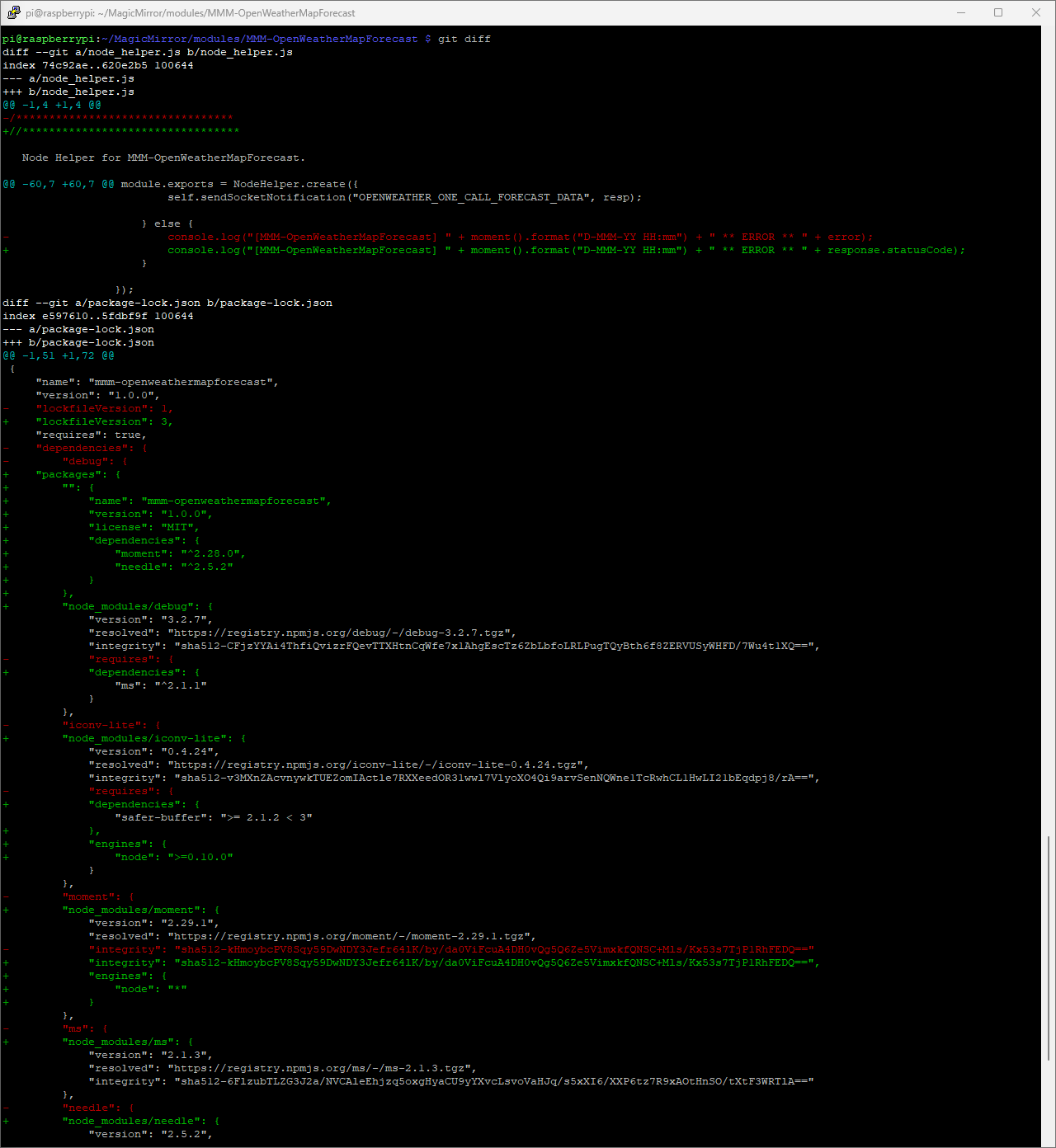
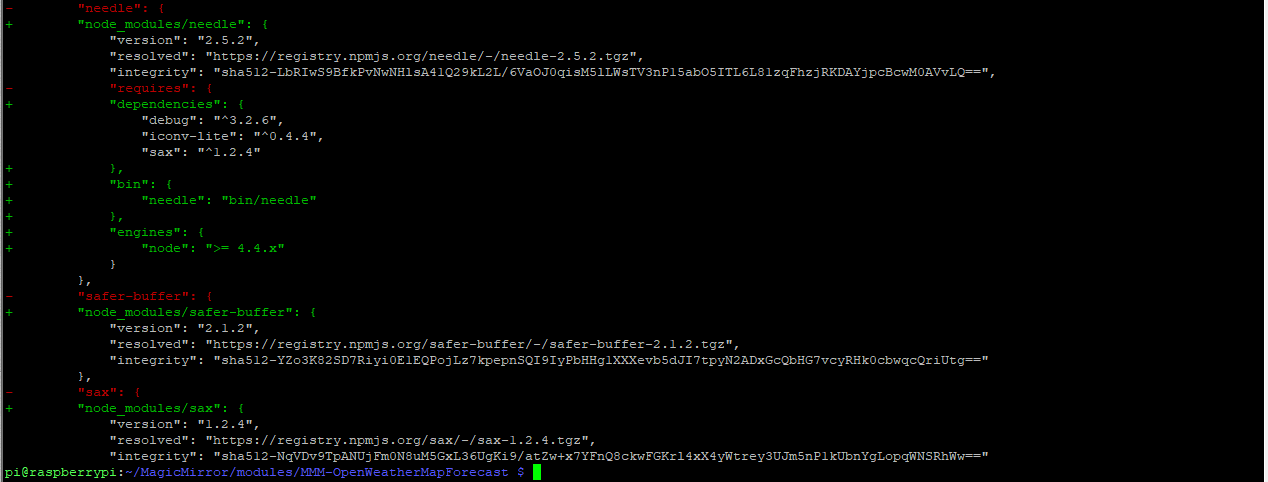
-
RE: Module MMM-OpenWeatherMapForecast is not running
@sdetweil Thank you for your response.
When I change the line 63 I got the following error when I start my MMM
[2024-09-07 09:56:11.233] [ERROR] (node:3736) UnhandledPromiseRejectionWarning: /home/pi/MagicMirror/modules/MMM-OpenWeatherMapForecast/node_helper.js:3
  Node Helper for MMM-OpenWeatherMapForecast.
       ^^^^^^

SyntaxError: Unexpected identifier 'Helper'
    at internalCompileFunction (node:internal/vm:73:18)
    at wrapSafe (node:internal/modules/cjs/loader:1160:20)
    at Module._compile (node:internal/modules/cjs/loader:1212:27)
    at Module._extensions..js (node:internal/modules/cjs/loader:1311:10)
    at Module.load (node:internal/modules/cjs/loader:1098:32)
    at Module._load (node:internal/modules/cjs/loader:945:12)
    at c._load (node:electron/js2c/node_init:2:13672)
    at Module.require (node:internal/modules/cjs/loader:1122:19)
    at require (node:internal/modules/helpers:130:18)
    at loadModule (/home/pi/MagicMirror/js/app.js:187:19)
    at loadModules (/home/pi/MagicMirror/js/app.js:217:10)
    at async App.start (/home/pi/MagicMirror/js/app.js:272:3)
(Use `electron --trace-warnings ...` to show where the warning was created)
[2024-09-07 09:56:11.240] [ERROR] (node:3736) UnhandledPromiseRejectionWarning: Unhandled promise rejection. This error originated either by throwing inside of an async function without a catch block, or by rejecting a promise which was not handled with .catch(). To terminate the node process on unhandled promise rejection, use the CLI flag `--unhandled-rejections=strict` (see https://nodejs.org/api/cli.html#cli_unhandled_rejections_mode). (rejection id: 1)
I checked the line a few times to make sure I hadn’t mistyped it.
-
Module MMM-OpenWeatherMapForecast is not running
Hello,
since some days the module MMM-OpenWeatherMapForecast is not running.
When I start my MMM with display:0 I got the following messages
...
[2024-09-05 08:23:20.846] [LOG]   Connecting socket for: MMM-OpenWeatherMapForecast
[2024-09-05 08:23:20.851] [LOG]   ====================== Starting node_helper for module [MMM-OpenWeatherMapForecast]
...
and
...
[2024-09-05 08:23:32.054] [LOG]   [MMM-OpenWeatherMapForecast] 5-Sep-24 08:23 ** ERROR ** null
...
In my pm2 error logs I can´t find any error messages
It would be great if someone had a hint as to why the module is no longer running.
Thank you in advance.
Klinge -
RE: MMM-DWD-Pollen
@Sachse Please excuse me for replying to such an old post. But unfortunately I have the same problem as you had. The module only worked fine for a few days, and now it won’t load the data any more. I have now tried to reproduce your solution. But I unfortunately did not solve it. When I enter “pm2 status” and “netstat -plan|grep 8080”, I get the following output.
pi@raspberrypi:~/MagicMirror/modules $ pm2 status
┌────┬────────────────┬─────────────┬─────────┬─────────┬──────────┬────────┬──────┬───────────┬──────────┬──────────┬──────────┬──────────┐
│ id │ name           │ namespace   │ version │ mode    │ pid      │ uptime │ ↺    │ status    │ cpu      │ mem      │ user     │ watching │
├────┼────────────────┼─────────────┼─────────┼─────────┼──────────┼────────┼──────┼───────────┼──────────┼──────────┼──────────┼──────────┤
│ 0  │ MagicMirror    │ default     │ 2.26.0  │ fork    │ 749      │ 5h     │ 0    │ online    │ 0%       │ 2.6mb    │ pi       │ enabled  │
└────┴────────────────┴─────────────┴─────────┴─────────┴──────────┴────────┴──────┴───────────┴──────────┴──────────┴──────────┴──────────┘
pi@raspberrypi:~/MagicMirror/modules $ netstat -plan|grep 8080
(Es konnten nicht alle Prozesse identifiziert werden; Informationen über
nicht-eigene Processe werden nicht angezeigt; Root kann sie anzeigen.)
tcp6       0      0 ::1:8080                :::*                    LISTEN      838/electron.js
tcp6       0      0 ::1:8080                ::1:46942               TIME_WAIT   -
tcp6       0      0 ::1:8080                ::1:46944               FIN_WAIT2   -
tcp6       0      0 ::1:8080                ::1:44370               VERBUNDEN   838/electron.js
tcp6       0      0 ::1:44370               ::1:8080                VERBUNDEN   941/Electron --shar
tcp6       1      0 ::1:46944               ::1:8080                CLOSE_WAIT  941/Electron --shar
It would be really nice if you could please give me the crucial hint where the problem is now and how it can be solved? :-)
-
RE: Displaying two calendars in the standard calendar in one list
@sdetweil That´s it. Now it works. Thank you for your help again.