MagicMirror Forum
    • Recent
    • Tags
    • Unsolved
    • Solved
    • MagicMirror² Repository
    • Documentation
    • 3rd-Party-Modules
    • Donate
    • Discord
    • Register
    • Login
    1. Home
    2. michael5r
    3. Posts
    A New Chapter for MagicMirror: The Community Takes the Lead
    Read the statement by Michael Teeuw here.
    Offline
    • Profile
    • Following 0
    • Followers 2
    • Topics 4
    • Posts 77
    • Groups 1

    Posts

    Recent Best Controversial
    • RE: Is there a way . . .

      @bkeyport said in Is there a way . . .:

      @michael5r - Actually, I don’t get scrollbars at all. If I don’t subtract back from the 100vh/100vw or 100% - It’ll just run off the edge of the screen as if the system is seeing the screen (In this case, the RasPi’s 7" touchscreen) bigger than it is. With it set the way I have it, everything is dead on edge, giving the maximum use of the screen.

      I’m glad it works for you, but it still doesn’t make any sense :)

      posted in Troubleshooting
      michael5rM
      michael5r
    • RE: Bathroom Magic Mirror

      @spitzlbergerj Super nice build!

      If you don’t mind, a couple of questions:

      1. Seeing that you screwed the Dibond panel into the wood frame, did you cover up the screw holes afterwards or are they just not visible through the glass?

      2. I didn’t see any brackets or bracing in the photos, so how are you actually holding the monitor in place?

      Thanks!

      posted in Show your Mirror
      michael5rM
      michael5r
    • RE: Is there a way . . .

      @bkeyport said in Is there a way . . .:

      @sdetweil so, then because I have to use the following:

      body {
      margin: 0px;
      height: calc(100vh - 10px);
      width: calc(100vw - 5px);
      }
      

      am I correct in assuming that magicmirror sees the screen a few pixels bigger than it really is - and that’s being expressed by running off the right and bottom of the screen when I don’t have the 10px subtract from height, and the 5px subtract from width?

      No - the screen is the size it is.

      Your CSS above doesn’t make sense (you’re setting a body height that’s 10px smaller than the window height). If you set the body height to be 100vh and you get a vertical scrollbar, it’s because of another margin that’s pushing the body element.

      In general, it’s good practice to also do:

      html {
          margin: 0;
          padding: 0;
      }
      

      to avoid situations like this.

      posted in Troubleshooting
      michael5rM
      michael5r
    • RE: MMM-Hue-Lights - new module for your Philips Hue lights!

      @dazza120 That seems odd - let me check it out & see if I can replicate.

      posted in Utilities
      michael5rM
      michael5r
    • MMM-Energy-Saver - an easy way to suspend/resume modules based on a PIR sensor.

      Hi,

      Just released a new, small module called mmm-energy-saver.

      This module works in conjunction with MMM-Pir-Sensor to automatically suspend & resume all your modules based on movement detection. Furthermore, this module allows you to specify times when all the modules are suspended and your HDMI-connected screen is turned off as well.

      Please note that the movement detection will not work unless you have the MMM-Pir-Sensor module installed (and working).

      By design, this module has fairly limited functionality - which is nice because it makes it very easy to set up & use. If you, however, want a lot more control over the individual modules including setting specific timers based on days or showing alerts, I’d recommend checking out the MMM-ModuleScheduler module instead.

      Anyway, check out the new module here:
      [card:michael5r/mmm-energy-saver]

      posted in System
      michael5rM
      michael5r
    • RE: MMM-Nest-Status - New module for your Nest thermostats and protect smoke detectors!

      @eawalker1 said in MMM-Nest-Status - New module for your Nest thermostats and protect smoke detectors!:

      @michael5r Nope, that did the trick. Thanks.

      Great :thumbs_up:

      posted in Utilities
      michael5rM
      michael5r
    • RE: MMM-Nest-Status - New module for your Nest thermostats and protect smoke detectors!

      @eawalker1 If your token is 8 characters long, it’s not the correct Nest token. It should be a long-ass string that usually begins with c. I think you’re confusing the token with the PIN you get from Nest.

      Did you run the getToken.sh bash script in the module? It has multiple steps - you start by entering the client id and client secret which then generates a URL you need to open in a browser to get a PIN.

      You then enter the PIN in the bash script and on the next screen, it should display your actual token.

      posted in Utilities
      michael5rM
      michael5r
    • RE: MMM-Nest-Status - New module for your Nest thermostats and protect smoke detectors!

      Just wanted to announce that there’s a new version out of both my Nest modules!

      I added functionality to support Paviro’s MMM-PIR-Sensor module meaning that the modules can now be suspended & resumed based on movement detected through a PIR sensor (or whatever else you’re using for motion detection).

      Check out the release notes here:
      https://github.com/michael5r/mmm-nest-status/releases/tag/1.4.0

      And for mmm-nest-cameras:
      https://github.com/michael5r/mmm-nest-cameras/releases/tag/1.1.0

      posted in Utilities
      michael5rM
      michael5r
    • RE: MMM-Hue-Lights - new module for your Philips Hue lights!

      Just wanted to announce that there’s a new version of this module out!

      I added functionality to support Paviro’s MMM-PIR-Sensor module meaning that this module can now be suspended & resumed based on movement detected through a PIR sensor (or whatever else you’re using for motion detection).

      Check out the release notes here:
      https://github.com/michael5r/mmm-hue-lights/releases/tag/1.3.0

      posted in Utilities
      michael5rM
      michael5r
    • RE: One-line switch to enable / disable modules

      @sebi76 Your syntax is wrong - you have this:

      const DISABLED = {};
         
          DISABLED.clock = false;
      
      },
      

      It should just be this:

      const DISABLED = {};
      DISABLED.clock = false;
      

      It’s that last }, that’s breaking your code.

      posted in Feature Requests
      michael5rM
      michael5r
    • RE: One-line switch to enable / disable modules

      @sebi76 No, it needs to be before that.

      Place it at the top of the file, before this line:

      var config = {
      
      posted in Feature Requests
      michael5rM
      michael5r
    • RE: One-line switch to enable / disable modules

      I’ve done this in my config.js file:

      const DISABLED = {};
      
      if (RPI_DEV) { // I'm setting this value automatically based on the system
          DISABLED.weather = false;
          DISABLED.clock = false;
          DISABLED.calendar = false;
          DISABLED.tools = false;
          DISABLED.hue = true;
          DISABLED.newsfeed = true;
          DISABLED.nest_cameras = true;
          DISABLED.nest_status = true;
          DISABLED.telegram = true;
          DISABLED.hotword = true;
      } else {
          DISABLED.weather = false;
          DISABLED.clock = false;
          DISABLED.calendar = false;
          DISABLED.tools = false;
          DISABLED.hue = false;
          DISABLED.newsfeed = false;
          DISABLED.nest_cameras = false;
          DISABLED.nest_status = false;
          DISABLED.telegram = false;
          DISABLED.hotword = false;
      }
      

      And then for each module you can do something like this:

      {
          module: 'clock',
          position: 'top_left',
          config: {
              displaySeconds: false,
              displayType: 'digital',
              dateFormat: 'dddd, MMM D, YYYY'
          },
          disabled: DISABLED.clock
      },
      
      posted in Feature Requests
      michael5rM
      michael5r
    • MMM-dropbox - new module to show Dropbox photos on your mirror!

      Hi,

      Just wanted to share a new module I published recently - it’s called mmm-dropbox and allows you to grab images from a Dropbox folder, have them automatically scaled down and displayed in 1 or more rows on your mirror.

      As I also point out in the Read Me this is a module with a pretty specific focus - it does exactly what I describe above (and does it well), but it doesn’t support stuff like videos, setting a Dropbox image as the background of your mirror, displaying information about the image, etc. I built this for my wife & this is what she wanted - but, hey, there’s no reason you can’t use it on your mirror as well!

      Here’s the repo:
      https://github.com/michael5r/mmm-dropbox

      And here’s a screenshot of what it looks like on the mirror with the default configuration:

      image

      Enjoy!

      posted in Entertainment
      michael5rM
      michael5r
    • RE: MMM-Hue-Lights - new module for your Philips Hue lights!

      @phideltdexter said in MMM-Hue-Lights - new module for your Philips Hue lights!:

      @michael5r

      Here is what it shows for Type. I didn’t even think to check. But perhaps if you are filtering out group types, you could add a category for Rooms in the future? Otherwise it shows them as a LightGroup.

      0_1545259583388_95e3f75e-8dd4-41c2-aa34-fff909c8a482-image.png

      Yeah, that confirms my assumption.

      My intention with the groups was just to show rooms, though - I just don’t have any of these multisource groups myself, so I never realized they were also being shown.

      I pushed an update to the module that filters out anything that doesn’t have a type of room - if you pull it, your list should shrink to a more manageable size :)

      If you’d like to have the ability to filter these groups - just in case you do want to show ones marked LightGroup - just post it as an issue on GitHub and I’ll build a real filtering functionality.

      posted in Utilities
      michael5rM
      michael5r
    • RE: MMM-Hue-Lights - new module for your Philips Hue lights!

      @phideltdexter said in MMM-Hue-Lights - new module for your Philips Hue lights!:

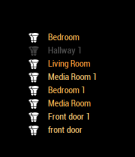
      I also thought about that. I had 2 entertainment areas setup already. One in living room and another generic one. I removed them just to make sure, it removed one duplicate of Living Room, but not the others.

      0_1545258167601_fb9cd85e-ecf5-4baa-b98c-46fe6de8a8e4-image.png

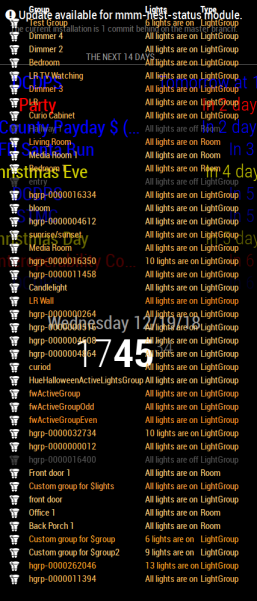
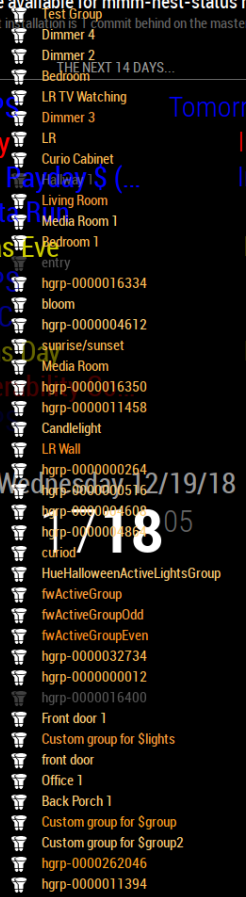
      In addition when I disable all the filters I have a list of groups that takes up almost my entire screen. The majority of which are not in the Hue App, which is why initially I thought it had to be pulling from somewhere else besides the Hue App.

      0_1545257913567_94c5c66c-e72e-4ce5-ab71-c5c8820d0a48-image.png

      Ahhh … I think I know what this is - I think these are multisource groups and lightsources. Give me a minute to come up with a fix that ignores them from the group list.

      posted in Utilities
      michael5rM
      michael5r
    • RE: MMM-Nest-Status - New module for your Nest thermostats and protect smoke detectors!

      @phideltdexter said in MMM-Nest-Status - New module for your Nest thermostats and protect smoke detectors!:

      Would you have any way to add the outdoor temperature reading that the Thermostat has?

      Unfortunately, no - the outdoor temperature reading on a Nest thermostat isn’t actually coming from Nest; they send your location data to the Weather Channel (yes, really!) and then show the returned value on the thermostat itself.

      As such, they don’t include the outdoor temperature as part of their API data.

      posted in Utilities
      michael5rM
      michael5r
    • RE: MMM-Hue-Lights - new module for your Philips Hue lights!

      @phideltdexter This is most likely due to you having Entertainment Areas set up on your Hue system as well.

      Open up the Hue app, click Settings, then Entertainment Areas and see what’s in there.

      If that’s not it, let me know and I’ll do some more debugging on my end.

      posted in Utilities
      michael5rM
      michael5r
    • RE: MMM-Nest-Status - New module for your Nest thermostats and protect smoke detectors!

      @phideltdexter Great to hear - thanks for the update!

      posted in Utilities
      michael5rM
      michael5r
    • RE: MMM-Hue-Lights - new module for your Philips Hue lights!

      @dazza120 said in MMM-Hue-Lights - new module for your Philips Hue lights!:

      Hi is it possible to do a hide light or group that you don’t want to be seen rather than adding all the ones you have? As my hue stuff is in its infancy and it’s always having more bulbs added I would rather that it populated new bulbs rather than input the name in the model, I don’t even know if this is possible with your module? But it’s staying on my mirror thanks again for a beautiful module 👌🏾

      There wasn’t the option to do so previously, but there is now.

      If you pull the latest version of the module, you’ll find a new setting called hideFilter. It works exactly the same way as the displayFilter setting, but in reverse - any names you add to hideFilter will be hidden on your mirror.

      Like this:

      hideFilter: ['living room'],
      

      Any lights or light groups named living room will now be hidden.

      Check it out and see if it works for you.

      posted in Utilities
      michael5rM
      michael5r
    • RE: MMM-Nest-Status - New module for your Nest thermostats and protect smoke detectors!

      @phideltdexter My bad - there’s a typo in the Read Me, the token should be a string, not an int (I have updated the module now to reflect this).

      Try this in your config:

      {
          module: "mmm-nest-status",
          position: "lower_third",
          config: {
              token: "c.XXXXXXXXXX",
          }
      },
      

      where, of course, you replace c.XXXX with your actual token.

      posted in Utilities
      michael5rM
      michael5r
    • 1
    • 2
    • 3
    • 4
    • 3 / 4