That’s nice and all but too complicated for people to setup…
Adding a sudo somewhere is one thing but that would make installing the module so complicated :confused:
Seems like it might be possible by using usermod -a -G gpio pi will check and report.
A New Chapter for MagicMirror: The Community Takes the Lead
Read the statement by Michael Teeuw here.
Read the statement by Michael Teeuw here.
 Offline
Posts
-
RE: GPIO without root
-
GPIO without root
I am currently writing a module which uses the
GPIO Pinsfor that the script has to be started asroot. I tried running MM withDISPLAY=:0 sudo npm startbut all I get this way is aNo protocol specifiederror on startup. Any idea how to fix this or how to use wiring-pi without root? Wasn’t there an Raspbian update recently that allowed GPIO access without root? I don’t remember it exactly… -
RE: How to update node.js and electron?
To update electron enter your MagicMirror folder any execute
npm install:) -
RE: Camera / Motion based wake/sleep
I will soon port my code to the new module system :)
-
RE: Camera / Motion based wake/sleep
I have an implementation for a PIR-Sensor. For the camera you could probably use openCV :)
-
RE: Sound-activated wake-up
@derekhuffman it’s fine to post it here :) You could do this to ways.
Have a module that’s checking a GPIO Pin with a sound sensor, the module could then trigger a relay or turn on the HDMI output. That would work if the monitor does not need to be turned off completely (I would turn it off to save energy). With this approach you would have the information that’s it is turned on available in the MagicMirror system if you don’t need that (you probably don’t), you could also go for a hardware only solution, Google “activate relay if sound is detected” for that.The best method would be to just use a PIR-Sensor or is their any reason you want sound detection?
-
RE: Simple Music Player Module
No it would not since the css also hides the cursor I think :/
-
Promotion video
I just started working on a little promotion video for the MagicMirror system. Please don’t expect it to be finished any time soon, it’s just a side project :sweat_smile:
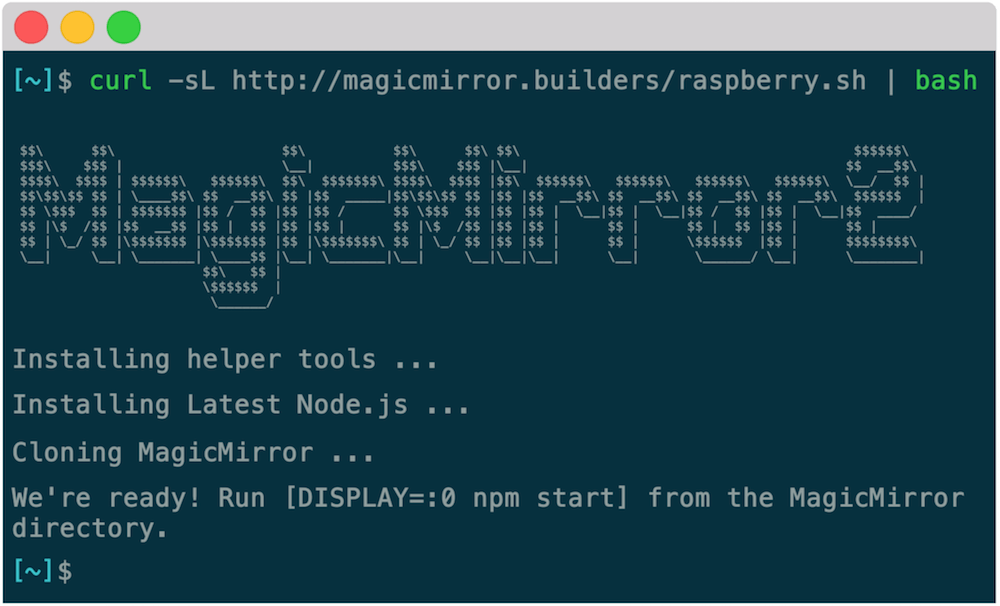
Here you can see my shell reconstruction showing the simple installation process (it’s animated of course):
It would be amazing if you could contribute on what should be in the video and how it should present the system. I would also be grateful about some other videos that present software projects in a modern and beautiful way, if you happen to find any on the web :slight_smile: