MagicMirror Forum
    • Recent
    • Tags
    • Unsolved
    • Solved
    • MagicMirror² Repository
    • Documentation
    • 3rd-Party-Modules
    • Donate
    • Discord
    • Register
    • Login
    1. Home
    2. plybz18
    3. Best
    A New Chapter for MagicMirror: The Community Takes the Lead
    Read the statement by Michael Teeuw here.
    P
    Offline
    • Profile
    • Following 0
    • Followers 0
    • Topics 4
    • Posts 9
    • Groups 0

    Posts

    Recent Best Controversial
    • Dashboad - Work From Home

      Hello Everyone,

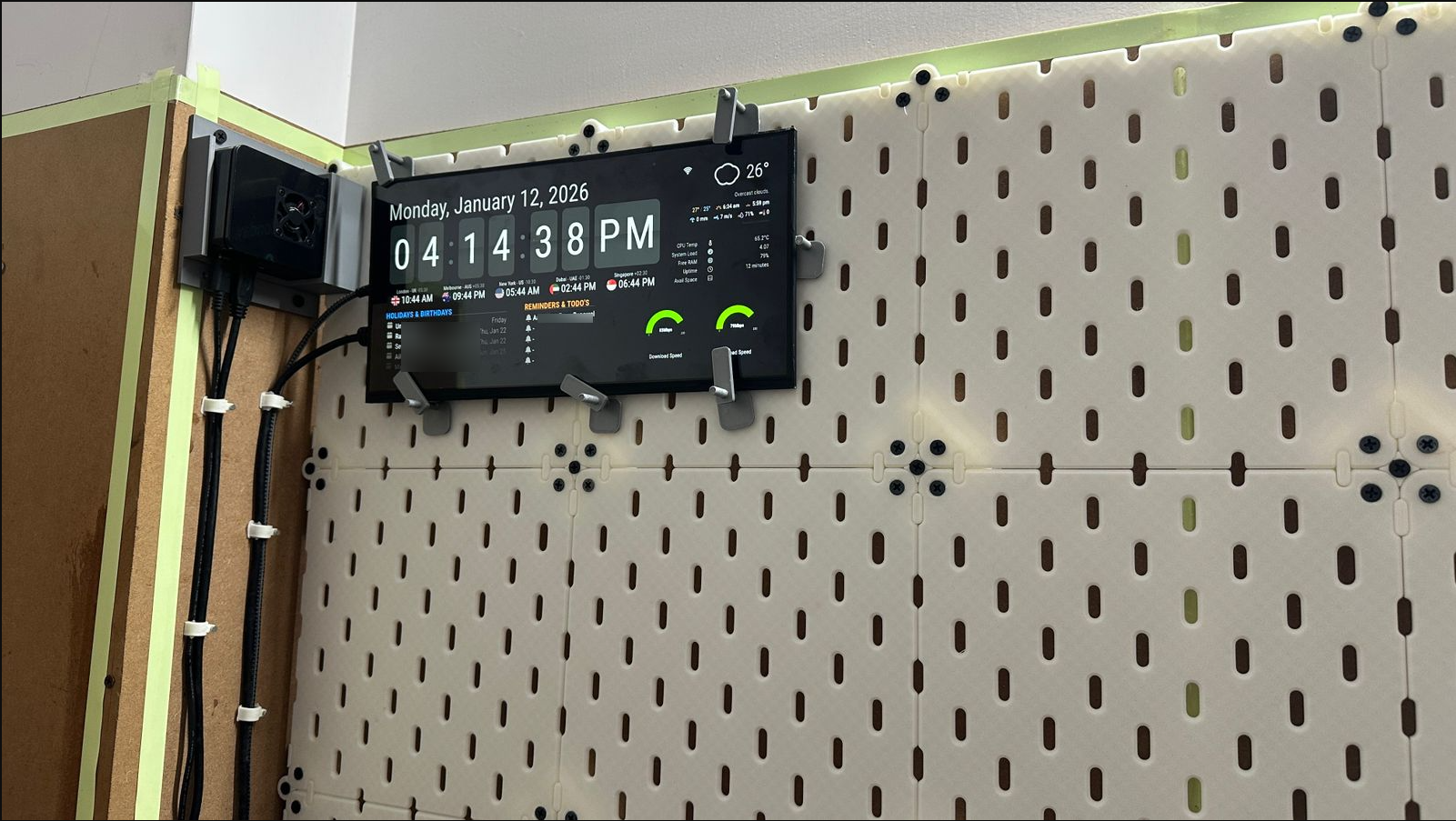
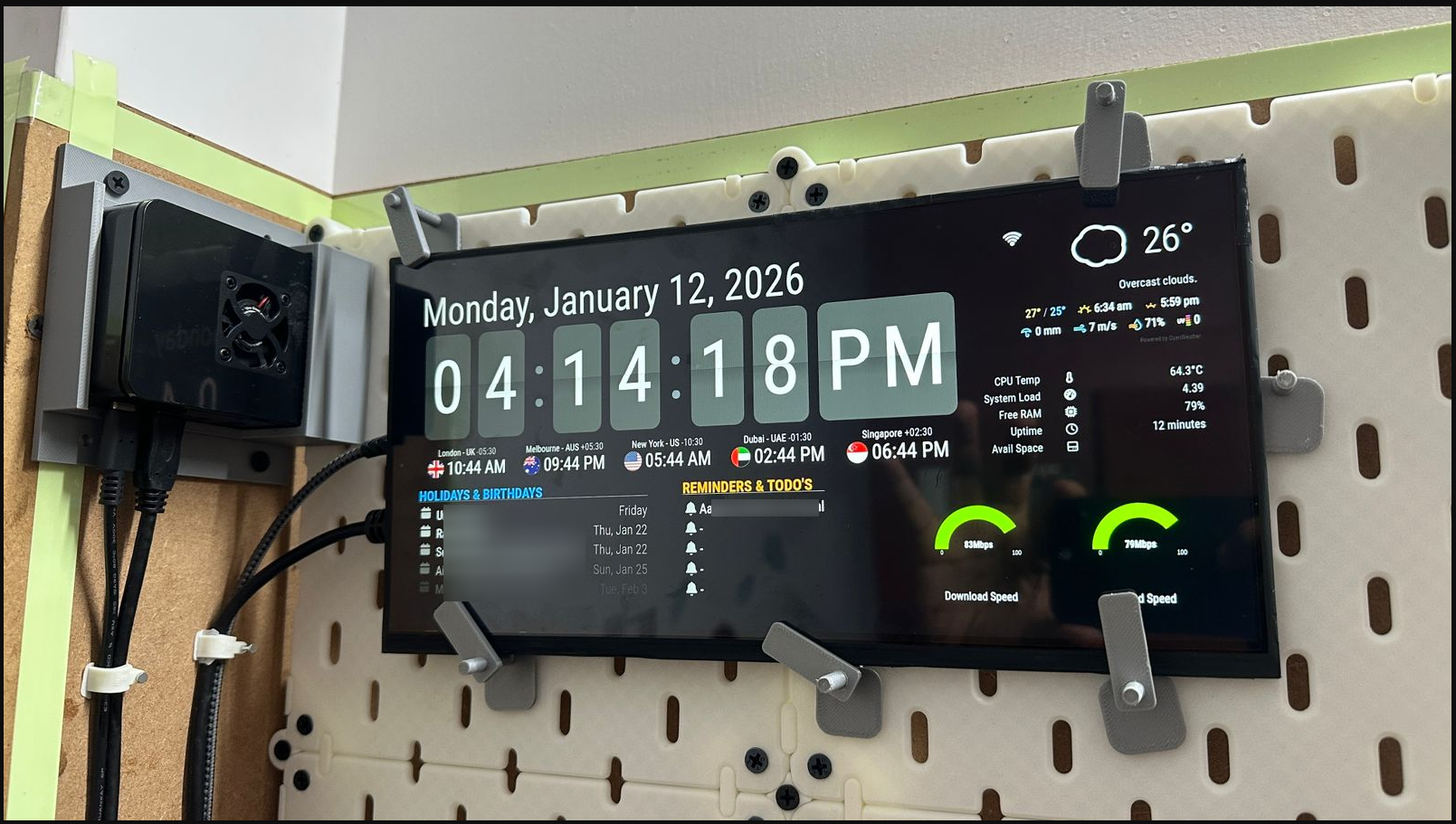
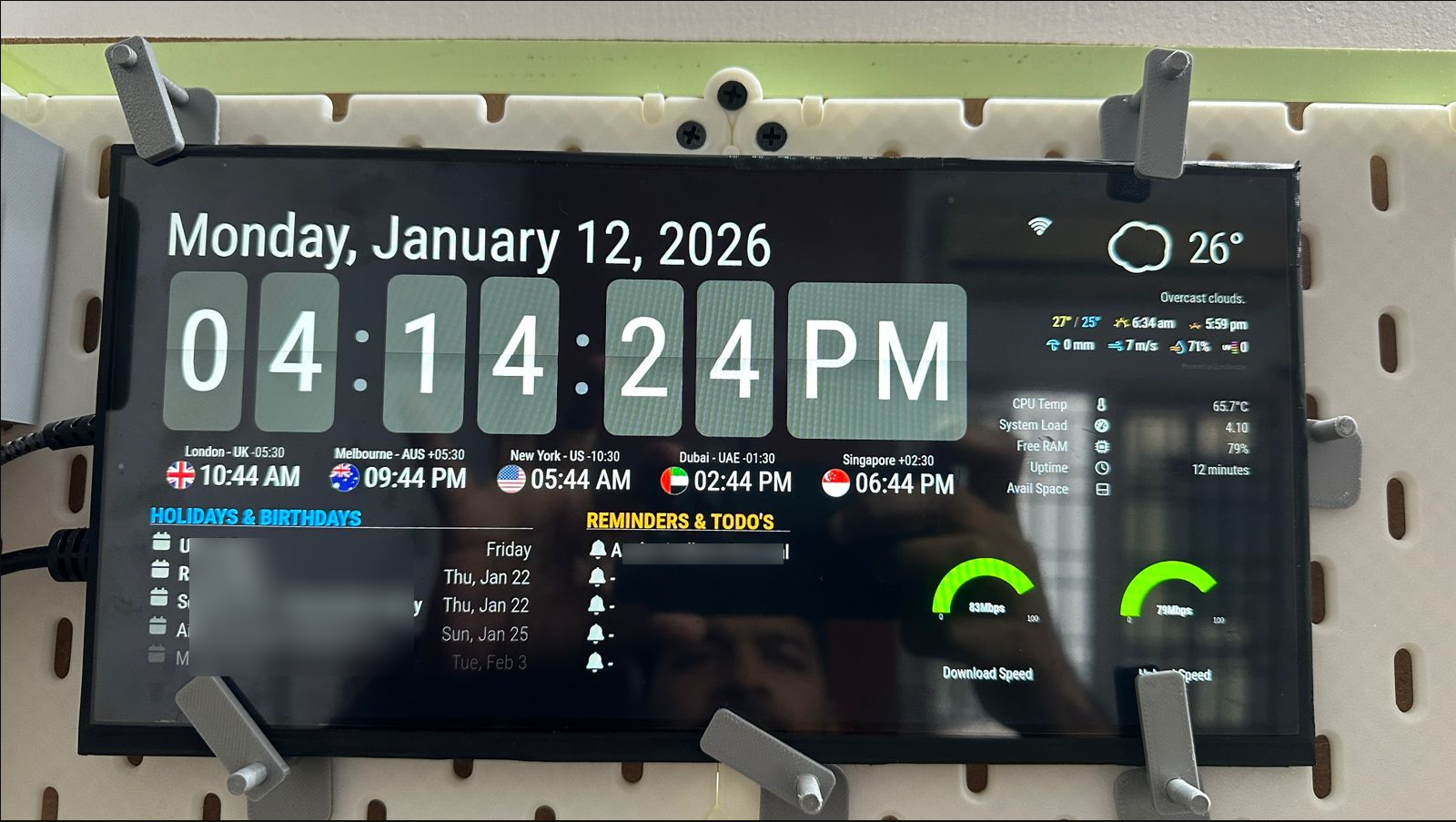
      This is my second setup. Unlike the previous one, I was not looking for a mirror setup; I wanted a dashboard-style display for my home office.
      WhatsApp-Image-2026-01-12-at-4-20-27-PM-jpeg-1600×900--12-01-2026_04_22_PM.png

      WhatsApp-Image-2026-01-12-at-4-20-27-PM1-jpeg-1600×900--12-01-2026_04_24_PM.png

      WhatsApp-Image-2026-01-12-at-4-20-27-PM2-jpeg-1600×900--12-01-2026_04_25_PM.png

      I am currently working on a pegboard for an entire wall. The pegboard is a custom design that I created using my 3D printer. Additionally, my 3D printer is making a pegboard mount for the display. I will update the pictures soon after finishing the pegboard mount.

      posted in Show your Mirror
      P
      plybz18
    • RE: npm start

      Re: npm start

      It happened to me, the auto install does not always complete successfully, then after reading lot of articles on pi magazine, found out that we need to install few packages before we go for manual or auto installation and so far it has worked for me like thrice.

      After installing Raspbian follow the below link, install node.js using a package manager, follow all the steps make sure everything installs successfully.

      https://github.com/cncjs/cncjs/wiki/Raspberry-Pi-Setup-Guide

      Then go for manual or auto installation of magic mirror, it will get installed without any errors, so far it has worked for me.

      posted in Troubleshooting
      P
      plybz18
    • 1 / 1