@johnnyboy you can also press F11 to switch out of fullscreen window.
Q
Offline
A New Chapter for MagicMirror: The Community Takes the Lead
Read the statement by Michael Teeuw here.
Read the statement by Michael Teeuw here.
Posts
-
RE: Get back to desktop ?
-
RE: Alignment with module "random_quotes"
@Mykle1 Nice! I actually like how you’ve put it. Thanks for the idea! :p
@strawberry-3-141 Thanks, that helped.
-
RE: Complete set up Tutorial (Typos?)
You should check the tutorial on the pimag . Dead simple, just one line command and it’s done.
-
RE: Alignment with module "random_quotes"
Like always, works perfectly!!!
The separator under the heading “My own MMM-SystemStats header!” sticks out of the table to the left; which kind of hurts my eyes.
@strawberry-3.141 said in Alignment with module “random_quotes”:
@qqqqqqqq to set margins which is the outer distance to another element
.MODULENAME {
  margin: 10px 5px 15px 20px; //10px top, 5px right, 15px bottom, 20px left
}
Even the above command doesn’t do it.
-
RE: Alignment with module "random_quotes"
I’m trying to align this module to right cuttently it appears like this
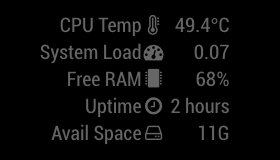
But there is no alignment tag.
I also tried to add align attribute to the HTML tag in the .js file. But even that doesn’t work.Also, the module has a header property which isn’t showing up. It works if I add it to the HTML tag, but not via the config file.
-
RE: Modules to display Stock (Capital Stock)
@strawberry-3.141 said in Modules to display Stock (Capital Stock):
@qqqqqqqq
cd ~/MagicMirror/modules/MMM-Stockthen the command aboveThe second module does also not tell about installing the request dependency
What do I make of this?
pi@raspberrypi:~/MagicMirror/modules $ npm install request /home/pi/MagicMirror/modules `-- request@2.79.0 +-- aws-sign2@0.6.0 +-- aws4@1.6.0 +-- caseless@0.11.0 +-- combined-stream@1.0.5 | `-- delayed-stream@1.0.0 +-- extend@3.0.0 +-- forever-agent@0.6.1 +-- form-data@2.1.2 | `-- asynckit@0.4.0 +-- har-validator@2.0.6 | +-- chalk@1.1.3 | | +-- ansi-styles@2.2.1 | | +-- escape-string-regexp@1.0.5 | | +-- has-ansi@2.0.0 | | | `-- ansi-regex@2.1.1 | | +-- strip-ansi@3.0.1 | | `-- supports-color@2.0.0 | +-- commander@2.9.0 | | `-- graceful-readlink@1.0.1 | +-- is-my-json-valid@2.15.0 | | +-- generate-function@2.0.0 | | +-- generate-object-property@1.2.0 | | | `-- is-property@1.0.2 | | +-- jsonpointer@4.0.1 | | `-- xtend@4.0.1 | `-- pinkie-promise@2.0.1 | `-- pinkie@2.0.4 +-- hawk@3.1.3 | +-- boom@2.10.1 | +-- cryptiles@2.0.5 | +-- hoek@2.16.3 | `-- sntp@1.0.9 +-- http-signature@1.1.1 | +-- assert-plus@0.2.0 | +-- jsprim@1.3.1 | | +-- extsprintf@1.0.2 | | +-- json-schema@0.2.3 | | `-- verror@1.3.6 | `-- sshpk@1.10.2 | +-- asn1@0.2.3 | +-- assert-plus@1.0.0 | +-- bcrypt-pbkdf@1.0.1 | +-- dashdash@1.14.1 | | `-- assert-plus@1.0.0 | +-- ecc-jsbn@0.1.1 | +-- getpass@0.1.6 | | `-- assert-plus@1.0.0 | +-- jodid25519@1.0.2 | +-- jsbn@0.1.1 | `-- tweetnacl@0.14.5 +-- is-typedarray@1.0.0 +-- isstream@0.1.2 +-- json-stringify-safe@5.0.1 +-- mime-types@2.1.14 | `-- mime-db@1.26.0 +-- oauth-sign@0.8.2 +-- qs@6.3.1 +-- stringstream@0.0.5 +-- tough-cookie@2.3.2 | `-- punycode@1.4.1 +-- tunnel-agent@0.4.3 `-- uuid@3.0.1 npm WARN enoent ENOENT: no such file or directory, open '/home/pi/MagicMirror/modules/package.json' npm WARN enoent ENOENT: no such file or directory, open '/home/pi/MagicMirror/modules/node_modules/node_helper/package.json' npm WARN modules No description npm WARN modules No repository field. npm WARN modules No README data npm WARN modules No license field. -
RE: Modules to display Stock (Capital Stock)
The first module works, maybe I was doing something wrong. :/
Does it take forever to load for you too?
-
RE: Modules to display Stock (Capital Stock)
@strawberry-3.141 said in Modules to display Stock (Capital Stock):
@qqqqqqqq yes its working for me, but its not documented in the readme that you have to install
npm install requestin the module directoryDo i have to run that command? From the modules folder?
-
RE: Modules to display Stock (Capital Stock)
I’ve already tried this. Did it work for you?
-
Modules to display Stock (Capital Stock)
I want to display few stocks on my MM2, but there are three plugings, and neither of them are usefull.
Here are the 3 modules
Problem: Everytime I add this module, I get the message to check the config.js file.
I tpyed the exact same thing as the readme (also updated the position tag and removed the comments ) but no sucess.Problem: The name of the folder doesn’t match the name of the module in the .js file. Can that be the problem? If so, how to fix it? If no, then why does my MagicMirror load as a blank black screen whenever this module is added?
MagicMirror works properly when the above modules are removed from the config.js.
Problem: This works perfectly fine, except it is displayed as a ticker. I want to to be displayed a normal list (like calendar events). Also this module usess the google finance API (unlike the above two which use the yahoo finance API 8)), which doesn’t support other things like comodities, Currency, etc.
Last thing, how do I uninstall a module? Simply delete the folder in the modules directory after removing he code from the config file?Yes that’s the way to do it.
Because modules with similar names can also be causing problems. I think. :/ -
RE: Alignment with module "random_quotes"
Okay, understood.
Are you familiar with the “stocks/MMM-Stocks” module? Because I’ve having trouble with them too.
I’ve got few more questions, should I create new threads for them, or can I PM you or something since you seem like an expert at MM2. ;)
-
RE: absolute date in calendar module
Most of my events are Fullday events. So, yeah.
Right now, I guess it gets relative for next 3/4 days, and absolute thereafter.
-
RE: Alignment with module "random_quotes"
Works like a charm!
Thank you SOOO much.Can I use this to set margins for other modules as well? If yes, how?
How do I set their alignment? -
RE: Alignment with module "random_quotes"
My custom.css is a blank file.
Is this correct? If yes, then it’s not working./***************************************************** * Magic Mirror * * Custom CSS * * * * By Michael Teeuw http://michaelteeuw.nl * * MIT Licensed. * * * * Add any custom CSS below. * * Changes to this files will be ignored by GIT. * *****************************************************/ body { .random_quotes { width: 200px; } } -
Alignment with module "random_quotes"
I’m using the module random_quotes to display pre-defined quotes from a local file.
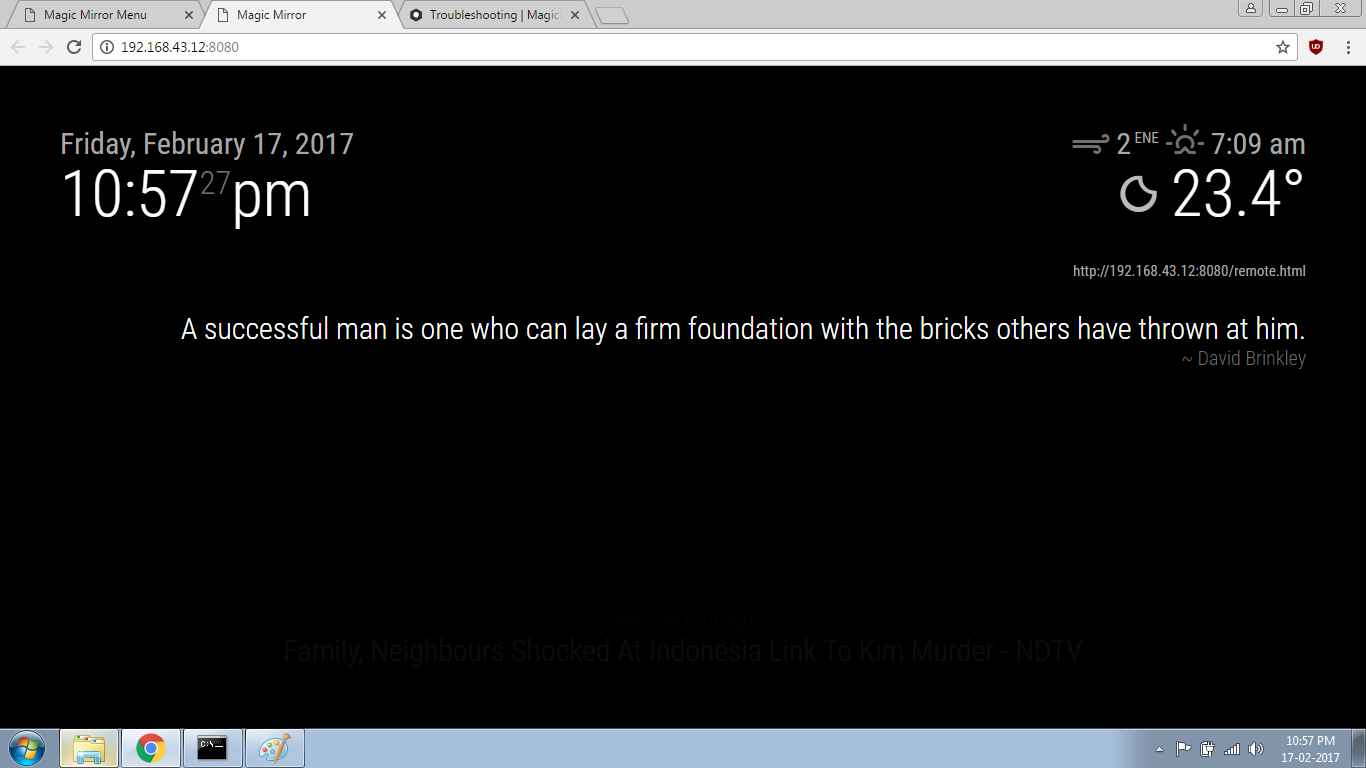
Now, the problem is that I’ve set it’s position to ‘top_right’ & aligned it to the right so that it appears just below the current weather module; but instead of appearing in 2-3 rows, it it blocking the calendar module (currently hidden).I know I have to just change the margin value in the random_quotes.js, but I can’t seem to get it right. Here is the image.
-
RE: MMM-Stock (issues with 'height' of the module)
Hi, I’ve been trying to use this module but every time it shows me config file error, and in case it starts without any error, i can’t see it in the MagicMirror.
Can you help me out here? Can you share the code that you’ve used? -
RE: absolute date in calendar module
I’ve updated the values in both, the main config file & the calendar.js (in the modules folder) but it’s still the same.
Here is the image. http://pasteboard.co/z6KcmVgLB.jpg
-
RE: absolute date in calendar module
Nope, still the same.
Btw, i should let you know that I am start the MagicMirror by using the command
npm startShould I be using some other method to start it? Do I need to clear cache or something like that? :slight_frown:
-
RE: absolute date in calendar module
Okay, made both the changes, fixed the case in “timeFormat” and added
urgency: '0',right next to the timeFormat tag.
But, now the events appear like this
event 1 The day after tomorrow
event 2 Feb 19th
event 3 Feb 21stStill need to fix event 1
-
RE: absolute date in calendar module
Here is my main config file
{
			module: 'calendar',
			header: 'Your Calendar',
			position: 'top_left',
			config: {
				timeformat: 'absolute',
				calendars: [
					{
						symbol: 'calendar-check-o ',
						url: 'webcal://calendar.google.com/calendar/ical/....ics'
					},
					{
						symbol: 'calendar-check-o ',
						url: 'webcal://calendar.google.com/calendar/ical/....ics'
					},
					{
						symbol: 'facebook-official ',
						url: 'webcal://localhost:8080/modules/Cals/FbBirthday.ics'

					},
					{
						symbol: 'calendar ',
						url: 'webcal://calendar.google.com/c.....ics'
					}
				]
			}
		},
		{
			module: 'compliments',