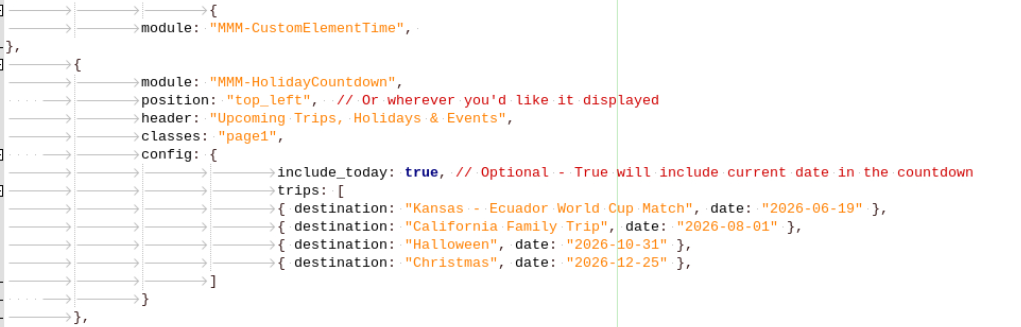
I have seen a number of posts stating that this module no longer works. Can someone confirm this?
I have set up the module but no data is showing so I assume it’s not able to pull data from gasbuddy.
I have seen a number of posts stating that this module no longer works. Can someone confirm this?
I have set up the module but no data is showing so I assume it’s not able to pull data from gasbuddy.
Apologies for the delay in responding. I gave up and switched to MMM-HolidayCountdown which installed and is working without any issues.
For the life of me I cannot get this module to show the word “days” after the number of days. I do not have anything in custom.css for this module.
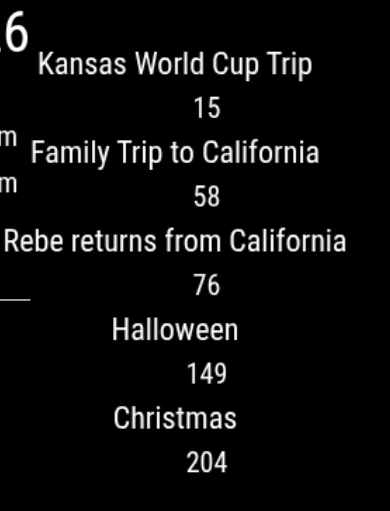
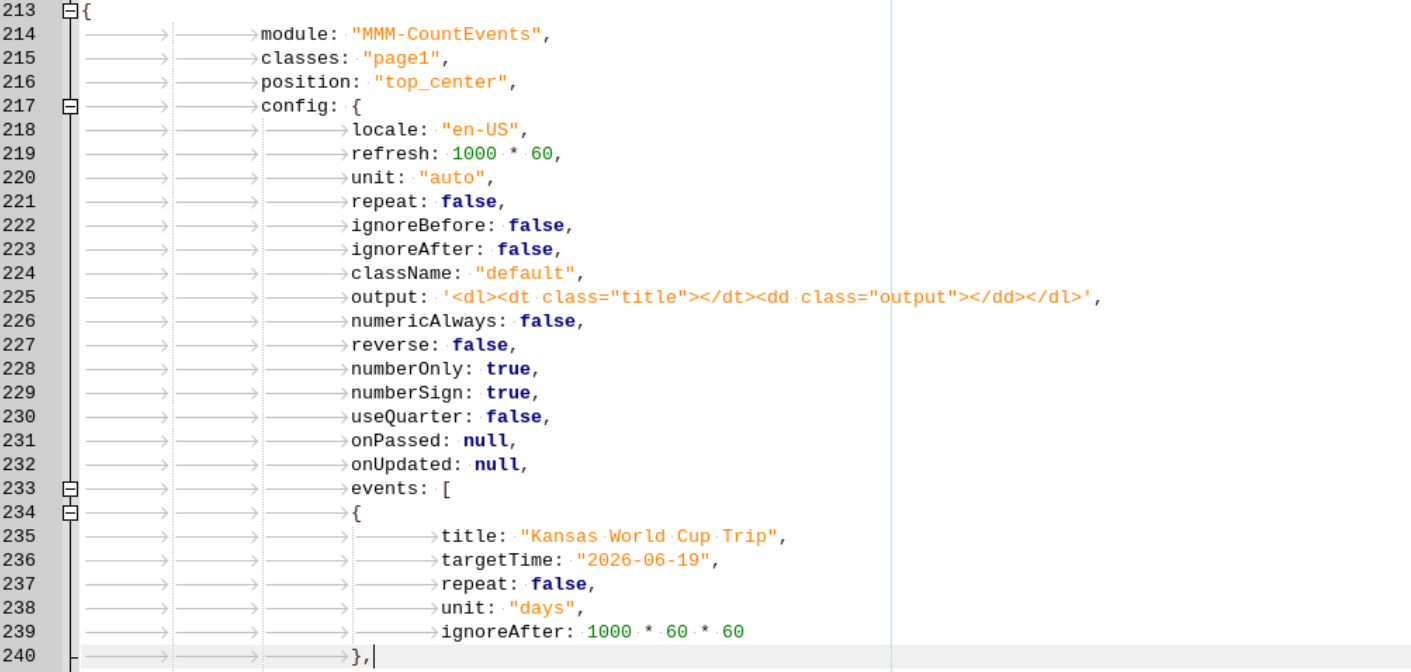
@sdetweil thank you!
I attempted to load the script but had this issue:
Installing helper tools …
Updating packages …
[ <=> ]
installing correct version of node and npm, please wait
node: error while loading shared libraries: libstdc++.so.6: cannot open shared object file: No such file or directory
/usr/local/bin/node: error while loading shared libraries: libstdc++.so.6: cannot open shared object file: No such file or directory
node: error while loading shared libraries: libstdc++.so.6: cannot open shared object file: No such file or directory
node failed to install, exiting
I recently installed Debian 11 on an older Mac mini without any issues. However, I am unable to run Magic Mirror.
This is the error that occurs when I type in “npm run start”:
raspi@raspberry:~/MagicMirror $ npm run start
magicmirror@2.22.0 start
DISPLAY=“${DISPLAY:=:0}” ./node_modules/.bin/electron js/electron.js
sh: 1: ./node_modules/.bin/electron: not found
npm ERR! code 127
npm ERR! path /home/raspi/MagicMirror
npm ERR! command failed
npm ERR! command sh -c DISPLAY=“${DISPLAY:=:0}” ./node_modules/.bin/electron js/electron.js
npm ERR! A complete log of this run can be found in:
npm ERR! /home/raspi/.npm/_logs/2023-01-07T11_43_55_951Z-debug.log
raspi@raspberry:~/MagicMirror $
This is the npm and node versions:
raspi@raspberry:~/MagicMirror $ npm --version
7.5.2
raspi@raspberry:~/MagicMirror $ node --version
v12.22.12
Any help would be most appreciated!!
@sdetweil thank you,
	"optionalDependencies": {
<<<<<<< Updated upstream
		"electron": "^19.1.0"
=======
		"electron": "^21.0.1"
>>>>>>> Stashed changes
How should I edit this?
I have this error after rebooting my Raspberry Pi:
pi@rpi4:~/MagicMirror $ npm run start
npm ERR! code EJSONPARSE
npm ERR! path /home/pi/MagicMirror/package.json
npm ERR! Merge conflict detected in your package.json.
npm ERR!
npm ERR! Please resolve the package.json conflict and retry.
npm ERR! A complete log of this run can be found in:
How do I determine what the conflict is?
@sdetweil Thank you again for your help today!!
After “Feels like x” in the weather module, the letters “PoP” have appeared. How do I permanently delete this?