I have seen a number of posts stating that this module no longer works. Can someone confirm this?
I have set up the module but no data is showing so I assume it’s not able to pull data from gasbuddy.
I have seen a number of posts stating that this module no longer works. Can someone confirm this?
I have set up the module but no data is showing so I assume it’s not able to pull data from gasbuddy.
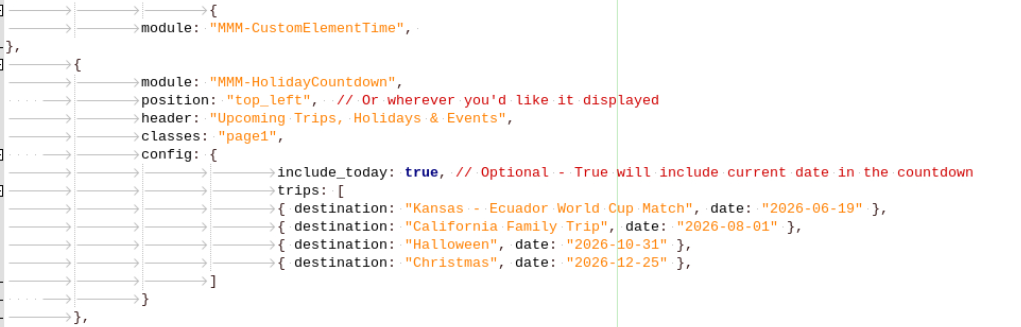
Apologies for the delay in responding. I gave up and switched to MMM-HolidayCountdown which installed and is working without any issues.
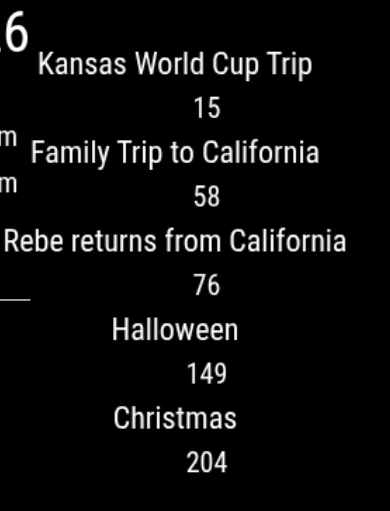
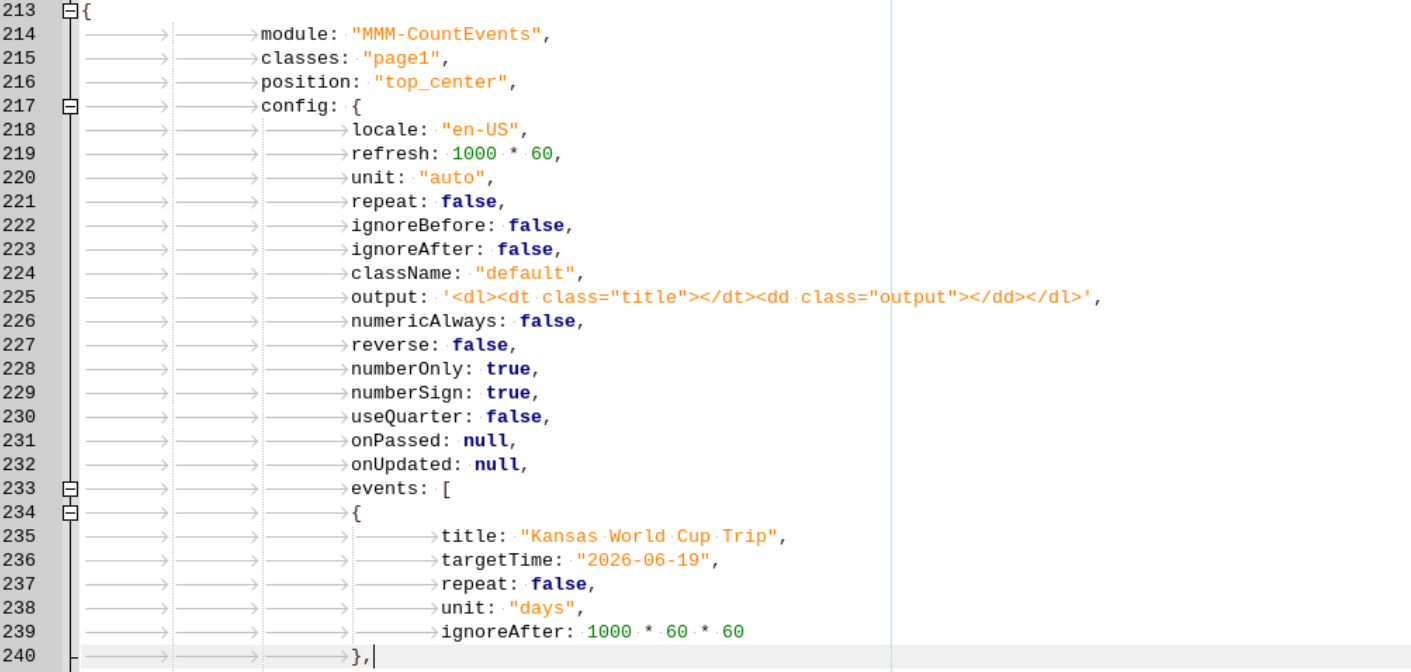
For the life of me I cannot get this module to show the word “days” after the number of days. I do not have anything in custom.css for this module.
@sdetweil thank you!
I attempted to load the script but had this issue:
Installing helper tools …
Updating packages …
[ <=> ]
installing correct version of node and npm, please wait
node: error while loading shared libraries: libstdc++.so.6: cannot open shared object file: No such file or directory
/usr/local/bin/node: error while loading shared libraries: libstdc++.so.6: cannot open shared object file: No such file or directory
node: error while loading shared libraries: libstdc++.so.6: cannot open shared object file: No such file or directory
node failed to install, exiting
I recently installed Debian 11 on an older Mac mini without any issues. However, I am unable to run Magic Mirror.
This is the error that occurs when I type in “npm run start”:
raspi@raspberry:~/MagicMirror $ npm run start
magicmirror@2.22.0 start
DISPLAY=“${DISPLAY:=:0}” ./node_modules/.bin/electron js/electron.js
sh: 1: ./node_modules/.bin/electron: not found
npm ERR! code 127
npm ERR! path /home/raspi/MagicMirror
npm ERR! command failed
npm ERR! command sh -c DISPLAY=“${DISPLAY:=:0}” ./node_modules/.bin/electron js/electron.js
npm ERR! A complete log of this run can be found in:
npm ERR! /home/raspi/.npm/_logs/2023-01-07T11_43_55_951Z-debug.log
raspi@raspberry:~/MagicMirror $
This is the npm and node versions:
raspi@raspberry:~/MagicMirror $ npm --version
7.5.2
raspi@raspberry:~/MagicMirror $ node --version
v12.22.12
Any help would be most appreciated!!
@sdetweil thank you,
	"optionalDependencies": {
<<<<<<< Updated upstream
		"electron": "^19.1.0"
=======
		"electron": "^21.0.1"
>>>>>>> Stashed changes
How should I edit this?
I have this error after rebooting my Raspberry Pi:
pi@rpi4:~/MagicMirror $ npm run start
npm ERR! code EJSONPARSE
npm ERR! path /home/pi/MagicMirror/package.json
npm ERR! Merge conflict detected in your package.json.
npm ERR!
npm ERR! Please resolve the package.json conflict and retry.
npm ERR! A complete log of this run can be found in:
How do I determine what the conflict is?
@sdetweil Thank you again for your help today!!
After “Feels like x” in the weather module, the letters “PoP” have appeared. How do I permanently delete this?
@sdetweil I really don’t know how to thank you. MM is back up and working as before including the calendar, weather and on this day.
Do you know what caused this issue? Was it the software update?
@sdetweil Success! Thank you. MM now loads and does not crash but Weather module is not loading and there’s an error in the calendar module.
@Redicaljk Looks like the original issue has been resolved, however, MM still crashes. I can’t copy the error without this post being marked as spam!!!
@sdetweil thank you! I’ll give it a try.
@sdetweil done. Still having an issue:
magicmirror@2.20.0 start
DISPLAY=“${DISPLAY:=:0}” ./node_modules/.bin/electron js/electron.js
[20.08.2022 09:12.14.860] [LOG] Starting MagicMirror: v2.20.0
[20.08.2022 09:12.14.865] [LOG] Loading config …
[20.08.2022 09:12.14.871] [LOG] Loading module helpers …
[20.08.2022 09:12.14.873] [LOG] No helper found for module: alert.
[20.08.2022 09:12.15.181] [LOG] Initializing new module helper …
[20.08.2022 09:12.15.182] [LOG] Module helper loaded: MMM-AlexaControl
[20.08.2022 09:12.15.185] [LOG] Initializing new module helper …
[20.08.2022 09:12.15.186] [LOG] Module helper loaded: updatenotification
[20.08.2022 09:12.15.186] [LOG] No helper found for module: clock.
[20.08.2022 09:12.15.403] [LOG] Initializing new module helper …
[20.08.2022 09:12.15.404] [LOG] Module helper loaded: calendar
[20.08.2022 09:12.15.404] [LOG] No helper found for module: calendar_monthly.
[20.08.2022 09:12.15.405] [LOG] No helper found for module: weather.
[20.08.2022 09:12.15.408] [ERROR] WARNING! Could not load config file. Starting with default configuration. Error found: Error: Cannot find module ‘jsdom’
Require stack:
@sdetweil thank you!
pi@rpi4:~ $ node -v
v16.17.0
pi@rpi4:~ $ npm -v
8.15.0
pi@rpi4:~ $
@sdetweil sorry, I am a complete newbie. I tried entering node-v and npm-v in the terminal and I get “command not found”.
@sdetweil I clicked on Install Updates from the notification in the Task Bar.