yes true and false are booleans and no strings, so you need to remove the quotes
A New Chapter for MagicMirror: The Community Takes the Lead
Read the statement by Michael Teeuw here.
Read the statement by Michael Teeuw here.
 Offline
Posts
-
RE: Config for clock not working
-
RE: Ability to change color by physical button?
maybe this will give you a start
I added the following lines to MagicMirror/css/custom.css
.male {
	background: black;
	color: blue;
}

.female {
	background: white;
	color: pink;
}
and for testing I edited the clock module (MagicMirror/modules/default/clock/clock.js) because it get’s updated every second.
put those lines right after line 69
if(secondsWrapper.innerHTML % 10 == 0){ /*changes class every 10 seconds, because i don't have a button i made this "hack" for testing purposes*/ var body = document.querySelector('body'); if(body.classList.contains("male")){ body.classList.remove("male"); body.classList.add("female"); } else { body.classList.remove("female"); body.classList.add("male"); } } -
RE: Voice control
I made some progress on my voice control module.
Currently I’m able to switch between different leagues for my soccer standings module.
A short video demo
-
RE: MMM-Soccer - Standings, Schedules and Top Scorers
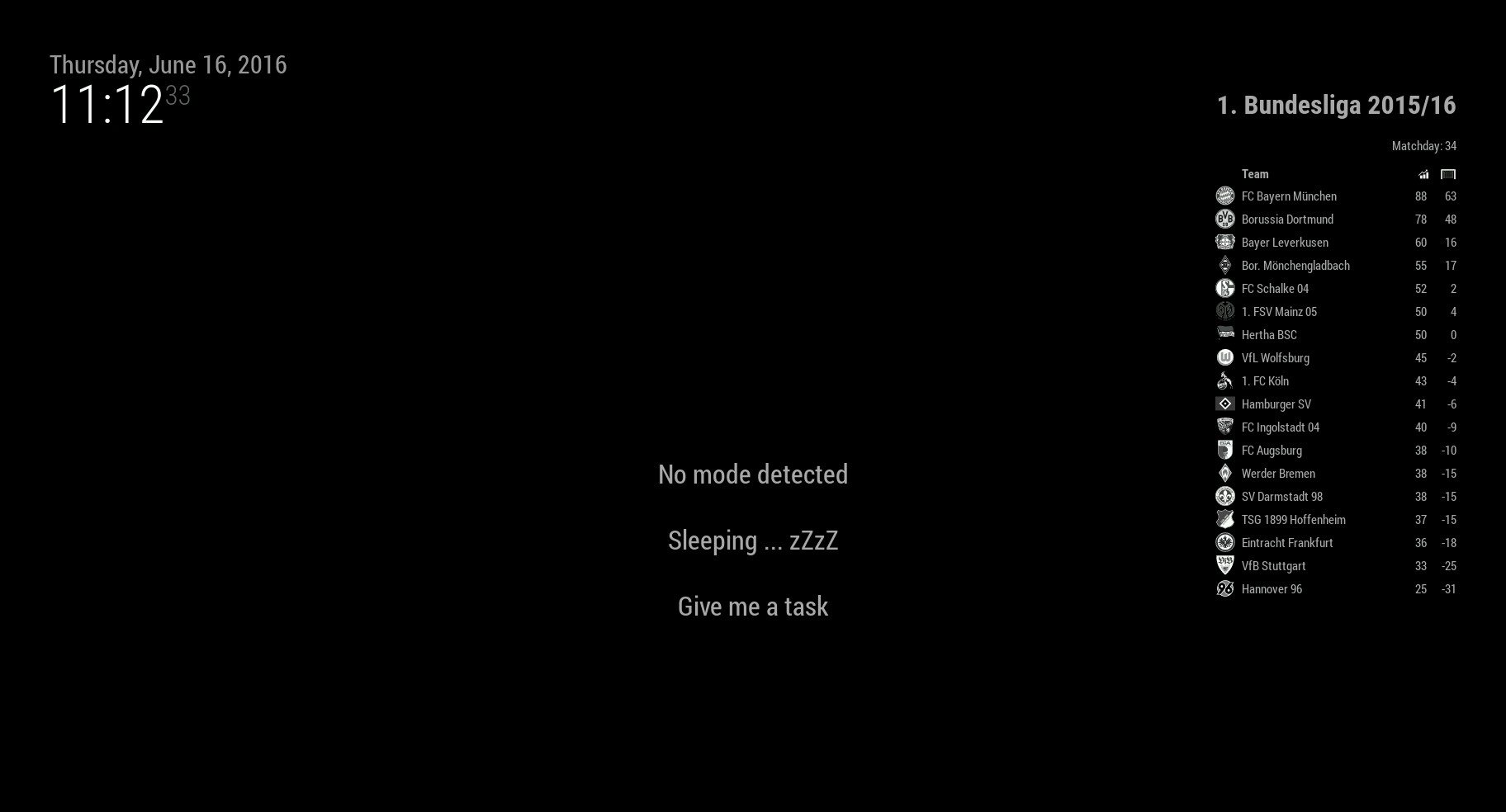
this is how the module looks like for the german league
-
MMM-Soccer - Standings, Schedules and Top Scorers
Description
Module to bring your favorite soccer leagues and cups onto the MagicMirror. Display information about standings, schedules, and top scorers.
Screenshot
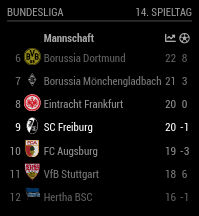
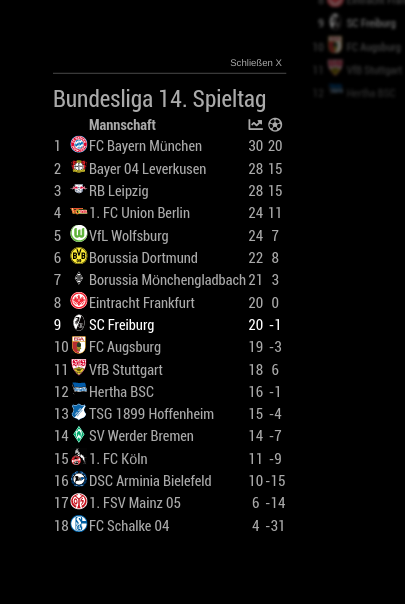
Link
https://github.com/fewieden/MMM-soccer
[card:fewieden/MMM-soccer]
-
RE: Ability to change color by physical button?
i was to late to edit :pensive:
'use strict'; /* Magic Mirror * Module: MMM-PIR-Sensor * * By Paul-Vincent Roll http://paulvincentroll.com * MIT Licensed. */ /*import dependencies*/ const NodeHelper = require('node_helper'); const gpio = require('wiring-pi'); const exec = require('child_process').exec; module.exports = NodeHelper.create({ /*this method got fired when the core is starting your module helper*/ start: function () { this.started = false }, /*this function will activate your monitor by enabling hdmi output or sending a signal to the relais via gpio pin*/ activateMonitor: function () { /* you don't need the following 3 lines, which would set a signal to the relais specified in the config section of your module of the file above*/ if (this.config.relayPIN != false) { gpio.digitalWrite(this.config.relayPIN, this.config.relayOnState) } /*after removing the previous 3 lines you also need to change "else if" to "if". the following lines run a command in a child process in the background to enable the hdmi output*/ else if (this.config.relayPIN == false){ exec("/opt/vc/bin/tvservice -p", null); } }, /*this function will deactivate your monitor by disabling hdmi output or sending a signal to the relais via gpio pin*/ deactivateMonitor: function () { /* you don't need the following 3 lines, which would set a signal to the relais specified in the config section of your module of the file above*/ if (this.config.relayPIN != false) { gpio.digitalWrite(this.config.relayPIN, this.config.relayOffState) } /*after removing the previous 3 lines you also need to change "else if" to "if". the following lines run a command in a child process in the background to disable the hdmi output*/ else if (this.config.relayPIN == false){ exec("/opt/vc/bin/tvservice -o", null); } }, /*here you receive messages which you send via modulename.js*/ socketNotificationReceived: function(notification, payload) { const self = this; /*the following part runs when you receive the notification from your module l. 33 on github "this.sendSocketNotification('CONFIG', this.config);"*/ if (notification === 'CONFIG' && this.started == false) { const self = this this.config = payload //Setup pins exec("echo '" + this.config.sensorPIN.toString() + "' > /sys/class/gpio/export", null); /*motion sensor pin*/ exec("echo 'in' > /sys/class/gpio/gpio" + this.config.sensorPIN.toString() + "/direction", null); /*relais pin*/ /*fllowing lines not important if you're not using relais*/ if (this.config.relayPIN) { exec("echo '" + this.config.relayPIN.toString() + "' > /sys/class/gpio/export", null); exec("echo 'out' > /sys/class/gpio/gpio" + this.config.relayPIN.toString() + "/direction", null); exec("echo '1' > /sys/class/gpio/gpio" + this.config.relayPIN.toString() + "/value", null); } //Set gpio-mode gpio.setup('sys'); //Detected movement /*when you detect a movement with your sensor it will run the callback "function(delta){...}"*/ gpio.wiringPiISR(this.config.sensorPIN, gpio.INT_EDGE_BOTH, function(delta) { if (gpio.digitalRead(self.config.sensorPIN) == 1) { /* motion detected send the notification to your module*/ self.sendSocketNotification("USER_PRESENCE", true); if (self.config.powerSaving){ /*activate the monitor again to show the user data on your screen*/ self.activateMonitor() } } //No movement else if (gpio.digitalRead(self.config.sensorPIN) == 0) { /*send your module the notification tha there is no user present and deactivate the monitor*/ self.sendSocketNotification("USER_PRESENCE", false); if (self.config.powerSaving){ self.deactivateMonitor() } } }); this.started = true }; } }); -
RE: Ability to change color by physical button?
i hope the following lines can help you to understand it a bit more and that it is explained correctly.
this references the module itself
so in the module you can do this.sendSocketNotification(…) which will call the function sendsocketnotification of your module (this)
also you can follow this guide to develop a module https://github.com/MichMich/MagicMirror/tree/master/modules
/* Magic Mirror * Module: MMM-PIR-Sensor * * By Paul-Vincent Roll http://paulvincentroll.com * MIT Licensed. */ /* registers a module with the name MMM-PIR-Sensor in the magic mirror system*/ Module.register('MMM-PIR-Sensor',{ /*config part*/ defaults: { sensorPIN: 22, /*number of pin can be different for raspberry pi version e.g. https://raspilab.files.wordpress.com/2014/08/gpiosb.png*/ relayPIN: false, /*this is for using relais in this module not needed because you can also set the hdmi output off*/ powerSaving: true, relayOnState: 1, /*not important because you're not using relays*/ }, /*here you receive messages which you send via node_helper.js*/ socketNotificationReceived: function(notification, payload) { if (notification === "USER_PRESENCE"){ /*when you receive the notification user_presence from your node_helper you send a global message with this notification to every module in magic mirror so they can handle this event as well*/ this.sendNotification(notification, payload) } }, /*this method got fired when the core is starting your module start: function() { /* the following 6 lines can be removed if you don't want to use relais. The functionality of these lines is to set relayoffstate depending on the relayonstate defined in the configt section above*/ if (this.config.relayOnState == 1){ this.config.relayOffState = 0 } else if (this.config.relayOnState == 0){ this.config.relayOffState = 1 } /*here you send a notification to your node_helper.js*/ this.sendSocketNotification('CONFIG', this.config); /*here you print some information to the console, which you can't se without enabling the developer console in the electronh wrapper during runtime*/ Log.info('Starting module: ' + this.name); } }); -
RE: Ability to change color by physical button?
if you post your code in here we may can assist you a little bit
-
RE: Ability to change color by physical button?
https://www.raspberrypi.org/learning/physical-computing-with-python/ maybe this can help you to understand how the gpio pins work, but it’s a different programmin language as in this project