Read the statement by Michael Teeuw here.
Error starting after upgrade
-
Having applied the latest update I am having an issue starting.
Output as below.Any pointers as to what might be going wrong?
> magicmirror@2.25.0 start /home/pi/MagicMirror > DISPLAY="${DISPLAY:=:0}" ./node_modules/.bin/electron js/electron.js [04.10.2023 17:23.09.921] [LOG] Starting MagicMirror: v2.25.0 [04.10.2023 17:23.09.938] [LOG] Loading config ... [04.10.2023 17:23.09.944] [DEBUG] config template file not exists, no envsubst [04.10.2023 17:23.09.954] [LOG] Loading module helpers ... [04.10.2023 17:23.09.956] [LOG] No helper found for module: alert. [04.10.2023 17:23.09.989] [LOG] Initializing new module helper ... [04.10.2023 17:23.09.991] [LOG] Module helper loaded: updatenotification [04.10.2023 17:23.09.992] [LOG] No helper found for module: clock. [04.10.2023 17:23.10.576] [LOG] Initializing new module helper ... [04.10.2023 17:23.10.577] [LOG] Module helper loaded: MMM-Todoist [04.10.2023 17:23.10.844] [LOG] Initializing new module helper ... [04.10.2023 17:23.10.844] [LOG] Module helper loaded: calendar [04.10.2023 17:23.10.846] [LOG] No helper found for module: MMM-Test. [04.10.2023 17:23.10.847] [LOG] No helper found for module: MMM-DogAge. [04.10.2023 17:23.10.848] [LOG] No helper found for module: MMM-CalendarExt3. [04.10.2023 17:23.10.906] [ERROR] (node:1324) UnhandledPromiseRejectionWarning: Error: Cannot find module 'html-to-text' Require stack: - /home/pi/MagicMirror/modules/default/newsfeed/newsfeedfetcher.js - /home/pi/MagicMirror/modules/default/newsfeed/node_helper.js - /home/pi/MagicMirror/js/app.js - /home/pi/MagicMirror/js/electron.js - /home/pi/MagicMirror/node_modules/electron/dist/resources/default_app.asar/main.js - at Module._resolveFilename (node:internal/modules/cjs/loader:1082:15) at n._resolveFilename (node:electron/js2c/browser_init:2:117457) at Module._resolveFilename (/home/pi/MagicMirror/node_modules/module-alias/index.js:49:29) at Module._load (node:internal/modules/cjs/loader:927:27) at f._load (node:electron/js2c/asar_bundle:2:13330) at Module.require (node:internal/modules/cjs/loader:1148:19) at require (node:internal/modules/cjs/helpers:110:18) at Object.<anonymous> (/home/pi/MagicMirror/modules/default/newsfeed/newsfeedfetcher.js:11:24) at Module._compile (node:internal/modules/cjs/loader:1269:14) at Module._extensions..js (node:internal/modules/cjs/loader:1324:10) at Module.load (node:internal/modules/cjs/loader:1124:32) at Module._load (node:internal/modules/cjs/loader:965:12) at f._load (node:electron/js2c/asar_bundle:2:13330) at Module.require (node:internal/modules/cjs/loader:1148:19) at require (node:internal/modules/cjs/helpers:110:18) at Object.<anonymous> (/home/pi/MagicMirror/modules/default/newsfeed/node_helper.js:10:25) (Use `electron --trace-warnings ...` to show where the warning was created) [04.10.2023 17:23.10.907] [ERROR] (node:1324) UnhandledPromiseRejectionWarning: Unhandled promise rejection. This error originated either by throwing inside of an async function without a catch block, or by rejecting a promise which was not handled with .catch(). To terminate the node process on unhandled promise rejection, use the CLI flag `--unhandled-rejections=strict` (see https://nodejs.org/api/cli.html#cli_unhandled_rejections_mode). (rejection id: 1) [1357:1004/172312.042226:ERROR:viz_main_impl.cc(186)] Exiting GPU process due to errors during initialization -
@wwats try this from the n info
Remove the installed Node.js (does not affect the cached versions). This can be useful to revert to the system version of node (if in a different location)
sudo n prune sudo n uninstall -
@chris_d looks like the npm install did not execute
how did u upgrade? manual or my script?
do
node -v
-
@sdetweil
v10.24.0I used manual upgrade running: git pull && npm run install-mm
-
@chris_d you must upgrade node to at least node 18…
use my upgrade script, it will do all the work
https://github.com/sdetweil/MagicMirror_scripts
because u already have 2.25, use force instead of apply on the actual upgrade step
bash -c "$(curl -sL https://raw.githubusercontent.com/sdetweil/MagicMirror_scripts/master/upgrade-script.sh)" apply <-------- change this to force -
I am facing the same problem.
-
@aiprompts see the post above yours
-
I also have problems updating to Node 20. I ran the script above, apparently successfully. But version 16.13.1 is still installed
-> Do I have to start the installation additionally? in which directory?
Thank you very much -
-
@sdetweil
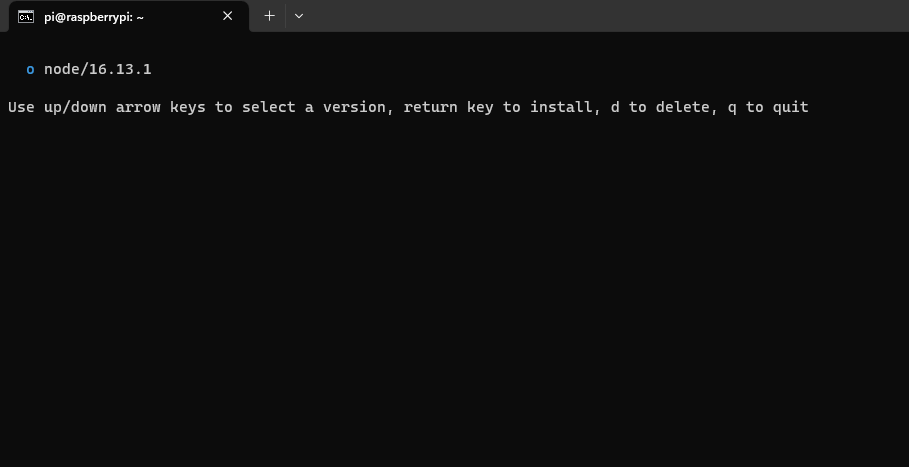
n = Use up/down arrow keys to select a version, return key to install, d to delete, q to quit-> but i can’t select a version, the screen ist black
-> nvm doesn’t work (-bash: nvm: Kommando nicht gefunden.)
-
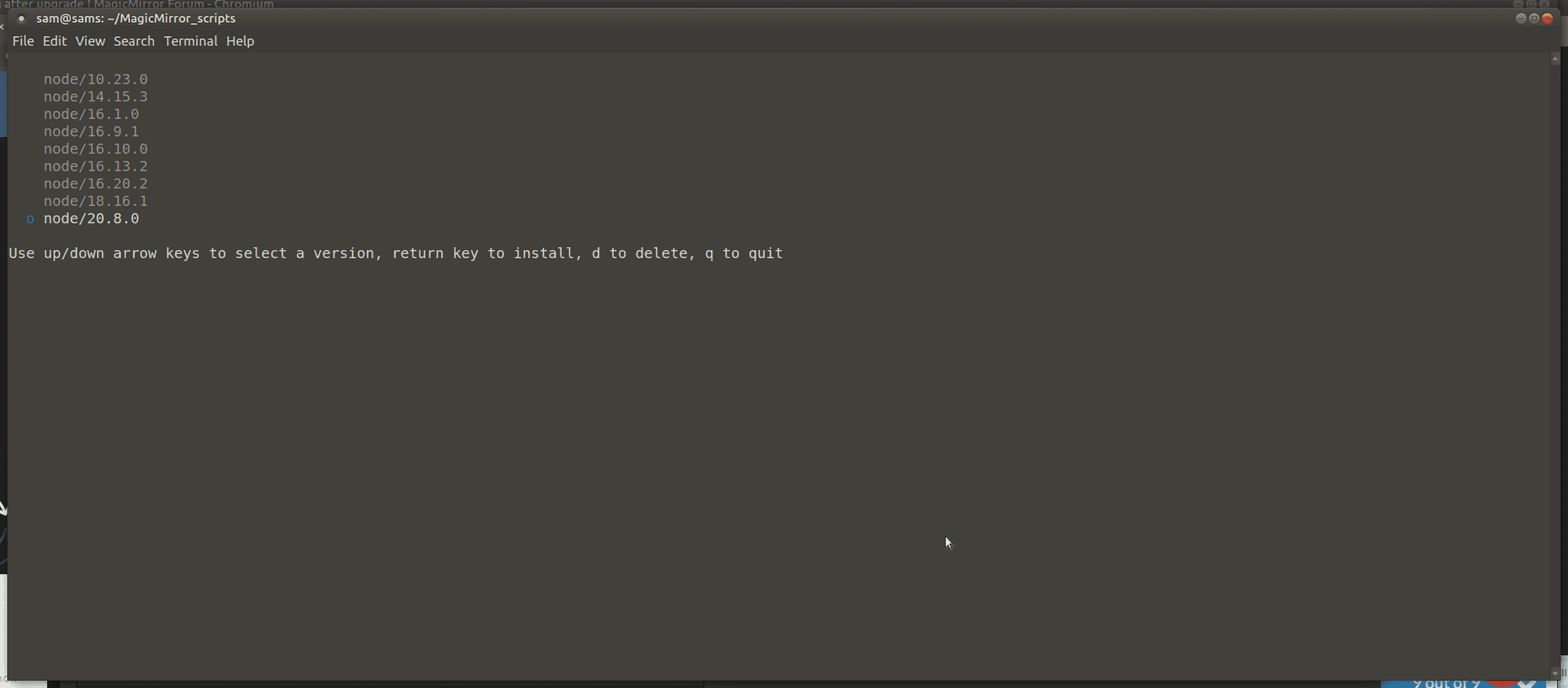
@wwats there are no versions shown?
I see this on my dev machine
-
No, unfortunately not. i see:
-
-
@sdetweil ok i did. I still have version 16.13.1 :-(
Am I perhaps in the wrong directory?
I have to run the script in the lowest directory directly at pi@raspberrypi:~ $, right? -
@wwats try this from the n info
Remove the installed Node.js (does not affect the cached versions). This can be useful to revert to the system version of node (if in a different location)
sudo n prune sudo n uninstall -
@sdetweil ok this was sucessfull… and what do I have to do now? reinstall? How?
Thank you very much and sorry, I’m not an IT specialist… -
@wwats and what does
node -v
show now? -
pi@raspberrypi:~ $ node -v
-bash: /usr/local/bin/node: Datei oder Verzeichnis nicht gefunden -
@wwats can u do
ls -laF /usr/local/bin/node
-
@sdetweil no… :
pi@raspberrypi:~ $ ls -laF /usr/local/bin/node
ls: Zugriff auf ‘/usr/local/bin/node’ nicht möglich: Datei oder Verzeichnis nicht gefunden -
Hello! It looks like you're interested in this conversation, but you don't have an account yet.
Getting fed up of having to scroll through the same posts each visit? When you register for an account, you'll always come back to exactly where you were before, and choose to be notified of new replies (either via email, or push notification). You'll also be able to save bookmarks and upvote posts to show your appreciation to other community members.
With your input, this post could be even better 💗
Register Login