MagicMirror Forum
    • Recent
    • Tags
    • Unsolved
    • Solved
    • MagicMirror² Repository
    • Documentation
    • 3rd-Party-Modules
    • Donate
    • Discord
    • Register
    • Login
    A New Chapter for MagicMirror: The Community Takes the Lead
    Read the statement by Michael Teeuw here.

    MM loading all modules is taking 2-3 minutes.

    Scheduled Pinned Locked Moved Solved Troubleshooting
    19 Posts 2 Posters 4.8k Views 2 Watching
    Loading More Posts
    • Oldest to Newest
    • Newest to Oldest
    • Most Votes
    Reply
    • Reply as topic
    Log in to reply
    This topic has been deleted. Only users with topic management privileges can see it.
    • plainbrokeP Offline
      plainbroke @plainbroke
      last edited by

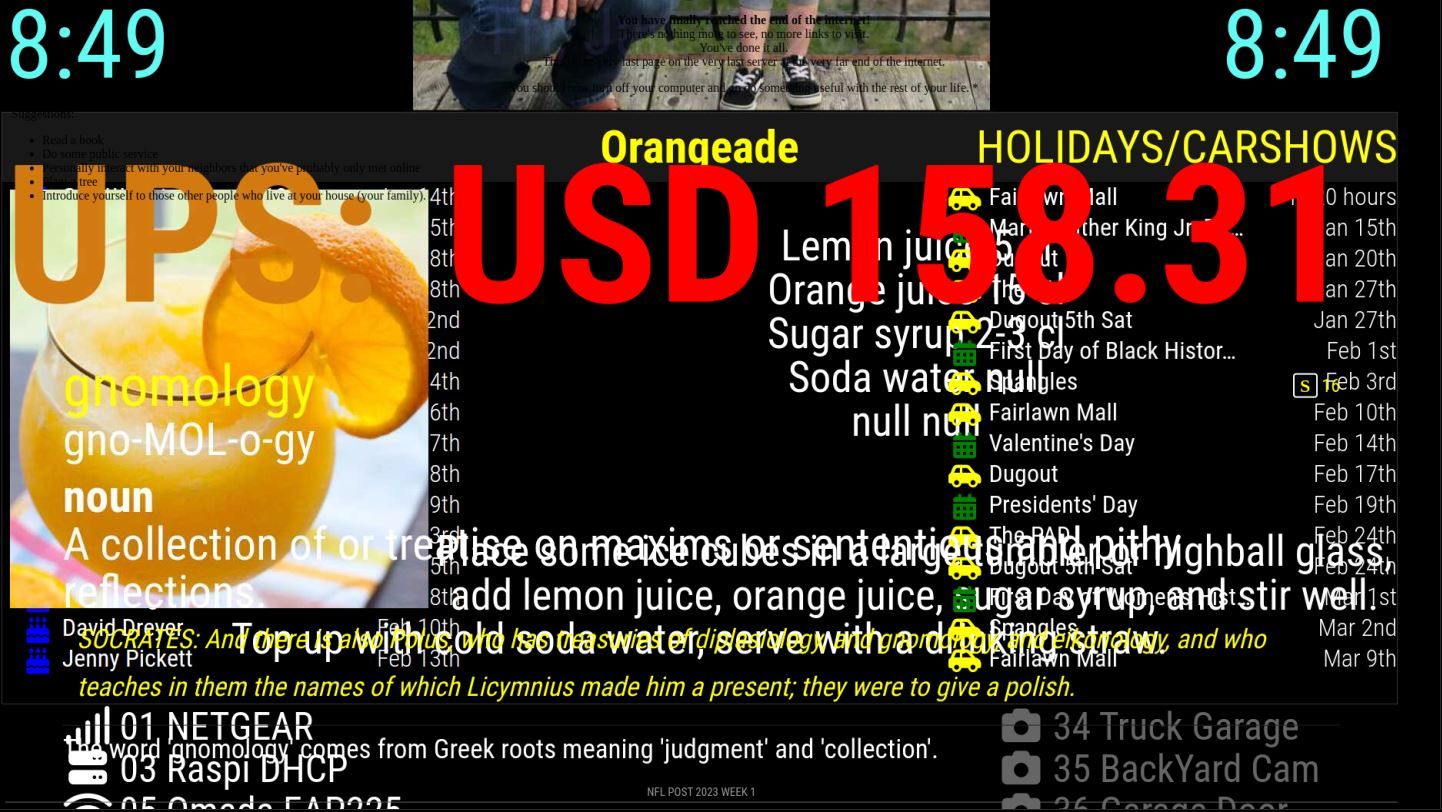
      These are the modules I am running under MMM-Carousel.
      MMM-CalendarExt3 calendar facts iFrame
      MMM-ATM MMM-Bored MMM-CalvinAndHobbes MMM-CloneWarsQuotes
      MMM-RTSPStream MMM-Cocktails MMM-DailyQuote MMM-DateCounter
      MMM-Dogs MMM-EmbedURL MMM-Evil MMM-EyeCandy //flying Calvin
      MMM-RTSPStream2 MMM-Fuel MMM-Globe MMM-GmailFeed MMM-History
      MMM-icanhazdadjoke MMM-iFrame-GSlides MMM-ImagesPhotos
      MMM-Jast //ups stock MMM-MyWordOfTheDay MMM-NetworkScanner
      MMM-NFL MMM-Oneliner MMM-RTSPStream4 MMM-OpenWeatherForecast
      MMM-quote-of-the-day MMM-RAIN-MAP MMM-rfacts MMM-SimpleLogo
      MMM-TrivialAbyss MMM-WebView MMM-WiFiPassword random_quotes
      MMM-RTSPStream5

      Slow learner. But trying anyways.
      MM is on Raspberry Pi 4B w/8gb ram loaded on a 128gb nvme drive.
      Running Trixie and the latest MM version.

      1 Reply Last reply Reply Quote 0
      • plainbrokeP Offline
        plainbroke
        last edited by

        Which browser should I use?
        Chromium, Midori, Firefox, Surf or is there a better one to help with the load on the RaspberryPi 4-8gb version?
        Since I am running so many modules on one pi under MagicMirror 2.24

        Slow learner. But trying anyways.
        MM is on Raspberry Pi 4B w/8gb ram loaded on a 128gb nvme drive.
        Running Trixie and the latest MM version.

        S 1 Reply Last reply Reply Quote 0
        • S Do not disturb
          sdetweil @plainbroke
          last edited by

          @plainbroke you should not have a problem on pi 4 8gb.

          if you run speed test does the network speed look proper?

          can you do free -m
          you should have no swap

          also run top to look at CPU performance and active processes

          Sam

          How to add modules

          learning how to use browser developers window for css changes

          plainbrokeP 1 Reply Last reply Reply Quote 0
          • plainbrokeP Offline
            plainbroke @sdetweil
            last edited by

            @sdetweil
            I do have a swp file.
            Do I need to get rid of it and if so, how?
            total used free shared buff/cache available
            Mem: 7846 535 6374 230 936 6862
            Swap: 99 0 99

            Slow learner. But trying anyways.
            MM is on Raspberry Pi 4B w/8gb ram loaded on a 128gb nvme drive.
            Running Trixie and the latest MM version.

            S 1 Reply Last reply Reply Quote 0
            • S Do not disturb
              sdetweil @plainbroke
              last edited by

              @plainbroke said in MM loading all modules is taking 2-3 minutes.:

              Mem: 7846 535 6374 230 936 6862
              Swap: 99 0 99

              but not used… size 99meg, free 99meg…

              so, its not a memory problem (6862 meg free)

              Sam

              How to add modules

              learning how to use browser developers window for css changes

              plainbrokeP 1 Reply Last reply Reply Quote 0
              • plainbrokeP Offline
                plainbroke @sdetweil
                last edited by sdetweil

                @sdetweil
                Do not know how to post the top part it keeps changing.
                Only lets me copy part of it.

                 PID USER      PR  NI    VIRT    RES    SHR S  %CPU  %MEM     TIME+ COMMAND
                  884 pi        20   0  494048 193120  87580 S  58.3   2.4  11:53.37 electron
                  875 pi        20   0  745824 472024 434912 S  35.1   5.9   3:47.87 electron
                  909 pi        20   0  345508 114484  78316 R  22.5   1.4   1:44.53 electron
                  879 pi        20   0  298500  63208  49584 S  21.5   0.8   4:18.07 electron
                  778 pi        20   0  731340 236804 108916 S  19.2   2.9   4:03.12 electron
                 1034 pi        20   0  194140  29260  20112 S   6.3   0.4   0:42.24 omxplayer.bin
                  590 root      20   0  124324  47660  32436 S   6.0   0.6   0:30.80 Xorg
                  436 root      20   0       0      0      0 I   5.3   0.0   0:12.04 kworker/u8:3-ext4-rsv-conversion
                 1393 root      20   0       0      0      0 I   4.6   0.0   0:06.66 kworker/u8:1-brcmf_wq/mmc1:0001:1
                 1033 pi        20   0  194036  28920  20056 S   4.3   0.4   0:37.70 omxplayer.bin
                   85 root      20   0       0      0      0 I   3.6   0.0   0:08.36 kworker/0:4-events
                  250 root      -2   0       0      0      0 S   1.0   0.0   0:05.17 v3d_bin
                  251 root      -2   0       0      0      0 S   1.0   0.0   0:04.87 v3d_render
                   80 root       1 -19       0      0      0 S   0.7   0.0   0:04.30 vchiq-slot/0
                 1345 pi        20   0   10444   3000   2572 R   0.7   0.0   0:11.28 top
                    7 root      20   0       0      0      0 I   0.3   0.0   0:19.99 kworker/u8:0-brcmf_wq/mmc1:0001:1
                   11 root      20   0       0      0      0 S   0.3   0.0   0:00.56 ksoftirqd/0
                   12 root      20   0       0      0      0 I   0.3   0.0   0:02.51 rcu_sched
                   89 root     -51   0       0      0      0 S   0.3   0.0   0:02.53 irq/47-mmc0
                   94 root      20   0       0      0      0 S   0.3   0.0   0:01.11 jbd2/sda2-8
                  252 root      -2   0       0      0      0 S   0.3   0.0   0:01.25 v3d_tfu
                 1363 root      20   0       0      0      0 I   0.3   0.0   0:12.62 kworker/u8:4-brcmf_wq/mmc1:0001:1
                 1377 root      20   0       0      0      0 I   0.3   0.0   0:00.70 kworker/3:1-events
                 1392 root      20   0       0      0      0 I   0.3   0.0   0:00.09 kworker/1:3-events
                 1408 root      20   0       0      0      0 I   0.3   0.0   0:00.41 kworker/0:2-events
                    1 root      20   0   33708   8296   6680 S   0.0   0.1   0:05.23 systemd
                    2 root      20   0       0      0      0 S   0.0   0.0   0:00.01 kthreadd
                    3 root       0 -20       0      0      0 I   0.0   0.0   0:00.00 rcu_gp
                    4 root       0 -20       0      0      0 I   0.0   0.0   0:00.00 rcu_par_gp
                    6 root       0 -20       0      0      0 I   0.0   0.0   0:00.00 kworker/0:0H-events_highpri
                    8 root       0 -20       0      0      0 I   0.0   0.0   0:00.00 mm_percpu_wq
                    9 root      20   0       0      0      0 S   0.0   0.0   0:00.00 rcu_tasks_rude_
                   10 root      20   0       0      0      0 S   0.0   0.0   0:00.00 rcu_tasks_trace
                   13 root      rt   0       0      0      0 S   0.0   0.0   0:00.01 migration/0
                   14 root      20   0       0      0      0 S   0.0   0.0   0:00.00 cpuhp/0
                   15 root      20   0       0      0      0 S   0.0   0.0   0:00.00 cpuhp/1
                   16 root      rt   0       0      0      0 S   0.0   0.0   0:00.02 migration/1
                   17 root      20   0       0      0      0 S   0.0   0.0   0:00.48 ksoftirqd/1
                   19 root       0 -20       0      0      0 I   0.0   0.0   0:00.00 kworker/1:0H-kblockd
                   20 root      20   0       0      0      0 S   0.0   0.0   0:00.00 cpuhp/2
                   21 root      rt   0       0      0      0 S   0.0   0.0   0:00.02 migration/2
                   22 root      20   0       0      0      0 S   0.0   0.0   0:00.35 ksoftirqd/2
                   24 root       0 -20       0      0      0 I   0.0   0.0   0:00.00 kworker/2:0H-kblockd
                   25 root      20   0       0      0      0 S   0.0   0.0   0:00.00 cpuhp/3
                   26 root      rt   0       0      0      0 S   0.0   0.0   0:00.01 migration/3
                

                Slow learner. But trying anyways.
                MM is on Raspberry Pi 4B w/8gb ram loaded on a 128gb nvme drive.
                Running Trixie and the latest MM version.

                S 1 Reply Last reply Reply Quote 0
                • S Do not disturb
                  sdetweil @plainbroke
                  last edited by

                  @plainbroke always please use code block for formatting

                  don’t ‘see’ anything…

                  Sam

                  How to add modules

                  learning how to use browser developers window for css changes

                  plainbrokeP 1 Reply Last reply Reply Quote 0
                  • plainbrokeP Offline
                    plainbroke @sdetweil
                    last edited by

                    @sdetweil
                    Ok this may be my problem : failed to open kms_swrast
                    I have seen reference to this before but am either brain dead or my google search is failing me.
                    0|mm | MESA-LOADER: failed to open kms_swrast (search paths /usr/lib/arm-linux-gnueabihf/dri:$${ORIGIN}/dri:/usr/lib/dri)
                    0|mm | failed to load driver: kms_swrast
                    0|mm | MESA-LOADER: failed to open swrast (search paths /usr/lib/arm-linux-gnueabihf/dri:$${ORIGIN}/dri:/usr/lib/dri)
                    0|mm | failed to load swrast driver
                    0|mm | [875:0114/170050.541663:ERROR:gl_surface_presentation_helper.cc(260)] GetVSyncParametersIfAvailable() failed for 1 times!
                    0|mm | [875:0114/170113.661954:ERROR:gl_surface_presentation_helper.cc(260)] GetVSyncParametersIfAvailable() failed for 2 times!
                    0|mm | [875:0114/170115.296236:ERROR:gl_surface_presentation_helper.cc(260)] GetVSyncParametersIfAvailable() failed for 3 times!
                    0|mm | [778:0114/170757.084668:ERROR:object_proxy.cc(590)] Failed to call method: org.freedesktop.NetworkManager.GetDevices: object_path= /org/freedesktop/NetworkManager: org.freedesktop.DBus.Error.ServiceUnknown: The name org.freedesktop.NetworkManager was not provided by any .service files

                    Slow learner. But trying anyways.
                    MM is on Raspberry Pi 4B w/8gb ram loaded on a 128gb nvme drive.
                    Running Trixie and the latest MM version.

                    S 1 Reply Last reply Reply Quote 0
                    • S Do not disturb
                      sdetweil @plainbroke
                      last edited by

                      @plainbroke said in MM loading all modules is taking 2-3 minutes.:

                      I have seen reference to this before but am either brain dead or my google search is failing me.
                      0|mm | MESA-LOADER: failed to open kms_swrast (search paths /usr/lib/arm-linux-gnueabihf/dri:$${ORIGIN}/dri:/usr/lib/dri)
                      0|mm | failed to load driver: kms_swrast
                      0|mm | MESA-LOADER: failed to open swrast (search paths /usr/lib/arm-linux-gnueabihf/dri:$${ORIGIN}/dri:/usr/lib/dri)
                      0|mm | failed to load swrast driver
                      0|mm | [875:0114/170050.541663:ERROR:gl_surface_presentation_helper.cc(260)] GetVSyncParametersIfAvailable() failed for 1 times!
                      0|mm | [875:0114/170113.661954:ERROR:gl_surface_presentation_helper.cc(260)] GetVSyncParametersIfAvailable() failed for 2 times!
                      0|mm | [875:0114/170115.296236:ERROR:gl_surface_presentation_helper.cc(260)] GetVSyncParametersIfAvailable() failed for 3 times!

                      no… that is the GPU driver stuff… usually not enabled in /config.txt in 2.26 we disable using the gpu by default to turn off these messages (instead of leaving it on in 2.25 and prior)

                      Sam

                      How to add modules

                      learning how to use browser developers window for css changes

                      plainbrokeP 1 Reply Last reply Reply Quote 0
                      • plainbrokeP Offline
                        plainbroke @sdetweil
                        last edited by plainbroke

                        @sdetweil
                        I am still on 2.24 so I can use MMM-RTSPStream, also still on Jesse for the same reason.
                        Should I run this to remove swap file?
                        sudo swapoff -a -v
                        sudo rm /swapfile

                        Slow learner. But trying anyways.
                        MM is on Raspberry Pi 4B w/8gb ram loaded on a 128gb nvme drive.
                        Running Trixie and the latest MM version.

                        S plainbrokeP 2 Replies Last reply Reply Quote 0
                        • S Do not disturb
                          sdetweil @plainbroke
                          last edited by

                          @plainbroke so, I would be carefull… newer code doesn’t run on jesse and gosh knows what you have now…

                          4 OS releases back (2017), stretch , buster, bullseye, now bookworm
                          https://en.wikipedia.org/wiki/Raspberry_Pi_OS

                          so, you have an 8gig machine, but can only use 2gig (32bit OS)

                          Sam

                          How to add modules

                          learning how to use browser developers window for css changes

                          1 Reply Last reply Reply Quote 0
                          • plainbrokeP Offline
                            plainbroke @plainbroke
                            last edited by plainbroke

                            @sdetweil
                            Sorry it is buster, it is the last one that allows the rstp modules I like so much…
                            Linux MM 5.10.103-v7l+ #1529 SMP Tue Mar 8 12:24:00 GMT 2022 armv7l GNU/Linux

                            Slow learner. But trying anyways.
                            MM is on Raspberry Pi 4B w/8gb ram loaded on a 128gb nvme drive.
                            Running Trixie and the latest MM version.

                            S 1 Reply Last reply Reply Quote 0
                            • S Do not disturb
                              sdetweil @plainbroke
                              last edited by

                              @plainbroke said in MM loading all modules is taking 2-3 minutes.:

                              armv7

                              32bit

                              aaarch64 is 64 bit

                              Sam

                              How to add modules

                              learning how to use browser developers window for css changes

                              plainbrokeP 1 Reply Last reply Reply Quote 0
                              • plainbrokeP Offline
                                plainbroke @sdetweil
                                last edited by

                                @sdetweil
                                Can I load the 64bit version without reloading all my MagicMirror modules ect?
                                I tried this :

                                cd ~/MagicMirror
                                export external_browser=midori
                                export ELECTRON_DISABLE_GPU=1
                                DISPLAY=:0 npm start


                                Slow learner. But trying anyways.
                                MM is on Raspberry Pi 4B w/8gb ram loaded on a 128gb nvme drive.
                                Running Trixie and the latest MM version.

                                S 1 Reply Last reply Reply Quote 0
                                • S Do not disturb
                                  sdetweil @plainbroke
                                  last edited by

                                  @plainbroke you have to use my start script to make Midori work, after you install it

                                  change the package json {“start” line to {“start1”

                                  then add a new start line

                                  {"start":"./run-start.sh"},
                                  

                                  and download the run-start.sh from my script repo, and put it in the MagicMirror folder, mark it executable
                                  chmod +x run-start.sh

                                  Sam

                                  How to add modules

                                  learning how to use browser developers window for css changes

                                  plainbrokeP 1 Reply Last reply Reply Quote 0
                                  • plainbrokeP Offline
                                    plainbroke @sdetweil
                                    last edited by

                                    @sdetweil
                                    Which one of the package.json files the one before MagicMirror folder or the one in the MagicMirror folder?

                                    Slow learner. But trying anyways.
                                    MM is on Raspberry Pi 4B w/8gb ram loaded on a 128gb nvme drive.
                                    Running Trixie and the latest MM version.

                                    S 1 Reply Last reply Reply Quote 0
                                    • S Do not disturb
                                      sdetweil @plainbroke
                                      last edited by

                                      @plainbroke in the MagicMirror folder

                                      there should not be one in the folder before

                                      Sam

                                      How to add modules

                                      learning how to use browser developers window for css changes

                                      plainbrokeP 1 Reply Last reply Reply Quote 0
                                      • plainbrokeP Offline
                                        plainbroke @sdetweil
                                        last edited by

                                        @sdetweil
                                        Well I removed the package.json and packagelock.json from the folder MagicMirror sets in and ran your upgrade script and my MM loaded a whole lot faster and only time will tell if it is totally fixed or not…
                                        I appreciate your patients dealing with this issue.
                                        I will definitely add it to my saved stuff.
                                        I would like to try to use a different browser and see if it fixes a few other issues since I am using a 32 bit OS.

                                        Slow learner. But trying anyways.
                                        MM is on Raspberry Pi 4B w/8gb ram loaded on a 128gb nvme drive.
                                        Running Trixie and the latest MM version.

                                        1 Reply Last reply Reply Quote 0

                                        Hello! It looks like you're interested in this conversation, but you don't have an account yet.

                                        Getting fed up of having to scroll through the same posts each visit? When you register for an account, you'll always come back to exactly where you were before, and choose to be notified of new replies (either via email, or push notification). You'll also be able to save bookmarks and upvote posts to show your appreciation to other community members.

                                        With your input, this post could be even better 💗

                                        Register Login

                                        • 1 / 1
                                        • First post
                                          Last post
                                        Enjoying MagicMirror? Please consider a donation!
                                        MagicMirror created by Michael Teeuw.
                                        Forum managed by Sam, technical setup by Karsten.
                                        This forum is using NodeBB as its core | Contributors
                                        Contact | Privacy Policy