Read the statement by Michael Teeuw here.
Changing icons of the modules Current Weather and Weather Forecast
-
@Manu85 awesome!! glad you got it.
that dev window is amazing for what you can discover and try
-
@sdetweil
I will actually look precisely at the possibilities of this window, a thousand thanks Sam -
@manu85340 the top right window allows you to set styles on the selected element
any style supported by the browser… color, font, icon, padding, border, you name it…
so, you can test out the effect you want and then copy/paste those to the entry for custom.css
one other learning thing…
in css
the stuff before the {
is called the selector clause… it ‘selects’ the elements that that the stuff INSIDE the {} will apply to…the selector clause will ALWAYS select ALL elements that match , ALWAYS ALL
but you can make it very selective…, it can be quite complex…
here I want to hide (display :none) an element generated by a library I used
that didn’t apply to the output it generated.possibly-hidden-tab div:nth-child(2) > div > div >div >ul >li:only-child >a[rel*="Item%201"] { display: none; }I use this page to help me with the selector clause possibilities and syntax
https://www.w3schools.com/cssref/css_selectors.phpsometimes it helps to look at the selector clause from right to left , what element is it, and how does it fit in the content its in.
this selector clause is trying to find an <a (action/link) element with a title of “Item 1”
-
@sdetweil It’s really nice of you to share all these elements, I’m going to look at it while taking my time, I feel like the possibilities are endless
-
@Manu85 no rush… just wanted to give you some base info to use as you explore.
also from the MM doc on css
https://docs.magicmirror.builders/modules/customcss.html#target-a-specific-moduletarget and select mean the same
-
@sdetweil :folded_hands:
-
@Manu85 oh, and html stuff is a lot to know… (I think I know maybe 5%)
https://www.w3schools.com/html/that top box in the developers window elements tab will start dropdowns of selection choices when u start typing
-
@sdetweil
you made me want to do a lot of things, but I think I’m going to be limited very quickly… I have the “MMM-ISS-Live” module, from [Mykle1](https://github.com/ Mykle1), updated by KristjanESPERANTO https://github.com/KristjanESPERANTO/MMM-ISS-Live which is really great (force to them) and I would like to know if it was possible to add a module with the position of the 'ISS on the planisphere to have the position of the ISS live as on the ESA website: https://www.esa.int/Science_Exploration/Human_and_Robotic_Exploration/International_Space_Station/Where_is_the_International_Space_StationI don’t know if I’m posting on the right subject but it’s a development that could interest a lot of people
code_text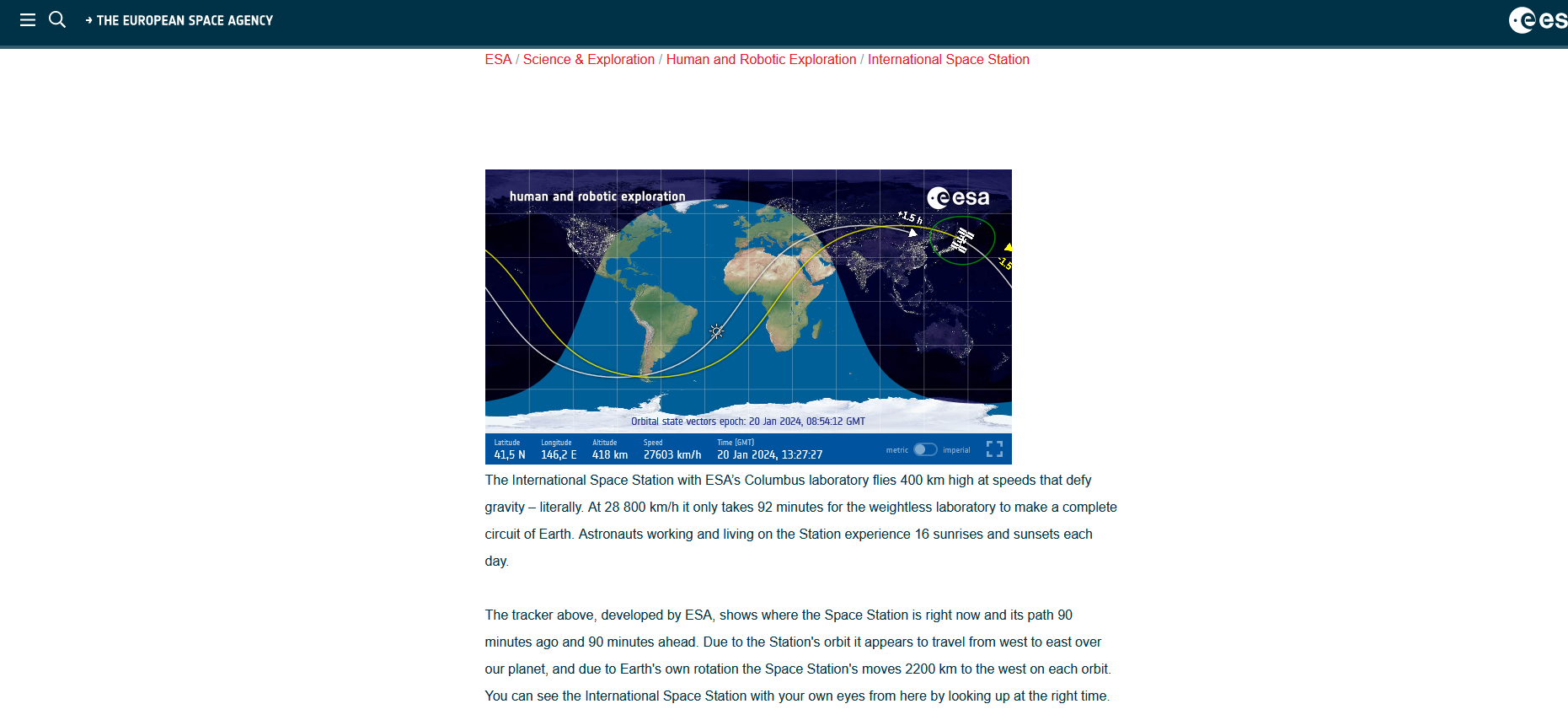
-
@Manu85 is it possible… sure…
and as that image is already an iframe you can do the same thing with existing modules
the web content of that page contains(using the dev window to look at the html source of that page)<p> </p><iframe src="https://isstracker.spaceflight.esa.int/" width="625" height="350" frameborder="0" scrolling="no" allowfullscreen></iframe>SO, you can use one of the iframe modules… to use that same link from the src=
see the 3rd party module list
https://github.com/MagicMirrorOrg/MagicMirror/wiki/3rd-Party-Modules -
@sdetweil you are a genius, how did you manage to recover the ifram
“https://isstracker.spaceflight.esa.int/”? -
@Manu85 I viewed the page, then right clicked and selected ‘View Page Source’
which got me this (I have scrolled down a little)
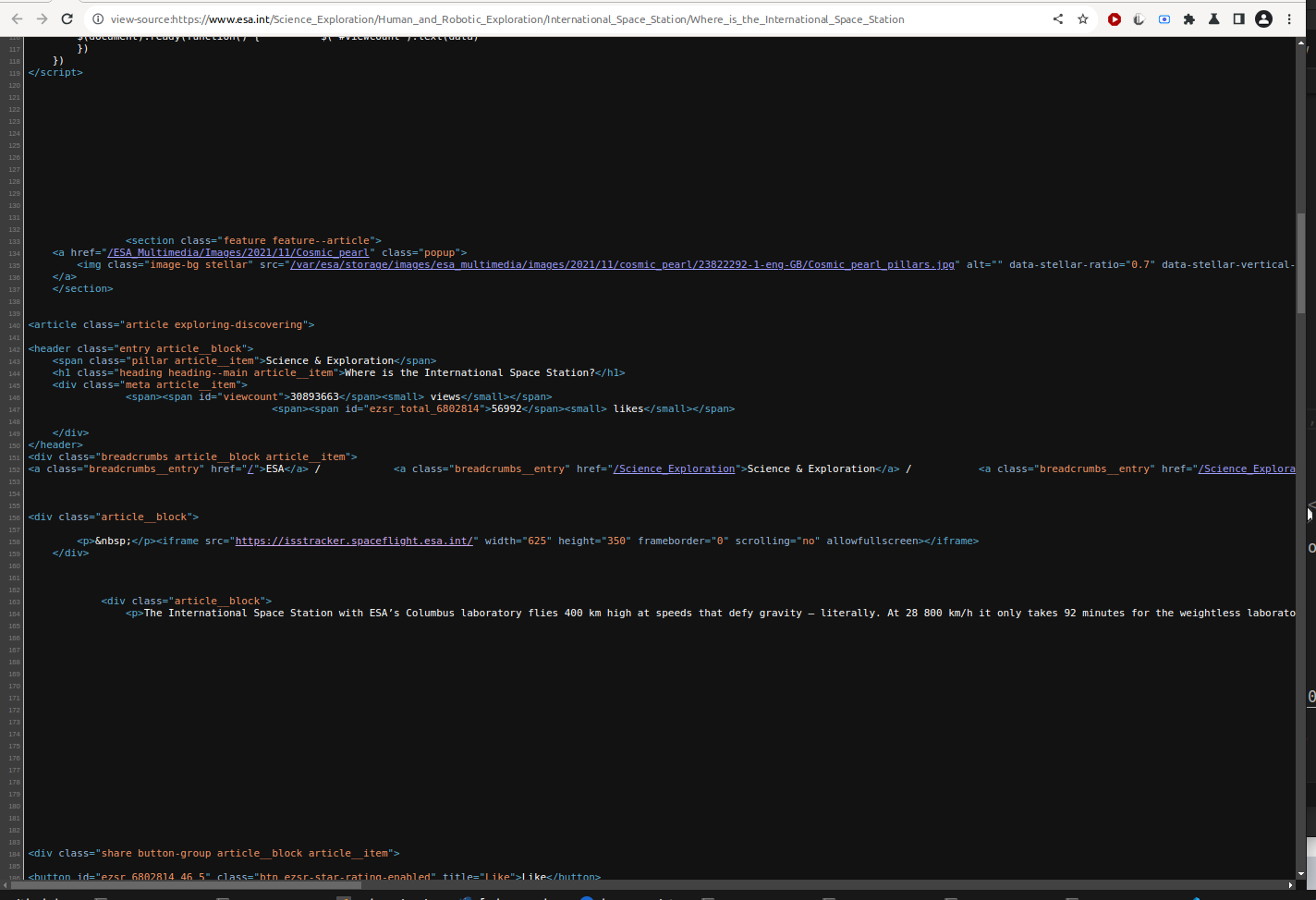
and you can look at the real page and see the text and follow along to find the spot where the image would be… and boom, its in an iframe
and then copy the url out…
-
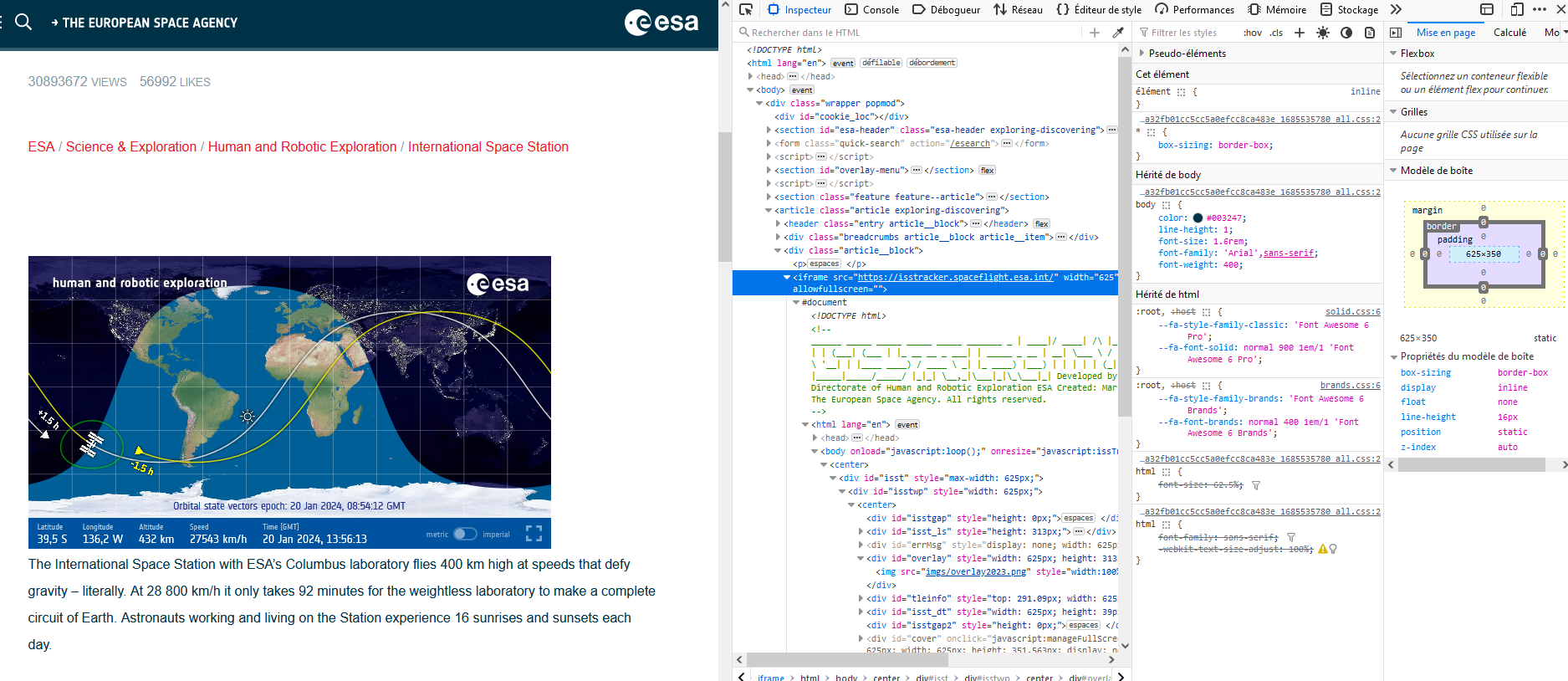
@sdetweil I think I started to understand, like that?
-
@Manu85 using the dev window is another way, yes
and if you had used the pointer to hover over the image, it would have taken you directly to that part of the html content -
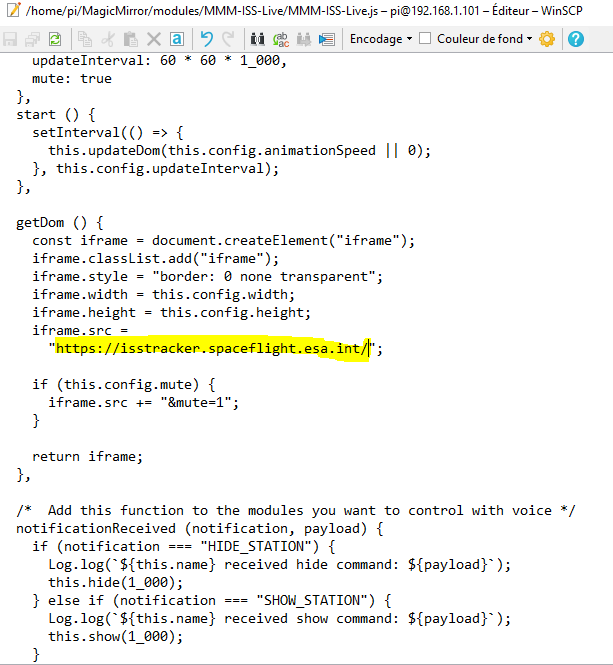
@sdetweil This means that by using existing modules I can change some properties to adapt them to my needs, for example if I use the ISS live module if I change the address in the module’s js can it work?
-
@Manu85 existing modules like MMM-SmartWebDisplay take the URL as a config option . no coding required
-
@Manu85 I don’t think the ISS-live module can do that, as it calls an api to get the images
-
@sdetweil ah ok I will try, you are my master
-
@Manu85 there are other modules too… (note that you can push the iframe right up against the ISS-live output, so they LOOK like they are together…) a little css borders and padding… maybe other stuff…
-
@sdetweil ok, I will try both solutions
-
@sdetweil just copying the link doesn’t work
Hello! It looks like you're interested in this conversation, but you don't have an account yet.
Getting fed up of having to scroll through the same posts each visit? When you register for an account, you'll always come back to exactly where you were before, and choose to be notified of new replies (either via email, or push notification). You'll also be able to save bookmarks and upvote posts to show your appreciation to other community members.
With your input, this post could be even better 💗
Register Login