MagicMirror Forum
    • Recent
    • Tags
    • Unsolved
    • Solved
    • MagicMirror² Repository
    • Documentation
    • 3rd-Party-Modules
    • Donate
    • Discord
    • Register
    • Login
    A New Chapter for MagicMirror: The Community Takes the Lead
    Read the statement by Michael Teeuw here.

    Default Weather Module Icon Position

    Scheduled Pinned Locked Moved Solved Troubleshooting
    38 Posts 4 Posters 14.7k Views 4 Watching
    Loading More Posts
    • Oldest to Newest
    • Newest to Oldest
    • Most Votes
    Reply
    • Reply as topic
    Log in to reply
    This topic has been deleted. Only users with topic management privileges can see it.
    • S Offline
      svenpisa @sdetweil
      last edited by

      I have reset the weather.css again. Fits so far.
      I think I have also understood the module and classes.
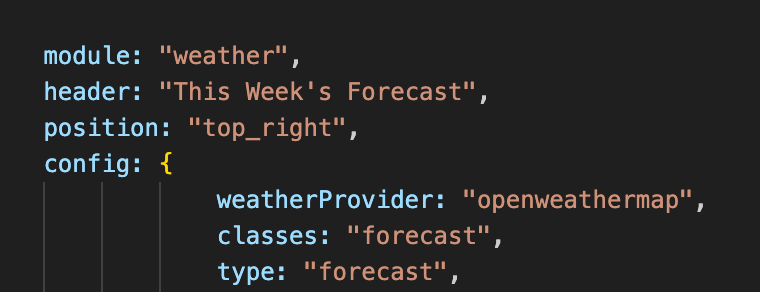
      So if I have the following

      			module: "weather",
      			classes: "forecast",
      

      then I would have to enter it in the custom.css as follows?

      .weather .forecast

      Unfortunately, I have not yet understood how to access it via browser.
      Exactly! The MM should hang on the wall, but if I want to make changes, I want to access the Raspi / MM via WLAN and make the changes via my laptop and since I am not a programmer and like to have everything visually, I would like to mirror the MM or the OS on my laptop screen and preferably make the changes via the “Geany” tool.
      How exactly should I enter it in the browser?
      I have tried it with IP and port, but only get an error message. I have also tried with the WLAN IP and port, but also without success.

      	address: "0.0.0.0",
      	port: 8080,
      

      Thanks in advance

      S 3 Replies Last reply Reply Quote 0
      • S Offline
        sdetweil @svenpisa
        last edited by

        @svenpisa said in Default Weather Module Icon Position:

        then I would have to enter it in the custom.css as follows?
        .weather .forecast

        no… just

        .forecast
        

        that overrides .weather

        Sam

        How to add modules

        learning how to use browser developers window for css changes

        1 Reply Last reply Reply Quote 0
        • S Offline
          sdetweil @svenpisa
          last edited by

          @svenpisa said in Default Weather Module Icon Position:

          address: “0.0.0.0”,
          port: 8080,

          ok, and ipWhitelist:[], too, right?? this restricts incoming request to JUST the addresses listed… by default this was JUST the loopback address (localhost), again ONLY inside this machine…

          so, the first two mean,

          listen for incoming connections on all network interfaces (image ethernet and wifi active, you can restrict to just one by using the actual ip address assigned, OR allow connections on BOTH without having to know the assigned addresses)…

          and the the port 8080…

          you used remote connection to the PI… use the same address in the browser

          http://pi_ip_address(or name):8080
          

          on my current mac connecting to raspberry pi 5
          I can use

          http://raspberrypi5:8080 
          

          or

          http://192.168.12.121:8080
          

          Sam

          How to add modules

          learning how to use browser developers window for css changes

          S 1 Reply Last reply Reply Quote 0
          • S Offline
            sdetweil @svenpisa
            last edited by sdetweil

            @svenpisa said in Default Weather Module Icon Position:

            Exactly! The MM should hang on the wall, but if I want to make changes, I want to access the Raspi / MM via WLAN and make the changes via my laptop and since I am not a programmer and like to have everything visually, I would like to mirror the MM or the OS on my laptop screen and preferably make the changes via the “Geany” tool.

            i strongly recommend installing Winscp or Bitvise ssh clients on your windows machine. (both free)

            these will give you BOTH the ssh window (for commands, installing updates and modules) AND a file manager window over the PI files (for editing files). Then you can double click to edit ON YOUR PC, with your PC EDITOR, and auto save back to the pi…

            bitvise ALSO provides a window for drag/drop to copy files in either direction
            great for copying log files from the pi…

            i use notepad++ on my windows machine for editing but you can use visual studio code or whatever text editor you like… they don’t know the file is over ssh…

            I NEVER edit ON the pi itself… only over ssh, and use one of the visual tools when I need to …

            Sam

            How to add modules

            learning how to use browser developers window for css changes

            S 1 Reply Last reply Reply Quote 0
            • S Offline
              svenpisa @sdetweil
              last edited by

              Thanks @sdetweil
              It works… Was my mistake… i took a / instead of : between ip and port…
              Looks great now.
              Last question for that… Have you got a link for a tutorial how to use the developer mode?

              S 1 Reply Last reply Reply Quote 0
              • S Offline
                svenpisa @sdetweil
                last edited by

                @sdetweil i installed Bitvise now. The first view looks good… i will try it the next days!

                1 Reply Last reply Reply Quote 0
                • S Offline
                  sdetweil @svenpisa
                  last edited by sdetweil

                  @svenpisa learn developers window

                  see
                  https://forum.magicmirror.builders/post/90135

                  and a little here
                  https://forum.magicmirror.builders/topic/7227/changing-icons-of-the-modules-current-weather-and-weather-forecast/290?_=1707252488912

                  Sam

                  How to add modules

                  learning how to use browser developers window for css changes

                  1 Reply Last reply Reply Quote 0
                  • Z Offline
                    ZiggidyZ
                    last edited by

                    Personally I use putty and do everything over command line. On my PC I use Notepad++ for working on files as well, then will copy and paste over to the ssh session.

                    S 1 Reply Last reply Reply Quote 0
                    • S Offline
                      sdetweil @ZiggidyZ
                      last edited by

                      @ZiggidyZ yeh, I used to do that too.

                      then I have 10 systems I work on, got to be too much copying.

                      Sam

                      How to add modules

                      learning how to use browser developers window for css changes

                      1 Reply Last reply Reply Quote 0
                      • S Offline
                        svenpisa
                        last edited by

                        Thank you guys for your tips and help. Now I only have one issue left.

                        How do I get the icons in the right place?
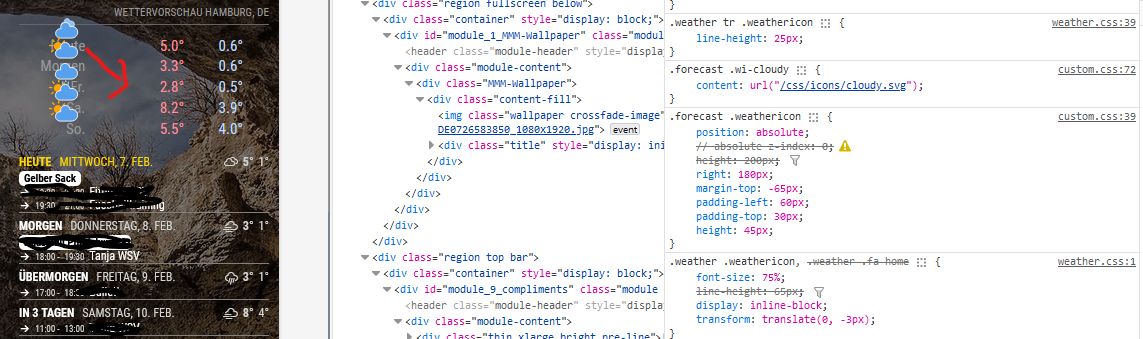
                        9fd7ed16-6ef7-47a5-84d6-29b73b951ab6-image.png

                        S 1 Reply Last reply Reply Quote 0
                        • S Offline
                          sdetweil @svenpisa
                          last edited by

                          @svenpisa I don’t understand. you have mmm-wallpaoer selected, but weather icons in class list

                          Sam

                          How to add modules

                          learning how to use browser developers window for css changes

                          S 1 Reply Last reply Reply Quote 0
                          • S Offline
                            svenpisa @sdetweil
                            last edited by

                            @sdetweil I had taken the section to see the Custom.css and weather.css on the right side. Shouldn’t the wallpaper actually be displayed?

                            S 1 Reply Last reply Reply Quote 0
                            • S Offline
                              sdetweil @svenpisa
                              last edited by

                              @svenpisa as I said, confused.

                              in custom.css do

                              html {
                                 cursor: default;
                              }
                              

                              to turn on the mouse pointer over the mm content

                              then easier to see to select correct content

                              Sam

                              How to add modules

                              learning how to use browser developers window for css changes

                              S 1 Reply Last reply Reply Quote 0
                              • S Offline
                                svenpisa @sdetweil
                                last edited by

                                @sdetweil said in Default Weather Module Icon Position:

                                html {
                                cursor: default;
                                }
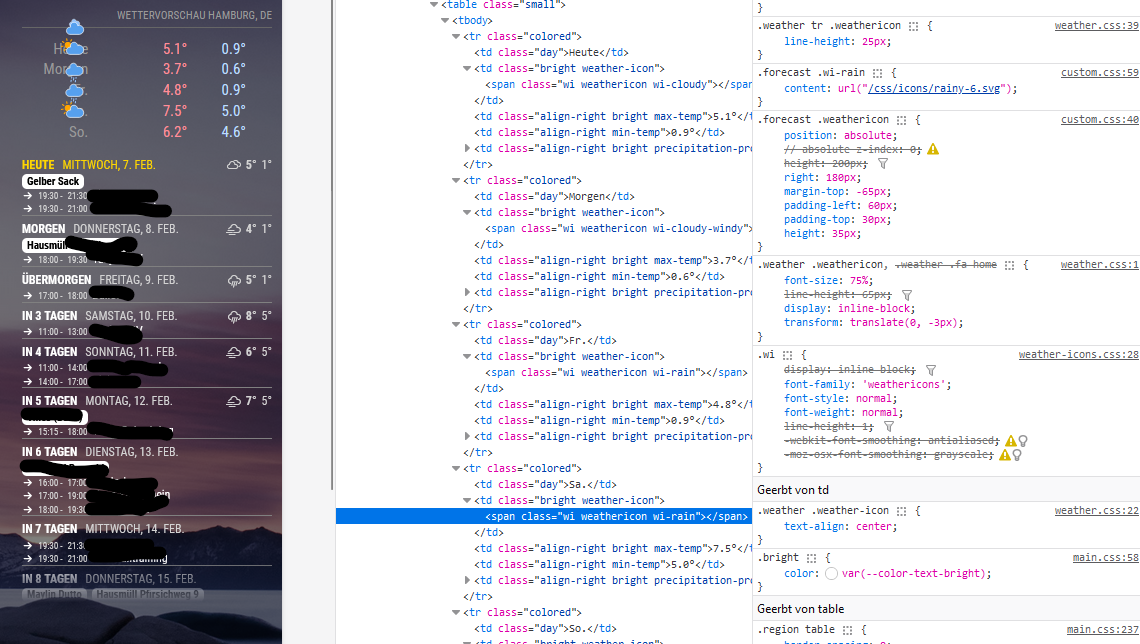
                                9e5c80d4-5f63-48e4-a5b4-1149ff8a8384-image.png

                                Is the screenshot better?

                                S 1 Reply Last reply Reply Quote 0
                                • S Offline
                                  sdetweil @svenpisa
                                  last edited by

                                  @svenpisa yes, better.

                                  so that stuff for .weathericon from custom.css, I would click off each and see the effect.

                                  as you mouse over the settings in the right column a checkbox will appear, that u can check to disable a setting

                                  note .weather-icon applies to ALL of the icons.

                                  the css selector clause (stuff before the {) WILL ALWAYS match every such item on the page. you can make it more specific to get fewer elements.

                                  Sam

                                  How to add modules

                                  learning how to use browser developers window for css changes

                                  1 Reply Last reply Reply Quote 0
                                  • S Offline
                                    svenpisa
                                    last edited by

                                    Thank you very much for your help.
                                    I first had to read through your messages at my leisure and at the same time I tried to understand the messages parallel to the developer tool.

                                    And lo and behold, it worked.

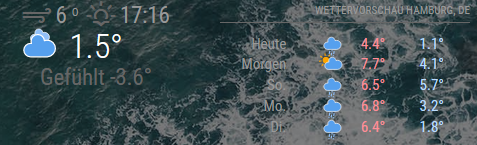
                                    0e90df8a-da41-4c3f-b2b7-c4d7e5436f24-image.png

                                    I have now split the weather module into two classes.

                                    		{
                                    			module: "weather",
                                    			classes: "forecast",
                                    			position: "top_right",
                                    			header: "Wettervorschau",
                                    			config: {
                                    				weatherProvider: "openweathermap",
                                    				type: "forecast",
                                    				location: "Hamburg",
                                    				locationID: "2911xxx", //ID from http://bulk.openweathermap.org/sample/city.list.json.gz; unzip the gz file and find your city
                                    				apiKey: "c64bb3321848fe4e76163xxxxxxxxxc"
                                    			}
                                    		},
                                    		{
                                    			module: "weather",
                                    			classes: "wetter",
                                    			position: "top_center",
                                    			config: {
                                    				weatherProvider: "openweathermap",
                                    				type: "current",
                                    				location: "Hamburg",
                                    				locationID: "2911xxx", //ID from http://bulk.openweathermap.org/sample/city.list.json.gz; unzip the gz file and find your city
                                    				apiKey: "c64bb3321848fe4e76163xxxxxxxxx"
                                    			}
                                    		},
                                    

                                    You could then play around really well with each class in the developer tool and then find the right position.

                                    For those who are interested. I have now made the following entries in the Custom.css so that it looks like this:

                                    .forecast .weathericon {
                                    position:absolute;	// absolute
                                    z-index: 0;
                                    height: 200px;
                                    right: 120px;
                                    margin-top: -65px; 
                                    padding-left: 60px;
                                    padding-top: 50px;
                                    height: 35px;
                                    }
                                    
                                    .forecast .wi-day-sunny {
                                    content: url("/css/icons/day.svg");
                                    }
                                    
                                    .forecast .wi-day-cloudy {
                                    content: url("/css/icons/cloudy-day-1.svg");
                                    }
                                    
                                    .forecast .wi-rain {
                                    content: url("/css/icons/rainy-6.svg");
                                    }
                                    
                                    forecast .wi-night-clear {
                                    content: url("/css/icons/night.svg");
                                    }
                                    
                                    .forecast .wi-night-cloudy {
                                    content: url("/css/icons/cloudy-night-2.svg");
                                    padding-right: 15px;
                                    padding-top: 10px;
                                    }
                                    
                                    .forecast .wi-cloudy {
                                    content: url("/css/icons/cloudy.svg");
                                    }
                                    
                                    .forecast .wi-showers {
                                    content: url("/css/icons/rainy-7.svg");
                                    }
                                    
                                    .forecast .wi-thunderstorm {
                                    content: url("/css/icons/thunder.svg");
                                    }
                                    
                                    .forecast .wi-snow {
                                    content: url("/css/icons/snowy-6.svg");
                                    }
                                    
                                    .forecast .wi-cloudy-windy {
                                    content: url("/css/icons/cloudy-day-3.svg");
                                    }
                                    
                                    .forescast.wi-night-rain {
                                    content: url("/css/icons/rainy-6.svg");
                                    }
                                    
                                    .forecast .wi-night-snow {
                                    content: url("/css/icons/snowy-6.svg");
                                    }
                                    
                                    .forecast .wi-night-thunderstorm {
                                    content: url("/css/icons/thunder.svg");
                                    }
                                    
                                    .forecast .wi-night-showers {
                                    content: url("/css/icons/rainy-7.svg");
                                    }
                                    
                                    .forecast .wi-fog {
                                    content: url("/css/icons/cloudy.svg");
                                    }
                                    
                                    .forecast .wi-night-alt-cloudy-windy {
                                    content: url("/css/icons/cloudy-night-1.svg");
                                    }
                                    
                                    /* Aenderungen Wettervorhersage */
                                    .wetter .weathericon {
                                    position: absolute;
                                    z-index: 1;
                                    margin-top: -33px;
                                    padding-top: 20px;
                                    left: 60px;	
                                    }
                                    	
                                    .wetter .wi-day-sunny {
                                    content: url("/css/icons/day.svg");
                                    padding-left: 6px;
                                    padding-top: 5px;
                                    height: 50px;
                                    }
                                    
                                    .wetter .wi-day-cloudy {
                                    content: url("/css/icons/cloudy-day-1.svg");
                                    }
                                    
                                    .wetter .wi-rain {
                                    content: url("/css/icons/rainy-6.svg");
                                    padding-left: 8px;
                                    padding-top: 5px;
                                    height: 45px;
                                    }
                                    
                                    .wetter .wi-night-clear {
                                    content: url("/css/icons/night.svg");
                                    }
                                    
                                    .wetter .wi-night-cloudy {
                                    content: url("/css/icons/cloudy-night-2.svg");
                                    height: 50px;
                                    padding-left: 5px;
                                    padding-top: 7px;
                                    }
                                    
                                    .wetter .wi-cloudy {
                                    content: url("/css/icons/cloudy.svg");
                                    }
                                    
                                    .wetter .wi-showers {
                                    content: url("/css/icons/rainy-7.svg");
                                    }
                                    
                                    .wetter .wi-thunderstorm {
                                    content: url("/css/icons/thunder.svg");
                                    }
                                    
                                    .wetter .wi-snow {
                                    content: url("/css/icons/snowy-6.svg");
                                    }
                                    
                                    .wetter .wi-cloudy-windy {
                                    content: url("/css/icons/cloudy-day-3.svg");
                                    height: 45px;
                                    padding-left: 8px;
                                    padding-top: 7px;
                                    }
                                    
                                    .wetter .wi-night-rain {
                                    content: url("/css/icons/rainy-6.svg");
                                    padding-left: 8px;
                                    padding-top: 5px;
                                    height: 45px;
                                    }
                                    
                                    .wetter .wi-night-snow {
                                    content: url("/css/icons/snowy-6.svg");
                                    }
                                    
                                    .wetter .wi-night-thunderstorm {
                                    content: url("/css/icons/thunder.svg");
                                    }
                                    
                                    .wetter .wi-night-showers {
                                    content: url("/css/icons/rainy-7.svg");
                                    }
                                    
                                    .wetter .wi-fog {
                                    content: url("/css/icons/cloudy.svg");
                                    }
                                    
                                    .wetter .wi-night-alt-cloudy-windy {
                                    content: url("/css/icons/cloudy-night-1.svg");
                                    height: 50px;
                                    padding-left: 5px;
                                    padding-top: 7px;
                                    }
                                    

                                    We can therefore close the entry here

                                    Thanks all again

                                    S 1 Reply Last reply Reply Quote 0
                                    • S Offline
                                      sdetweil @svenpisa
                                      last edited by

                                      @svenpisa awesome! thanks for the feedback.

                                      Sam

                                      How to add modules

                                      learning how to use browser developers window for css changes

                                      1 Reply Last reply Reply Quote 0
                                      • G Offline
                                        greedyvegan
                                        last edited by

                                        I have this issue too, the dev window says they’re the same class

                                        Screenshot 2024-03-30 at 3.42.19 PM.png
                                        but the classes are already different/labeled as forecast and weather in config
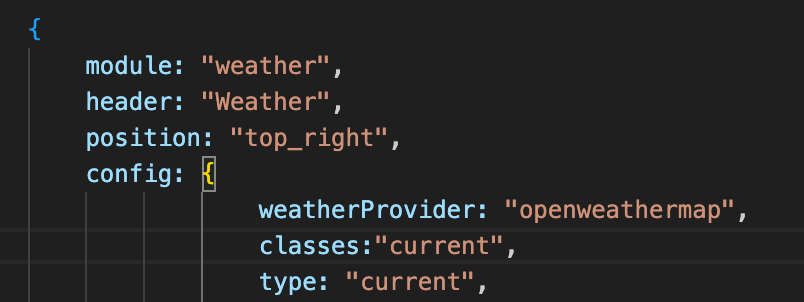
                                        Screenshot 2024-03-30 at 3.43.19 PM.png
                                        Screenshot 2024-03-30 at 3.43.27 PM.png

                                        when I open everything in the developer window,
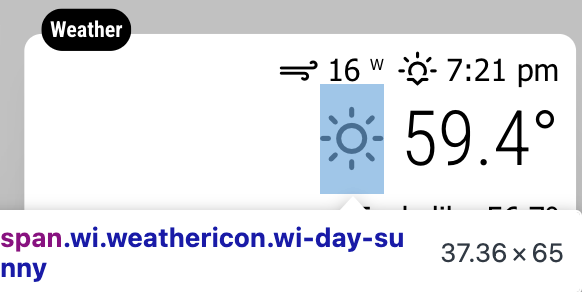
                                        this is the one that highlights the icon I want to move “</span> == $0”
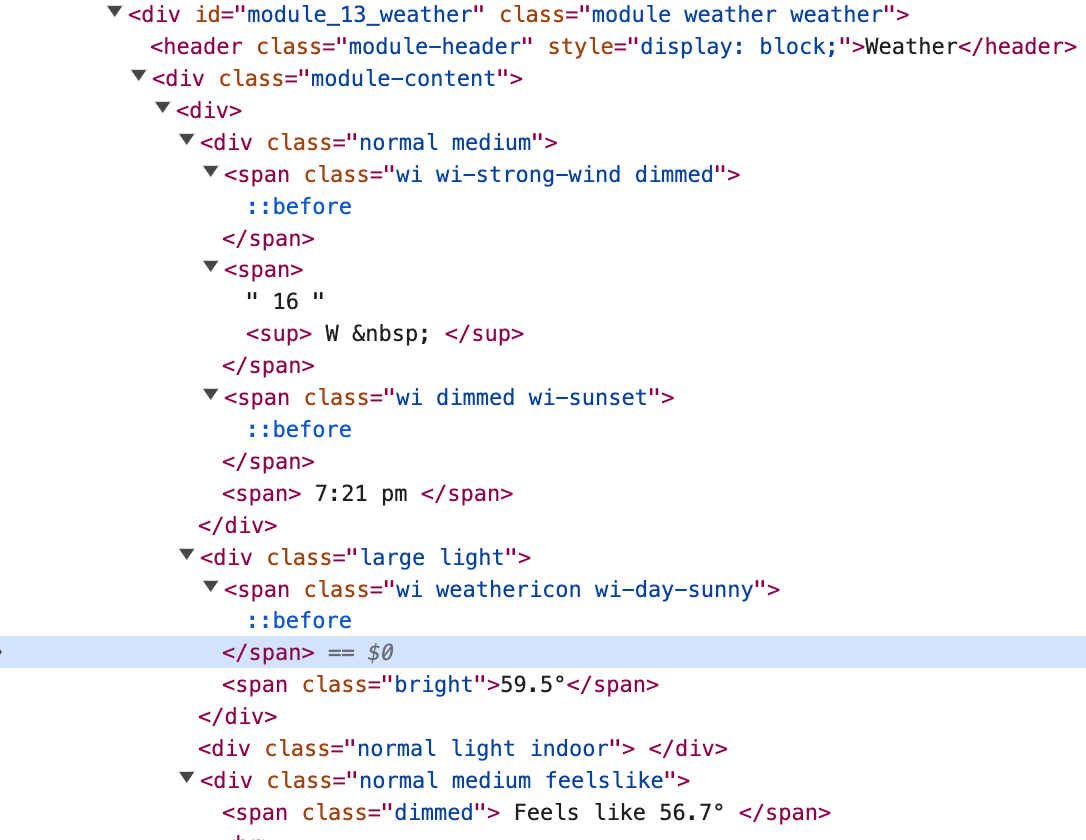
                                        Screenshot 2024-03-30 at 3.47.41 PM.png

                                        Screenshot 2024-03-30 at 4.03.40 PM.png
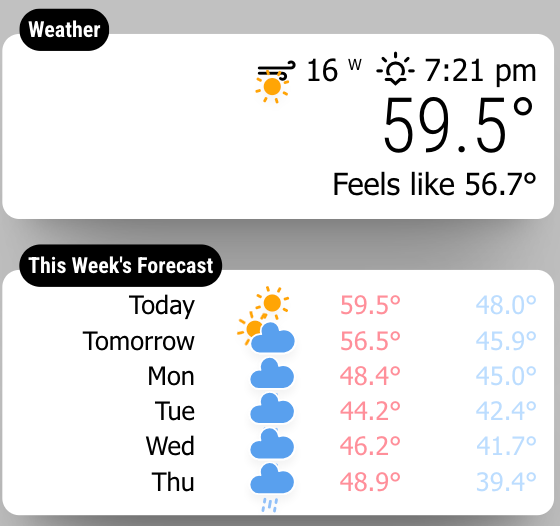
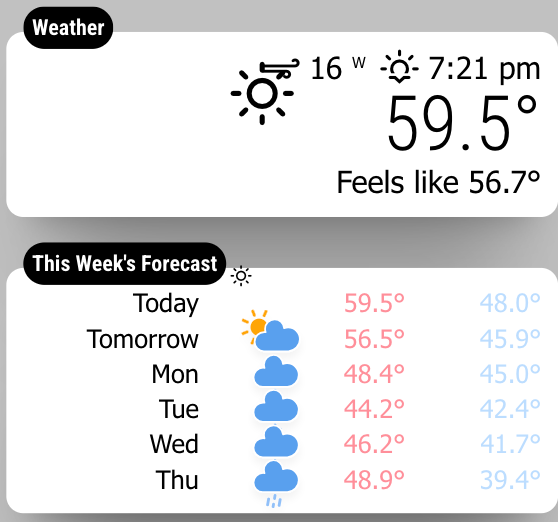
                                        the current weather “sun” icon in the top module is the one I want to move,
                                        but its labeled as the current weather condition, NOT the icon I want to move
                                        when I uncheck the one I need, both icons from current weather and “today” from forecast both change
                                        Screenshot 2024-03-30 at 3.50.51 PM.png
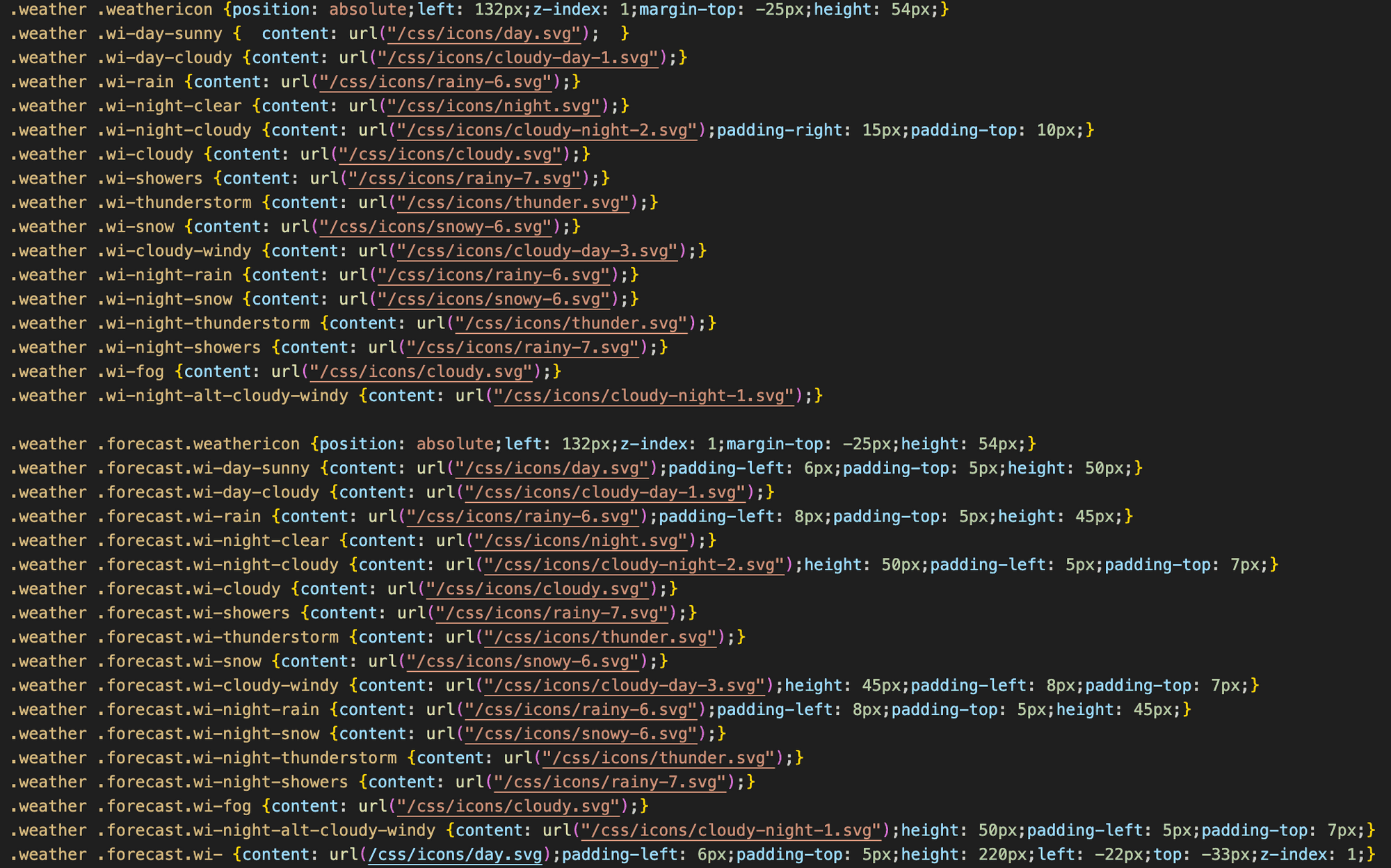
                                        Screenshot 2024-03-30 at 3.48.32 PM.png

                                        it’s labeled as “weather weather” , when I change that, they both change (current weather and forecast)
                                        Screenshot 2024-03-30 at 3.50.03 PM.png

                                        what am I doing wrong?

                                        S 1 Reply Last reply Reply Quote 0
                                        • G Offline
                                          greedyvegan
                                          last edited by

                                          (currently reading)
                                          https://forum.magicmirror.builders/topic/6808/css-101-getting-started-with-css-and-understanding-how-css-works?_=1602611995137

                                          1 Reply Last reply Reply Quote 0
                                          • S Offline
                                            sdetweil @greedyvegan
                                            last edited by sdetweil

                                            @greedyvegan yes, they are the same, that is why you need to add unique classes per my previous post, OR use the id value in custom css as the primary selector

                                            #module_{number}_module-name

                                            Sam

                                            How to add modules

                                            learning how to use browser developers window for css changes

                                            G 2 Replies Last reply Reply Quote 0

                                            Hello! It looks like you're interested in this conversation, but you don't have an account yet.

                                            Getting fed up of having to scroll through the same posts each visit? When you register for an account, you'll always come back to exactly where you were before, and choose to be notified of new replies (either via email, or push notification). You'll also be able to save bookmarks and upvote posts to show your appreciation to other community members.

                                            With your input, this post could be even better 💗

                                            Register Login

                                            • 1
                                            • 2
                                            • 1 / 2
                                            • First post
                                              Last post
                                            Enjoying MagicMirror? Please consider a donation!
                                            MagicMirror created by Michael Teeuw.
                                            Forum managed by Sam, technical setup by Karsten.
                                            This forum is using NodeBB as its core | Contributors
                                            Contact | Privacy Policy