Read the statement by Michael Teeuw here.
Modul CalendarExt3Agenda
-
Hello,
I would like to combine the two functions eventFilter and eventTransform.
Here is the example:eventFilter: (ev) => {
if (ev.title.search(“Natalia:”)) return false
return true
},
eventTransform: (ev) => {
if (ev.title.search(“Natalia:”) > -1) ev.title=ev.title.replace(“Natalia:”,“”);
return ev
}But only the first function (Filter) works, but not the second (Transform)
Can someone please help me with this?
Thanks -
@MMRIZE Thank you very much, it works now!
-
@Old_Death
It is contradiction. You can’t do both thing - drop the event or replace the title at same time. What is your purpose? (And filtering is executed primarily than transforming) -
I only want the dates to be shown with the title “Natalia”. These titles should then be changed. The text “Natalia” should be removed here.
-
@Old_Death
You want;- Only events which have title “Natalia” would be shown, others should be filtered out.
- Then the event (with title “Natalia”) should change its title. Right?
-
This post is deleted! -
@Old_Death
Sorry, there was a bug that filtering or transforming performs twice, I’ll fix it soon. -
@Old_Death
I updated it to 1.4.4. Please update or reinstall the module.
I found a bug about twice applying the user event filter/transformer on the drawing miniMonth and agenda board.
However, that is not the real reason for your symptoms. You just made a mistake on your filtering. (You drop out “Natalia” events by filtering, so they were not able to be transformed.)Anyway, here is my example.
eventFilter: (ev) => {
	return (ev.title.search('Test') > -1)
},
eventTransformer: (ev) => {
	ev.title = ev.title.replace('Test', '@')
	return ev
}
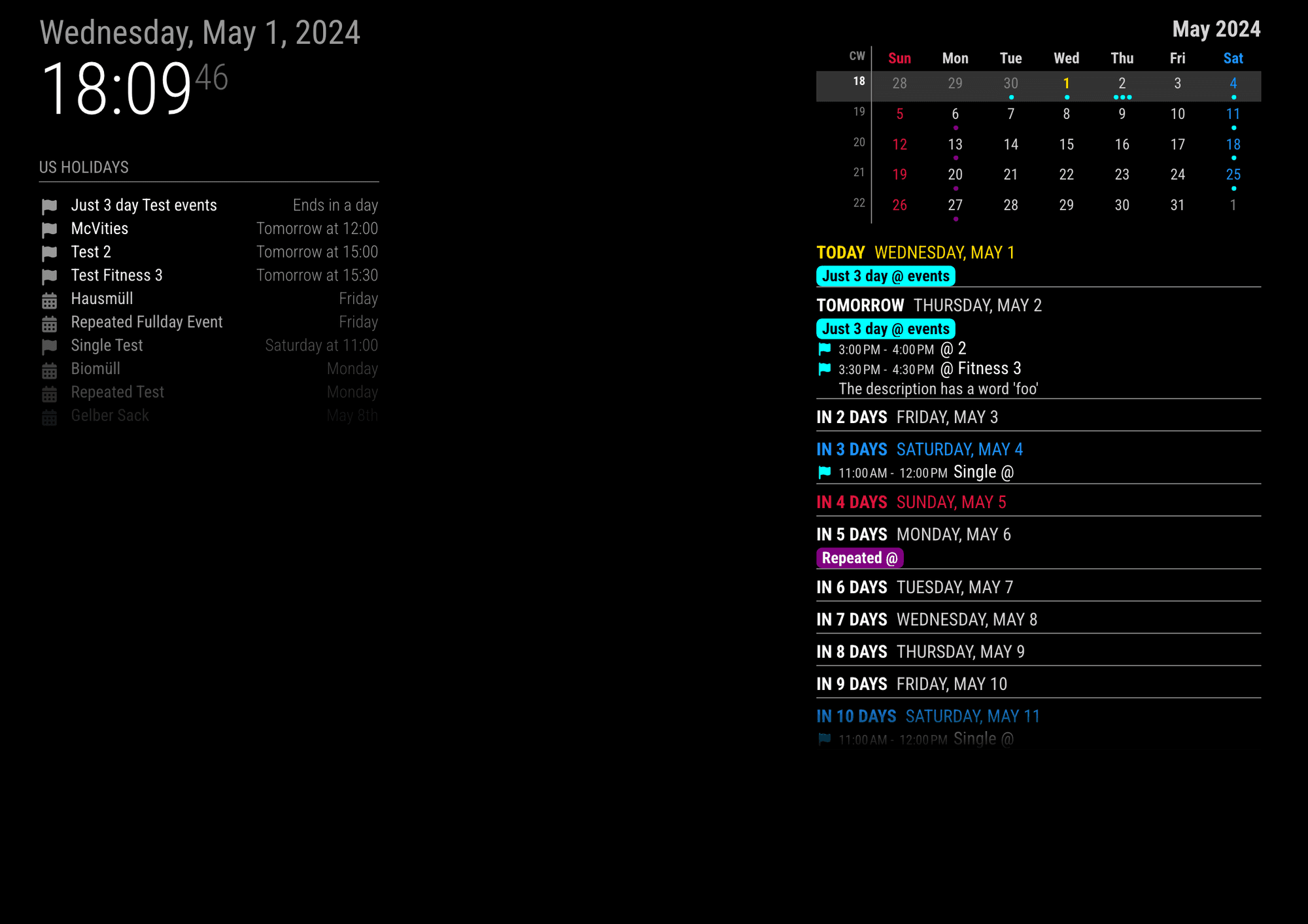
This code means
- Filter out all other events except the event which has
Testin the title. - Then transform
Testto@.
You can see the result below;
ORIGINAL
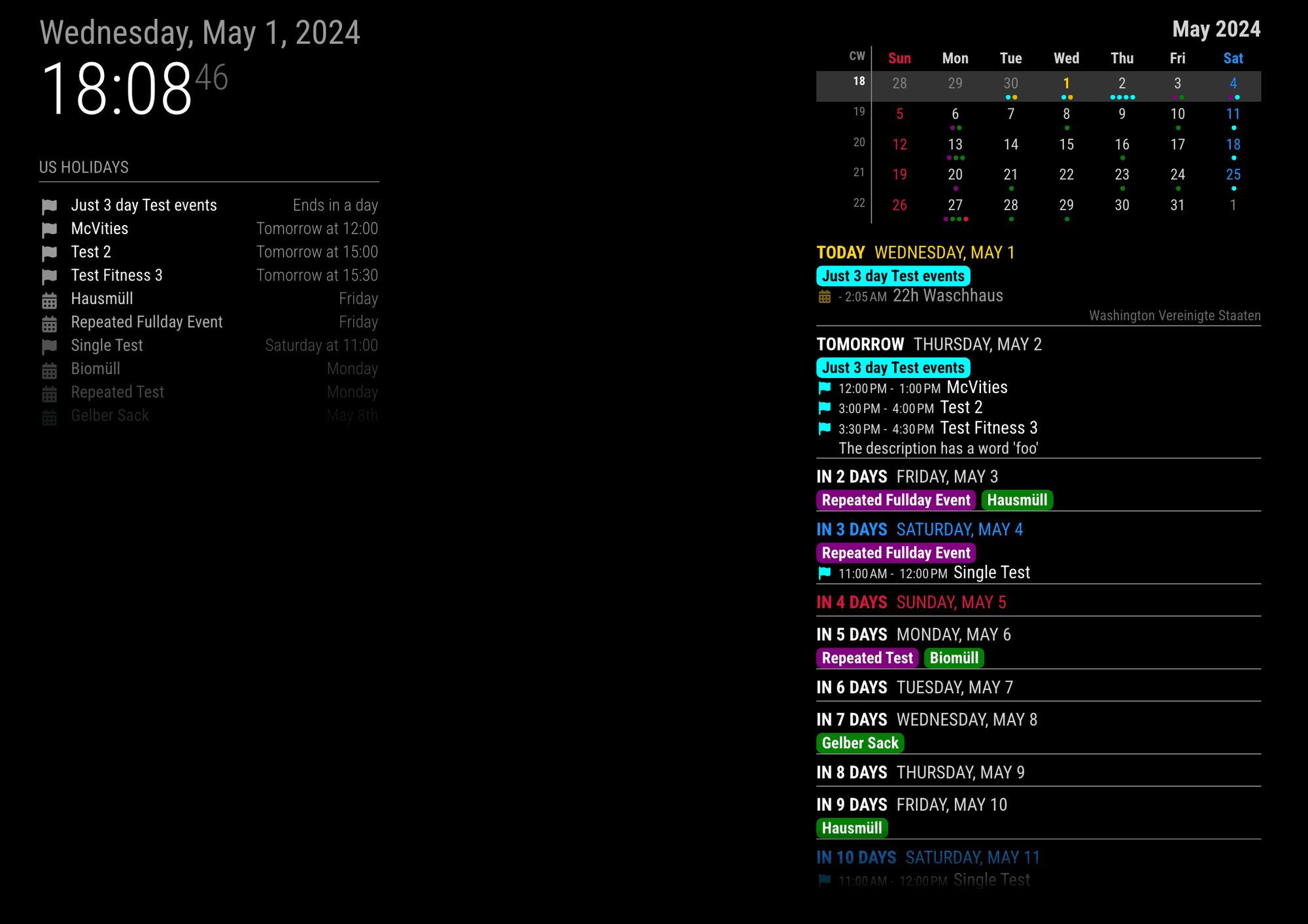
CONFIGURED
- Filter out all other events except the event which has
-
@MMRIZE
thanks for the answer and the patch.I installed this, but unfortunately there was no improvement in the result.
If I enter it like in the example, there are no more entries.The points for the appointments are only displayed correctly in the mini calendar.
Here is my config for the module.
{ module: "MMM-CalendarExt3Agenda", carouselId: "Seite2", position: "top_left", header: "Natalia", config: { instanceId: "basicCalendar", locale: 'de-DE', firstDayOfWeek: 1, startDayIndex: -1, endDayIndex: 15, onlyEventDays: 15, eventFilter: (ev) => { return (ev.title.search("Natalia:") > -1) }, eventTransformer: (ev) => { ev.title = ev.title.replace("Natalia:", "") return ev } } }, -
@MMRIZE said in Modul CalendarExt3Agenda:
’
I also have a fundamental question of understanding.
The ’ character is used in the examples here.
I have to use the character " for it to work.
Why is that? -
@Old_Death I’m javascript, both the single and double quotes are acceptable
note. sometimes in the forum if the text is not in a code block, these characters are shown as word processing form , curved, like this
’
or
"
Instead of the text form' or " -
@Old_Death
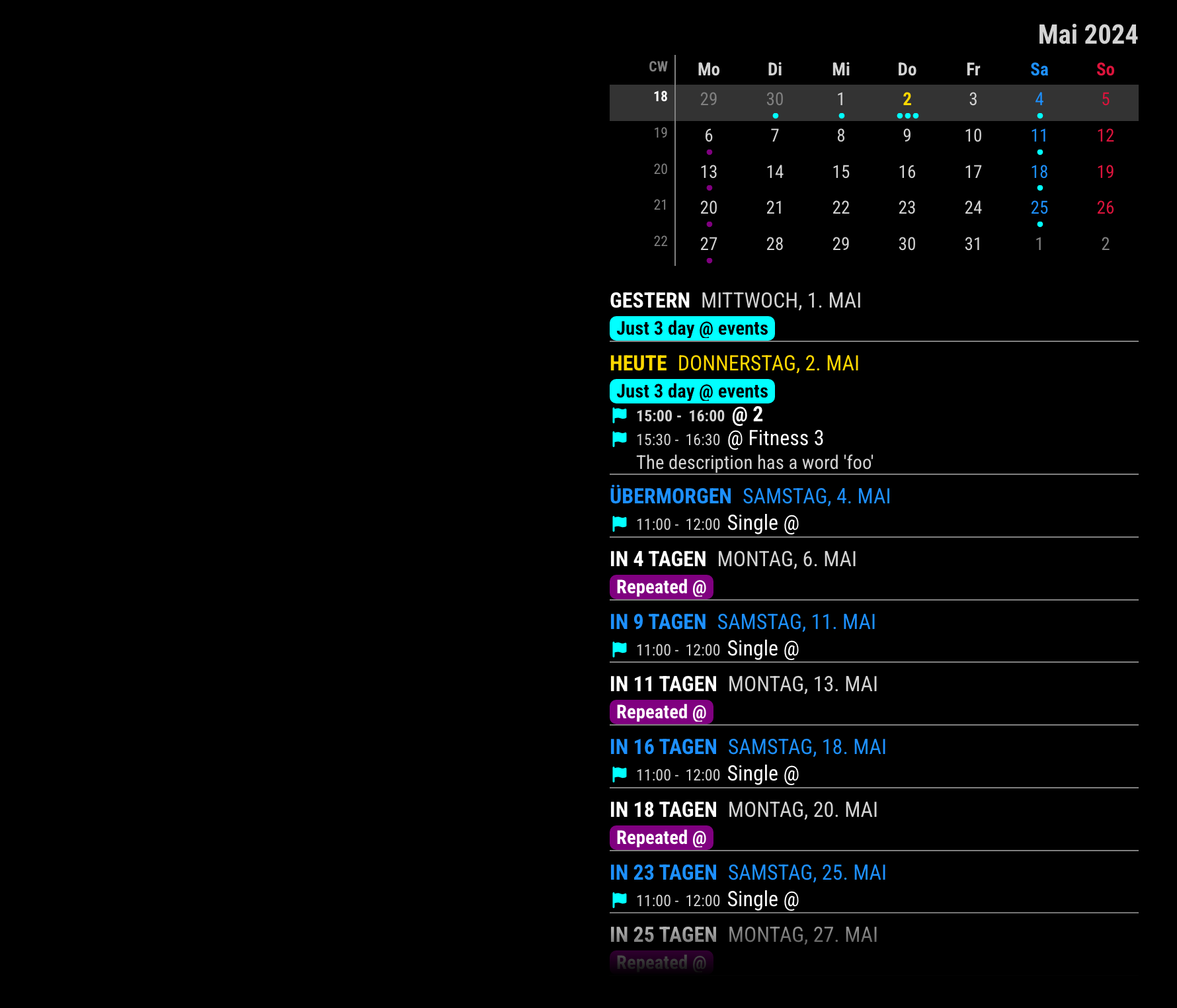
Sorry, there was still another hidden formatting-twice issue. (inonlyEventDays. I didn’t check that part on the previous update.)
I fixed it now.
-
@MMRIZE Thank you very much, it works now!
-
S sdetweil has marked this topic as solved on
-
O Old_Death referenced this topic on
Hello! It looks like you're interested in this conversation, but you don't have an account yet.
Getting fed up of having to scroll through the same posts each visit? When you register for an account, you'll always come back to exactly where you were before, and choose to be notified of new replies (either via email, or push notification). You'll also be able to save bookmarks and upvote posts to show your appreciation to other community members.
With your input, this post could be even better 💗
Register Login