Read the statement by Michael Teeuw here.
MMM-CalendarExt2 not working
-
Hi,
The module stopped working. Disappeared from the screen. I tried to install it again, it didn’t help.
What could be the reason?
Thanks in advance everyone!{ module:"MMM-CalendarExtMinimonth", position:"top_right", }, { module: 'MMM-CalendarExt2', position:"top_right", config: { calendars : [ { url: "https://calendar.google.com/calendar/ical/veny071%40gmail.com/private-55d2d67bbe5cXXXXXXXXX6e2a64/basic.ics", }, ], views: [ { mode: "", }, ], scenes: [ { name: "", }, ], }, },output
[2024-05-18 13:26:43.956] [LOG] Starting MagicMirror: v2.27.0 [2024-05-18 13:26:44.026] [LOG] Loading config ... [2024-05-18 13:26:44.032] [LOG] config template file not exists, no envsubst [2024-05-18 13:26:44.039] [LOG] Loading module helpers ... [2024-05-18 13:26:44.042] [LOG] No helper found for module: alert. [2024-05-18 13:26:44.672] [LOG] Initializing new module helper ... [2024-05-18 13:26:44.673] [LOG] Module helper loaded: updatenotification [2024-05-18 13:26:44.674] [LOG] No helper found for module: MMM-FlipClock. [2024-05-18 13:26:44.677] [LOG] No helper found for module: weather. [2024-05-18 13:26:44.953] [LOG] Initializing new module helper ... [2024-05-18 13:26:44.955] [LOG] Module helper loaded: newsfeed [2024-05-18 13:26:44.956] [LOG] No helper found for module: MMM-yandex-route. [2024-05-18 13:26:44.957] [LOG] No helper found for module: MMM-CalendarExtMinimonth. [2024-05-18 13:26:45.347] [LOG] Initializing new module helper ... [2024-05-18 13:26:45.348] [LOG] Module helper loaded: MMM-CalendarExt2 [2024-05-18 13:26:45.349] [LOG] All module helpers loaded. [2024-05-18 13:26:45.364] [LOG] Starting server on port 8082 ... [2024-05-18 13:26:47.780] [LOG] Server started ... [2024-05-18 13:26:47.783] [LOG] Connecting socket for: updatenotification [2024-05-18 13:26:47.785] [LOG] Starting module helper: updatenotification [2024-05-18 13:26:47.787] [LOG] Connecting socket for: newsfeed [2024-05-18 13:26:47.790] [LOG] Starting node helper for: newsfeed [2024-05-18 13:26:47.791] [LOG] Connecting socket for: MMM-CalendarExt2 [2024-05-18 13:26:47.793] [LOG] Sockets connected & modules started ... [2024-05-18 13:26:49.319] [LOG] Launching application. [2024-05-18 13:26:59.902] [LOG] Create new newsfetcher for url: http://www.lenta.ru/rss/top7 - Interval: 300000 [2024-05-18 13:27:02.920] [INFO] Newsfeed-Fetcher: Broadcasting 13 items. [2024-05-18 13:27:04.072] [INFO] System information: ### SYSTEM: manufacturer: Raspberry Pi Foundation; model: Raspberry Pi 3 Model B Plus Rev 1.3; raspberry: [object Object]; virtual: false ### OS: platform: linux; distro: Raspbian GNU/Linux; release: 11; arch: arm; kernel: 5.15.32-v7+ ### VERSIONS: electron: 29.3.2; used node: 20.9.0; installed node: 20.8.0; npm: 10.1.0; pm2: 5.3.1 ### OTHER: timeZone: Europe/Moscow; ELECTRON_ENABLE_GPU: undefined [2024-05-18 13:27:04.104] [INFO] updatenotification: Updater Class Loaded! [2024-05-18 13:27:04.107] [INFO] updatenotification: Checking PM2 using... [2024-05-18 13:27:04.112] [INFO] Checking git for module: MMM-FlipClock [2024-05-18 13:27:04.192] [LOG] [CALEXT2] calendar:0 >> Scanning start with interval:1800000 [26285:0518/132704.348686:ERROR:CONSOLE(1)] "Request Autofill.enable failed. {"code":-32601,"message":"'Autofill.enable' wasn't found"}", source: devtools://devtools/bundled/core/protocol_client/protocol_client.js (1) [2024-05-18 13:27:04.748] [INFO] Checking git for module: MMM-yandex-route [2024-05-18 13:27:04.858] [INFO] updatenotification: [PM2] You are not using pm2 [2024-05-18 13:27:04.883] [INFO] Checking git for module: MMM-CalendarExtMinimonth [2024-05-18 13:27:04.994] [INFO] Checking git for module: MMM-CalendarExt2 [2024-05-18 13:27:05.414] [LOG] [CALEXT2] calendar:0 >> Scanned: 1, Selected: 1 [2024-05-18 13:27:05.470] [INFO] Checking git for module: MagicMirror [26427:0518/132710.025314:ERROR:gles2_cmd_decoder_passthrough.cc(946)] ContextResult::kFatalFailure: fail_if_major_perf_caveat + swiftshader [26427:0518/132710.054468:ERROR:gles2_cmd_decoder_passthrough.cc(946)] ContextResult::kFatalFailure: fail_if_major_perf_caveat + swiftshader [26427:0518/132723.341076:ERROR:x11_software_bitmap_presenter.cc(144)] XGetWindowAttributes failed for window 44040211 [26285:0518/132849.824940:ERROR:atom_cache.cc(229)] Add WM_CHANGE_STATE to kAtomsToCache [2024-05-18 13:32:03.222] [INFO] Newsfeed-Fetcher: Broadcasting 13 items. [2024-05-18 13:37:03.466] [INFO] Newsfeed-Fetcher: Broadcasting 13 items. [2024-05-18 13:42:03.689] [INFO] Newsfeed-Fetcher: Broadcasting 13 items. -
@veny
That error log doesn’t help. No idea. -
@veny I see you’re using google. They may have discontinued the access methods used within Ext2. You should upgrade to Ext3.
-
@BKeyport
Can i use Yahoo Calendar or ohters?
I’d like use plagin MMM-CalendarExtMinimonth because i like his appearance -
@veny
I tested but nothing special wrong.
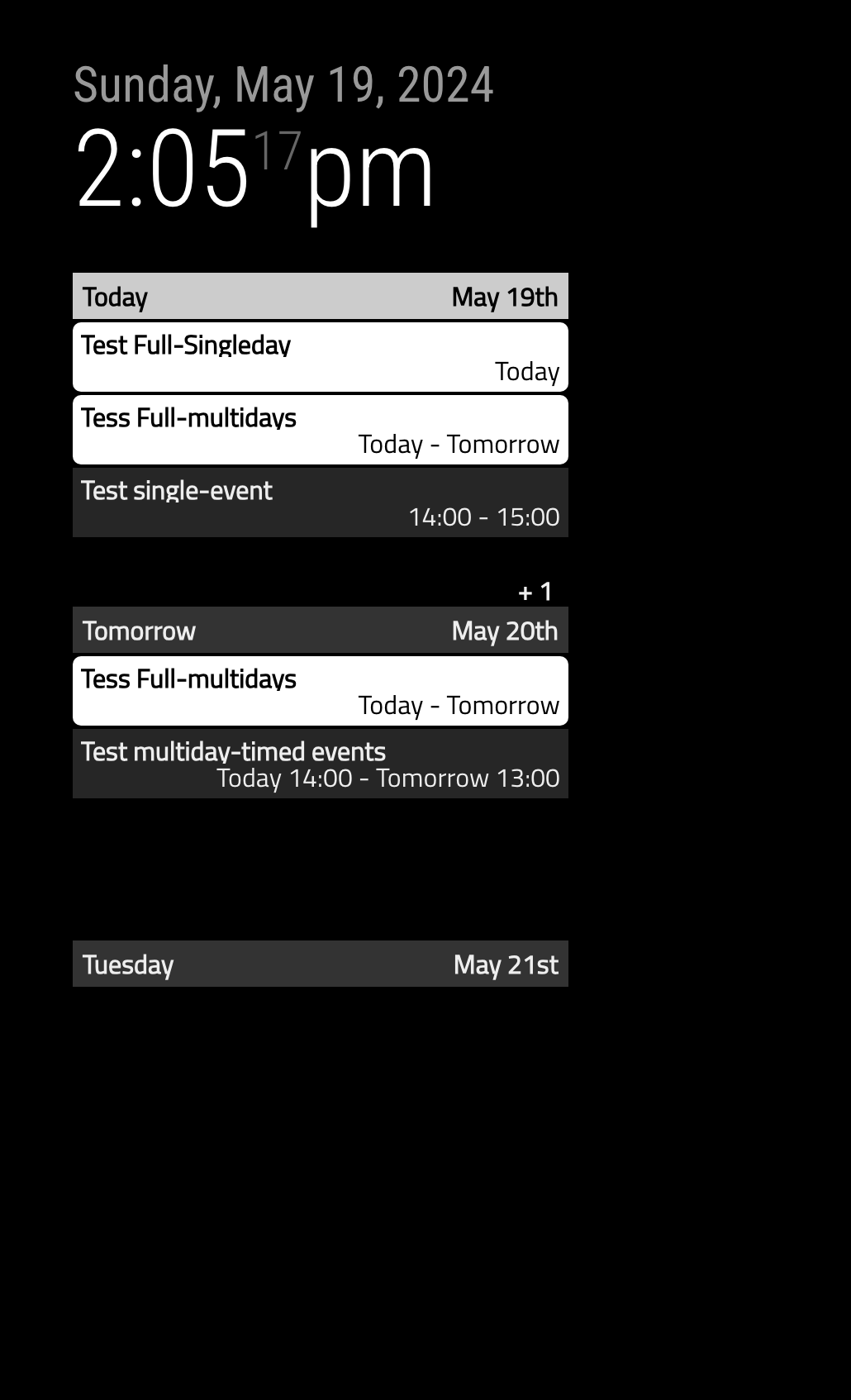
This is my config for my Google Calendar ics.
{
  module: 'MMM-CalendarExt2',
  config: {
    calendars : [
      {
        url: "https://calendar.google.com/calendar/ical/4b9c...6390%40group.calendar.google.com/private-e481c...c7cc/basic.ics",
			},
		],
		scenes: [
			{
				name: "DEFAULT",
			},
		],
		views: [
			{
				mode: "daily",
				name: "DAILY_VIEW",
			}
		],
  },
},
I used
Secret address URL for ical format, you looks also use that URL too.[2024-05-18 13:27:05.414] [LOG] [CALEXT2] calendar:0 >> Scanned: 1, Selected: 1Your log says the parsing completed successfully for your ics. It may have 1 event.
However, I have no idea why the module doesn’t appear. Maybe other module may interrupt something.
To make things simple, you can test a new config without other modules exceptMMM-CalendarExt2andclockmodule. You can focus the issue only. -
Anyway, I stopped to maintain CX2.
You can use MMM-CalendarExt3Agenda instead. It could have similar looks, though not identical.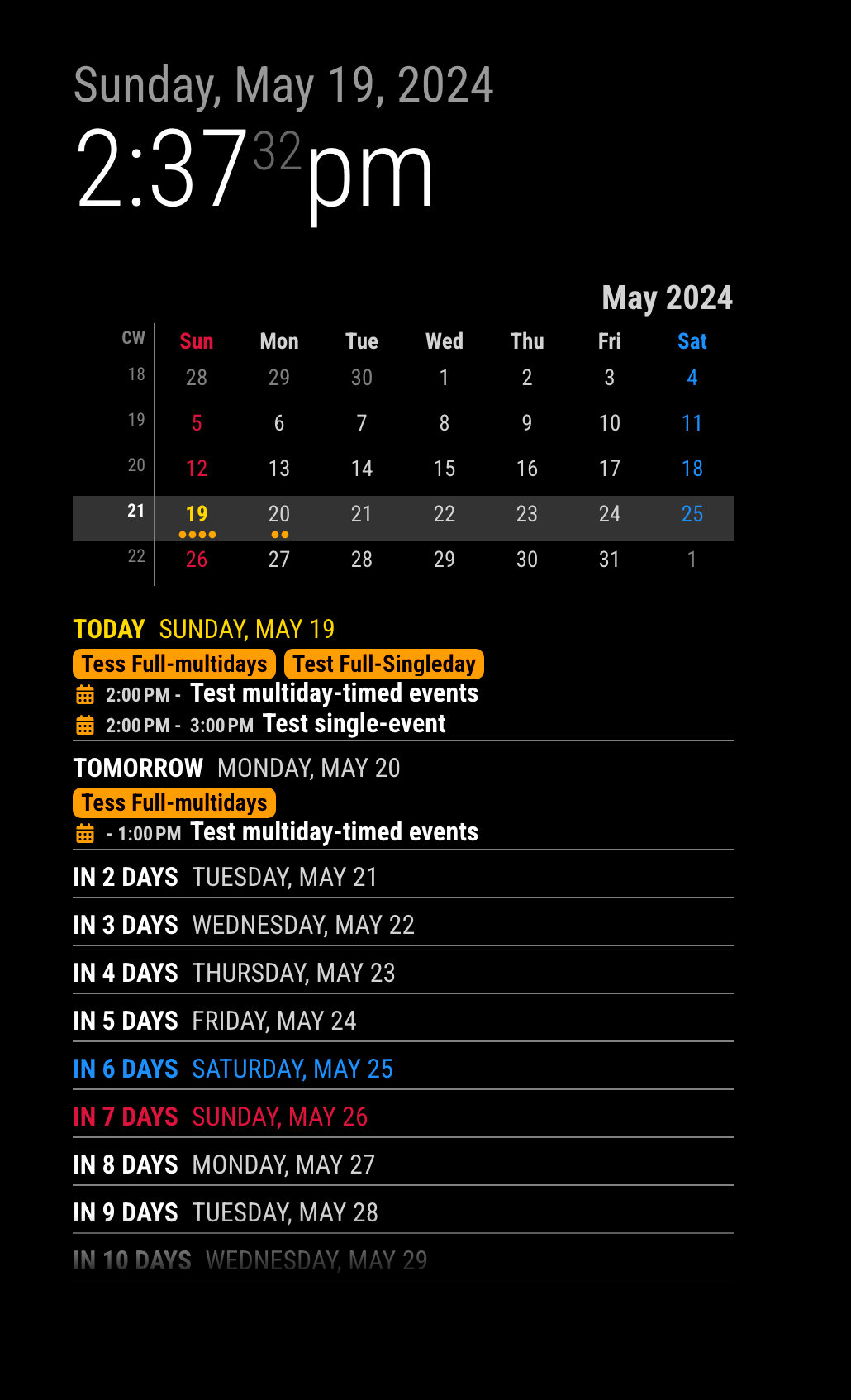
-
@veny Ahh, ext3agenda has a minimonth display, or if you’d like another take on it, my module, MMM-Multimonth does another style of mini calendar display. Both use the very same calendar base, and both will be supported.
Lots of options for better supported calendar operations. Please take a look at the 3rd Party modules in the title bar above. The List icon "
 " will lead the way.
 -
@BKeyport
Hello. Thank you very much for the hint about the module. I installed it and am using it. Please tell me how I can increase the font size in the name of the month and numbers. Thank you in advance!

Hello! It looks like you're interested in this conversation, but you don't have an account yet.
Getting fed up of having to scroll through the same posts each visit? When you register for an account, you'll always come back to exactly where you were before, and choose to be notified of new replies (either via email, or push notification). You'll also be able to save bookmarks and upvote posts to show your appreciation to other community members.
With your input, this post could be even better 💗
Register Login