Read the statement by Michael Teeuw here.
Receive a HTTP request and subsequently wake up display and display alert/notification
-
Hi,
I have been trying to display a notification on my MM upon the receival of a HTTP request that comes from my gate. When womeone pushes the button at the gate, the gate is able to do a HTTP request.It is setup to request: http://MYMM:8090/webhook
When that is fired I receive a 200:OK.
In my config I have:
{
      module: "MMM-NotificationTrigger",
      config: {
        useWebhook:true,
        triggers:[
          {
            trigger: "SHOW_ALERT",
            fires: [
              {
                fire:"SHOW_ALERT",
                payload:{
                        "title": "PORTEN",
                        "message": "Der er nogen ved porten",
                        "timer":5000
                        },
              },
            ],
          },
        ]
      }
 },
Can anyone point me in the right direction?
Much appreciated :)
Br,
Lars -
@MMRIZE said in Receive a HTTP request and subsequently wake up display and display alert/notification:
@MilkShake said in Receive a HTTP request and subsequently wake up display and display alert/notification:
It works when I include the notification in the URL like this:
http://MMIP:8090/remote?action=NOTIFICATION¬ification=SOMEONE_AT_THE_DOOR
Simply, you can use this.
http://MMIP:8090/webhook?notification=SOMEONE_AT_THE_DOORThat is the
GETmethod.for the shellscript, your trial seems right, but you should take care for the path and the permission.
I think this would be right. (It depends on your environment)exec: "bash /home/Kragh/monitor_on.sh", // OR exec: ". /home/Kragh/monitor_on.sh",Well, I got it working, sort off.
I cannot get http://192.168.1.100:8090/webhook?action=notification=SOMEONE_AT_THE_DOOR to work. It returns a 200:OK but nothing is displayed.
I have to use http://MMIP:8090/remote?action=NOTIFICATION¬ification=SOMEONE_AT_THE_DOOR for it to work.
-
@MilkShake
What is the request body from the gate? “SHOW_ALERT”? I think it would be better to emit other dedicated custom notification other than “SHOW_ALERT”. -
@MMRIZE he is trying to get the alert module popup
-
@MMRIZE said in Receive a HTTP request and subsequently wake up display and display alert/notification:
@MilkShake
What is the request body from the gate? “SHOW_ALERT”? I think it would be better to emit other dedicated custom notification other than “SHOW_ALERT”.It is just a webhook that is meant to get cached by MMM-NotificationTrigger module, that in turn should be able to send notifications to the Alert module.
-
First, What request method and body is emitted from the gate?
It should be something like;- endpoint :
http://MYMM:8090/webhook - requestMethod :
"POST" - requestHeader:
"Content-type: application/json" - requestBody : (
{
  notification: "SOMEONE_AT_THE_DOOR"
}
If you select “GET” as requestMethod, you may need to deliver the notification as parameter instead of requestBody JSON
Then you can configure like this.
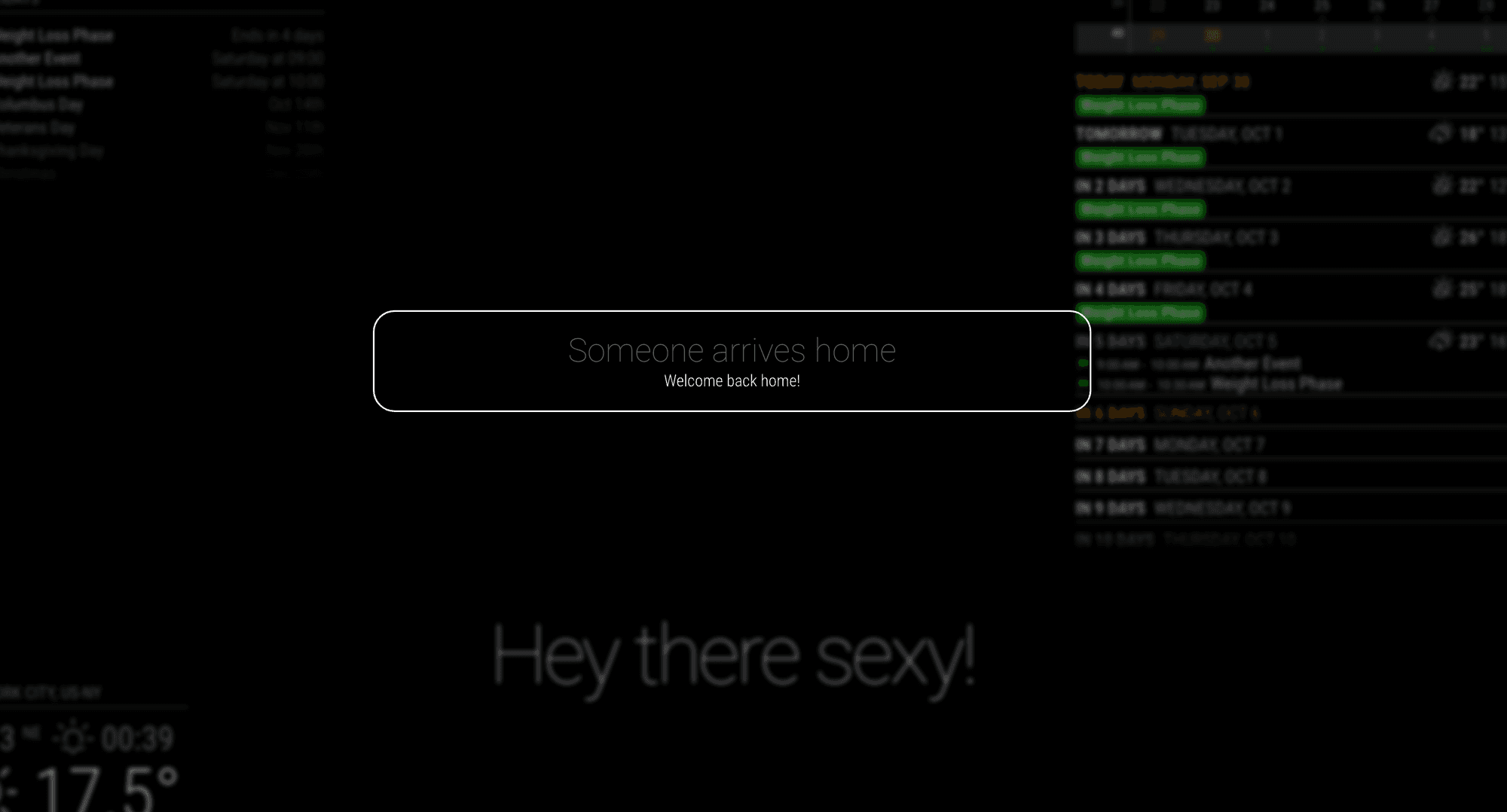
{ module: "MMM-NotificationTrigger", config: { useWebhook: true, triggers: [ { trigger: "SOMEONE_AT_THE_DOOR", fires: [ { fire: "SHOW_ALERT", payload: { title: "Someone arrives home", message: "Welcome back home!", timer: "10000", } } ] } ] } }, - endpoint :
-
@MMRIZE said in Receive a HTTP request and subsequently wake up display and display alert/notification:
First, What request method and body is emitted from the gate?
It should be something like;- endpoint :
http://MYMM:8090/webhook - requestMethod :
"POST" - requestHeader:
"Content-type: application/json" - requestBody : (
{
  notification: "SOMEONE_AT_THE_DOOR"
}
If you select “GET” as requestMethod, you may need to deliver the notification as parameter instead of requestBody JSON
Then you can configure like this.
{
	module: "MMM-NotificationTrigger",
	config: {
		useWebhook: true,
		triggers: [
			{
				trigger: "SOMEONE_AT_THE_DOOR",
				fires: [
					{
						fire: "SHOW_ALERT",
						payload: {
							title: "Someone arrives home",
							message: "Welcome back home!",
							timer: "10000",
						}
					}
				]
			}
		]
	}
},
Thanks man! I will try that out. I think the doorbird appliance is using application/json POST requests, even though that is hard to find in the documentation.
- endpoint :
-
@MilkShake
Could you share the doc? Let’s look inside together. -
@MMRIZE All I have is this:
https://www.doorbird.com/downloads/manual_d10x_en_de.pdf
It works when I include the notification in the URL like this:
http://MMIP:8090/remote?action=NOTIFICATION¬ification=SOMEONE_AT_THE_DOOR
That is sweet. Now I need to exec a shell script also.
-
Also, do you know the syntax for executing a shell script in MMM-NotificationTrigger?
I though it would be like this:
{
        module: "MMM-NotificationTrigger",
        config: {
                useWebhook: true,
                triggers: [
                        {
                                trigger: "SOMEONE_AT_THE_DOOR",
                                fires: [
                                        {
                                                fire: "SHOW_ALERT",
                                                exec: "home/Kragh/monitor_on.sh",
                                                payload: {
                                                        title: "PORTEN",
                                                        message: "Der er nogen ved porten!",
                                                        timer: "10000",
                                                }
                                        }
                                ]
                        }
                ]
        }
}
monitor_on.sh is set as executionable.
-
@MilkShake said in Receive a HTTP request and subsequently wake up display and display alert/notification:
It works when I include the notification in the URL like this:
http://MMIP:8090/remote?action=NOTIFICATION¬ification=SOMEONE_AT_THE_DOOR
Simply, you can use this.
http://MMIP:8090/webhook?notification=SOMEONE_AT_THE_DOORThat is the
GETmethod.for the shellscript, your trial seems right, but you should take care for the path and the permission.
I think this would be right. (It depends on your environment)exec: "bash /home/Kragh/monitor_on.sh", // OR exec: ". /home/Kragh/monitor_on.sh", -
Oh well, succeded in turning the display on as well:
{
        module: "MMM-NotificationTrigger",
        config: {
                useWebhook: true,
                triggers: [
                        {
                                trigger: "SOMEONE_AT_THE_DOOR",
                                fires: [
                                        {
                                                fire: "SHOW_ALERT",
                                                exec: "vcgencmd display_power 1",
                                                payload: {
                                                        title: "PORTEN",
                                                        message: "Der er nogen ved porten!",
                                                        timer: "20000",
                                                }
                                        }
                                ]
                        }

                ]
        }
},
Last thing to do is to also play the doorbell. I need to configure the speaker on the rasp4 first.
-
@MMRIZE said in Receive a HTTP request and subsequently wake up display and display alert/notification:
@MilkShake said in Receive a HTTP request and subsequently wake up display and display alert/notification:
It works when I include the notification in the URL like this:
http://MMIP:8090/remote?action=NOTIFICATION¬ification=SOMEONE_AT_THE_DOOR
Simply, you can use this.
http://MMIP:8090/webhook?notification=SOMEONE_AT_THE_DOORThat is the
GETmethod.for the shellscript, your trial seems right, but you should take care for the path and the permission.
I think this would be right. (It depends on your environment)exec: "bash /home/Kragh/monitor_on.sh", // OR exec: ". /home/Kragh/monitor_on.sh",Well, I got it working, sort off.
I cannot get http://192.168.1.100:8090/webhook?action=notification=SOMEONE_AT_THE_DOOR to work. It returns a 200:OK but nothing is displayed.
I have to use http://MMIP:8090/remote?action=NOTIFICATION¬ification=SOMEONE_AT_THE_DOOR for it to work.
-
@MilkShake said in Receive a HTTP request and subsequently wake up display and display alert/notification:
I cannot get
http://192.168.1.100:8090/webhook?action=notification=SOMEONE_AT_THE_DOORto work. It returns a 200:OK but nothing is displayed.http://MMIP:8090/webhook?notification=SOMEONE_AT_THE_DOORread carefully.
-
@MMRIZE said in Receive a HTTP request and subsequently wake up display and display alert/notification:
@MilkShake said in Receive a HTTP request and subsequently wake up display and display alert/notification:
I cannot get
http://192.168.1.100:8090/webhook?action=notification=SOMEONE_AT_THE_DOORto work. It returns a 200:OK but nothing is displayed.http://MMIP:8090/webhook?notification=SOMEONE_AT_THE_DOORread carefully.
You are absolutely correct. Thanks for pointing it out.
-
S sdetweil has marked this topic as solved on
Hello! It looks like you're interested in this conversation, but you don't have an account yet.
Getting fed up of having to scroll through the same posts each visit? When you register for an account, you'll always come back to exactly where you were before, and choose to be notified of new replies (either via email, or push notification). You'll also be able to save bookmarks and upvote posts to show your appreciation to other community members.
With your input, this post could be even better 💗
Register Login