Read the statement by Michael Teeuw here.
Updating Compliments using a spreadsheet
-
I just discovered MagicMirror last week and got things setup this weekend. It has been a blast trying out new modules. A big thank you to everyone in the community that has given their time.
I am not a programmer and not much for command line. But I can follow instructions and copy and paste. I was looking for ways to update my mirror without having to touch terminal. I wanted an easy way to update my Compliments without making an JSON file by hand. I setup a new google sheets document.
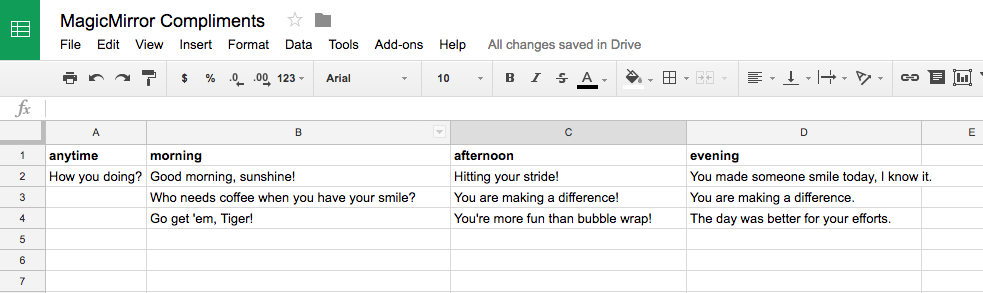
Then published it.
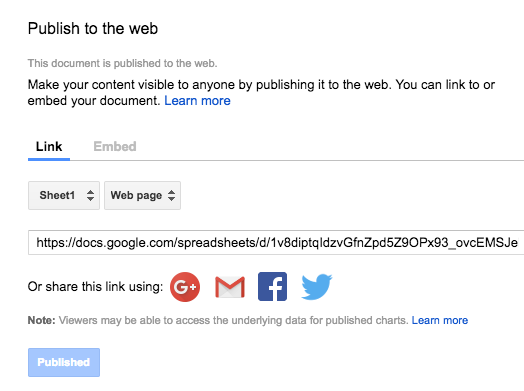
It turns out the JSON that google exports is not the JSON that Compliments needs. I tired my hand at jquery and html and got it to create the same format in the browser. But what is rendered in the browser window isn’t JSON either, it looks like it but it isn’t. I tried specifying the remotefile path as the html file that I made didn’t work.
I then tried writing to the file system and javascript can’t do that in the browser either. Then I discovered that node.js can write a file. I converted my jquery JSON looper into a node file.
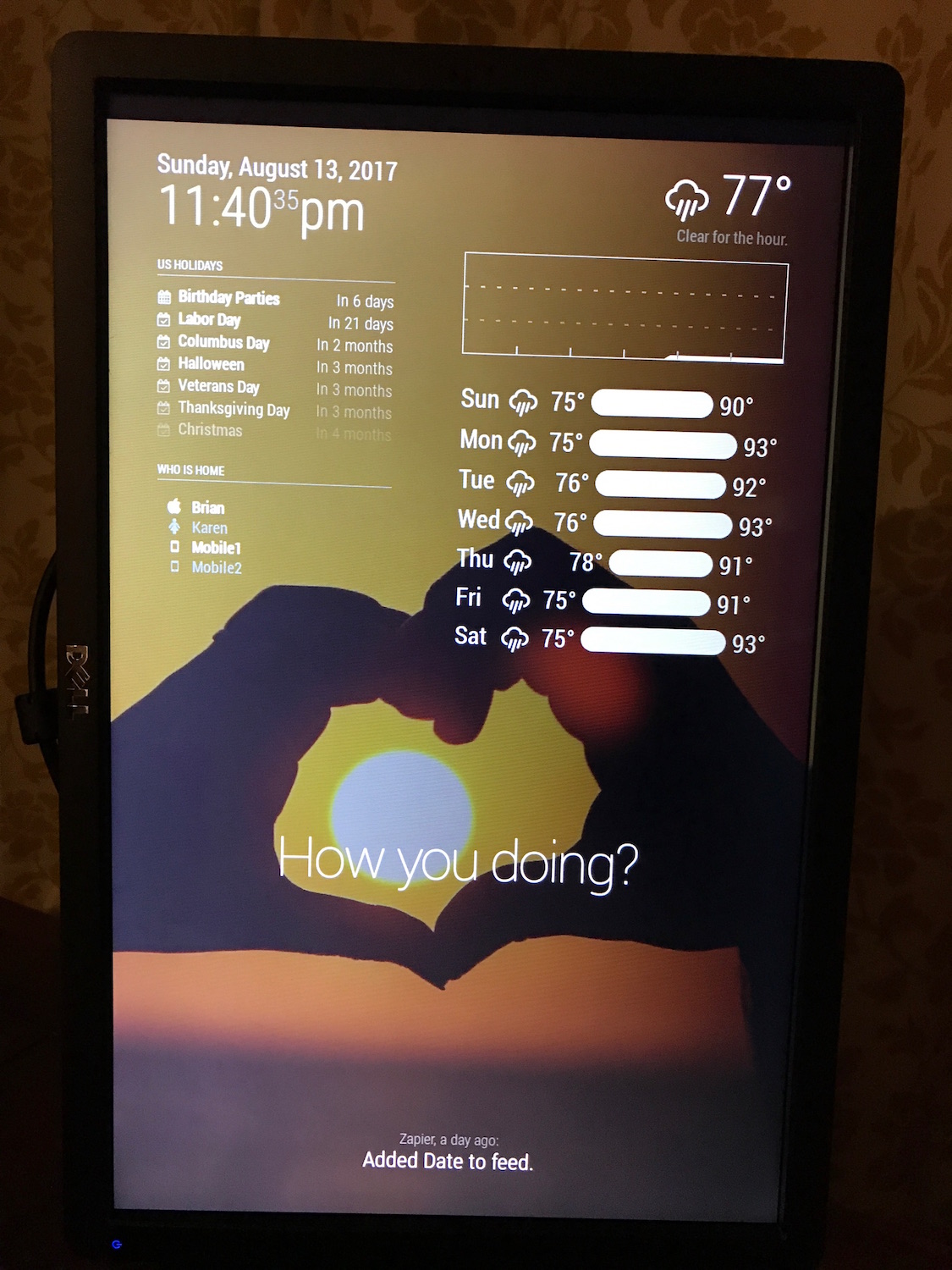
I started this morning with my first javascript, and this afternoon my first node.js, now tonight I am trying to figure out how to best make it work. I have to manually run
node remotefile.jsconfig.js
{
     module: 'compliments',
     position: 'lower_third',
     config: {
	 remoteFile: 'remotefile.json'
     }
}
And finally my noob code…
'use strict';
var request = require('request');

var url = 'https://spreadsheets.google.com/feeds/list/YOUR_SECRET_SHEET_LINK_ID/od6/public/values?alt=json';
var compliments = '';
var anytime = '';
var morning = '';
var afternoon = '';
var evening = '';

request.get({
    url: url,
    json: true,
    headers: { 'User-Agent': 'request' }
}, (err, res, data) => {
    if (err) {
        console.log('Error:', err);
    } else if (res.statusCode !== 200) {
        console.log('Status:', res.statusCode);
    } else {
        // data is already parsed as JSON:
        var entry = data.feed.entry;

        // anytime column
        anytime += '\t"anytime" : [\r\n';
        for (var i = 0; i < entry.length; i++) {
            if (entry[i]['gsx$anytime']['$t']) {
                anytime += '\t\t"' + entry[i]['gsx$anytime']['$t'] + '",\r\n';
            }
        }
        anytime = anytime.replace(/,\s*$/, "") + '\r\n';
        anytime += '\t],\r\n';

        // morning column
        morning += '\t"morning" : [\r\n';
        for (var i = 0; i < entry.length; i++) {
            if (entry[i]['gsx$morning']['$t']) {
                morning += '\t\t"' + entry[i]['gsx$morning']['$t'] + '",\r\n';
            }
        }
        morning = morning.replace(/,\s*$/, "") + '\r\n';
        morning += '\t],\r\n';

        // afternoon column
        afternoon += '\t"afternoon" : [\r\n';
        for (var i = 0; i < entry.length; i++) {
            if (entry[i]['gsx$afternoon']['$t']) {
                afternoon += '\t\t"' + entry[i]['gsx$afternoon']['$t'] + '",\r\n';
            }
        }
        afternoon = afternoon.replace(/,\s*$/, "") + '\r\n';
        afternoon += '\t],\r\n';

        // evening column
        evening += '\t"evening" : [\r\n';
        for (var i = 0; i < entry.length; i++) {
            if (entry[i]['gsx$evening']['$t']) {
                evening += '\t\t"' + entry[i]['gsx$evening']['$t'] + '",\r\n';
            }
        }
        evening = evening.replace(/,\s*$/, "") + '\r\n';
        evening += '\t]';


        compliments = '{\r\n' + anytime + morning + afternoon + evening + '\r\n}';

        var fs = require('fs');
        fs.writeFile("remotefile.json", compliments, function(err) {
            if (err) {
                return console.log(err);
            }

            console.log("The file was saved!");
        });

    }
});
I know the code could be a lot better. I also know I could use PHP to make it easier (just return JSON from the url). What would be the best MagicMirror way?
-
@bwente can you post the data structure you are receiving from spreadsheet?
-
Google being very through with their JSON…
{ "version": "1.0", "encoding": "UTF-8", "feed": { "xmlns": "http://www.w3.org/2005/Atom", "xmlns$openSearch": "http://a9.com/-/spec/opensearchrss/1.0/", "xmlns$gsx": "http://schemas.google.com/spreadsheets/2006/extended", "id": { "$t": "https://spreadsheets.google.com/feeds/list/YOUR_SECRET_SHEET_LINK_ID/od6/public/values" }, "updated": { "$t": "2017-08-14T03:28:11.565Z" }, "category": [ { "scheme": "http://schemas.google.com/spreadsheets/2006", "term": "http://schemas.google.com/spreadsheets/2006#list" } ], "title": { "type": "text", "$t": "Sheet1" }, "link": [ { "rel": "alternate", "type": "application/atom+xml", "href": "https://docs.google.com/spreadsheets/d/YOUR_SECRET_SHEET_LINK_ID/pubhtml" }, { "rel": "http://schemas.google.com/g/2005#feed", "type": "application/atom+xml", "href": "https://spreadsheets.google.com/feeds/list/YOUR_SECRET_SHEET_LINK_ID/od6/public/values" }, { "rel": "http://schemas.google.com/g/2005#post", "type": "application/atom+xml", "href": "https://spreadsheets.google.com/feeds/list/YOUR_SECRET_SHEET_LINK_ID/od6/public/values" }, { "rel": "self", "type": "application/atom+xml", "href": "https://spreadsheets.google.com/feeds/list/YOUR_SECRET_SHEET_LINK_ID/od6/public/values?alt=json" } ], "author": [ { "name": { "$t": "bwente" }, "email": { "$t": "bwente@email.com" } } ], "openSearch$totalResults": { "$t": "3" }, "openSearch$startIndex": { "$t": "1" }, "entry": [ { "id": { "$t": "https://spreadsheets.google.com/feeds/list/YOUR_SECRET_SHEET_LINK_ID/od6/public/values/cokwr" }, "updated": { "$t": "2017-08-14T03:28:11.565Z" }, "category": [ { "scheme": "http://schemas.google.com/spreadsheets/2006", "term": "http://schemas.google.com/spreadsheets/2006#list" } ], "title": { "type": "text", "$t": "How you doing?" }, "content": { "type": "text", "$t": "morning: Good morning, sunshine!, afternoon: Hitting your stride!, evening: You made someone smile today, I know it." }, "link": [ { "rel": "self", "type": "application/atom+xml", "href": "https://spreadsheets.google.com/feeds/list/YOUR_SECRET_SHEET_LINK_ID/od6/public/values/cokwr" } ], "gsx$anytime": { "$t": "How you doing?" }, "gsx$morning": { "$t": "Good morning, sunshine!" }, "gsx$afternoon": { "$t": "Hitting your stride!" }, "gsx$evening": { "$t": "You made someone smile today, I know it." } }, { "id": { "$t": "https://spreadsheets.google.com/feeds/list/YOUR_SECRET_SHEET_LINK_ID/od6/public/values/cpzh4" }, "updated": { "$t": "2017-08-14T03:28:11.565Z" }, "category": [ { "scheme": "http://schemas.google.com/spreadsheets/2006", "term": "http://schemas.google.com/spreadsheets/2006#list" } ], "title": { "type": "text", "$t": "Row: 3" }, "content": { "type": "text", "$t": "morning: Who needs coffee when you have your smile?, afternoon: You are making a difference!, evening: You are making a difference." }, "link": [ { "rel": "self", "type": "application/atom+xml", "href": "https://spreadsheets.google.com/feeds/list/YOUR_SECRET_SHEET_LINK_ID/od6/public/values/cpzh4" } ], "gsx$anytime": { "$t": "" }, "gsx$morning": { "$t": "Who needs coffee when you have your smile?" }, "gsx$afternoon": { "$t": "You are making a difference!" }, "gsx$evening": { "$t": "You are making a difference." } }, { "id": { "$t": "https://spreadsheets.google.com/feeds/list/YOUR_SECRET_SHEET_LINK_ID/od6/public/values/cre1l" }, "updated": { "$t": "2017-08-14T03:28:11.565Z" }, "category": [ { "scheme": "http://schemas.google.com/spreadsheets/2006", "term": "http://schemas.google.com/spreadsheets/2006#list" } ], "title": { "type": "text", "$t": "Row: 4" }, "content": { "type": "text", "$t": "morning: Go get 'em, Tiger!, afternoon: You're more fun than bubble wrap!, evening: The day was better for your efforts." }, "link": [ { "rel": "self", "type": "application/atom+xml", "href": "https://spreadsheets.google.com/feeds/list/YOUR_SECRET_SHEET_LINK_ID/od6/public/values/cre1l" } ], "gsx$anytime": { "$t": "" }, "gsx$morning": { "$t": "Go get 'em, Tiger!" }, "gsx$afternoon": { "$t": "You're more fun than bubble wrap!" }, "gsx$evening": { "$t": "The day was better for your efforts." } } ] } } -
Hi, where did you write this code ? When I try write on “compliments.js” my console does not recognize ‘require’ tag. Could you please share fullcode ?
-
@emrah_asl the modulename.js does not allow require(). as it runs inside the browser. anything needing require() must be done in the node_helper.js, and the two parts must send data back and forth with socketNotifications per the mm spec.
-
Hi @sdetweil thanks I missed up
, so what should I customize compliment.js ?
Here is my change on compliement.js
remoteFile: "remotefile.json",I created my json link and create node_helper.js file and put my folder with these codes.
But I think I missed somethings, it doesn’t work, and there is no file creation on folder called “remotefile.json”
-
@emrah_asl well, what does the node_helper do? there is a specific structure to that file, as it is a program under mm as part of a module. if u created it as a standalone pgm, then it won’t work like u want.
-
@sdetweil after I created node__helper.js manually, then I typed ‘npm start’ , the file has created, bu this time there was electron error (MM closed) interesting.
-
@emrah_asl yeh, that won’t work
-
@sdetweil so, what is formula to run this ? what do you think acording your experience ?
-
@emrah_asl well, the problem is coming up w something u have the skills to do.
-
so, thinking more.
do you have a js routine that will download the sheet in json and convert to the proper format now? you would execute it with
node ???whatever your script name is???
if so, you could add it to the installers/mm.sh script that is used by pm2 to start mm.
this way every time mm is started, you would download the new compliments file sheet and convert it
-
Hi @sdetweil ,
Thanks for reply.
my code in node_helper.js (under compliments folder) are creating file on root normally when you start mm with npm start
The problems are,
1 - I need to change save folder not root side, it needs to be under compliements folder, so I change this but not worksvar fs = require('fs'); fs.writeFile("modules/default/compliments/remotefile.json", compliments, function(err) { if (err) { return console.log(err); } console.log("The file was saved!"); });- The second problem , my magic mirror fires electron.js error when I try to create file. I’m new on these, how can i use mm.sh for create&locate remotefile.json under compliments folder ?
-
@emrah_asl said in Updating Compliments using a spreadsheet:
fs.writeFile("modules/default/compliments/remotefile.json", compliments, function(err) {- my code in node_helper.js (under compliments folder) are creating file on root normally when you start mm with npm start
don’t make this node_helper.js as MM has a special use for that…
make it createCompliments.jsthen the best thing is use the full path for the file
fs.writeFile("/home/pi/MagicMirror/modules/default/compliments/remotefile.json", compliments, function(err) {how do you start MM?
pm2 start 0 (and it starts on boot too…) If you used the automated install script u would have been prompted to set this up.
(if u want to add it now, you can run the fixuppm2.sh script from here
https://github.com/sdetweil/MagicMirror_scripts
just one line to copy/paste
)now, if you use pm2, it launches MM by using the installers/mm.sh script. you can add your
node modules/default/compliments/createCompliments.jsto the mm.sh and all will continue as normal.
-
The second problem , my magic mirror fires electron.js error when I try to create file.
i don’t understand this.
npm start fires electron.js
npm reads the package,json file and looks for the command requested
	"scripts": {
		"start": "DISPLAY=\"${DISPLAY:=:0}\" ./node_modules/.bin/electron js/electron.js",
the ‘start’ command executes that line.

Hello! It looks like you're interested in this conversation, but you don't have an account yet.
Getting fed up of having to scroll through the same posts each visit? When you register for an account, you'll always come back to exactly where you were before, and choose to be notified of new replies (either via email, or push notification). You'll also be able to save bookmarks and upvote posts to show your appreciation to other community members.
With your input, this post could be even better 💗
Register Login