MagicMirror Forum
    • Recent
    • Tags
    • Unsolved
    • Solved
    • MagicMirror² Repository
    • Documentation
    • 3rd-Party-Modules
    • Donate
    • Discord
    • Register
    • Login
    A New Chapter for MagicMirror: The Community Takes the Lead
    Read the statement by Michael Teeuw here.

    MMM-CalendarExt

    Scheduled Pinned Locked Moved Productivity
    198 Posts 45 Posters 232.8k Views 45 Watching
    Loading More Posts
    • Oldest to Newest
    • Newest to Oldest
    • Most Votes
    Reply
    • Reply as topic
    Log in to reply
    This topic has been deleted. Only users with topic management privileges can see it.
    • ? Offline
      A Former User @Vauxdvihl
      last edited by A Former User

      @Vauxdvihl
      I think I’ve fixed it. pull the source and try again.

      1 Reply Last reply Reply Quote 0
      • V Offline
        Vauxdvihl
        last edited by

        Amazing
        Thanks a lot

        1 Reply Last reply Reply Quote 0
        • V Offline
          Vauxdvihl
          last edited by

          Hi Sean,

          according to b.)
          Sorry to asked again.
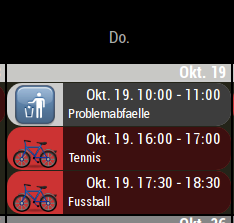
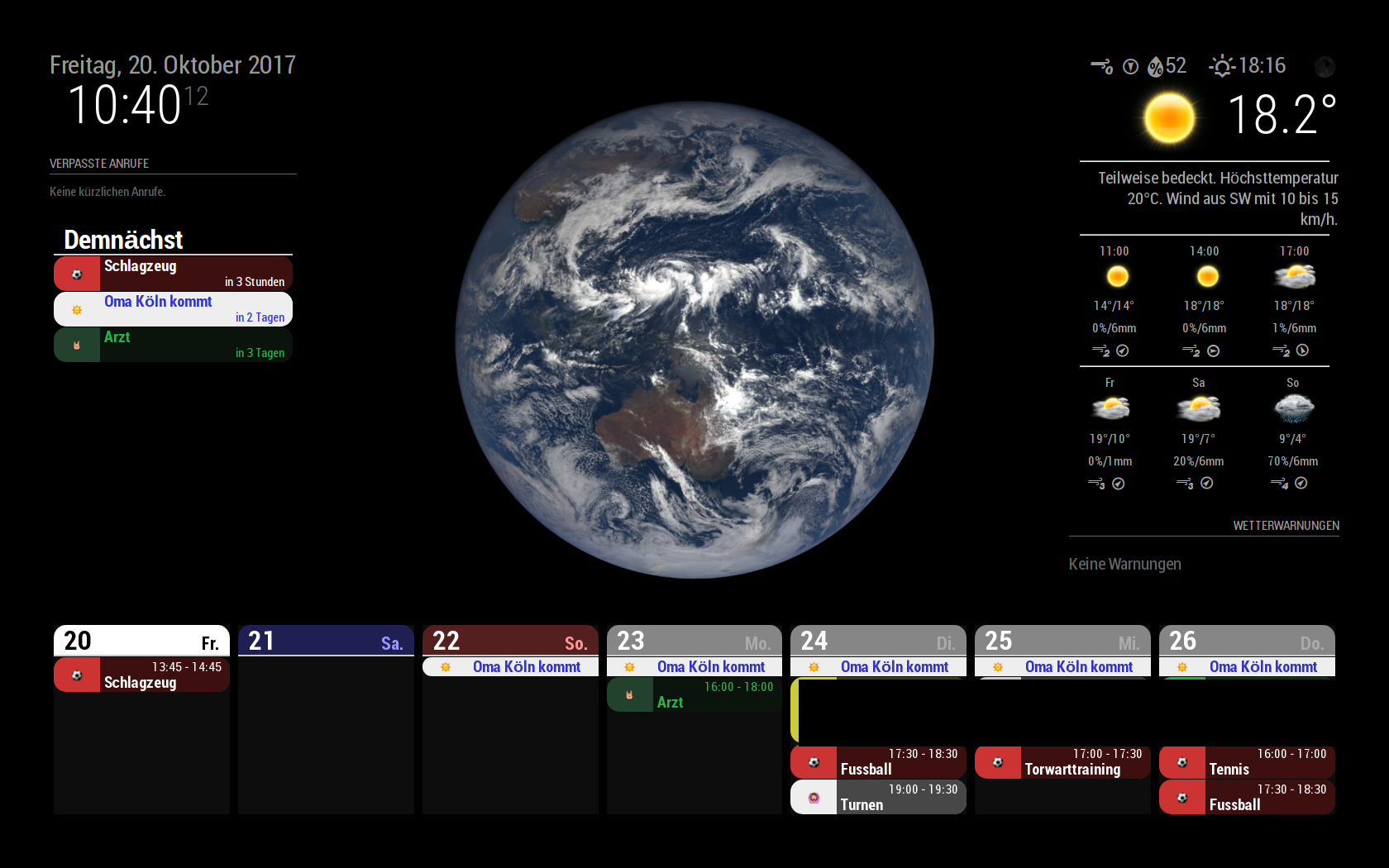
          While playing a little bit with the config parameters, i can “only” adjust the size of the area within the symbol is located.
          But it doesn’t change the size of the symbol itself
          Thanks a lot

          ? 1 Reply Last reply Reply Quote 0
          • ? Offline
            A Former User @Vauxdvihl
            last edited by A Former User

            @Vauxdvihl
            Did you add this?

             font-size: 150%; // Add this
            

            Give bigger value for that.(And you need to change value of *-width for adjusting)

            1 Reply Last reply Reply Quote 0
            • V Offline
              Vauxdvihl
              last edited by

              @Sean
              I am not a programmer :-)
              I have played a little bit…also with big values, but the symbol size does not change.
              Maybe i am doing something wrong?

              /*****************************************************
               * Magic Mirror                                      *
               * Custom CSS                                        *
               *                                                   *
               * By Michael Teeuw http://michaelteeuw.nl           *
               * MIT Licensed.                                     *
               *                                                   *
               * Add any custom CSS below.                         *
               * Changes to this files will be ignored by GIT. *
               *****************************************************/


               div.CALEXT  .event .symbol {
                  order:1;
                  display:block;
                  flex-basis: 40px; // Modify this 
                  text-align:center;
                  min-width: 50px; // Modify this
                  font-size: 800%; // Add this
              }


              0_1508489536934_2017-10-20-104019_1680x1050_scrot.png

              ? 1 Reply Last reply Reply Quote 0
              • ? Offline
                A Former User @Vauxdvihl
                last edited by A Former User

                @Vauxdvihl
                Ok. I know what’s the problem. I’ve forgotten emoji belongs different section.
                put this in your css.

                div.CALEXT .events .symbol.emoji {
                    font-size: 100%; //Adjust this as your wish. you can use px or %
                }
                
                1 Reply Last reply Reply Quote 0
                • V Offline
                  Vauxdvihl
                  last edited by

                  @Sean
                  Perfect for some symbols
                  But the symbol “trash-o” will be not “re-sized”.
                  I have to look for a symbol in other sources == > “em”…and so on

                  ? 1 Reply Last reply Reply Quote 0
                  • ? Offline
                    A Former User @Vauxdvihl
                    last edited by

                    @Vauxdvihl
                    for emoji(@em) size, see my last answer.

                    for FA and MD (default and @fa & @md) sizes are related to my previous answer.

                    1 Reply Last reply Reply Quote 0
                    • V Offline
                      Vauxdvihl
                      last edited by

                      @Sean
                      It works fine with adding this code to custom css :-)

                      div.CALEXT .events .symbol.font-awesome {
                          font-size: 250%; //Adjust this as your wish. you can use px or %
                      
                      ? 1 Reply Last reply Reply Quote 0
                      • ? Offline
                        A Former User @Vauxdvihl
                        last edited by

                        @Vauxdvihl Ye… Maybe that’s another solution. :)

                        1 Reply Last reply Reply Quote 0
                        • V Offline
                          Vauxdvihl
                          last edited by Vauxdvihl

                          @Sean
                          Sorry again but i have another question / problem
                          You can see in my above standing screens that split view => current / upcoming does not work.
                          But before doing the update it was working.

                          Here is my config code

                          		{
                          				module: 'MMM-CalendarExt',
                          				position: "lower_third", //anywhere. It is not related to real position of view
                          				config: { // Read below
                          				system: {
                          				  show: ['current','upcoming','daily'],
                          				  locale: 'de', //when omitted, default value would be your system default locale by moment.js
                          				  showEmptyView: 0,
                          				  fullDayEventLocalize: 1,
                          				  redrawInterval: 30*60*1000, //minimum 60000
                          				  useProfileConfig: 0,
                          				  startProfile: ''
                          				},
                          				
                          				 views: {
                          						current: {
                          						  position: "top_left",
                          						  title: "Heute",
                          						  limit: 3,
                          						},
                          						upcoming: {
                          						  position: "top_left",
                          						  title: "Demnächst",
                          						  limit: 3,
                          						},
                          						daily: {
                          						  position: "bottom_bar",
                          						  title: "Überblick",
                          						  counts: 7,
                          						}
                          					  },
                          
                          1 Reply Last reply Reply Quote 0
                          • V Offline
                            Vauxdvihl
                            last edited by Vauxdvihl

                            @Sean
                            Hi,
                            it is me again.
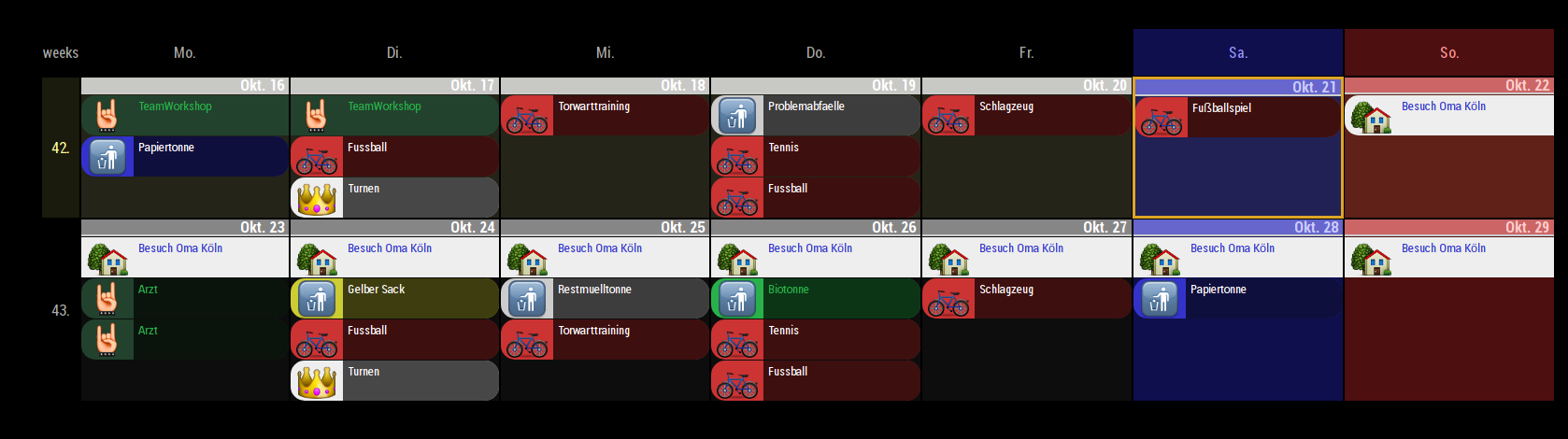
                            After having everything running, my wife wants to have the view “weekly” with 2 counts.
                            Now i have the “problem”, that i search for the config parameter which allows also to see the timings in this view (like 08:00-10:00 …and so on)
                            Is it possible in the “weekly” view?
                            Thanks again for your support and help
                            0_1508615903383_Test.png

                            ? 2 Replies Last reply Reply Quote 0
                            • ? Offline
                              A Former User @Vauxdvihl
                              last edited by A Former User

                              @Vauxdvihl
                              Yes possible.

                              Put this code in your css.

                              div.CALEXT .tableStyle .eventTime {
                                  display:block;
                              }
                              

                              I’m not on the console on weekends, so i didnt test it, but i think it will work.

                              Ps. that view is not ‘weekly’. It is ‘weeks’

                              1 Reply Last reply Reply Quote 0
                              • V Offline
                                Vauxdvihl
                                last edited by

                                @Sean
                                Yes you are right…it is the view "weeks
                                Now i have in the appointment also the date within…it looks a little bit twice…because the date is also within the header of the week…

                                May be you can help me

                                Thanks a lot

                                0_1508651053760_Test.png

                                ? 1 Reply Last reply Reply Quote 0
                                • ? Offline
                                  A Former User @Vauxdvihl
                                  last edited by

                                  @Vauxdvihl
                                  Maybe on Monday I’ll provide you a patch about that.
                                  In ‘Month’ and ‘weeks’ view, I assume nobody needs exact time, because those views might have too many events to show with time. So I I’ve thought time displaying is needed in only daily, upcoming, current.
                                  Anyway, I’ll follow opinion of my real users. :)

                                  1 Reply Last reply Reply Quote 0
                                  • ? Offline
                                    A Former User @Vauxdvihl
                                    last edited by

                                    @Vauxdvihl
                                    I’ve finished the patch, re-pull the source and try again.

                                    1 Reply Last reply Reply Quote 0
                                    • V Offline
                                      Vauxdvihl
                                      last edited by

                                      Thanks a lot
                                      It works

                                      1 Reply Last reply Reply Quote 0
                                      • cowboysdudeC Offline
                                        cowboysdude Module Developer
                                        last edited by cowboysdude

                                        @Sean this is THE best calendar module by far…awesome job!

                                        1 Reply Last reply Reply Quote 0
                                        • P Offline
                                          Phil_T
                                          last edited by

                                          @Sean First of all, great work! This module was exactly what I was looking for.

                                          I´ve been tinkering with it for about a day now and I got a few small issues.

                                          1. Unfortunately I can´t get this (https://calendar.google.com/calendar/ical/de.austrian%23holiday%40group.v.calendar.google.com/public/basic.ics) calendar to show, any suggestions?
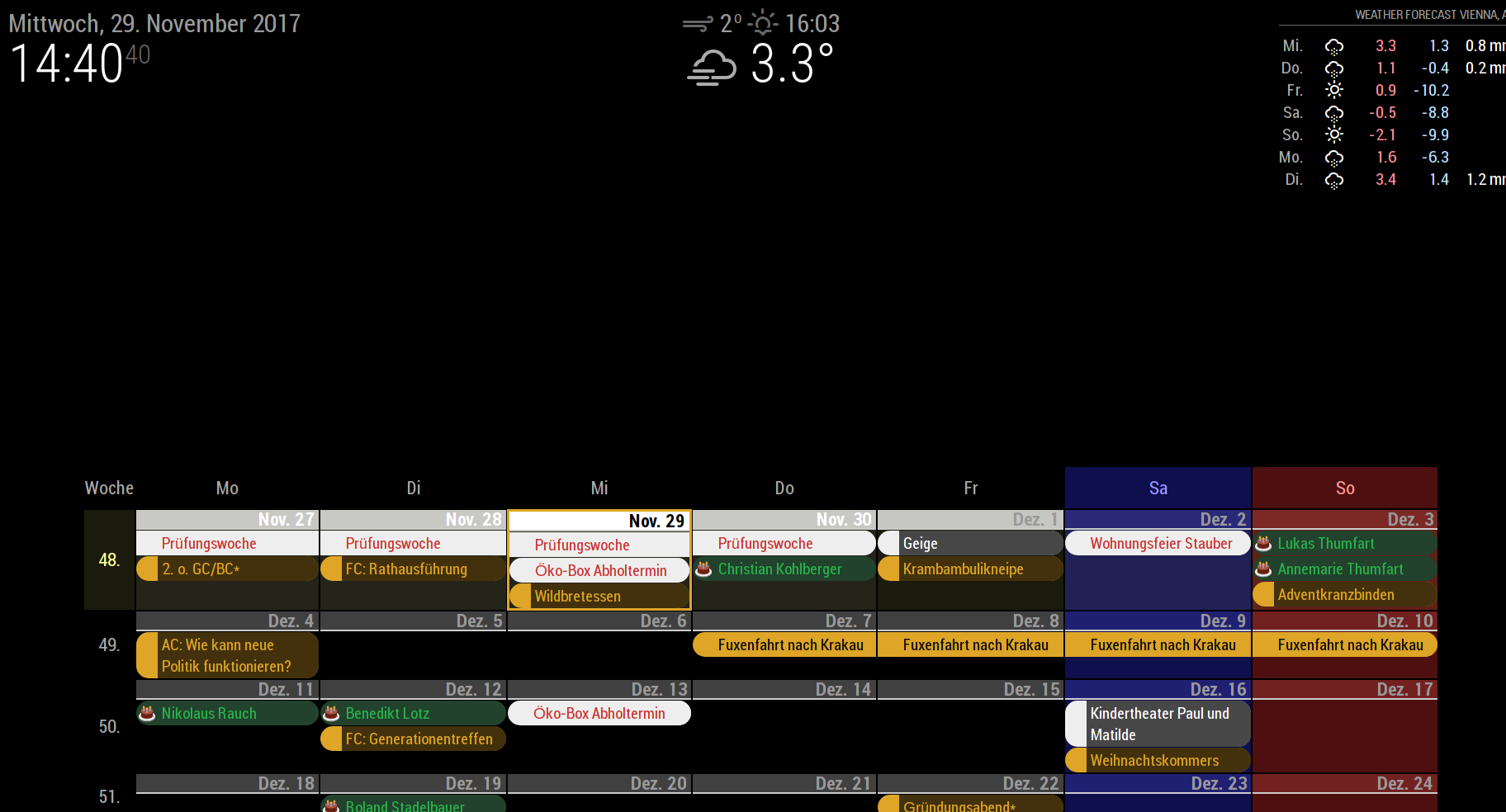
                                          2. As you can see on the screenshot below, there is quite some space left for calendar to use. Any tips on how can designate all this void area for the calendar?
                                            0_1511963454374_screenshot.png
                                          3. I can´t seem to enable the event time (eg. 17:00-19:00 next to the event title), what might be the problem here?

                                          Thanks a lot for the help!

                                          ? 1 Reply Last reply Reply Quote 0
                                          • ? Offline
                                            A Former User @Phil_T
                                            last edited by

                                            @Phil_T said in MMM-CalendarExt:

                                            Unfortunately I can´t get this (https://calendar.google.com/calendar/ical/de.austrian%23holiday%40group.v.calendar.google.com/public/basic.ics) calendar to show, any suggestions?

                                            Has it “Erster Advent” on 3 December? I can see that event.

                                            As you can see on the screenshot below, there is quite some space left for calendar to use. Any tips on how can designate all this void area for the calendar?

                                            Did you mean whole calendar area? or each event?
                                            for whole calendar area; Add this code to your css/custom.css

                                            .CALEXT div.tableStyle {
                                             width:100%;
                                            }
                                            

                                            I can´t seem to enable the event time (eg. 17:00-19:00 next to the event title), what might be the problem here?

                                            Well, I assumed in month view and weeks view people might not need exact time, (Mirror is too small to display many things), So I disabled it by default.
                                            Add this to your css/custom.css

                                            div.CALEXT div.tableStyle div.eventContainer div.eventTime {
                                              display:block;
                                            } 

                                            
                                            1 Reply Last reply Reply Quote 0

                                            Hello! It looks like you're interested in this conversation, but you don't have an account yet.

                                            Getting fed up of having to scroll through the same posts each visit? When you register for an account, you'll always come back to exactly where you were before, and choose to be notified of new replies (either via email, or push notification). You'll also be able to save bookmarks and upvote posts to show your appreciation to other community members.

                                            With your input, this post could be even better 💗

                                            Register Login

                                            • 1
                                            • 2
                                            • 3
                                            • 4
                                            • 5
                                            • 9
                                            • 10
                                            • 2 / 10
                                            • First post
                                              Last post
                                            Enjoying MagicMirror? Please consider a donation!
                                            MagicMirror created by Michael Teeuw.
                                            Forum managed by Sam, technical setup by Karsten.
                                            This forum is using NodeBB as its core | Contributors
                                            Contact | Privacy Policy