Read the statement by Michael Teeuw here.
Calendar Font Size
-
Hi there builders!
I build up my MM and try to install some modules.
After all i get it to run the modules and placed them in the righ space of the mirror.
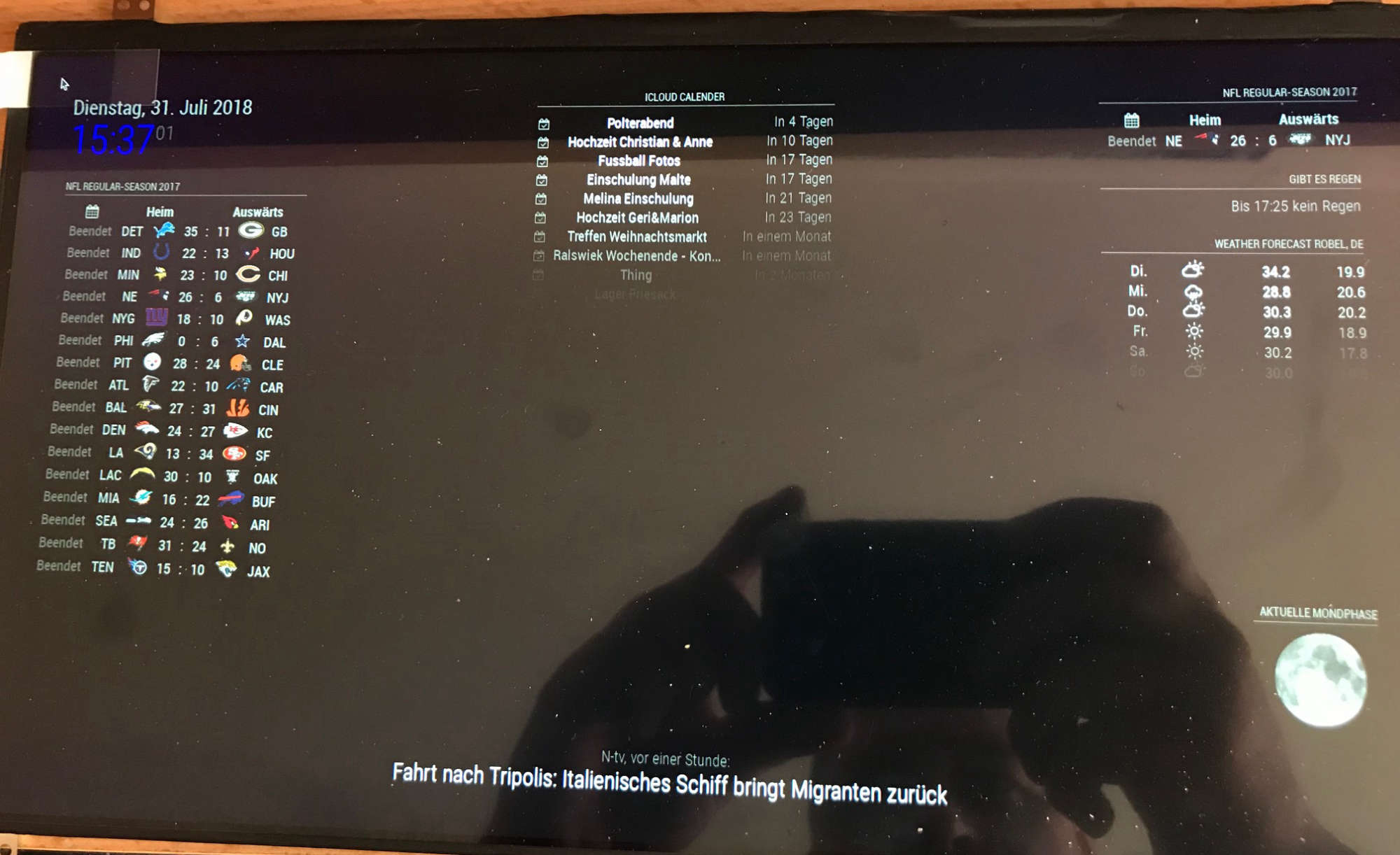
I also read the CSS tut and read all the topics in the CSS Blog… but there is a hole in my head and i can’t understand what’s wrong in my custom.css file…I try some ways to change font size of my calendar that is pointed on the top center.
I like to show up it a little bit bigger.
and second prob is… if I change the font size of my clock it clips into my date… is there a line i forgot to @?
So what`s my fault? Sorry but i don’t get it :(Thats my custom.css file and my screen
.body {

}
.clock .time {
                      font-size 60px;
                      color: blue;
}
.clock .date {
                     font-size: 30px
.calendar {
                 font-size: 200px
}
greetz from germany
-
Add this from the calendar.css to your custom.css…
.calendar .symbol {
  padding-left: 0;
  padding-right: 10px;
  font-size: 80%;
  vertical-align: top;
}

.calendar .symbol span {
  display: inline-block;
  -ms-transform: translate(0, 2px); /* IE 9 */
  -webkit-transform: translate(0, 2px); /* Safari */
  transform: translate(0, 2px);
}

.calendar .title {
  padding-left: 0;
  padding-right: 0;
}

.calendar .time {
  padding-left: 30px;
  text-align: right;
  vertical-align: top;
}
then you can change the font size from there.
Go to your clock.js file and look for this section…
/************************************
		 * Create wrappers for DIGITAL clock
		 */

		var dateWrapper = document.createElement("div");
		var timeWrapper = document.createElement("div");
		var secondsWrapper = document.createElement("sup");
		var periodWrapper = document.createElement("span");
		var weekWrapper = document.createElement("div")
		// Style Wrappers
		dateWrapper.className = "date normal xlarge bolder";
		timeWrapper.className = "time bright large bolder";
		secondsWrapper.className = "dimmed";
		weekWrapper.className = "week dimmed medium"
change the sizes of the date and time here. You can use the sizes as defined in your main.css file…
.xsmall {
  font-size: 15px;
  line-height: 20px;
}

.small {
  font-size: 20px;
  line-height: 25px;
}

.medium {
  font-size: 30px;
  line-height: 35px;
}

.large {
  font-size: 65px;
  line-height: 65px;
}

.xlarge {
  font-size: 75px;
  line-height: 75px;
  letter-spacing: -3px;
}
Hope this helps!
-
Great thanks for reply!!!
I’ll try it in the evening and hope it fits :)THX justjim1220
-
ok… i fixed the clock with the main.css… changing the font-size for xlarge and it fits nice… but the calendar is still as smal as before…
here my custom.css again:} .calendar .symbol { padding-left: 0; padding-right: 10px; font-size: 100%; vertical-align: top; } .calendar .symbol span { display: inline-block; -ms-transform: translate(0, 2px); /* IE 9 */ -webkit-transform: translate(0, 2px); /* Safari */ transform: translate(0, 2px); } .calendar .title { padding-left: 0; padding-right: 0; } .calendar .time { padding-left: 30px; text-align: right; vertical-align: top; } .calendar { width: 375px }with the command
.calendar {
width: 375px
} (see above)nothing is happen to the size of it. still i miss a .class add?
greetz
-
@deroptiker86 said in Calendar Font Size:
.calendar {
width: 375px
}Add the following to the above…
font-size: 2em;
line-height: 2.5em;
OR…
font-size: 35px;
line-height: 40px;
Then, play with the numbers to get it how you want it.
-
Like this…
.calendar {
 width: 375px;
font-size: 2em;
line-height: 2.5em;
}
OR…
.calendar {
 width: 375px;
font-size: 35px;
line-height: 40px;
}
And you are missing the ‘;’ after ‘width: 375px’
-
:/ hmmmm ok i add the lines…
then change the px… and restart and it still looks like the same… thats crazy…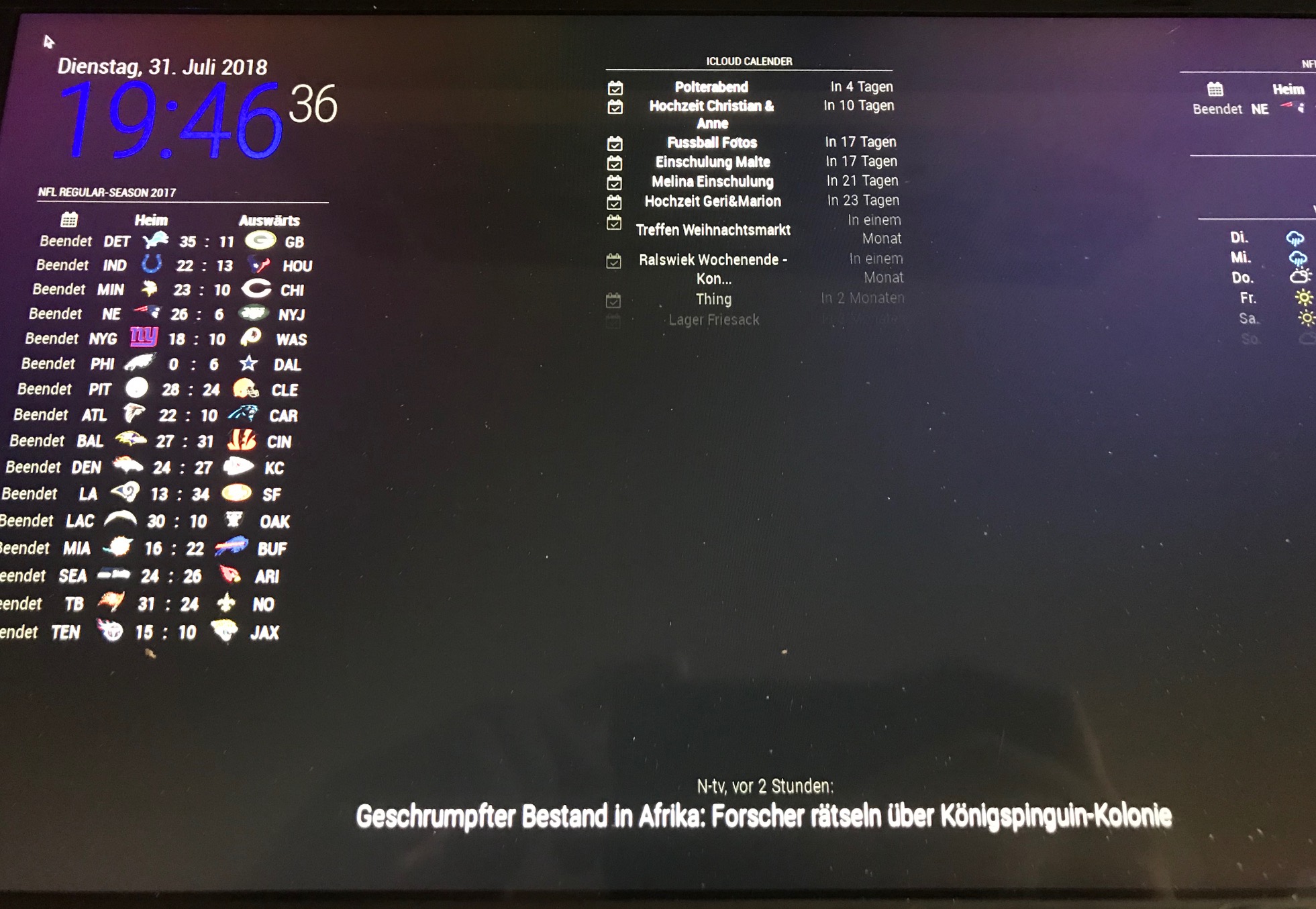
-
Hmmm, let me play with it on my end.
I’ll be right back in a few minutes. -
nice thx!
.calendar .time {
  padding-left: 30px;
  text-align: right;
  vertical-align: top;
}

.calendar {
 width: 375px;
 font-size: 200px;
 line-height: 40px;
}
i also drop my cofig.js here… maybe thats my fault:
language: "de", timeFormat: 24, units: "metric", modules: [ { module: "alert", }, { module: "updatenotification", position: "top_bar" }, { module: "clock", position: "top_left" }, { module: "calendar", header: "Icloud Calender", position: "top_center", config: { calendars: [ { symbol: "calendar-check-o ", url:"webcal://pxxxxxxxxxxxxxxxxxxxxxxxxxxxxxxxxxxxxx } ] } }, { module: 'MMM-NFL', position: 'left', config: { colored: true } }, { module: 'MMM-NFL', position: 'right', config: { colored: true, focus_on: "NE" } }, { module: "MMM-rain-forecast", position: "top_right", // see mirror setting for options header: "Gibt es Regen", config: { lat: xxxx, lon: xxxxx, pleaseWait: "Bitte warten", noRainText: "Bis %s kein Regen", fillColour: '#0074d9' // This is a blue color you can also use blue, cyan etc } }, { module: 'mmm-moon-phases', header: 'Aktuelle Mondphase', // optionally you can add a header to this block position: 'bottom_right', // this can be any of the regions config: { } }, { module: "weatherforecast", -
OK, add the following to your config.js…
tableClass: "large",like this…
{
    module: "calendar",
    header: "iCloud Calendar",
    position: "top_center",
    config: {
        tableClass: "large",
	calendars: [
	    {
	        symbol: "calendar-check-o ",
		url: " "
	    }
	]
    }
},
you can change a lot of the defaults in the config…
defaults: {
		maximumEntries: 10, // Total Maximum Entries
		maximumNumberOfDays: 365,
		displaySymbol: true,
		defaultSymbol: "calendar-alt", // Fontawesome Symbol see http://fontawesome.io/cheatsheet/
		displayRepeatingCountTitle: false,
		defaultRepeatingCountTitle: "",
		maxTitleLength: 50,
		wrapEvents: false, // wrap events to multiple lines breaking at maxTitleLength
		fetchInterval: 30 * 60 * 1000, // Update every 30 minutes.
		animationSpeed: 2000,
		fade: false,
		urgency: 7,
		timeFormat: "relative",
		dateFormat: "MMM Do",
		fullDayEventDateFormat: "MMM Do",
		getRelative: 6,
		fadePoint: 0.25, // Start on 1/4th of the list.
		hidePrivate: false,
		hideOngoing: false,
		colored: true,
		coloredSymbolOnly: true,
		tableClass: "large",
		calendars: [
			{
				symbol: "calendar",
				url: "http://www.calendarlabs.com/templates/ical/US-Holidays.ics",
			},
		],
		titleReplace: {
			"De verjaardag van ": "",
			"'s birthday": ""
		},
		broadcastEvents: true,
		excludedEvents: []
	},
I hope this is what you’re looking for. :winking_face:
-
:rolling_on_the_floor_laughing: :rolling_on_the_floor_laughing: :rolling_on_the_floor_laughing:
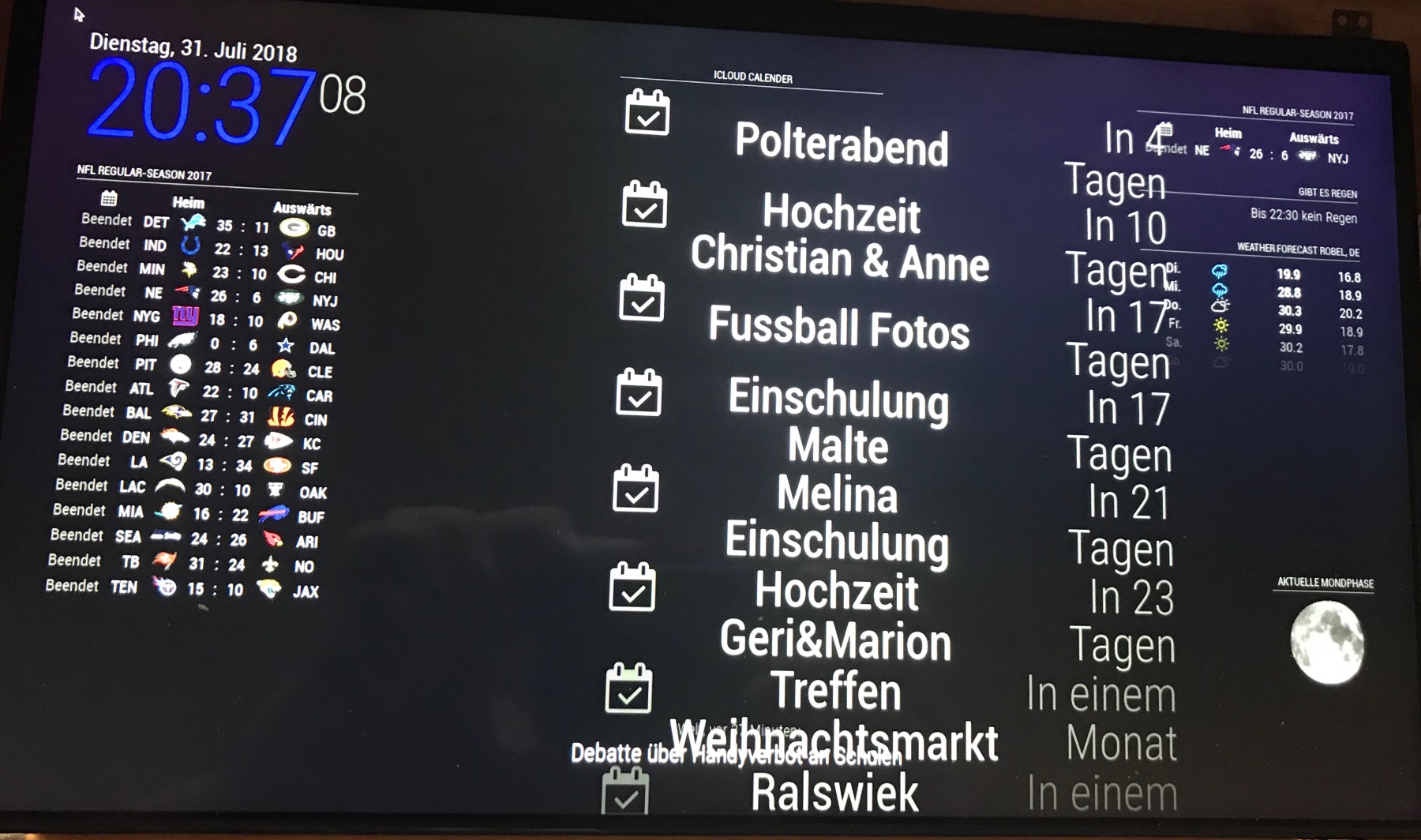
it works :face_with_tears_of_joy: :face_with_tears_of_joy:
now i only must to fix the size :vulcan_salute_light_skin_tone:
realy thank you for your fast help!!!
:call_me_hand_medium-light_skin_tone:
-
And, you can remove this entry in your custom.css…
.calendar {
 width: 375px;
 font-size: 200px;
 line-height: 40px;
}
:upside-down_face:
-
Always glad to help out!

Hello! It looks like you're interested in this conversation, but you don't have an account yet.
Getting fed up of having to scroll through the same posts each visit? When you register for an account, you'll always come back to exactly where you were before, and choose to be notified of new replies (either via email, or push notification). You'll also be able to save bookmarks and upvote posts to show your appreciation to other community members.
With your input, this post could be even better 💗
Register Login