MagicMirror Forum
    • Recent
    • Tags
    • Unsolved
    • Solved
    • MagicMirror² Repository
    • Documentation
    • 3rd-Party-Modules
    • Donate
    • Discord
    • Register
    • Login
    A New Chapter for MagicMirror: The Community Takes the Lead
    Read the statement by Michael Teeuw here.

    MMM-CalendarExt2

    Scheduled Pinned Locked Moved Utilities
    486 Posts 83 Posters 943.0k Views 83 Watching
    Loading More Posts
    • Oldest to Newest
    • Newest to Oldest
    • Most Votes
    Reply
    • Reply as topic
    Log in to reply
    This topic has been deleted. Only users with topic management privileges can see it.
    • ? Offline
      A Former User @wegz15
      last edited by A Former User

      @wegz15
      month or week view might be too huge even for 1920*1080 size.

      • To get rid of week number, open your css/custom.css then add this.
      .CX2 .weeksmark {
        display:none;
      }
      
      • To adjust day format, add this in your view configuration
      slotTitleFormat: "D",
      slotSubTitleFormat: "ddd",
      

      I think you’ve set above fields in defaultSet, but each view can have it’s own setting. Especially, week and month could have different behaviors with other views for settings. Read the wiki carefully. https://github.com/eouia/MMM-CalendarExt2/wiki/2d.-Configuration:defaultSet

      1 Reply Last reply Reply Quote 0
      • W Offline
        wegz15
        last edited by

        I guess what is confusing me the most is where to actually put each piece. I have that in currently and I am still seeing the “last, next today…”

        module: 'MMM-CalendarExt2',
        	config: {
        		scenes:[
        			{
        				name: "DEFAULT",
        				views: ["Monthly"],
        			},
        		],
        		views:[
        			{
        				name: "Monthly",
        				mode: "Month",
        				position: "top_right",
        				locale: "en",
        				slotMaxHeight: "70px",
        				dateFormat: "M/D",
        				weeksFormat: " ",
        				slotSubTitle:"ddd",
        				slotTitleFormat: "D",
        				slotSubTitle:"",
        				dateTimeFormat: "ddd mm/dd",
        				timeFormat:"h:mm A",
        				slotCount: 5,
        				showWeekends: true,
        				hideOverflow: true,
        				filterPassedEvent: false,
        				calendars: ["Work"],
        			},
        		],
        

        And I guess I’m asking if in general there is a way to scale the whole module so I can have a whole calendar fit into the open space. Thank you for all the help so far. This is my 3rd “day” working with magicmirror.

        ? 1 Reply Last reply Reply Quote 0
        • ? Offline
          A Former User @wegz15
          last edited by A Former User

          Very weird. I use your configuration (even with your ics)
          And this is what my screen shows.
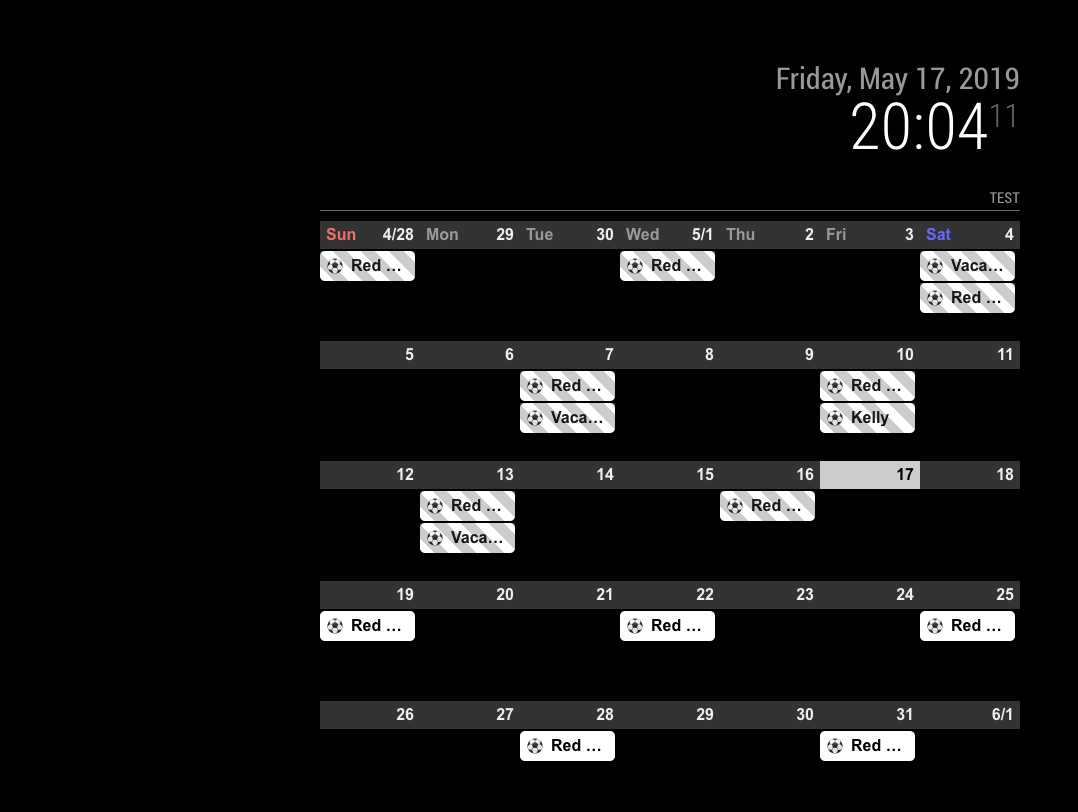
          0_1558116297242_te.png
          There might be more configuration values than you posted. Give me whole configuration.

          1 Reply Last reply Reply Quote 0
          • W Offline
            wegz15
            last edited by

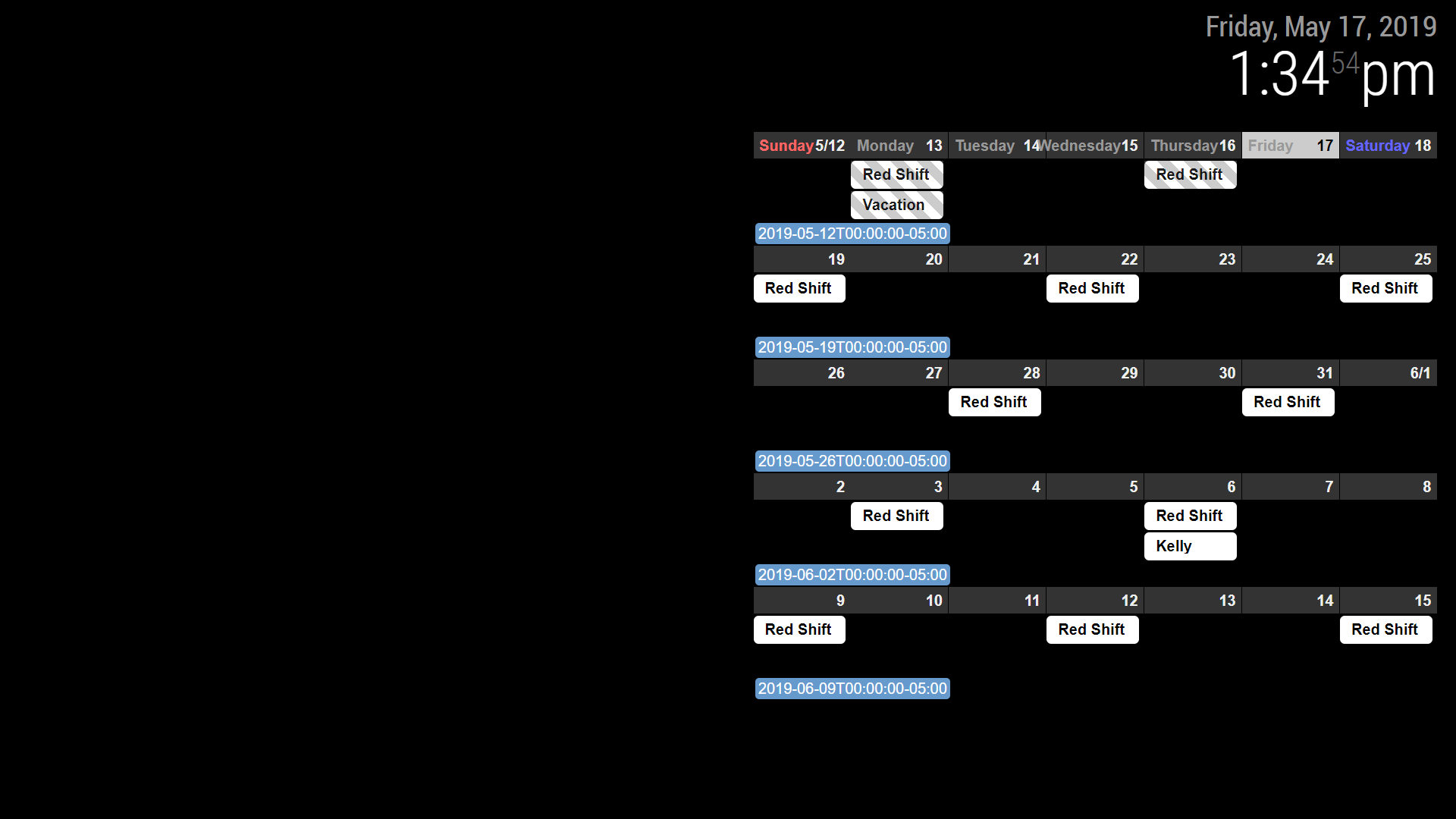
            I emailed you my whole set up earlier. I think there is something, somewhere in another folder I must have messed with. I deleted everything but my clock and pasted just the calendar and it is showing up as pictured. Maybe a fresh install of MM or MMM-calendarext2. 0_1558118108866_Screenshot (1).png
            1 Reply Last reply Reply Quote 0
            • J Offline
              Jerrylein
              last edited by

              @Sean thanks for the great module.

              I would like to change the design of calendar as in calendarext (Weekdays and monthTitleFormat)
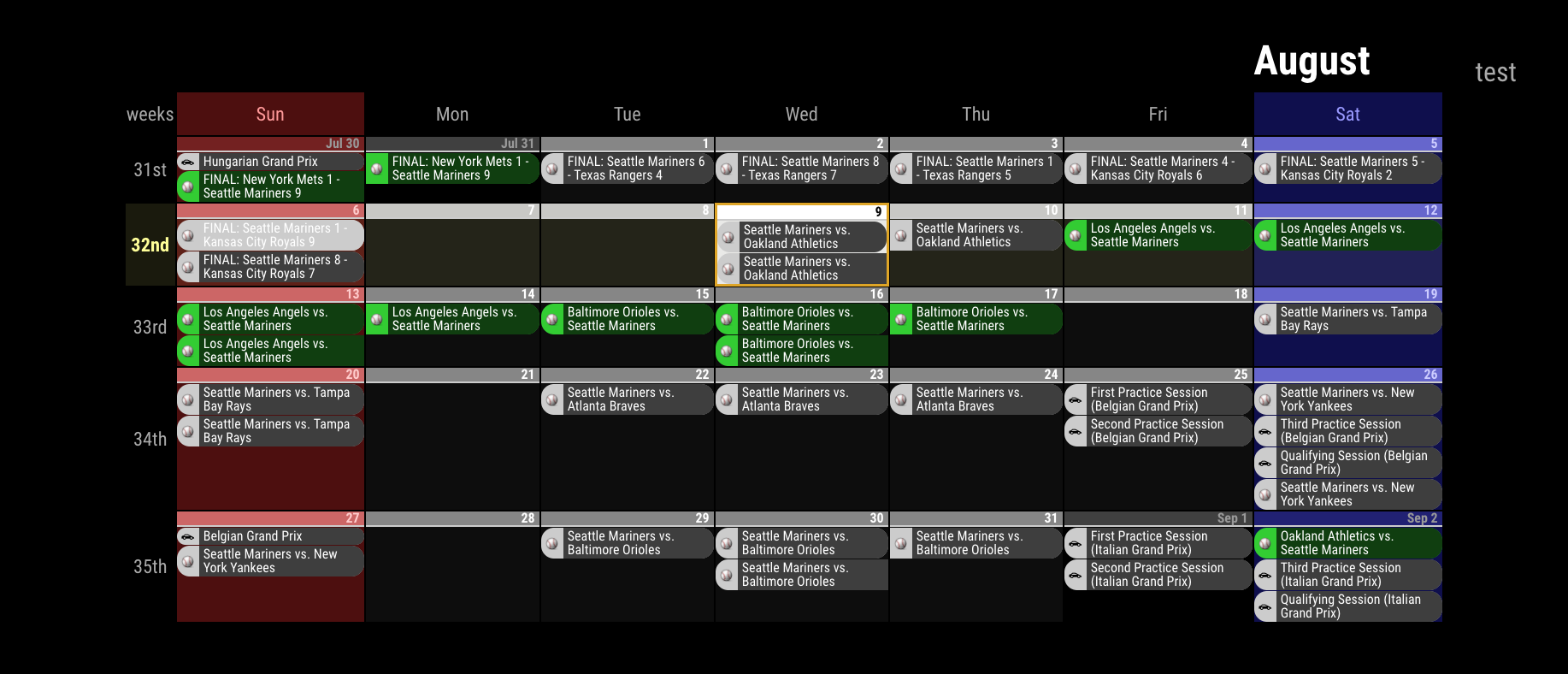
              alt text

              is this possible or should I use calendarext v1?

              ? D 2 Replies Last reply Reply Quote 0
              • ? Offline
                A Former User @Jerrylein
                last edited by

                @Jerrylein
                weekdays name could be cutomizable, but calext2 doesn’t have monthtitle on monthview

                J 1 Reply Last reply Reply Quote 0
                • J Offline
                  Jerrylein @Guest
                  last edited by

                  @Sean

                  ok. but how I can change this? I mean the weekdays (sun, mon, tue,wed) are not in the same row with days.
                  alt text

                  ? 1 Reply Last reply Reply Quote 0
                  • ? Offline
                    A Former User @Jerrylein
                    last edited by A Former User

                    @Jerrylein
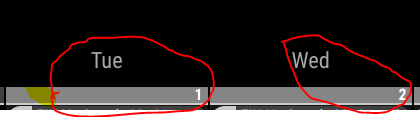
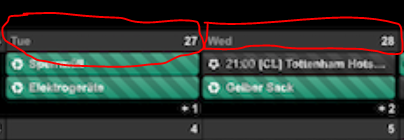
                    That is slotSubTitleFormat.
                    in Mon 26, Mon will be slotSubTitle and 26 will be slotTitle. (and additionally 11/25 will be slotAltTitle)

                    So, if you set like;

                    {
                      name: "VIEW1",
                      mode: "month",
                      position: "fullscreen_below",
                      slotSubTitleFormat: "dddd", // (default value is "ddd")
                    },
                    

                    It will show Monday instead of Mon
                    https://github.com/eouia/MMM-CalendarExt2/wiki/2c4.-View:week,-month

                    J 1 Reply Last reply Reply Quote 0
                    • J Offline
                      Jerrylein @Guest
                      last edited by

                      @Sean
                      thx.
                      But I do not want to change the format.
                      I would like to change the design of slotSubTitle as in Calext V1

                      Here is Calext V1
                      0_1559575412900_223b33a9-2c85-4195-bb22-ce21cff7f630-image.png

                      that’s calext2
                      0_1559575528943_6d988590-dcd7-408a-bed0-141bba4c196b-image.png

                      I think i should change custom.css file? but how?

                      ? 1 Reply Last reply Reply Quote 0
                      • ? Offline
                        A Former User @Jerrylein
                        last edited by A Former User

                        @Jerrylein
                        If so, why aren’t you using CalendarExt2?
                        Unfortunately, that part of CalendarExt is table header so it can’t move.
                        But with CalendarExt2, you can mimic CalendarExt style. like this; (Even though that’s not you want.)

                        I misread your first question. so you can make it like this;
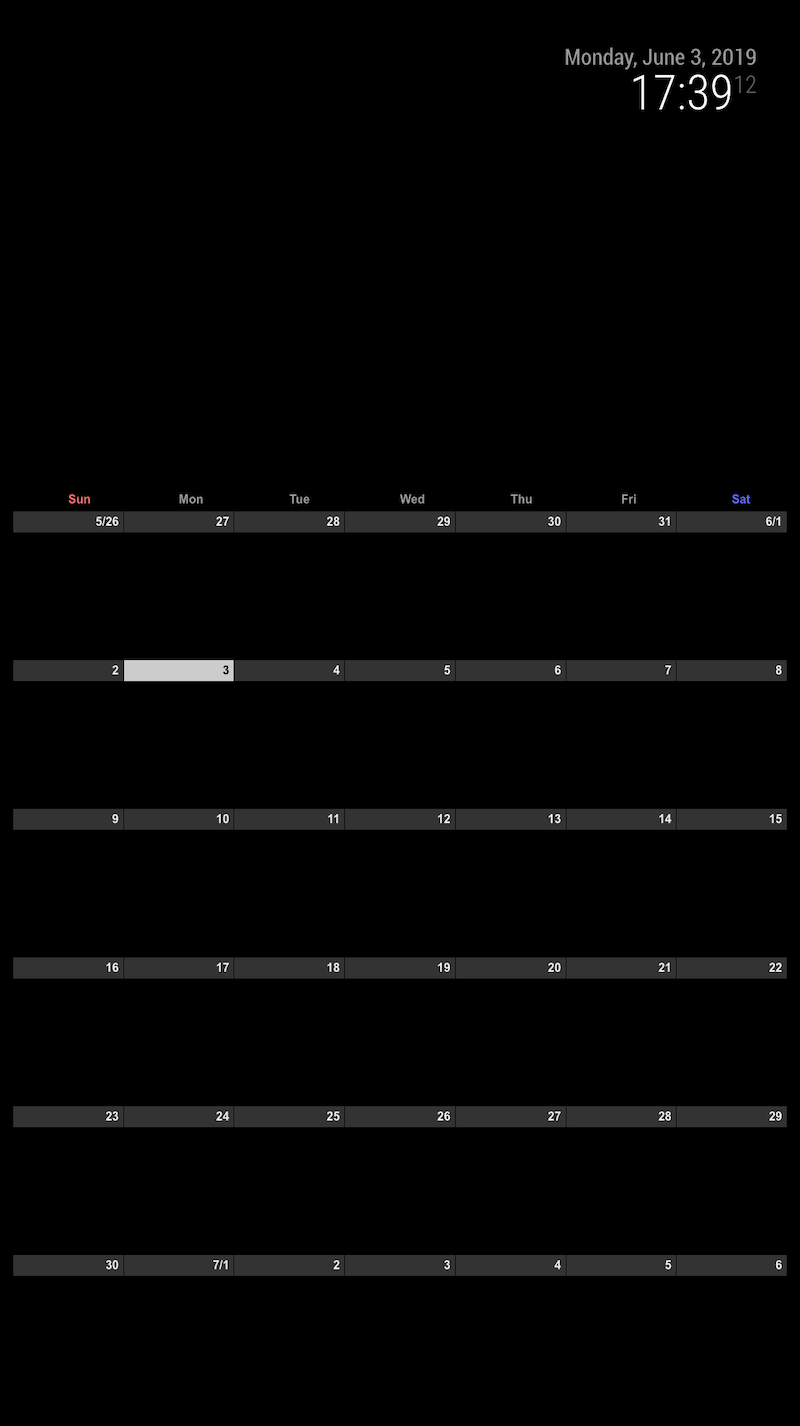
                        0_1559576670029_ce2mimic.png

                        .CX2 .weekSlot.seq_0 .cellSlot .slotSubTitle {
                          position:relative;
                          top:-30px;
                          left:40%;
                        }
                        
                        1 Reply Last reply Reply Quote 0
                        • F Offline
                          flopp
                          last edited by

                          I tried to add an URL that starts withwebcal://, but it doesn’t show up.
                          If I try other URL from an example here, it works, so the problem must be the URL with webcal.

                          ? 1 Reply Last reply Reply Quote 0
                          • ? Offline
                            A Former User @flopp
                            last edited by

                            @flopp Just replace webcalto http

                            F 1 Reply Last reply Reply Quote 1
                            • F Offline
                              flopp @Guest
                              last edited by

                              @Sean said in MMM-CalendarExt2:

                              @flopp Just replace webcalto http

                              Thanks, worked :)

                              1 Reply Last reply Reply Quote 0
                              • F Offline
                                flopp
                                last edited by flopp

                                I am trying to get the view like the picture here
                                https://github.com/eouia/MMM-CalendarExt2/blob/master/screenshot.png

                                How is that possible?

                                Or can I show 7 days, today to the left? Like 7 days rolling.

                                ? 1 Reply Last reply Reply Quote 0
                                • D Offline
                                  diccon
                                  last edited by

                                  Hello

                                  I have been using this modules for months with no problem it does exactly what I want it to do.

                                  However recently it has stopped bring up the events for next month.

                                  I have two sevens set, each of three weeks, the first works perfectly for all of September but won’t show October and the second has no events on it at all. I am using google to provide the events.

                                  Please help.

                                  Thanks

                                  ? 1 Reply Last reply Reply Quote 0
                                  • ? Offline
                                    A Former User @diccon
                                    last edited by

                                    @diccon
                                    you might need bigger “maxItems” value.

                                    1 Reply Last reply Reply Quote 0
                                    • ? Offline
                                      A Former User @flopp
                                      last edited by

                                      @flopp said in MMM-CalendarExt2:

                                      I am trying to get the view like the picture here
                                      https://github.com/eouia/MMM-CalendarExt2/blob/master/screenshot.png
                                      How is that possible?

                                      There are 3 views in a scene. Daily view on top, Weekly view on left, Month view on bottom.
                                      To know how to configurate them, Read the docs in the wiki of githug repository.

                                      Or can I show 7 days, today to the left? Like 7 days rolling.

                                      To the left? You mean Today is the rightest position in daily view?

                                      F 1 Reply Last reply Reply Quote 0
                                      • F Offline
                                        flopp @Guest
                                        last edited by

                                        @Sean said in MMM-CalendarExt2:

                                        There are 3 views in a scene. Daily view on top, Weekly view on left, Month view on bottom.
                                        To know how to configurate them, Read the docs in the wiki of githug repository.

                                        When I set “daily” with 3 slotcounts it look like this
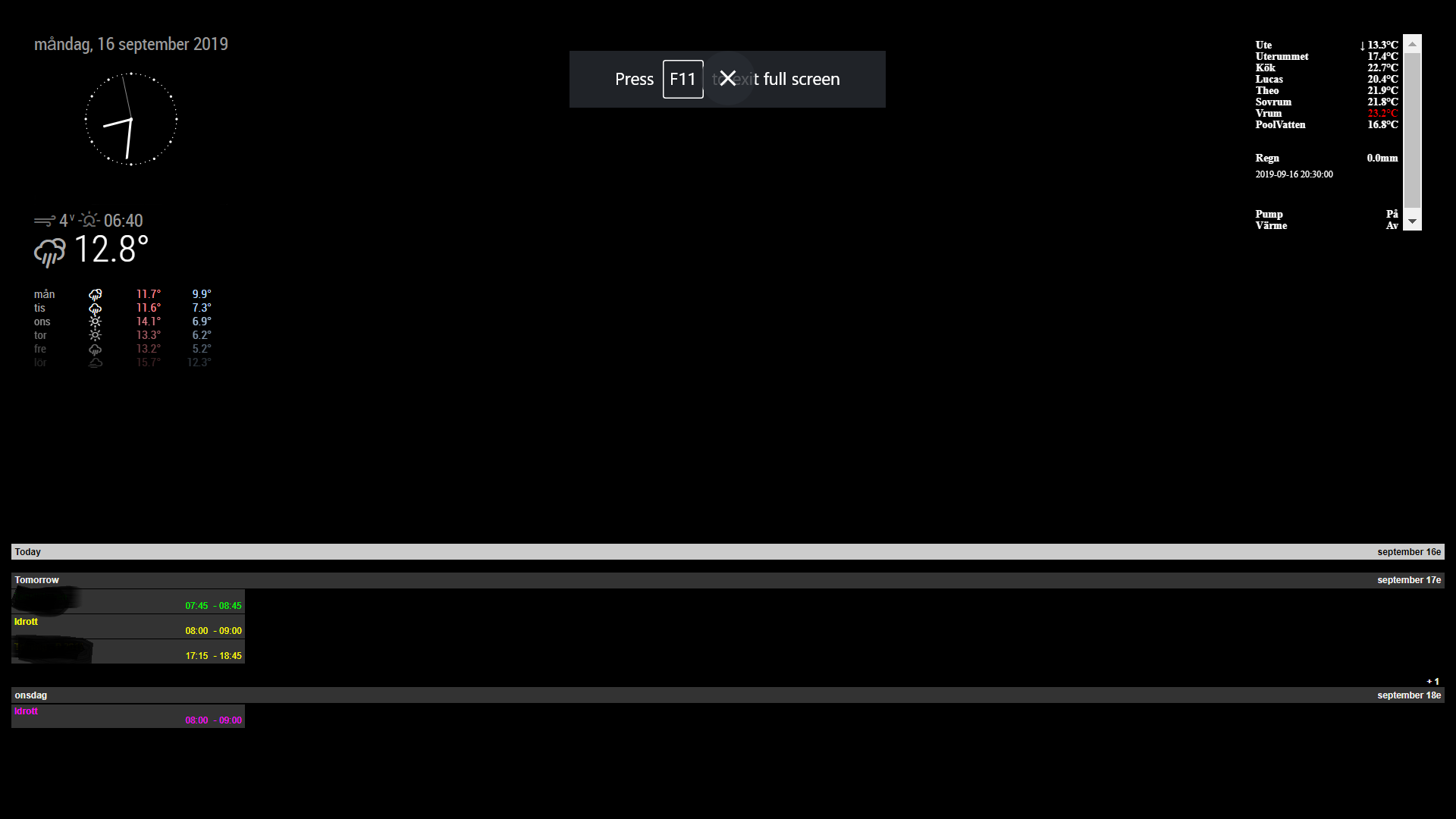
                                        0_1568658809445_daily.png

                                        To the left? You mean Today is the rightest position in daily view?

                                        If it is Tuesday I want Tuesday to be at the left and Monday to the right and all other days between. So to the left is Today and tomorrow is one step right

                                        F 1 Reply Last reply Reply Quote 0
                                        • F Offline
                                          flopp @flopp
                                          last edited by

                                          @flopp

                                          what is was missing was “type: row” in Views. It doesn’t says anything about this in the docs.
                                          I found an example with “type: row”

                                          ? 1 Reply Last reply Reply Quote 0
                                          • ? Offline
                                            A Former User @flopp
                                            last edited by

                                            @flopp
                                            Sorry for unkind docs; but it is described already. ;)
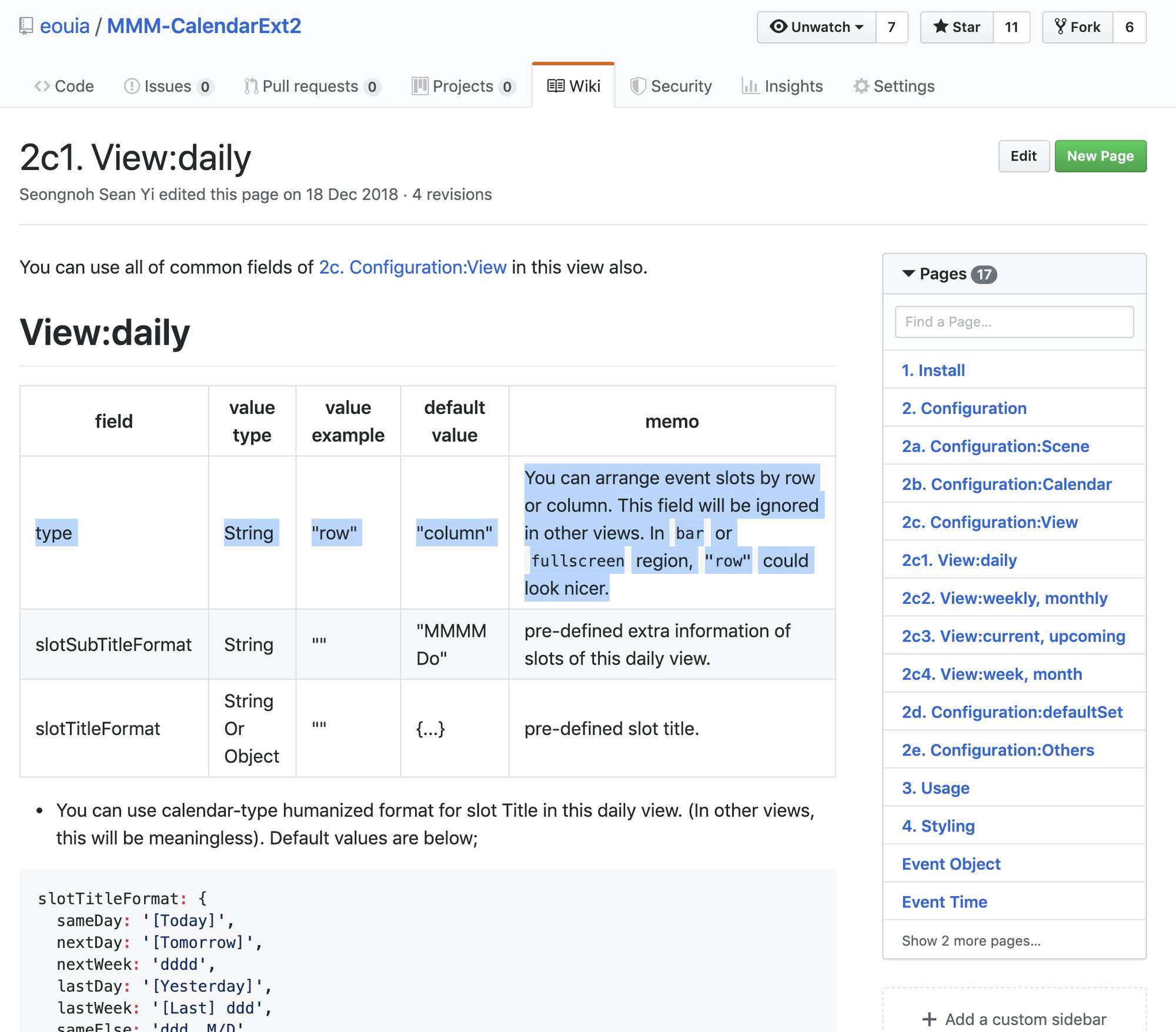
                                            0_1568663648466_39511789-52e2-44f4-bc93-5e586877499a-image.png

                                            1 Reply Last reply Reply Quote 0

                                            Hello! It looks like you're interested in this conversation, but you don't have an account yet.

                                            Getting fed up of having to scroll through the same posts each visit? When you register for an account, you'll always come back to exactly where you were before, and choose to be notified of new replies (either via email, or push notification). You'll also be able to save bookmarks and upvote posts to show your appreciation to other community members.

                                            With your input, this post could be even better 💗

                                            Register Login

                                            • 1
                                            • 2
                                            • 3
                                            • 4
                                            • 5
                                            • 24
                                            • 25
                                            • 2 / 25
                                            • First post
                                              Last post
                                            Enjoying MagicMirror? Please consider a donation!
                                            MagicMirror created by Michael Teeuw.
                                            Forum managed by Sam, technical setup by Karsten.
                                            This forum is using NodeBB as its core | Contributors
                                            Contact | Privacy Policy