Read the statement by Michael Teeuw here.
no result from mvgmunich modul
-
Thanks for the module, it is one of the most used modules in our family.
After the last update, the module no longer displays a result.
Here is my config:{ module: 'mvgmunich', position: 'bottom_right', header: 'MVG', config: { haltestelle: 'Vaterstetten', maxEntries: 4, // 10 items on screen updateInterval: 60000, // 60 s showIcons: false, // Show transport type icon transportTypesToShow: { "ubahn": false, // show ubahn route "sbahn": true, // show sbahn route "bus": false, // show bus route "regional_bus": false, // show regional bus route "tram": false // show tram route }, ignoreStations: [], // destination not to be shown timeToWalk: 0, // 10 min walking time to station. Default is 0 showWalkingTime: false, // if the walking time should be included and the starting time is displayed showTrainDepartureTime: true, // show tran departure time trainDepartureTimeFormat: "relative", // format of the train departure time walkingTimeFormat: "relative", // format of the walking time } }, -
@Babene1 open the developers window, using the keyboard, ctrl-shift-i, select the tab labeled ‘console’ and then scroll up… to find any errors (usually red text)
you can also filter to messages from a single module, by putting some part of its unique name into the file labeled ‘filter’, like mvgmlet us know what u find
if you use pm2 to manage the mirror runtime, you might also look at the logs, by doing
pm2 logs
-
i install MM on an Windows PC to debug,
i start magic in node servonly
start browser + debug console
here is the result off debug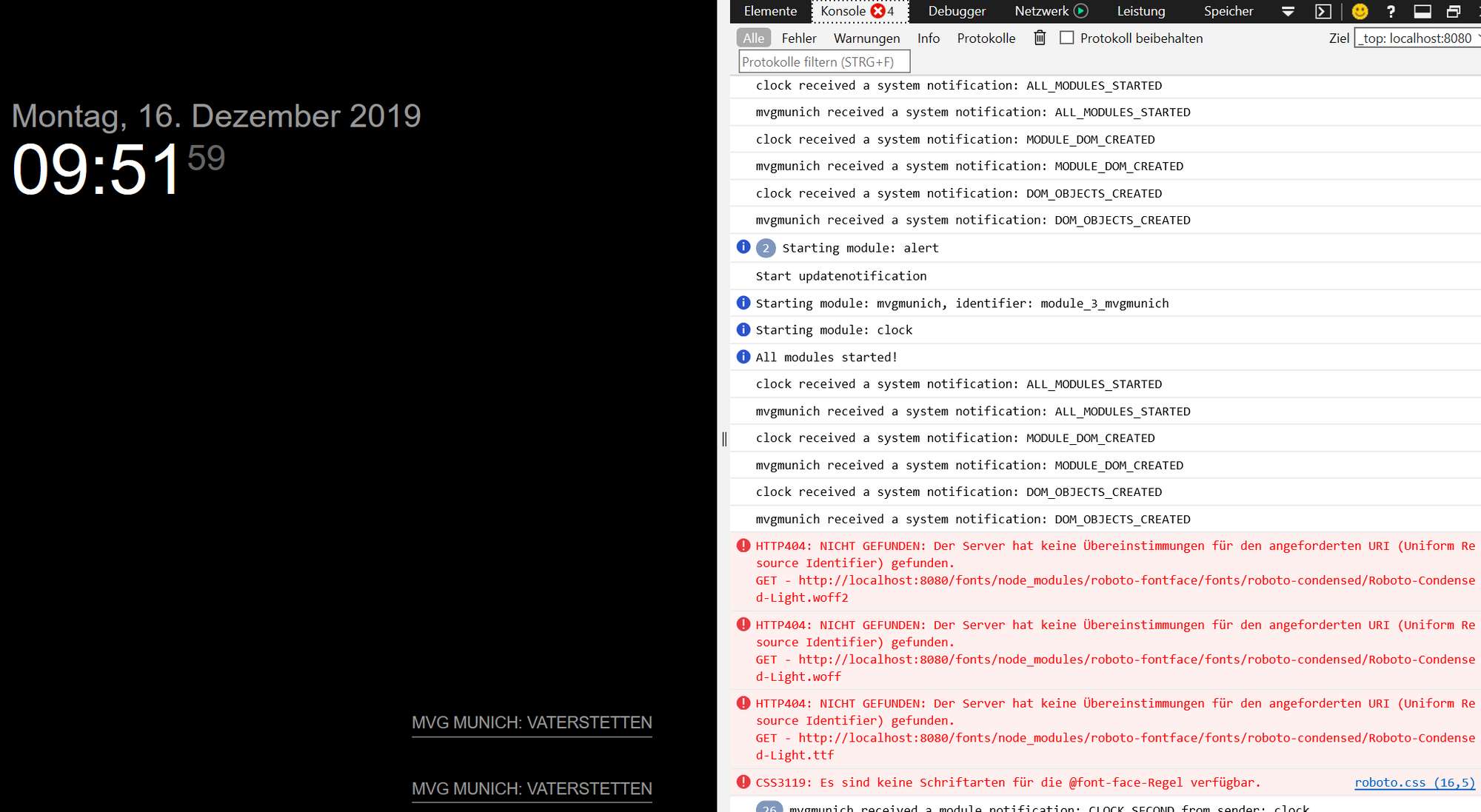
-
@Babene1 it says it can’t find the fonts needed…
“After the last update, the module no longer displays a result.”
what update? MagicMirror?
did u also add MMM-GoogleMapsTraffic? it has a bug, you can get an updated version from my repo
https://github.com/sdetweil/MMM-GoogleMapsTraffic -
@Babene1
Bei mir kommt die Meldung: “Der Name der Haltestelle ist nicht korrekt, bitte überprüfen sie auf MVG”.
Vielleicht sollten wir ein Issue erstellen. Der Autor des Moduls hat bei mir schon mal darauf reagiert. -
Did anyone find a solution? I have the same problem. When I remove the MMM-GoogleMapsTraffic from the config.js the issue presists. First it is displaying “undefind” and then nothing at all.
P.S.: I reverted to the previous version of mvgmunich (sd card backup) which works again, but it has some dupicate stations entries. But this issues was from the beginning.
-
@andyyy
I switched back to the old version and that works for me, too -
@thedoorsfanatic
That is a workaround for now. I wondering if this is a sole module issue or a config issue/problem with the MM or OS itself. Sooner or later we need update mvgmunich module though. -
@andyyy
Ok, I got it working again. Since I am a beginner this might be a little bit unusual but that’s what I did:
1.) in my modules folder I renamed the existing folder to “mvgmunich_alt”
2.) then I did a new install as described here in step 1 and step 2: https://github.com/mrVragec/MMM-mvgmunich
3.) I skipped step 3 but I copied the whole configuration block from step 4 to my config.js
4.) Then I put in my information like haltestelle, etc. and it worked again
5.) I discovered that the ignoreStations part did not work but after putting in the name exactly like stated in https://www.mvg.de/dienste/abfahrtszeiten.html, for example “Moosach Bf. U S” everything was like before.Hope that helps!
-
@thedoorsfanatic
This approach doesn’t work for me. Now I have both versions installed. Running the old version from the config.js it works as aspected but if I change the directory to the latest version of the module doesn’t load the table/stations. I have no clue what to do next. -
I found the solution, it’s not a bug, it’s a new feature :-)
It is undocumented feature, some missing parts in configuration.
Now you able to filter some line unfortunately the filter is by default active. switch off the filter now it works.lineFiltering: { "active": false, "filterType": "whitelist", "lineNumbers": ["U1, U3, X50"] },With this config it should be worked :
{ module: 'mvgmunich', position: 'top_right', header: 'MVG', config: { haltestelle: 'Vaterstetten', maxEntries: 4, updateInterval: 60000, showIcons: true, transportTypesToShow: { "ubahn": false, "sbahn": true, "bus": false, "regional_bus": false, "tram": false }, lineFiltering: { "active": false, "filterType": "whitelist", "lineNumbers": ["U1, U3, X50"] }, ignoreStations: [], timeToWalk: 0, showWalkingTime: false, showTrainDepartureTime: true, trainDepartureTimeFormat: "relative", walkingTimeFormat: "relative", showInterruptions: true, showInterruptionsDetails: true, countInterruptionsAsItemShown: true, } }, -
Good catch and thank you very much. That solved my issue too (at the moment at least). I knew that feature were introduced with the last update, but it is a bit strange to have this enabled by default.

Hello! It looks like you're interested in this conversation, but you don't have an account yet.
Getting fed up of having to scroll through the same posts each visit? When you register for an account, you'll always come back to exactly where you were before, and choose to be notified of new replies (either via email, or push notification). You'll also be able to save bookmarks and upvote posts to show your appreciation to other community members.
With your input, this post could be even better 💗
Register Login