MagicMirror Forum
    • Recent
    • Tags
    • Unsolved
    • Solved
    • MagicMirror² Repository
    • Documentation
    • 3rd-Party-Modules
    • Donate
    • Discord
    • Register
    • Login
    A New Chapter for MagicMirror: The Community Takes the Lead
    Read the statement by Michael Teeuw here.

    MMM-Ring: Displays a video stream of your Ring doorbell when someone rings your doorbell.

    Scheduled Pinned Locked Moved Utilities
    43 Posts 11 Posters 20.7k Views 14 Watching
    Loading More Posts
    • Oldest to Newest
    • Newest to Oldest
    • Most Votes
    Reply
    • Reply as topic
    Log in to reply
    This topic has been deleted. Only users with topic management privileges can see it.
    • S Offline
      sithlordhood
      last edited by

      I’m not using Two-Factor authentication.

      This is the extract from the debug console window

      main.js:454 Initializing MagicMirror.
      translator.js:202 Loading core translation file: translations/en.json
      translator.js:225 Loading core translation fallback file: translations/en.json
      loader.js:179 Load script: modules/MMM-Ring//MMM-Ring.js
      module.js:468 Check MagicMirror version for module ‘MMM-Ring’ - Minimum version: 2.1.0 - Current version: 2.9.0
      module.js:470 Version is ok!
      module.js:476 Module registered: MMM-Ring
      loader.js:150 Bootstrapping module: MMM-Ring
      loader.js:179 Load script: https://cdn.jsdelivr.net/npm/hls.js
      loader.js:155 Scripts loaded for: MMM-Ring
      loader.js:194 Load stylesheet: modules/MMM-Ring/MMM-Ring.css
      loader.js:157 Styles loaded for: MMM-Ring
      loader.js:159 Translations loaded for: MMM-Ring
      loader.js:194 Load stylesheet: css/custom.css
      main.js:472 All modules started!
      module.js:156 MMM-Ring received a system notification: ALL_MODULES_STARTED
      module.js:156 MMM-Ring received a system notification: MODULE_DOM_CREATED
      module.js:156 MMM-Ring received a system notification: DOM_OBJECTS_CREATED
      /home/pi/MagicMirror/node_modules/electron/dist/resources/electron.asar/renderer/security-warnings.js:127 Electron Security Warning (Insecure Resources) This renderer process loads resources using insecure
      protocols.This exposes users of this app to unnecessary security risks.
      Consider loading the following resources over HTTPS or FTPS.

      • http://0.0.0.0:8080/css/main.css
      • http://0.0.0.0:8080/fonts/roboto.css
      • http://0.0.0.0:8080/socket.io/socket.io.js
      • http://0.0.0.0:8080/vendor/node_modules/nunjucks/browser/nunjucks.min.js
      • http://0.0.0.0:8080/js/defaults.js
      • http://0.0.0.0:8080/config/config.js
      • http://0.0.0.0:8080/vendor/vendor.js
      • http://0.0.0.0:8080/modules/default/defaultmodules.js
      • http://0.0.0.0:8080/js/logger.js
      • http://0.0.0.0:8080/translations/translations.js
      • http://0.0.0.0:8080/js/translator.js
      • http://0.0.0.0:8080/js/class.js
      • http://0.0.0.0:8080/js/module.js
      • http://0.0.0.0:8080/js/loader.js
      • http://0.0.0.0:8080/js/socketclient.js
      • http://0.0.0.0:8080/js/main.js
      • http://0.0.0.0:8080/fonts/node_modules/roboto-fontface/fonts/roboto-condensed/Roboto-Condensed-Regular.woff2
      • http://0.0.0.0:8080/translations/en.json
      • http://0.0.0.0:8080/translations/en.json
      • http://0.0.0.0:8080/modules/MMM-Ring//MMM-Ring.js
      • http://0.0.0.0:8080/modules/MMM-Ring/MMM-Ring.css
      • http://0.0.0.0:8080/css/custom.css

      For more information and help, consult
      https://electronjs.org/docs/tutorial/security.
      This warning will not show up
      once the app is packaged.
      warnAboutInsecureResources @ /home/pi/MagicMirror/node_modules/electron/dist/resources/electron.asar/renderer/security-warnings.js:127
      /home/pi/MagicMirror/node_modules/electron/dist/resources/electron.asar/renderer/security-warnings.js:184 Electron Security Warning (Insecure Content-Security-Policy) This renderer process has either no Content Security
      Policy set or a policy with “unsafe-eval” enabled. This exposes users of
      this app to unnecessary security risks.

      For more information and help, consult
      https://electronjs.org/docs/tutorial/security.
      This warning will not show up
      once the app is packaged.
      warnAboutInsecureCSP @ /home/pi/MagicMirror/node_modules/electron/dist/resources/electron.asar/renderer/security-warnings.js:184

      1 Reply Last reply Reply Quote 0
      • D Offline
        DustinBryant
        last edited by

        Is there a reason you’re using 0.0.0.0 over the default localhost?

        Test with using localhost by setting it in the config file:

        address: "localhost"
        
        1 Reply Last reply Reply Quote 0
        • S Offline
          sithlordhood
          last edited by

          its still the same im afraid:

          main.js:454 Initializing MagicMirror.
          translator.js:202 Loading core translation file: translations/en.json
          translator.js:225 Loading core translation fallback file: translations/en.json
          loader.js:179 Load script: modules/MMM-Ring//MMM-Ring.js
          module.js:468 Check MagicMirror version for module ‘MMM-Ring’ - Minimum version: 2.1.0 - Current version: 2.9.0
          module.js:470 Version is ok!
          module.js:476 Module registered: MMM-Ring
          loader.js:150 Bootstrapping module: MMM-Ring
          loader.js:179 Load script: https://cdn.jsdelivr.net/npm/hls.js
          loader.js:155 Scripts loaded for: MMM-Ring
          loader.js:194 Load stylesheet: modules/MMM-Ring/MMM-Ring.css
          loader.js:157 Styles loaded for: MMM-Ring
          loader.js:159 Translations loaded for: MMM-Ring
          loader.js:194 Load stylesheet: css/custom.css
          main.js:472 All modules started!
          module.js:156 MMM-Ring received a system notification: ALL_MODULES_STARTED
          module.js:156 MMM-Ring received a system notification: MODULE_DOM_CREATED
          module.js:156 MMM-Ring received a system notification: DOM_OBJECTS_CREATED
          /home/pi/MagicMirror/node_modules/electron/dist/resources/electron.asar/renderer/security-warnings.js:127 Electron Security Warning (Insecure Resources) This renderer process loads resources using insecure
          protocols.This exposes users of this app to unnecessary security risks.
          Consider loading the following resources over HTTPS or FTPS.

          • http://localhost:8080/css/main.css
          • http://localhost:8080/fonts/roboto.css
          • http://localhost:8080/socket.io/socket.io.js
          • http://localhost:8080/vendor/node_modules/nunjucks/browser/nunjucks.min.js
          • http://localhost:8080/js/defaults.js
          • http://localhost:8080/config/config.js
          • http://localhost:8080/vendor/vendor.js
          • http://localhost:8080/modules/default/defaultmodules.js
          • http://localhost:8080/js/logger.js
          • http://localhost:8080/translations/translations.js
          • http://localhost:8080/js/translator.js
          • http://localhost:8080/js/class.js
          • http://localhost:8080/js/module.js
          • http://localhost:8080/js/loader.js
          • http://localhost:8080/js/socketclient.js
          • http://localhost:8080/js/main.js
          • http://localhost:8080/fonts/node_modules/roboto-fontface/fonts/roboto-condensed/Roboto-Condensed-Regular.woff2
          • http://localhost:8080/translations/en.json
          • http://localhost:8080/translations/en.json
          • http://localhost:8080/modules/MMM-Ring//MMM-Ring.js
          • http://localhost:8080/modules/MMM-Ring/MMM-Ring.css
          • http://localhost:8080/css/custom.css

          For more information and help, consult
          https://electronjs.org/docs/tutorial/security.
          This warning will not show up
          once the app is packaged.
          warnAboutInsecureResources @ /home/pi/MagicMirror/node_modules/electron/dist/resources/electron.asar/renderer/security-warnings.js:127
          /home/pi/MagicMirror/node_modules/electron/dist/resources/electron.asar/renderer/security-warnings.js:184 Electron Security Warning (Insecure Content-Security-Policy) This renderer process has either no Content Security
          Policy set or a policy with “unsafe-eval” enabled. This exposes users of
          this app to unnecessary security risks.

          For more information and help, consult
          https://electronjs.org/docs/tutorial/security.
          This warning will not show up
          once the app is packaged.
          warnAboutInsecureCSP @ /home/pi/MagicMirror/node_modules/electron/dist/resources/electron.asar/renderer/security-warnings.js:184

          1 Reply Last reply Reply Quote 0
          • D Offline
            DustinBryant
            last edited by

            I’m assuming you also rang your doorbell to see if the video came up now using localhost?

            S 1 Reply Last reply Reply Quote 0
            • S Offline
              sithlordhood @DustinBryant
              last edited by

              @DustinBryant yes i did, a few times and still the same. The video files are still appearing after the log says stream has ended

              1 Reply Last reply Reply Quote 0
              • D Offline
                DustinBryant
                last edited by

                Ok, run in dev mode again but switch over to the Network tab (instead of console) and see if any of the lines have red text prior or after hitting your doorbell again.

                1 Reply Last reply Reply Quote 0
                • S Offline
                  sithlordhood
                  last edited by

                  i dont see any entries in the network tab at all, i have stopped and restarted the record and hit the button on the doorbell but nothing apears in the log.

                  1 Reply Last reply Reply Quote 0
                  • D Offline
                    DustinBryant
                    last edited by

                    I’ve exhausted everything I can think of. Your working with an ideal situation where everything is updated and fresh and still not able to get the stream. For some reason the videos aren’t getting dropped in that public folder for you when the event gets activated. Based on what you’ve provided it should be working.

                    Since I can’t recreate the condition on my end there’s not much I can do here. Your specific issue is the first I’ve seen or heard of. That layer of the module is utilizing the ring-api from dgreif which I have no contributions to.

                    If you’re adventurous enough and have a little bit of coding background you may try downloading his api and play with the browser example he has to see if you can get that working.

                    Sorry @sithlordhood !

                    1 Reply Last reply Reply Quote 0
                    • S Offline
                      sithlordhood
                      last edited by

                      Ok, thanks very much for helping out.

                      One final thing that i thought of was that i’m using the wired ethernet interface on the Pi, not the WiFi. Not sure if this matters, just thought it a bit odd that i did not get any data displayed in the Network tab?

                      1 Reply Last reply Reply Quote 0
                      • S Offline
                        sithlordhood
                        last edited by

                        Just to update - dont know whats changed but the module is working ok now! Thanks!

                        1 Reply Last reply Reply Quote 0
                        • P Offline
                          Peter Leemon
                          last edited by

                          Hi all only a noob here would love to get my MM to show the RING video feed when someone rings the doorbell, but no idea how can anyone assist me in doing this please very much appreciated.

                          Cheers

                          Pete.

                          1 Reply Last reply Reply Quote 0
                          • D Offline
                            Doudy
                            last edited by Doudy

                            @Peter
                            It’s the same for me
                            I have nothing in “Network”
                            I have no “Public” directory !

                            Help…

                            When i do /MagicMirror $ npm start dev
                            I have following :

                            Whoops! There was an uncaught exception...
                            { Error: listen EADDRINUSE 127.0.0.1:8585
                                at Object._errnoException (util.js:1024:11)
                                at _exceptionWithHostPort (util.js:1046:20)
                                at Server.setupListenHandle [as _listen2] (net.js:1351:14)
                                at listenInCluster (net.js:1392:12)
                                at GetAddrInfoReqWrap.doListen [as callback] (net.js:1501:7)
                                at GetAddrInfoReqWrap.onlookup [as oncomplete] (dns.js:97:10)
                              code: 'EADDRINUSE',
                              errno: 'EADDRINUSE',
                              syscall: 'listen',
                              address: '127.0.0.1',
                              port: 8585 }
                            
                            
                            1 Reply Last reply Reply Quote 0
                            • P Offline
                              Peter Leemon
                              last edited by

                              did you get yours to work?, I gave up at this stage

                              D 1 Reply Last reply Reply Quote 0
                              • D Offline
                                Doudy @Peter Leemon
                                last edited by

                                @Peter-Leemon
                                Still no video
                                I don’t know if mmm-Ring works

                                1 Reply Last reply Reply Quote 0
                                • D Offline
                                  DustinBryant
                                  last edited by

                                  Unfortunately, I’ve since replaced my ring devices for something more localized. I do know recently Ring had an update that requires 2-factor authentication. You may want to try setting that up and following the directions on how to use it with mmm-ring.

                                  1 Reply Last reply Reply Quote 0
                                  • P Offline
                                    Peter Leemon
                                    last edited by

                                    out of curiosity what localized devices did you use and compatible with raspberry pi as well as MM?

                                    1 Reply Last reply Reply Quote 0
                                    • D Offline
                                      dc331903
                                      last edited by

                                      Heads Up! -“Ring enables mandatory two-factor authentication”
                                      Looks like 2FA is the new thing moving forward. I just started working on this module tonight and haven’t fully tested, but at least I know where to start now.

                                      I did notice that the sample code in the site for setting up 2FA is missing a comma in case you miss it. https://github.com/DustinBryant/MMM-Ring/wiki/Two-Factor-Auth-(ring2faRefreshToken-config-option)

                                      D 1 Reply Last reply Reply Quote 0
                                      • D Offline
                                        dc331903 @dc331903
                                        last edited by

                                        @dc331903 Trying the above for Two-factor auth has not worked for me still. Let us know if yours is working! Logging seems to show it is getting connected to camera though… so it could just be a positioning issue for me.

                                        1 Reply Last reply Reply Quote 0
                                        • D Offline
                                          DustinBryant
                                          last edited by

                                          Just updated this repository to require 2F Refresh Token as well as automating the process of automatically getting a new Refresh Token when the old one expires.

                                          In order to get this update navigate to the MMM-Ring directory within MagicMirror/modules and perform the following:

                                          git pull
                                          npm install

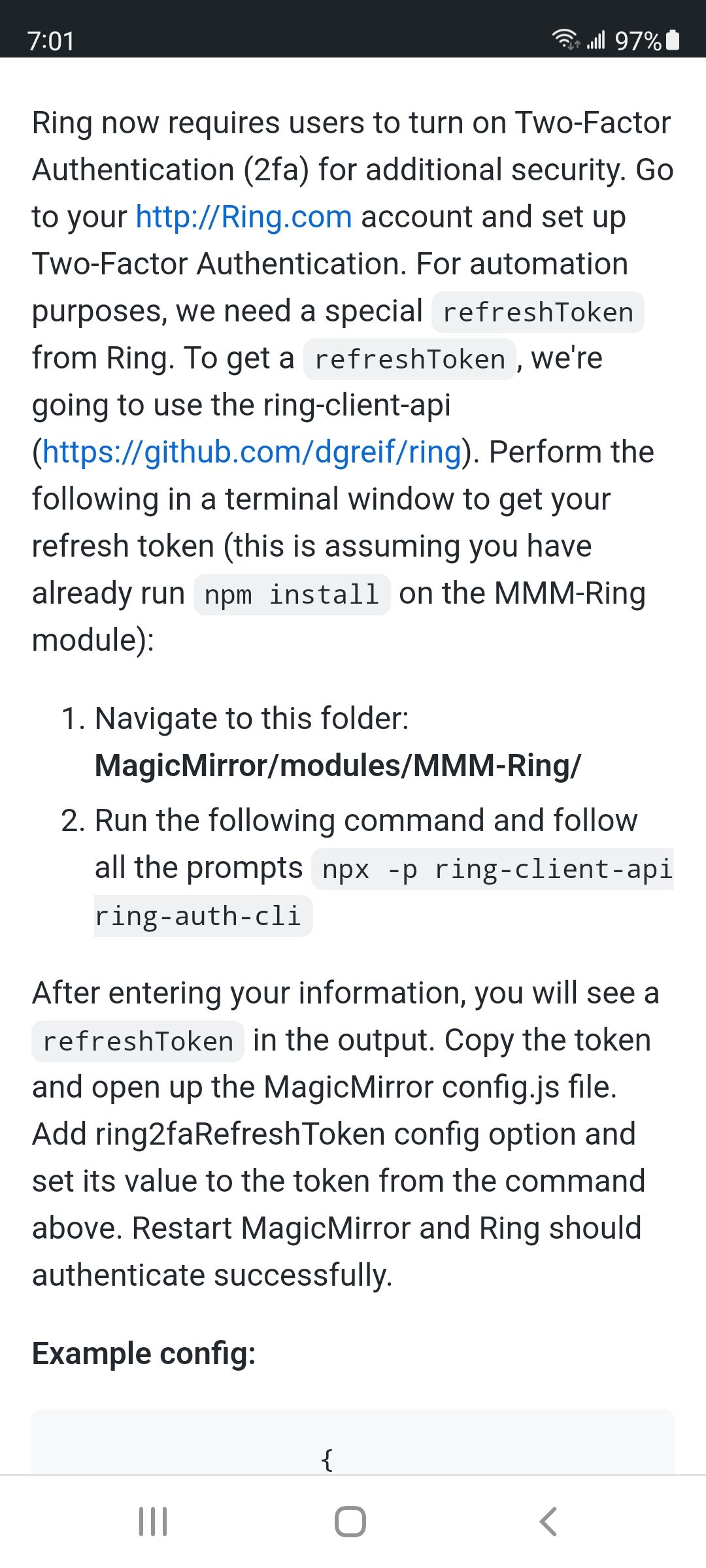
                                          If you need more information on the Refresh Token you can find it here: https://github.com/DustinBryant/MMM-Ring/wiki/Refresh-Tokens

                                          Also, I no longer have a Ring device so I can’t maintain the repository anymore. I’ll do my best with what I can but I’m definitely looking for someone to take this over.

                                          1 Reply Last reply Reply Quote 1
                                          • N Offline
                                            Nicoh @DustinBryant
                                            last edited by

                                            @dustinbryant Hi there. I have a refresh token. It works nice. But now i dont get it on the Mirror. How i update the efreshtoken? please help me

                                            S 1 Reply Last reply Reply Quote 0

                                            Hello! It looks like you're interested in this conversation, but you don't have an account yet.

                                            Getting fed up of having to scroll through the same posts each visit? When you register for an account, you'll always come back to exactly where you were before, and choose to be notified of new replies (either via email, or push notification). You'll also be able to save bookmarks and upvote posts to show your appreciation to other community members.

                                            With your input, this post could be even better 💗

                                            Register Login

                                            • 1
                                            • 2
                                            • 3
                                            • 2 / 3
                                            • First post
                                              Last post
                                            Enjoying MagicMirror? Please consider a donation!
                                            MagicMirror created by Michael Teeuw.
                                            Forum managed by Sam, technical setup by Karsten.
                                            This forum is using NodeBB as its core | Contributors
                                            Contact | Privacy Policy