Read the statement by Michael Teeuw here.
MMM-Hue-Lights - new module for your Philips Hue lights!
-
@Stoffbeuteluwe Ja ohne probleme.
-
@jasim bei mir passiert das auch wenn das die ganze Nacht in Standby geht…dann ist früh auch die Fehlermeldung da weil es keine Daten bekommt.
Ich mach dann MM Neustart dann geht es wieder. -
@Stoffbeuteluwe ich habe den Entwickler des Moduls schon angeschrieben, aber er meldet sich nicht.
Eigentlich ein schönes Modul aber nicht zu gebrauchen . -
@jasim said in MMM-Hue-Lights - new module for your Philips Hue lights!:
ch habe nochmal eine neue user nummer erzeugt und auch da nach 10 min keine verbindung mehr. Kann es sein das bei der erzeugung der user nummer da steht ( {“devicetype”:“my_hue_app#iphone peter”} )
ich habe aber ein Android Smartphone , kann das der Fehler sein.?can you use the api on the hub itself when it stops working on the magic mirror
https:// /debug/clip.html ?
as maybe there are too many request
also what version of the hub are you using?
and what updateinterval?
-
@Cain said in MMM-Hue-Lights - new module for your Philips Hue lights!:
@jasim said in MMM-Hue-Lights - new module for your Philips Hue lights!:
ch habe nochmal eine neue user nummer erzeugt und auch da nach 10 min keine verbindung mehr. Kann es sein das bei der erzeugung der user nummer da steht ( {“devicetype”:“my_hue_app#iphone peter”} )
ich habe aber ein Android Smartphone , kann das der Fehler sein.?can you use the api on the hub itself when it stops working on the magic mirror
https:// /debug/clip.html ? ja
as maybe there are too many request habe nur 5 Guppen mit 9 Lampen und 4 Bewegungsmeldern
also what version of the hub are you using? SW:1938112040
and what updateinterval? Einstellungen nach vorgabe: updateInterval: 2 * 60 * 1000,
-
i also found that i had to change folder name from
MMM-Hue-Lights to mmm-hue-lights - not sure why but i did.
After the 10mintues when it stops workings. can you then access the debug using the website? Only when the error occurs.
also have you done the sudo apt-get update && sudo apt-get full-upgrade ?
-
@Cain said in MMM-Hue-Lights - new module for your Philips Hue lights!:
i also found that i had to change folder name from
MMM-Hue-Lights to mmm-hue-lights - not sure why but i did. Der Ordnername war schon geändert
After the 10mintues when it stops workings. can you then access the debug using the website? Only when the error occurs.
Ich habe Zugriff über die Webseite , selbst wenn der Spiegel nichts mehr anzeigt.also have you done the sudo apt-get update && sudo apt-get full-upgrade ?
Alles beides ausgeführt, keine Änderung , geht nach 10 min nicht mehr. -
@craig859 said in MMM-Hue-Lights - new module for your Philips Hue lights!:
Even after using Hue Developer to access the API debug/clip.html and generate a user string the Magic Mirror displays “please add your hue bridge IP and user to MagicMirror config.js file.”
Has anyone seen anything new on this? Is there a change in the authentication for Hue, maybe something that broke this module?There shouldn’t be - the Hue API hasn’t been updated in a long time, and both my mirrors are running just fine with this module.
-
@Cain said in MMM-Hue-Lights - new module for your Philips Hue lights!:
i also found that i had to change folder name from
MMM-Hue-Lights to mmm-hue-lights - not sure why but i did.
After the 10mintues when it stops workings. can you then access the debug using the website? Only when the error occurs.
also have you done the sudo apt-get update && sudo apt-get full-upgrade ?
The folder should be
mmm-hue-lights- it’s case-sensitive, soMMM-Hue-Lightswouldn’t work. -
@jasim said in MMM-Hue-Lights - new module for your Philips Hue lights!:
I installed mmm-hue-lights by default and get the following error message after 5 minutes. Hue API ERROR: Error: Read ECONNRESET. I ask for help with this problem. I’ve already reinstalled everything and it doesn’t help.
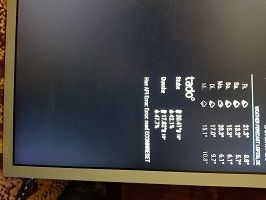
Have you tried changing the
updateIntervalsetting to be a higher number than the default? I would suggest trying 10 mins - eg. setting it to600000 -
I’ve released a new
1.4.0version of this module that will hopefully help with the refresh issue - it now automatically reschedules an update, no matter whether there’s an error or not. Thanks to @ulrichwisser for pushing this fix.Please download the version and see if that solves your issues.
-
I updated the module and tested it for several hours. The module fails after 45 - 60 minutes (API ERROR) and no longer works.
And not only that, the entire mirror no longer works.
After removing the module from the mirror, the mirror works again. -
@jasim said in MMM-Hue-Lights - new module for your Philips Hue lights!:
I updated the module and tested it for several hours. The module fails after 45 - 60 minutes (API ERROR) and no longer works.
And not only that, the entire mirror no longer works.
After removing the module from the mirror, the mirror works again.Can you try running your mirror in dev mode and post some logs?
-
@michael5r said in MMM-Hue-Lights - new module for your Philips Hue lights!:
@jasim said in MMM-Hue-Lights - new module for your Philips Hue lights!:
I updated the module and tested it for several hours. The module fails after 45 - 60 minutes (API ERROR) and no longer works.
And not only that, the entire mirror no longer works.
After removing the module from the mirror, the mirror works again.Can you try running your mirror in dev mode and post some logs?
Would you tell me what to do, I am a layperson and not a professional.
-
@jasim said in MMM-Hue-Lights - new module for your Philips Hue lights!:
@michael5r said in MMM-Hue-Lights - new module for your Philips Hue lights!:
@jasim said in MMM-Hue-Lights - new module for your Philips Hue lights!:
I updated the module and tested it for several hours. The module fails after 45 - 60 minutes (API ERROR) and no longer works.
And not only that, the entire mirror no longer works.
After removing the module from the mirror, the mirror works again.Can you try running your mirror in dev mode and post some logs?
Would you tell me what to do, I am a layperson and not a professional.
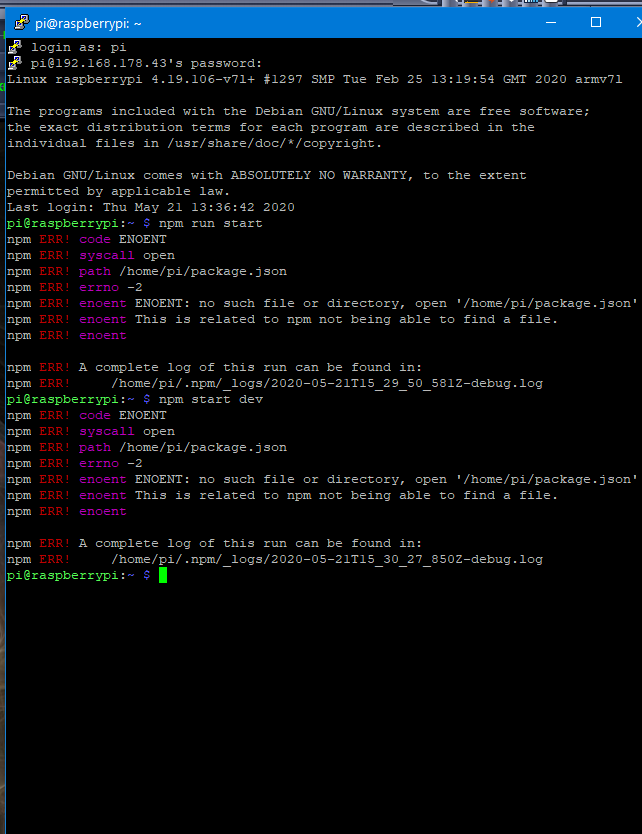
Instead of running
npm run startin your Magic Mirror folder to start the mirror, try runningnpm start devwhich will open a browser console next to your mirror instance. Then look for any errors (marked in red) in there. -
-
@jasim You need to be in the folder of your Magic Mirror installation when you run these commands.
-
-
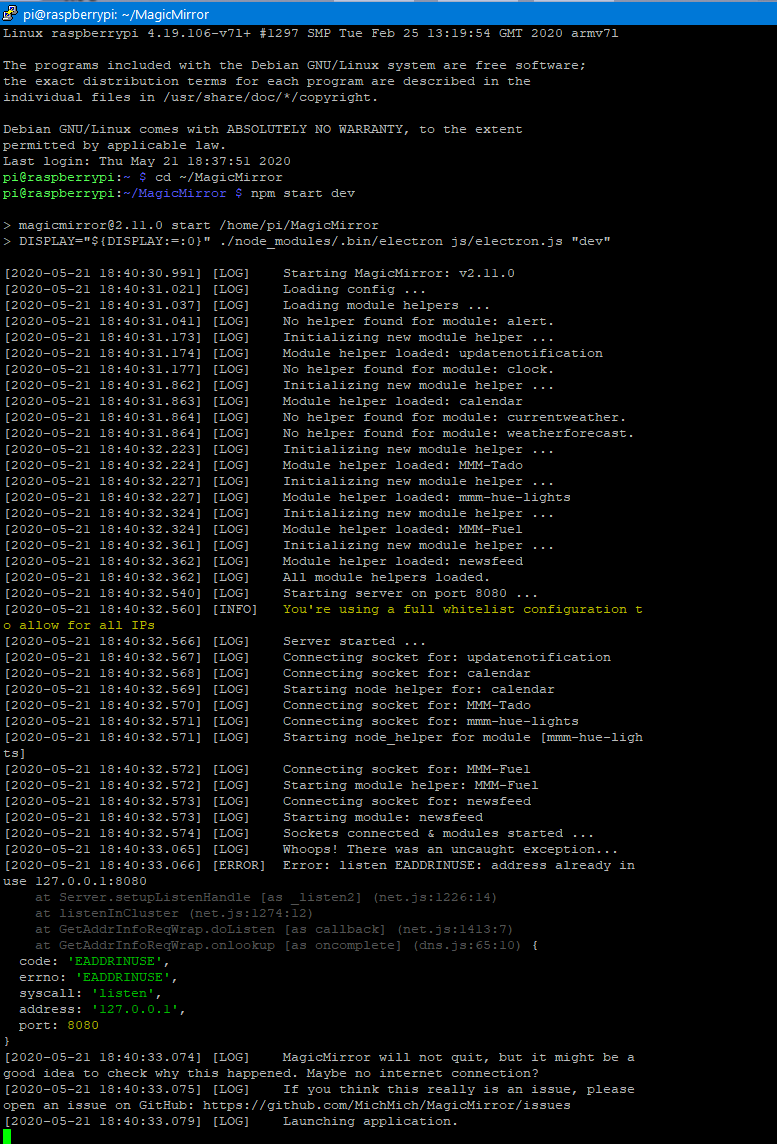
@jasim You already have another instance of Magic Mirror running (that’s the
EADDRINUSEerror) - you’ll need to stop that before runningnpm start dev. How do you normally start/stop your mirror? -
Ich starte den Spiegel automatisch wenn der pi hochfährt.
Wie stoppe ich EADDRINUSE Fehler.


Hello! It looks like you're interested in this conversation, but you don't have an account yet.
Getting fed up of having to scroll through the same posts each visit? When you register for an account, you'll always come back to exactly where you were before, and choose to be notified of new replies (either via email, or push notification). You'll also be able to save bookmarks and upvote posts to show your appreciation to other community members.
With your input, this post could be even better 💗
Register Login