Read the statement by Michael Teeuw here.
mmm assistant mk2
-
HI, Amazing work with GoogleAssist, it seems to be more responsive and accurate than AssistantMK2.
Have an issue with the display of the googleAssistant banner. My Mirror is full screen, ie in custom.css i have :-
 body {
     margin: 0px;
     position: absolute;
     height: 100%;
     width: 100%;
}
Which i hope is correct, im struggling with css side of things !! :-)
But when the banner appears i have this issue,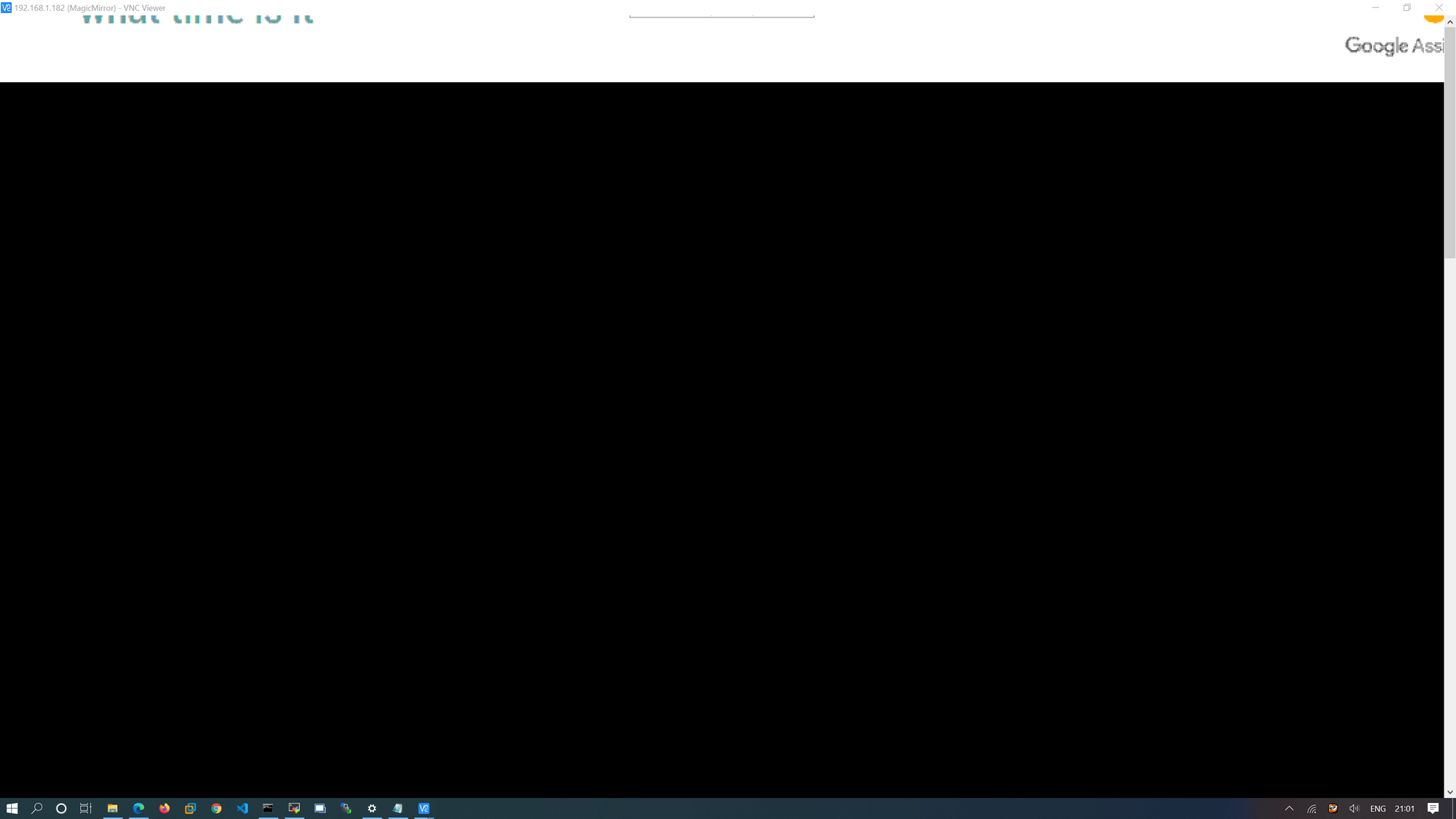
As top of banner is missing and widthI looked at GoogleAssistant.css, but couldnt work out what needs to change.
-
{
  module: "MMM-GoogleAssistant",
  position: "fullscreen_above",
  config: {
    ...
  }
},
don’t work with this position ?
Edit : Ah yes don’t work
-
Yes i have it set to fullscreen_above, i confirmed it works fine if i remove the css code i posted above
-
@JohnBachini: I don’t find too :face_with_tears_of_joy: :face_with_tears_of_joy: :face_screaming_in_fear:
I got lost in my css code !!!
-
@Bugsounet :-) So custom.css overides main.css , so does GoogleAssistant.css overide all ?
-
@JohnBachini main, then modules, then custom.css last
-
nop it not override all.
Actually I’m working arround a new rending
real time Transcription will be in next update in popup (like the response)
and it will correct this problem ;)So wait a few days :)
results:
New animation (response screen)
new animation (transcription)
More reactive -
@Bugsounet Great, Ill wait till then. Thanks
-
@JohnBachini : fixed ;)
wait next release :p
-
@dvbit Hi, did you managed to figure it out? I have the same issue. Youtube video audio works fine, I even hear the chime when the assistant is waked up.
-
@JohnBachini : if you want, we can do some test
-
@mcretu Hi . Lost in the Post.
I think you refer to youtube not being displayed.
If that is the case, as @Bugsounet keeps saying (he said it to me about this…), red the wiki. It’s all there.you need to change the config.js in config as follows:
https://github.com/bugsounet/MMM-Assistant2Display/wiki/ConfigurationAssistant2Display need electron special configuration for web link displaying and Youtube functionality start of the config.js configuration file var config = { address: "localhost", electronOptions: { webPreferences: { webviewTag: true } }, port: 8080, ... address should be localhost for playing YouTube video electronOptions is need if you want to display the link and Cast module
Hello! It looks like you're interested in this conversation, but you don't have an account yet.
Getting fed up of having to scroll through the same posts each visit? When you register for an account, you'll always come back to exactly where you were before, and choose to be notified of new replies (either via email, or push notification). You'll also be able to save bookmarks and upvote posts to show your appreciation to other community members.
With your input, this post could be even better 💗
Register Login