Read the statement by Michael Teeuw here.
[MMM-MieleAtHome] - Show the status of your Miele@Home Devices
-
Hi!
This is my first module and I hope you like it :-)
If there is anything I can optimize, please let me know! I’m completly new to JavaScrict so maybe there is a lot to do better ;-)
So far I have one Problem: If I add my module the MMM-ModuleScheduler doesn’t work anymore :-( Maybe someone has an idea?
Thank you!
Victor
-
Hi @ViDiBi
Could you add one or more pictures?
“Geräte werden geladen…“ is not vey exciting :-)And does it work with Home Connect, or is it for Miele only?
-
Actually this is only working for Miele but I will have a look on HomeConnect :-)
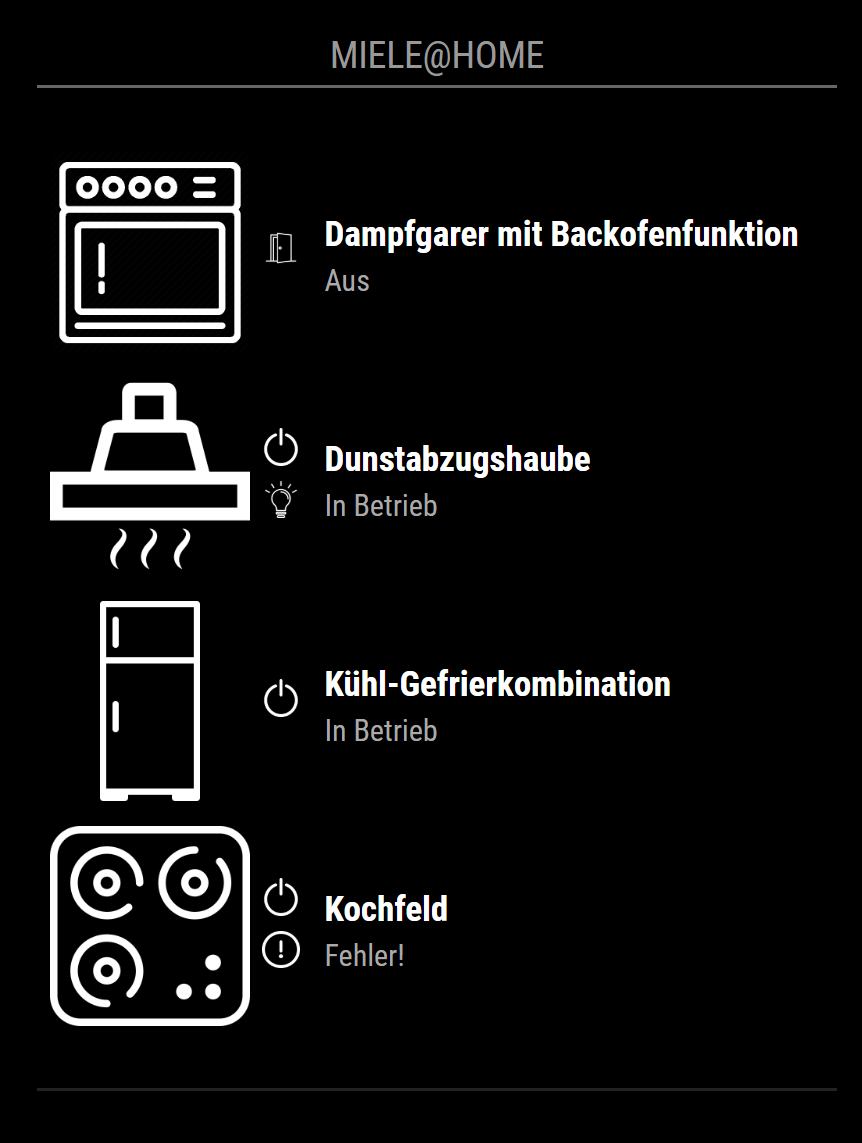
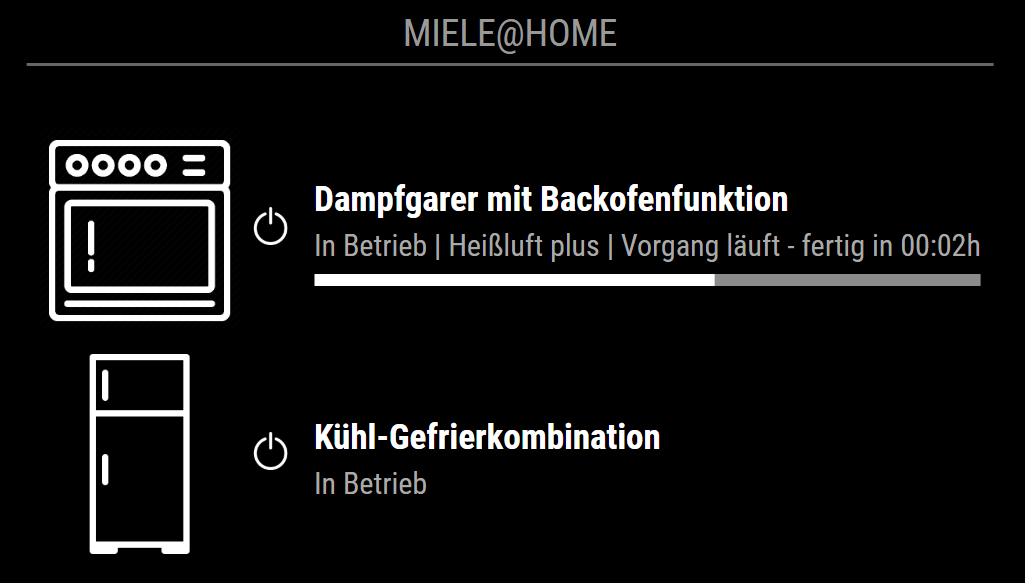
And sure :-) I just uploaded some screenshots on GitHub and here is a selection (I already wrote to Miele if they can give me some icons, because these are not so amazing):

-
nice addon thank you. will test next week. on your screenshot the icons look very big. I think an option for “use icons” would be nice in order to not overload the screen with information ;)
-
@ViDiBi said in [MMM-MieleAtHome] - Show the status of your Miele@Home Devices:
just uploaded some screenshots
Nice!
I do not have Miele, but Neff and that makes use of Home Connect.
I see that Bosch, Siemens and Neff are listed, but not Miele.
Still a nice module for MM, well done.MagicMirror version: 2.37.0
Raspberry Pi 4 Model B Rev 1.5 (8 GB RAM)
Raspbian GNU/Linux 12 (bookworm) -
@dirkie said in [MMM-MieleAtHome] - Show the status of your Miele@Home Devices:
nice addon thank you. will test next week. on your screenshot the icons look very big. I think an option for “use icons” would be nice in order to not overload the screen with information ;)
Yes! Thats a good idea 🙂 I will try to add this Option soon 🙂
Hope it works for you 🙂👌🏼
-
@ViDiBi said in [MMM-MieleAtHome] - Show the status of your Miele@Home Devices:
Hi!
This is my first module and I hope you like it :-)
If there is anything I can optimize, please let me know! I’m completly new to JavaScrict so maybe there is a lot to do better ;-)
So far I have one Problem: If I add my module the MMM-ModuleScheduler doesn’t work anymore :-( Maybe someone has an idea?
Thank you!
Victor
Oh and I solved the Problem with MMM-ModuleSchedule 🙂 So now everything works 👌🏼
-
@evroom said in [MMM-MieleAtHome] - Show the status of your Miele@Home Devices:
@ViDiBi said in [MMM-MieleAtHome] - Show the status of your Miele@Home Devices:
just uploaded some screenshots
Nice!
I do not have Miele, but Neff and that makes use of Home Connect.
I see that Bosch, Siemens and Neff are listed, but not Miele.
Still a nice module for MM, well done.Yes I looked into it and Miele seems to have their own environment and is not participating in Home Connect 😔
And Thank you for the positive feedback 🙂
-
@ViDiBi
finally I made it this morning and got our miele devices into “the cloud” and on the screen.
thank you very much for this nice addon, implementation was no problem at all.One question:
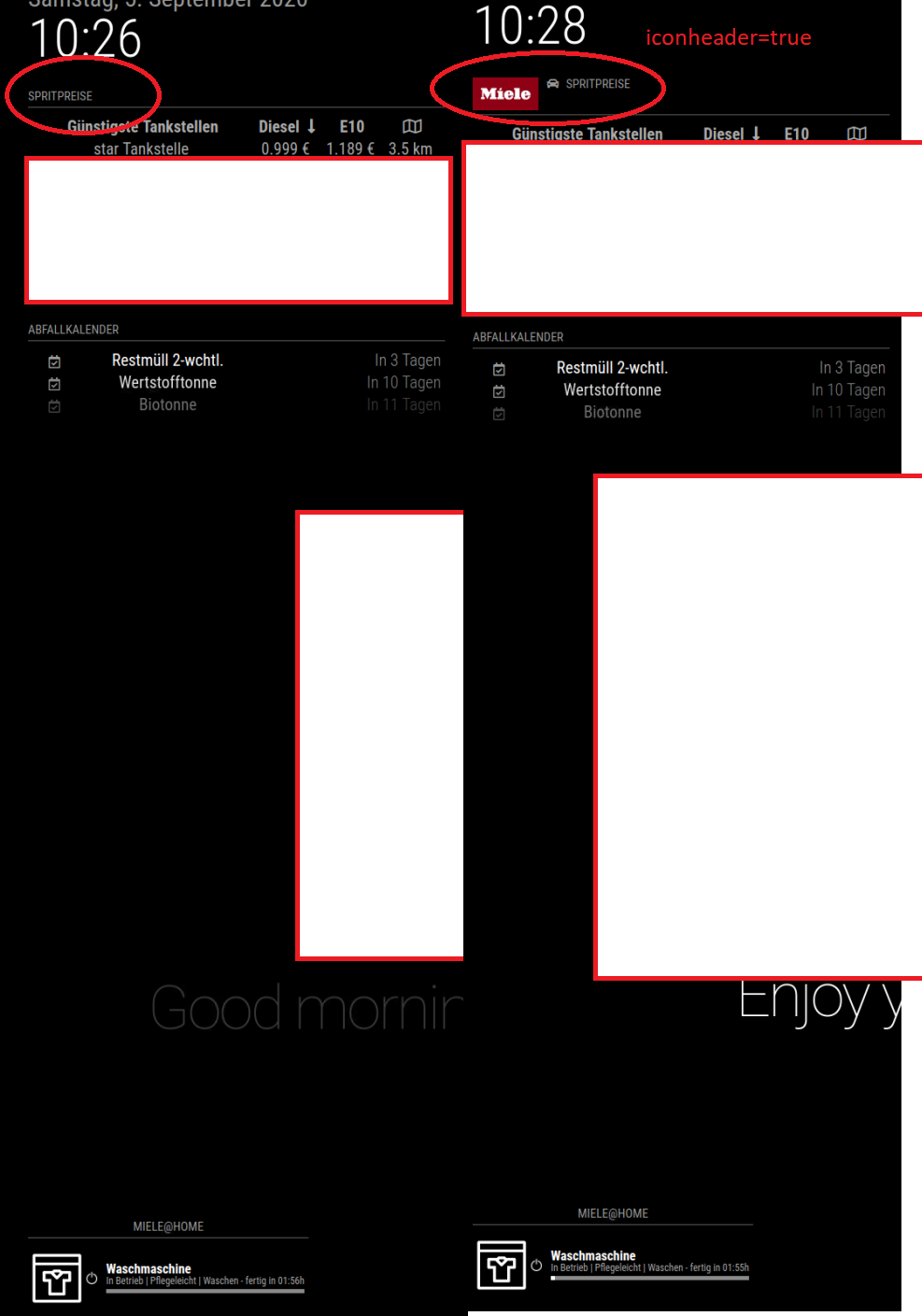
I put the addon in bottom_left and arranged it with custom.css with no problems at all. But in the top left corner i see an icon of MIELE (red background white letters) which integrated somehow in the FUEL-prices addon. do you know how to get rid of this ICON?edit:
I found out there seems to be some (at least for me) not understandable interference between MMM-Miele and MMM-Fuel(https://github.com/fewieden/MMM-Fuel). In MMM-Fuel you have “car ICON” which can be enabled or disabled. it was enabled at first and then next to that little car there popped up. when using iconHeader=false in MMM-Fuel the car and the MIELE icon disappeared. Is this a problem with your module or with MMM-Fuel module? Would be great if you can have a look at it… ;) -
Hi @dirkie
I’m glad you like it :-) MAybe you can share some screenshots?
Can you also try to change to position of the module? The behaviour is pretty strang, because the HTML Code doesn’t contain the image any more as soon as the devices are online…
Have a great day!
Victor
-
hey Victor,
yes it is really strange. I have no clue why a different module uses your logo. I prepared the screenshot below. In the right screenshot you see that MIELE logo in the MMM-Fuel module. I just took a brief look into the custom.css from your module and the MMM-fuel module. The only Idea i have is that both objects are called “logo”.But no clue ;)
One more thing which I noticed last week. We have 3 machines online now. TUmbler, dishwasher and washing machine. I noticed that there is no fixed order of display. In example the washing maching machine in the tumbler always changed position on the screen i believe every “updatefrequenzy ms”. Can you create a fixed order?
Another one: you publish the time to finish. E.G. 1h50min. Is it possible to make a switch in config file for time finished? So Washing machine done at 13:00.
Just my thoughts and feedback from a user side with a lack of programming skills. I hope you don’t feel angry about it ;)
Thanks again for your work.
DIrk
Screenshot: (white areas are censored)
-
@ViDiBi I have started the work on making a port of your module for Home Connect. I think the first version can be ready next weekend
-
Inspired by the good work of @ViDiBi, I have created a version for Home Connect: https://github.com/djerik/MMM-HomeConnect
It’s my first try of this - please let me know if this is useful and if you have ideas for improvement
-
-
@djerik said in [MMM-MieleAtHome] - Show the status of your Miele@Home Devices:
Inspired by the good work of @ViDiBi, I have created a version for Home Connect: https://github.com/djerik/MMM-HomeConnect
Hi,
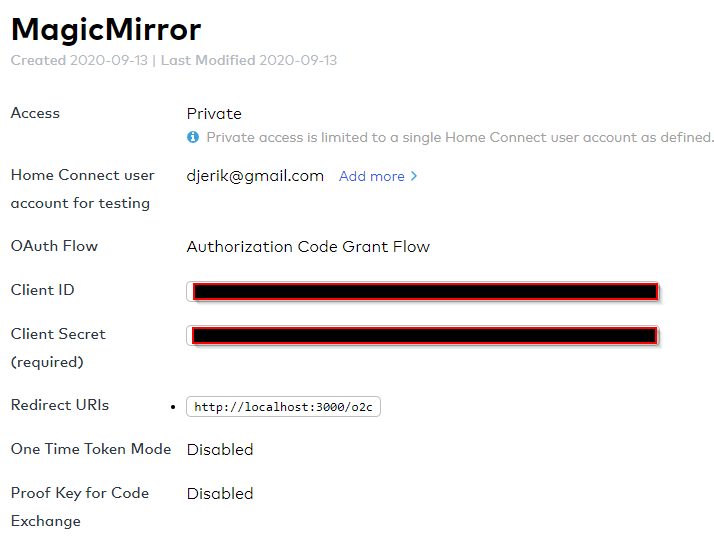
I am having difficulties in registering an application in order to get a client ID and a client_secret.
In the Register Application form, what do I use for example for the Redirect URI ?
-
Sorry, that is missing from the documentation. The URI must be:
http://localhost:3000/o2cUpon the first start of MagicMirror, it will start a browser and show the authorization screen using this URI. This is only necessary the first time, the access token will be refreshed automatically afterward.
-
@djerik said in [MMM-MieleAtHome] - Show the status of your Miele@Home Devices:
it will start a browser and show the authorization screen using this URI.
It will not take my password :-(
I have the same login name (email address) as the home-connect account, perhaps that is the reason.
I am trying to delete the account, but till now no luck.
Will keep trying and will report back. -
This post is deleted! -
@dirkie said in [MMM-MieleAtHome] - Show the status of your Miele@Home Devices:
edit:
I found out there seems to be some (at least for me) not understandable interference between MMM-Miele and MMM-Fuel(https://github.com/fewieden/MMM-Fuel). In MMM-Fuel you have “car ICON” which can be enabled or disabled. it was enabled at first and then next to that little car there popped up. when using iconHeader=false in MMM-Fuel the car and the MIELE icon disappeared. Is this a problem with your module or with MMM-Fuel module? Would be great if you can have a look at it… ;)Having the same issue. Thanks for the module, anyway :-)
-
@evroom
Strange. Have you set up the application as described here:
https://github.com/artcom/home-connect-jsHave you entered the ID and Secret in your MM config?
Any errors in the log?
Do you have a screenshot?


Hello! It looks like you're interested in this conversation, but you don't have an account yet.
Getting fed up of having to scroll through the same posts each visit? When you register for an account, you'll always come back to exactly where you were before, and choose to be notified of new replies (either via email, or push notification). You'll also be able to save bookmarks and upvote posts to show your appreciation to other community members.
With your input, this post could be even better 💗
Register Login