Read the statement by Michael Teeuw here.
Homeassistant und Magic Mirror problem whith MQTT character string help
-
Hello, I am configuring a module for my Magic-Mirror, but I cannot get the temperature value without the entire character string of the Sonoff-Tasmota with a DHT11 temperature and humidity sensor.
I leave you an image of my problem, in case you can help me. Thanks
Img.frage1.png and console
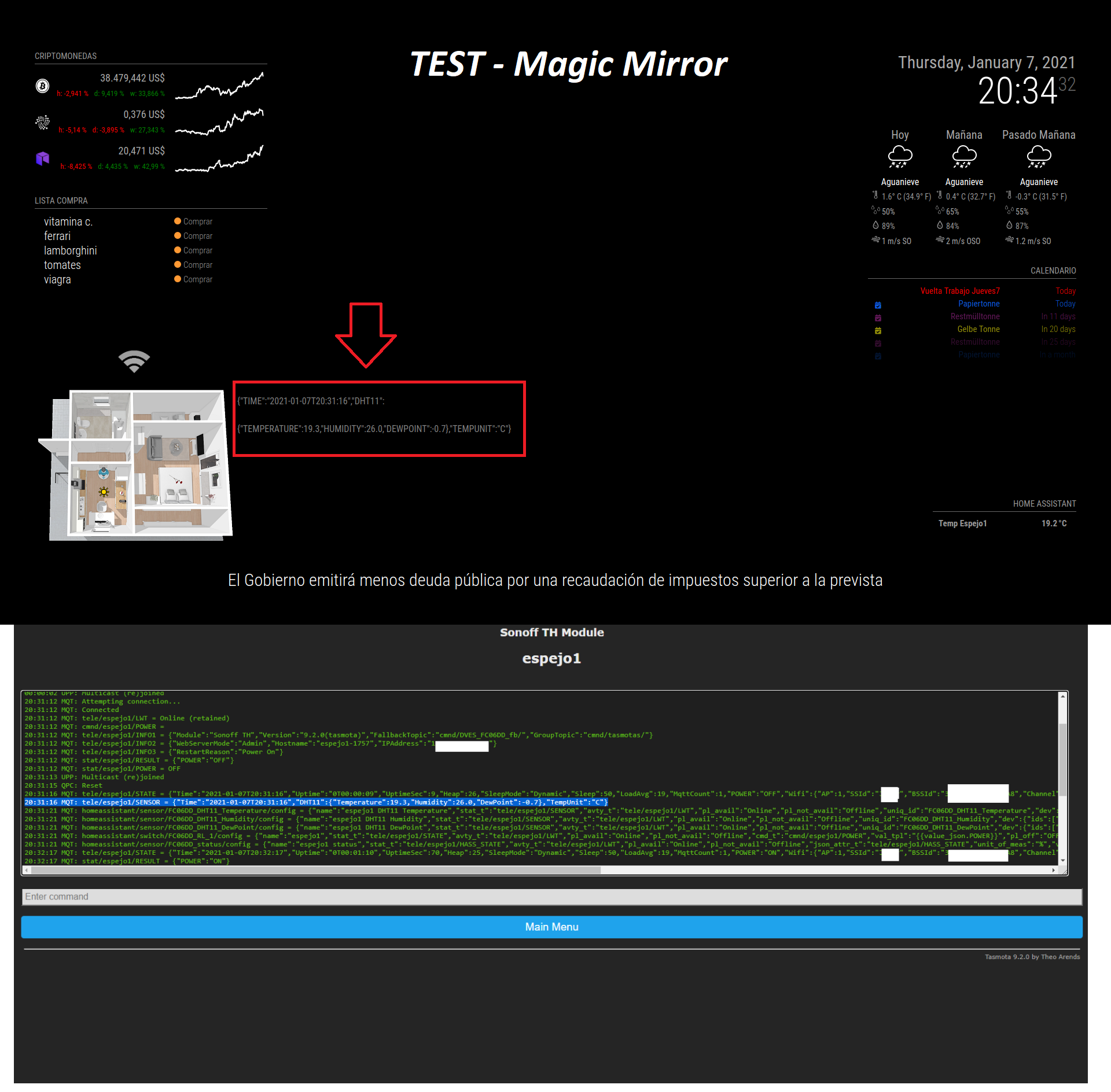
20:31:16 MQT: tele/espejo1/SENSOR = {“Time”:“2021-01-07T20:31:16”,“DHT11”:{“Temperature”:19.3,“Humidity”:26.0,“DewPoint”:-0.7},“TempUnit”:“C”}
I need to get the Temperature value only, but I don’t know how. And I’ve tried everything.
I have the module configured with MQTT (Homeassistant)Example Module:
/////////////////////////////////////////////////////////////////////////////////////////////////////////////////////
//MMM-MQTTfloorplan - CON IMAGEN 3D
/////////////////////////////////////////////////////////////////////////////////////////////////////////////////////
{
module: ‘MMM-MQTTfloorplan’,
position: ‘bottom_left’,
config: {
mqttServer: {
url: “IP-RASPBERY”,
user: “mqtt”,
password: “************”,
},
floorplan: {
image: “floorplan-default.png”,
width: 350,
height: 295,
},
subscriptions: [
{
topic: ‘stat/espejo1/RESULT’, // MQTT Topic name !
label: ‘Luz de pruebas1 - Espejo1’, // BULB OK!!
type: ‘light’,
display: { left: 120, top: 60 },
{
topic: ‘tele/espejo1/SENSOR’, //Work but everything I need Only Temperature value !!!
label: ‘Espejo1 Temp’,
type: ‘label’,
display: { left: 350, top: 10},]
}
},Thank you very much for those who can help me get the temperature value, within topic:
example -> topic: ‘tele/espejo1/SENSOR’, bla…bla…bla … Help !!! ???
Happy New Year 2021 to all :wink:
-
You will have to do something like the default “currentweather” module does when parsing the data received from https://api.openweathermap.org/
Just check the content of “currentweather.js” in MagicMirror/modules/default/currentweather
I can’t tell you what to do (yet) but your sensor output is very similar to the output received from openweathermap.
Below the code received from https://api.openweathermap.org/ which is processed and presented to your MagicMirror via the default module “currentweather”.
{"coord":{"lon":4.8264,"lat":52.4385},"weather":[{"id":500,"main":"Rain","description":"light rain","icon":"10n"},{"id":310,"main":"Drizzle","description":"light intensity drizzle rain","icon":"09n"}],"base":"stations","main":{"temp":276.16,"feels_like":272.32,"temp_min":275.93,"temp_max":276.48,"pressure":1011,"humidity":93},"visibility":10000,"wind":{"speed":3.09,"deg":310},"rain":{"1h":0.25},"clouds":{"all":75},"dt":1610059500,"sys":{"type":1,"id":1524,"country":"NL","sunrise":1610005749,"sunset":1610034267},"timezone":3600,"id":2744118,"name":"Zaandam","cod":200}Hope this helps pointing you in the right direction.
David -
Thanks for answering, the truth is that I am not an expert and I have just started to know Java … that is why I am very lost. If you have another simpler idea, I will appreciate it. :)
-
@droncho Maybe this module can help you get a better idea on how to parse your Sensor data.
https://github.com/ottopaulsen/MMM-MQTT
Alternatively you can try using:
topic: 'tele/espejo1/Temperature'or
topic: 'tele/espejo1/SENSOR/Temperature'in your config. I am not familiar with sensors yet…
-
Look at this:
https://tasmota.github.io/docs/DHT11/So maybe you can use:
topic: 'tele/espejo1/SENSOR:state:JSONPATH($.DHT11.Temperature)'or something like that.
-
@MaXi-XCeL thx…I am editing the module again to see if I can find the key to everything, I write again when I have the solution … Greetings and thanks. :)
-
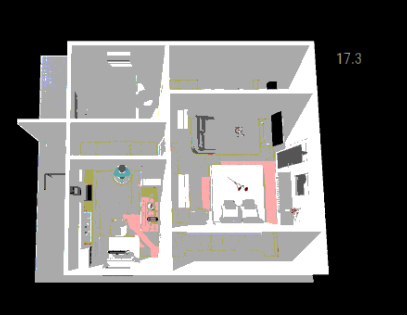
Solved !! YUHUU!!!
Thaks to bertdeelman (creator from this Module: MMM-MQTTfloorplan) its working !!!
link: https://github.com/DMailMan/MMM-MQTTfloorplanin config.js
{
topic: ‘tele/espejo1/SENSOR’, // MQTT Topic name
label: ‘Temperature’, // Not displayed anywhere, but handy for you to know what you’re doing !
type: ‘label’,
jsonpointer: ‘/DHT11/Temperature’,
display: { left: 265, top: 90, prefix: “”, suffix: “°C”, decimals: 1 },
},Modification in module MMM-MQTTfloorplan.js
.
.
123 this.updateDivForItem(
124 i,
125 value,
126 config);
.
…Img…
-
Perfection! Nicely done! Big-ups for all the Pro’s supporting this awesome platform!
David -
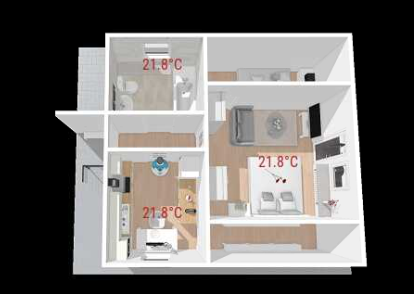
testing again and working !!!
-
Hi…I’m not beyond any doubt which portion isn’t working, so to begin with off, get the MQTTBox installed. Then get that associated to your mqtt, and subscribe to cmnd/hallway/# to see in case you’ll get messages through on the mqtt. If not at that point it’s the mqtt setup, in case there’s , at that point it’s something in MM. You can moreover send MQTT commands throgh the MQTT Box straightforwardly to see on the off chance that the reflect responds to it.
Hello! It looks like you're interested in this conversation, but you don't have an account yet.
Getting fed up of having to scroll through the same posts each visit? When you register for an account, you'll always come back to exactly where you were before, and choose to be notified of new replies (either via email, or push notification). You'll also be able to save bookmarks and upvote posts to show your appreciation to other community members.
With your input, this post could be even better 💗
Register Login