MagicMirror Forum
    • Recent
    • Tags
    • Unsolved
    • Solved
    • MagicMirror² Repository
    • Documentation
    • 3rd-Party-Modules
    • Donate
    • Discord
    • Register
    • Login
    A New Chapter for MagicMirror: The Community Takes the Lead
    Read the statement by Michael Teeuw here.

    iFrame Windfinder

    Scheduled Pinned Locked Moved Troubleshooting
    21 Posts 2 Posters 6.7k Views 2 Watching
    Loading More Posts
    • Oldest to Newest
    • Newest to Oldest
    • Most Votes
    Reply
    • Reply as topic
    Log in to reply
    This topic has been deleted. Only users with topic management privileges can see it.
    • S Offline
      sdetweil @megagprime
      last edited by

      @megagprime single or double, doesn’t matter, as long as both ends are the same

      url: [
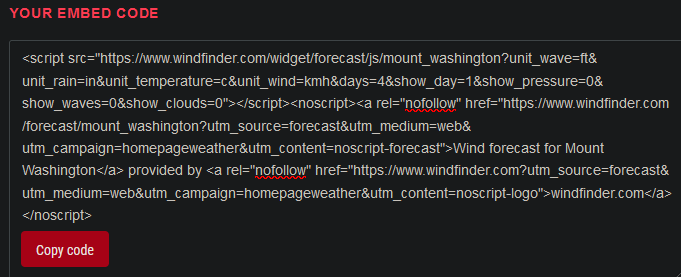
            "https://www.windfinder.com/widget/forecast/js/mount_washington? 
      unit_wave=ft&unit_rain=in&unit_temperature=c&unit_wind=kmh&days=4&show_day=1&show_pressure=0&show_waves=0&show_clouds=0"
      ],
      

      Sam

      How to add modules

      learning how to use browser developers window for css changes

      M 1 Reply Last reply Reply Quote 0
      • M Offline
        megagprime @sdetweil
        last edited by

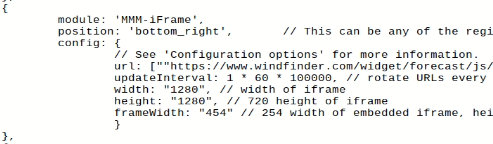
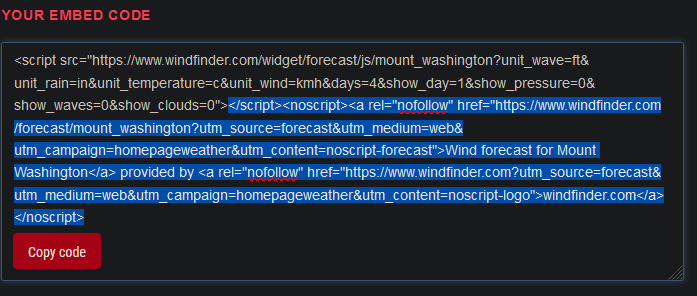
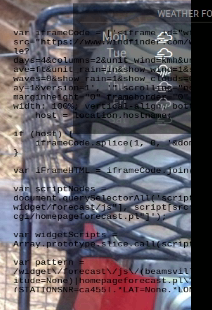
        @sdetweil Hi and thanks for your help, but i tried that earlier (sorry i didnt mention) and it loads the MM but is broken iframe f29caf26-52a7-45f8-9d3f-262177674118-image.png we are missing the tail end 9072100c-183d-4261-ac72-98470d538faf-image.png
        S 1 Reply Last reply Reply Quote 0
        • S Offline
          sdetweil @megagprime
          last edited by

          @megagprime its the second link the does the image…

          https://www.windfinder.com/forecast/lake_pflugerville?utm_source=forecast&utm_medium=web&utm_campaign=homepageweather&utm_content=noscript-forecast

          the 1st loads some javascript to do stuff…

          this is really not a clean iframeable location…

          Sam

          How to add modules

          learning how to use browser developers window for css changes

          M 1 Reply Last reply Reply Quote 0
          • M Offline
            megagprime @sdetweil
            last edited by megagprime

            @sdetweil said in iFrame Windfinder:

            https://www.windfinder.com/forecast/lake_pflugerville?utm_source=forecast&utm_medium=web&utm_campaign=homepageweather&utm_content=noscript-forecast

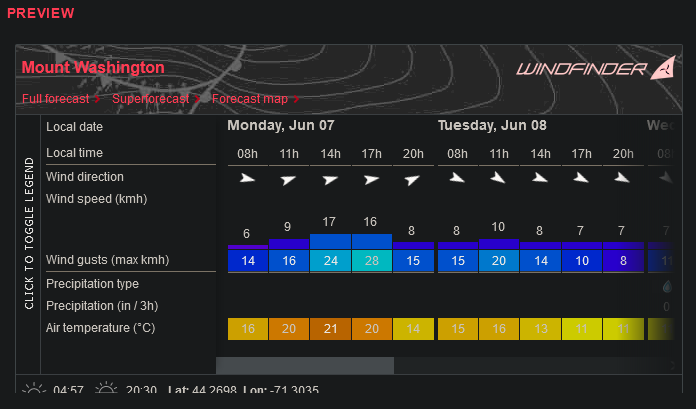
            this is all i really want
            fb5fbec6-e729-4149-a425-235e1474cf93-image.png

            but would love the speeds and temps from the widget, sorter and easier to see

            Also the short link from the page you suggested does not work :(

            S 1 Reply Last reply Reply Quote 0
            • S Offline
              sdetweil @megagprime
              last edited by

              @megagprime yeh, they are not iframe friendly

              I wonder

              if u make another html page shell

              on your local disk, in the MM modules tree, make a new folder
              MagicMirror/modules/Windfinder

              name the file
              myembed.html (in the new folder)

              <html> 
                the embed stuff
              </html>
              

              then in the iframe config

              url:[ “http://localhost:MagicMirror_Port/modules/Windfinder/myembed.html”]

              Sam

              How to add modules

              learning how to use browser developers window for css changes

              1 Reply Last reply Reply Quote 0
              • S Offline
                sdetweil
                last edited by

                well, the embed in another file works locally, but not launched into the iframe

                returns error
                cannot display … in a frame because it set ‘X-Frame-Options’ to ‘SAMEORIGIN’.

                Sam

                How to add modules

                learning how to use browser developers window for css changes

                S M 2 Replies Last reply Reply Quote 0
                • S Offline
                  sdetweil @sdetweil
                  last edited by

                  @megagprime actually it DOES work

                  if you use the physical network for the MM address: setting

                  in my case 192.168.2.106 (not localhost or 0.0.0.0)

                  and there is a bug/… in the iframe code, need to specify height as well as width…
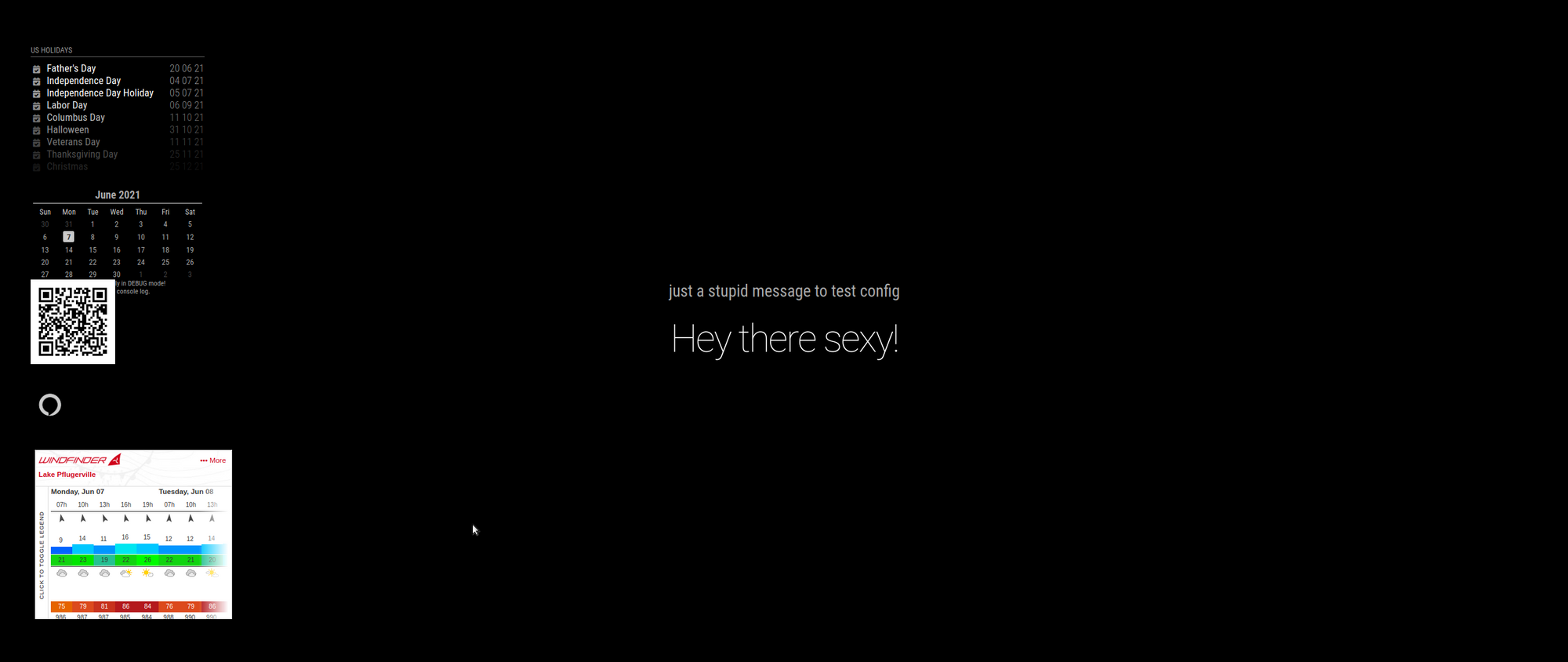
                  Screenshot at 2021-06-07 15-37-51.png

                  Sam

                  How to add modules

                  learning how to use browser developers window for css changes

                  S M 2 Replies Last reply Reply Quote 1
                  • S Offline
                    sdetweil @sdetweil
                    last edited by

                    @megagprime I also tried loading the extra file from the local filesystem

                    file:///home/sam/MagicMirror/modules/Windfinder/myembed.html
                    

                    but says not allowed to load load resource.

                    Sam

                    How to add modules

                    learning how to use browser developers window for css changes

                    1 Reply Last reply Reply Quote 0
                    • M Offline
                      megagprime @sdetweil
                      last edited by

                      @sdetweil whats your next idea? i tried htmlbox, no dice… :/

                      S 1 Reply Last reply Reply Quote 0
                      • S Offline
                        sdetweil @megagprime
                        last edited by

                        @megagprime I got it to work. tried a couple other things that didn’t. I’m done testing.

                        Sam

                        How to add modules

                        learning how to use browser developers window for css changes

                        M 1 Reply Last reply Reply Quote 0
                        • M Offline
                          megagprime @sdetweil
                          last edited by

                          @sdetweil how? :)

                          S 1 Reply Last reply Reply Quote 0
                          • S Offline
                            sdetweil @megagprime
                            last edited by sdetweil

                            @megagprime see the the post above that starts

                            @megagprime actually it DOES work
                            

                            Sam

                            How to add modules

                            learning how to use browser developers window for css changes

                            1 Reply Last reply Reply Quote 0
                            • M Offline
                              megagprime @sdetweil
                              last edited by megagprime

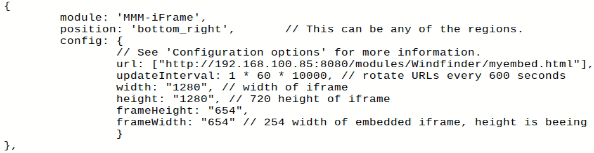
                              @sdetweil just saw this! But its still not working for me :( the MM loads but does not display the iframe :( Tried with frameHeight and without f3110352-4ed5-4798-b710-c2e2272d0580-image.png
                              S 1 Reply Last reply Reply Quote 0
                              • S Offline
                                sdetweil @megagprime
                                last edited by

                                @megagprime what is the

                                address: 
                                

                                setting up above?

                                it MUST BE the same numeric number as in the URL
                                cannot be localhost or 0.0.0.0 (as I said in my post)

                                Sam

                                How to add modules

                                learning how to use browser developers window for css changes

                                S 1 Reply Last reply Reply Quote 0
                                • S Offline
                                  sdetweil @sdetweil
                                  last edited by

                                  @megagprime

                                  also, if you open the developers window, ctrl-shift-i on the MM keyboard, ans select the console tab, and put part of the module name in the filter field , frame, for example here

                                  then you can see the error

                                  Sam

                                  How to add modules

                                  learning how to use browser developers window for css changes

                                  M 1 Reply Last reply Reply Quote 1
                                  • M Offline
                                    megagprime @sdetweil
                                    last edited by

                                    @sdetweil https://www.youtube.com/watch?v=1bGOgY1CmiU thanks :)

                                    S 1 Reply Last reply Reply Quote 0
                                    • S Offline
                                      sdetweil @megagprime
                                      last edited by

                                      @megagprime as long as it works

                                      Sam

                                      How to add modules

                                      learning how to use browser developers window for css changes

                                      1 Reply Last reply Reply Quote 0

                                      Hello! It looks like you're interested in this conversation, but you don't have an account yet.

                                      Getting fed up of having to scroll through the same posts each visit? When you register for an account, you'll always come back to exactly where you were before, and choose to be notified of new replies (either via email, or push notification). You'll also be able to save bookmarks and upvote posts to show your appreciation to other community members.

                                      With your input, this post could be even better 💗

                                      Register Login

                                      • 1
                                      • 2
                                      • 1 / 2
                                      • First post
                                        Last post
                                      Enjoying MagicMirror? Please consider a donation!
                                      MagicMirror created by Michael Teeuw.
                                      Forum managed by Sam, technical setup by Karsten.
                                      This forum is using NodeBB as its core | Contributors
                                      Contact | Privacy Policy