MagicMirror Forum
    • Recent
    • Tags
    • Unsolved
    • Solved
    • MagicMirror² Repository
    • Documentation
    • 3rd-Party-Modules
    • Donate
    • Discord
    • Register
    • Login
    A New Chapter for MagicMirror: The Community Takes the Lead
    Read the statement by Michael Teeuw here.

    MMM-Carousel not displaying

    Scheduled Pinned Locked Moved Forum
    96 Posts 4 Posters 60.0k Views 4 Watching
    Loading More Posts
    • Oldest to Newest
    • Newest to Oldest
    • Most Votes
    Reply
    • Reply as topic
    Log in to reply
    This topic has been deleted. Only users with topic management privileges can see it.
    • P Offline
      pastormingle
      last edited by sdetweil

      I’ve read through the documentation on the setting up MMM-Carousel but I can’t seem to get it to work…

       { 
                      module: 'MMM-Carousel',
                      config: {
                              transitionInterval: 10000,
                              ignoreModules: ['clock', 'alert'],
                              mode: 'slides',
                      slides: [
                          ['helloworld','calendar'],
                          ['weatherforecast', 'MMM-Trello', 'planetrise', 'newsfeed'],
                          ['MMM-fitbit']
                      ]
                    }
      },
      
      W 1 Reply Last reply Reply Quote 0
      • W Offline
        Wenike @pastormingle
        last edited by

        @pastormingle Do you have MMM-Fitbit, etc as modules on your mirror?

        P 1 Reply Last reply Reply Quote 0
        • P Offline
          pastormingle @Wenike
          last edited by

          @wenike I do not.

          W 1 Reply Last reply Reply Quote 0
          • W Offline
            Wenike @pastormingle
            last edited by

            @pastormingle Well, instead, I’d expect at least newsfeed, calendar, and helloworld (since that isn’t on the readme) to work as those are either default modules or one you likely added. But that lis:

                                ['helloworld','calendar'],
                                ['weatherforecast', 'MMM-Trello', 'planetrise', 'newsfeed'],
                                ['MMM-fitbit']
            

            Only works with the names of the modules you have, so if you don’t have MMM-fitbit installed, calling it is pointless and nothing would display.

            P 1 Reply Last reply Reply Quote 0
            • P Offline
              pastormingle @Wenike
              last edited by sdetweil

              @wenike this is what i have in my config.js but it’s still not displaying.

                              { 
                                      module: 'MMM-Carousel',
                                      config: {
                                      transitionInterval: 10000,
                                      ignoreModules: ['clock', 'alert'],
                                      mode: 'slides',
                              slides: [
                                  ['helloworld','calendar'],
                                  ['weatherforecast','weather'],
                                  ]}
                              },	 
              
              S 1 Reply Last reply Reply Quote 0
              • S Offline
                sdetweil @pastormingle
                last edited by sdetweil

                @pastormingle do you have all those modules defined in your config.js?

                helloworld is not usually there
                weatherforecast isn’t used lately

                MagicMirror can only show or hide modules. it does not dynamically load them

                so whatever is enabled in config.js is used

                carousel, like pages, face reco , profile switcher, etc, just degolines and idea for showing selected modules content.

                pages and carousel ground them and display on demand (pages) or timed (carousel)
                or some other trigger (face reco content by discovered user)

                Sam

                How to add modules

                learning how to use browser developers window for css changes

                1 Reply Last reply Reply Quote 0
                • P Offline
                  pastormingle
                  last edited by sdetweil

                  Heres my config…
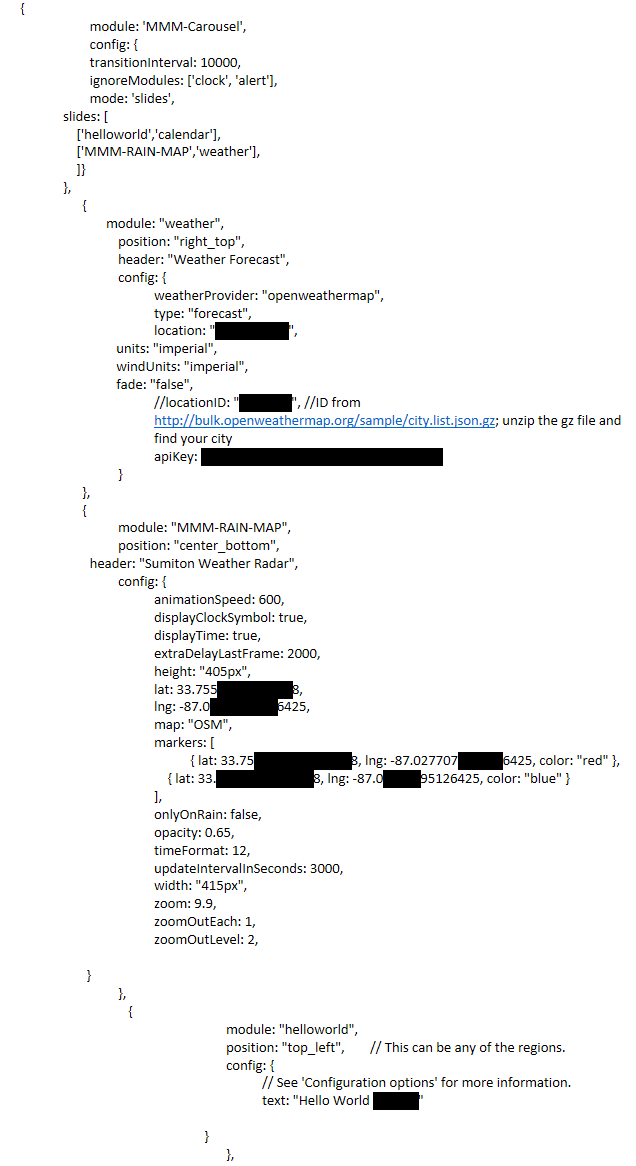
                  133ed01a-ad59-4194-8d61-f8c7eaec8a3a-image.png

                   { 
                                          module: 'MMM-Carousel',
                                          config: {
                                          transitionInterval: 10000,
                                          ignoreModules: ['clock', 'alert'],
                                          mode: 'slides',
                                  slides: [
                                      ['helloworld','calendar'],
                                      ['MMM-RAIN-MAP','weather'],
                                      ]}
                                  },	 
                  		{
                                  	module: "weather",
                  			position: "right_top",
                  			header: "Weather Forecast",
                  			config: {
                  				weatherProvider: "openweathermap",
                  				type: "forecast",
                  				location: "Sumiton, US",
                                                  units: "imperial",
                                                  windUnits: "imperial",
                                                  fade: "false",
                  				//locationID: "5128581", //ID from http://bulk.openweathermap.org/sample/city.list.json.gz; unzip the gz file and find your city
                  				apiKey: "2f0339fa6aa1b719849a3562a0c18d11"
                  			}
                  		},
                  		{
                  			module: "MMM-RAIN-MAP",
                  			position: "center_bottom",
                                          header: "Sumiton Weather Radar", 
                  			config: {
                  				animationSpeed: 600,
                  				displayClockSymbol: true,
                  				displayTime: true,
                  				extraDelayLastFrame: 2000,
                  				height: "405px",
                  				lat: 33.75563027313188,
                  				lng: -87.02770795126425,
                  				map: "OSM",
                  				markers: [
                  					{ lat: 33.7556305527313188, lng: -87.0277075595126425, color: "red" },
                  				    { lat: 33.75563027313188, lng: -87.02770795126425, color: "blue" }
                  				],
                  				onlyOnRain: false,
                  				opacity: 0.65,
                  				timeFormat: 12,
                  				updateIntervalInSeconds: 3000,
                  				width: "415px",
                  				zoom: 9.9,
                  				zoomOutEach: 1,
                  				zoomOutLevel: 2,
                                                	
                                         }
                  			},
                  			   {
                  						module: "helloworld",
                  						position: "top_left",	// This can be any of the regions.
                  						config: {
                  							// See 'Configuration options' for more information.
                  							text: "Hello World 123345"
                  			                                
                  			                          }
                  						},
                  
                  S 1 Reply Last reply Reply Quote 0
                  • S Offline
                    sdetweil @pastormingle
                    last edited by sdetweil

                    @pastormingle but u don’t have calendar, altho u specified on a slide

                    and without carousel, all those modules display content, right?

                    open the developers window, ctrl-shift-i on the keyboard, select the console tab and scroll up

                    u can also filter by module with unique part of name in filter field

                    car for example

                    Sam

                    How to add modules

                    learning how to use browser developers window for css changes

                    P 1 Reply Last reply Reply Quote 0
                    • P Offline
                      pastormingle @sdetweil
                      last edited by

                      @sdetweil i have a calendar listed but i have multiple calendars.
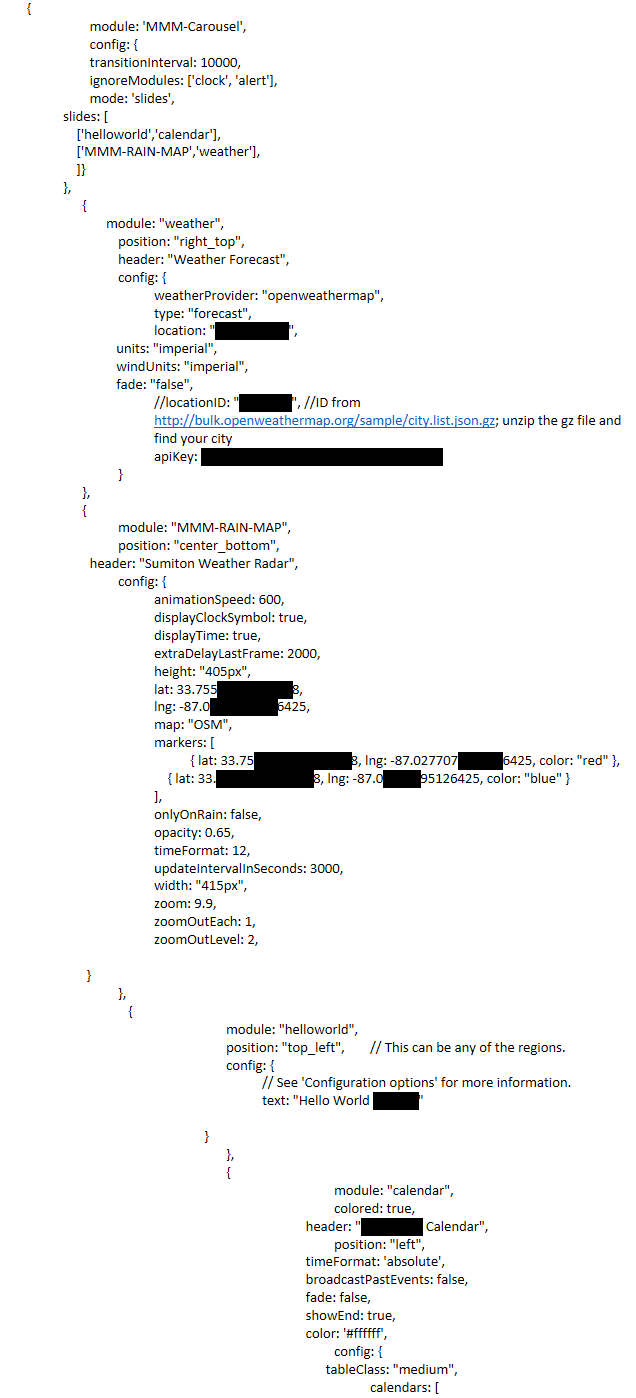
                      d577000e-9e4e-4cd9-84b6-3180eb403492-image.png {
                      module: ‘MMM-Carousel’,
                      config: {
                      transitionInterval: 10000,
                      ignoreModules: [‘clock’, ‘alert’],
                      mode: ‘slides’,
                      slides: [
                      [‘helloworld’,‘calendar’],
                      [‘MMM-RAIN-MAP’,‘weather’],
                      ]}
                      },
                      {
                      module: “weather”,
                      position: “right_top”,
                      header: “Weather Forecast”,
                      config: {
                      weatherProvider: “openweathermap”,
                      type: “forecast”,
                      location: “Sumiton, US”,
                      units: “imperial”,
                      windUnits: “imperial”,
                      fade: “false”,
                      //locationID: “5128581”, //ID from http://bulk.openweathermap.org/sample/city.list.json.gz; unzip the gz file and find your city
                      apiKey: “2f0339fa6aa1b719849a3562a0c18d11”
                      }
                      },
                      {
                      module: “MMM-RAIN-MAP”,
                      position: “center_bottom”,
                      header: “Sumiton Weather Radar”,
                      config: {
                      animationSpeed: 600,
                      displayClockSymbol: true,
                      displayTime: true,
                      extraDelayLastFrame: 2000,
                      height: “405px”,
                      lat: 33.75563027313188,
                      lng: -87.02770795126425,
                      map: “OSM”,
                      markers: [
                      { lat: 33.7556305527313188, lng: -87.0277075595126425, color: “red” },
                      { lat: 33.75563027313188, lng: -87.02770795126425, color: “blue” }
                      ],
                      onlyOnRain: false,
                      opacity: 0.65,
                      timeFormat: 12,
                      updateIntervalInSeconds: 3000,
                      width: “415px”,
                      zoom: 9.9,
                      zoomOutEach: 1,
                      zoomOutLevel: 2,

                                         }
                      		},
                      		   {
                      					module: "helloworld",
                      					position: "top_left",	// This can be any of the regions.
                      					config: {
                      						// See 'Configuration options' for more information.
                      						text: "Hello World 123345"
                      		                                
                      		                          }
                      					},
                      					{
                      								module: "calendar",
                      								colored: true,
                      					                        header: "Charlottes Calendar",
                      								position: "left",
                      					                        timeFormat: 'absolute',
                      					                        broadcastPastEvents: false,
                      					                        fade: false,
                      					                        showEnd: true,
                      					                        color: '#ffffff',
                      								config: {
                      					                              tableClass: "medium",
                      

                      calendars: [

                      mumblebajM 1 Reply Last reply Reply Quote 0
                      • mumblebajM Offline
                        mumblebaj Module Developer @pastormingle
                        last edited by

                        @pastormingle right_top and center_bottom are not positions on the mirror if I am not mistaken. See this link for more information regarding positions: https://forum.magicmirror.builders/topic/286/regions

                        Check out my modules at: https://github.com/mumblebaj?tab=repositories
                        Check my blog-post: https://mumblebaj.xyz/
                        Check my MM Container: https://hub.docker.com/repository/docker/mumblebaj/magicmirror/general

                        P S 2 Replies Last reply Reply Quote 0
                        • P Offline
                          pastormingle @mumblebaj
                          last edited by sdetweil

                          @mumblebaj So I’ve loaded the default config.js just to see if the course module is working at all. I’ve sent to use the global function and still, I see nothing changing on the screen.

                          /* Magic Mirror Config Sample
                           *
                           * By Michael Teeuw https://michaelteeuw.nl
                           * MIT Licensed.
                           *
                           * For more information on how you can configure this file
                           * see https://docs.magicmirror.builders/getting-started/configuration.html#general
                           * and https://docs.magicmirror.builders/modules/configuration.html
                           */
                          let config = {
                          	address: "localhost", 	// Address to listen on, can be:
                          							// - "localhost", "127.0.0.1", "::1" to listen on loopback interface
                          							// - another specific IPv4/6 to listen on a specific interface
                          							// - "0.0.0.0", "::" to listen on any interface
                          							// Default, when address config is left out or empty, is "localhost"
                          	port: 8080,
                          	basePath: "/", 	// The URL path where MagicMirror is hosted. If you are using a Reverse proxy
                          					// you must set the sub path here. basePath must end with a /
                          	ipWhitelist: ["127.0.0.1", "::ffff:127.0.0.1", "::1"], 	// Set [] to allow all IP addresses
                          															// or add a specific IPv4 of 192.168.1.5 :
                          															// ["127.0.0.1", "::ffff:127.0.0.1", "::1", "::ffff:192.168.1.5"],
                          															// or IPv4 range of 192.168.3.0 --> 192.168.3.15 use CIDR format :
                          															// ["127.0.0.1", "::ffff:127.0.0.1", "::1", "::ffff:192.168.3.0/28"],
                          
                          	useHttps: false, 		// Support HTTPS or not, default "false" will use HTTP
                          	httpsPrivateKey: "", 	// HTTPS private key path, only require when useHttps is true
                          	httpsCertificate: "", 	// HTTPS Certificate path, only require when useHttps is true
                          
                          	language: "en",
                          	locale: "en-US",
                          	logLevel: ["INFO", "LOG", "WARN", "ERROR"], // Add "DEBUG" for even more logging
                          	timeFormat: 24,
                          	units: "metric",
                          	// serverOnly:  true/false/"local" ,
                          	// local for armv6l processors, default
                          	//   starts serveronly and then starts chrome browser
                          	// false, default for all NON-armv6l devices
                          	// true, force serveronly mode, because you want to.. no UI on this device
                          
                          	modules: [
                          		{
                          			module: "alert",
                          		},
                          		{
                          			module: "updatenotification",
                          			position: "top_bar"
                          		},
                          		{
                          			module: "clock",
                          			position: "top_left"
                          		},
                          		{
                          			module: "calendar",
                          			header: "US Holidays",
                          			position: "top_left",
                          			config: {
                          				calendars: [
                          					{
                          						symbol: "calendar-check",
                          						url: "webcal://www.calendarlabs.com/ical-calendar/ics/76/US_Holidays.ics"					}
                          				]
                          			}
                          		},
                          		{
                          			module: "compliments",
                          			position: "lower_third"
                          		},
                          		{
                          			module: "weather",
                          			position: "top_right",
                          			config: {
                          				weatherProvider: "openweathermap",
                          				type: "current",
                          				location: "New York",
                          				locationID: "5128581", //ID from http://bulk.openweathermap.org/sample/city.list.json.gz; unzip the gz file and find your city
                          				apiKey: "YOUR_OPENWEATHER_API_KEY"
                          			}
                          		},
                          		{
                          			module: "weather",
                          			position: "top_right",
                          			header: "Weather Forecast",
                          			config: {
                          				weatherProvider: "openweathermap",
                          				type: "forecast",
                          				location: "New York",
                          				locationID: "5128581", //ID from http://bulk.openweathermap.org/sample/city.list.json.gz; unzip the gz file and find your city
                          				apiKey: "YOUR_OPENWEATHER_API_KEY"
                          			}
                          		},
                          		{
                          			module: "newsfeed",
                          			position: "bottom_bar",
                          			config: {
                          				feeds: [
                          					{
                          						title: "New York Times",
                          						url: "https://rss.nytimes.com/services/xml/rss/nyt/HomePage.xml"
                          					}
                          				],
                          				showSourceTitle: true,
                          				showPublishDate: true,
                          				broadcastNewsFeeds: true,
                          				broadcastNewsUpdates: true
                          			}
                          		},
                                  {
                                      module: 'MMM-Carousel',
                                      config: {
                                          transitionInterval: 10000,
                                          ignoreModules: [''],
                                          mode: 'global'
                                      }
                                  }
                           	]
                          };
                          
                          /*************** DO NOT EDIT THE LINE BELOW ***************/
                          if (typeof module !== "undefined") {module.exports = config;}
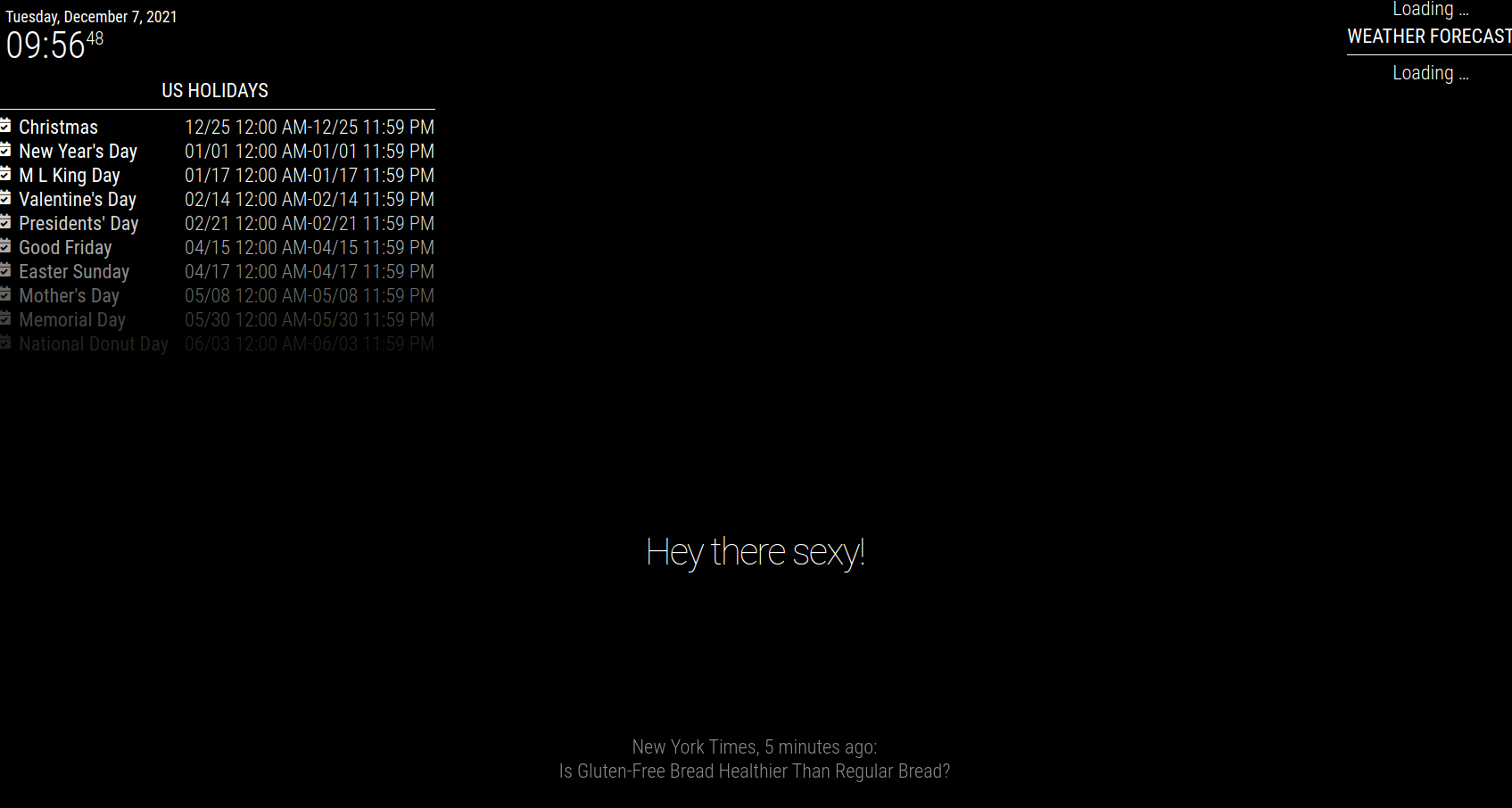
                          

                          592e9333-72de-4f7c-a7c9-b835060614ef-image.png

                          mumblebajM 1 Reply Last reply Reply Quote 0
                          • mumblebajM Offline
                            mumblebaj Module Developer @pastormingle
                            last edited by

                            @pastormingle said in MMM-Carousel not displaying:

                            MMM-Carousel

                            Just a silly question, when you installed the module. did you go into the MMM-Carousel folder and ran npm install?

                            Check out my modules at: https://github.com/mumblebaj?tab=repositories
                            Check my blog-post: https://mumblebaj.xyz/
                            Check my MM Container: https://hub.docker.com/repository/docker/mumblebaj/magicmirror/general

                            P 1 Reply Last reply Reply Quote 0
                            • S Offline
                              sdetweil @mumblebaj
                              last edited by

                              @pastormingle @mumblebaj also see position here

                              https://docs.magicmirror.builders/modules/configuration.html

                              Sam

                              How to add modules

                              learning how to use browser developers window for css changes

                              1 Reply Last reply Reply Quote 0
                              • P Offline
                                pastormingle @mumblebaj
                                last edited by

                                @mumblebaj said in MMM-Carousel not displaying:

                                npm install

                                not a silly question as it’s not in the install readme file…

                                Installation

                                Run these commands at the root of your magic mirror install.

                                cd modules
                                git clone https://github.com/shbatm/MMM-Carousel
                                

                                Using the module

                                To use this module, add the following configuration block to the modules array in the config/config.js file:

                                S mumblebajM 2 Replies Last reply Reply Quote 0
                                • S Offline
                                  sdetweil @pastormingle
                                  last edited by

                                  @pastormingle doesn’t have a node helper, so doesn’t need an npm install

                                  Sam

                                  How to add modules

                                  learning how to use browser developers window for css changes

                                  mumblebajM 1 Reply Last reply Reply Quote 0
                                  • mumblebajM Offline
                                    mumblebaj Module Developer @pastormingle
                                    last edited by

                                    @pastormingle Yes, you have to run nom install in the module folder. I saw that the module has a package.json with dependencies. I just installed it on my machine and it works. One thing to note, it only rotates modules that occupying the same position on the mirror. I have 2 modules that occupy the top_right position and those are rotating and the others remain unchanged when using the global config option.

                                    Check out my modules at: https://github.com/mumblebaj?tab=repositories
                                    Check my blog-post: https://mumblebaj.xyz/
                                    Check my MM Container: https://hub.docker.com/repository/docker/mumblebaj/magicmirror/general

                                    P 1 Reply Last reply Reply Quote 0
                                    • mumblebajM Offline
                                      mumblebaj Module Developer @sdetweil
                                      last edited by

                                      @sdetweil Hi Sam, For my understanding. What about dependencies in the package.json? If those are not default with MM then you have to run npm install I would think? Or is my understanding incorrect?

                                      Check out my modules at: https://github.com/mumblebaj?tab=repositories
                                      Check my blog-post: https://mumblebaj.xyz/
                                      Check my MM Container: https://hub.docker.com/repository/docker/mumblebaj/magicmirror/general

                                      S 1 Reply Last reply Reply Quote 0
                                      • P Offline
                                        pastormingle @mumblebaj
                                        last edited by

                                        @mumblebaj do you have an example of your config?

                                        P mumblebajM 2 Replies Last reply Reply Quote 0
                                        • P Offline
                                          pastormingle @pastormingle
                                          last edited by

                                          @pastormingle I sent my weather module to use the same as the clock position but still nothing…

                                          1 Reply Last reply Reply Quote 0
                                          • mumblebajM Offline
                                            mumblebaj Module Developer @pastormingle
                                            last edited by

                                            @pastormingle I used one of the default.

                                                        module: 'MMM-Carousel',
                                                        config: {
                                                            transitionInterval: 10000,
                                                            ignoreModules: [],
                                                            mode: 'positional',
                                                            top_left: {enabled: true, ignoreModules: [], overrideTransitionInterval: 15000},
                                                            top_right: {enabled: true, ignoreModules: ['currentweather']}
                                                        }
                                                    },
                                            

                                            Just tested the Global option and it works fine and rotates all the modules one by one.
                                            Here is the config for global

                                                        module: 'MMM-Carousel',
                                                        config: {
                                                            transitionInterval: 10000,
                                                            ignoreModules: ['clock'],
                                                            mode: 'global'
                                                        }
                                                    }

                                            Check out my modules at: https://github.com/mumblebaj?tab=repositories
                                            Check my blog-post: https://mumblebaj.xyz/
                                            Check my MM Container: https://hub.docker.com/repository/docker/mumblebaj/magicmirror/general

                                            P 1 Reply Last reply Reply Quote 0

                                            Hello! It looks like you're interested in this conversation, but you don't have an account yet.

                                            Getting fed up of having to scroll through the same posts each visit? When you register for an account, you'll always come back to exactly where you were before, and choose to be notified of new replies (either via email, or push notification). You'll also be able to save bookmarks and upvote posts to show your appreciation to other community members.

                                            With your input, this post could be even better 💗

                                            Register Login

                                            • 1
                                            • 2
                                            • 3
                                            • 4
                                            • 5
                                            • 1 / 5
                                            • First post
                                              Last post
                                            Enjoying MagicMirror? Please consider a donation!
                                            MagicMirror created by Michael Teeuw.
                                            Forum managed by Sam, technical setup by Karsten.
                                            This forum is using NodeBB as its core | Contributors
                                            Contact | Privacy Policy