Read the statement by Michael Teeuw here.
how to update my MM
-
This post is deleted! -
@rikko14 no space between the parts
cd ~/MagicMirror
means change directory (cd)
and the path to change to is /MagicMirror
relative to the current users home folderif pi is the current user, the it’s home is /home/pi
so the final path would be /home/pi/MagicMirror
better to run my upgrade script
-
I do : bash -c “$(curl -sL https://raw.githubusercontent.com/sdetweil/MagicMirror_scripts/master/upgrade-script.sh)”
the message at the top of my screen has disappeared but I have this :
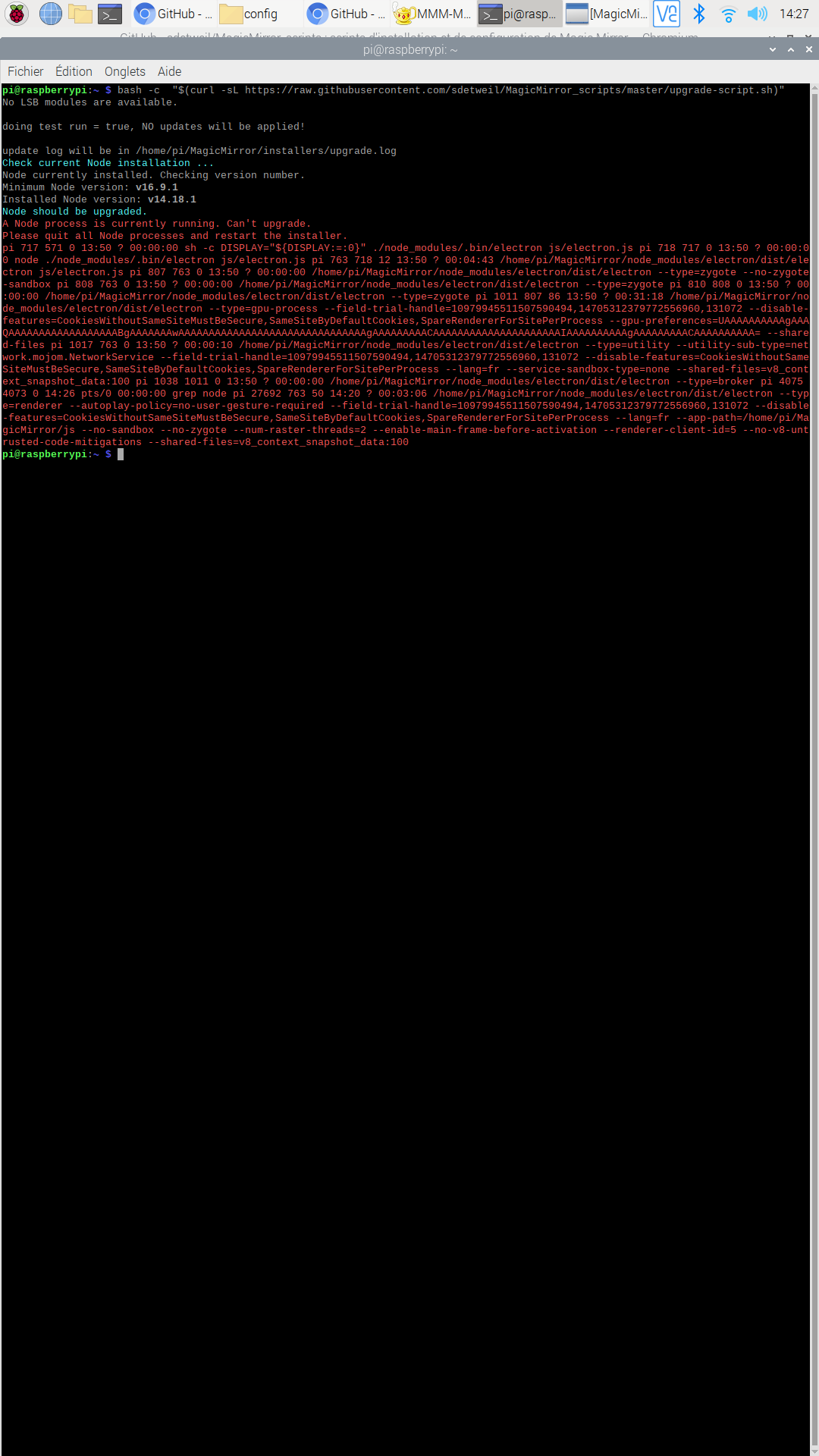
pi@raspberrypi:~ $ bash -c  "$(curl -sL https://raw.githubusercontent.com/sdetweil/MagicMirror_scripts/master/upgrade-script.sh)"
No LSB modules are available.

doing test run = true, NO updates will be applied!

update log will be in /home/pi/MagicMirror/installers/upgrade.log
Check current Node installation ...
Node currently installed. Checking version number.
Minimum Node version: v16.9.1
Installed Node version: v14.18.1
Node should be upgraded.
A Node process is currently running. Can't upgrade.
Please quit all Node processes and restart the installer.
pi 717 571 0 13:50 ? 00:00:00 sh -c DISPLAY="${DISPLAY:=:0}" ./node_modules/.bin/electron js/electron.js pi 718 717 0 13:50 ? 00:00:00 node ./node_modules/.bin/electron js/electron.js pi 763 718 12 13:50 ? 00:04:43 /home/pi/MagicMirror/node_modules/electron/dist/electron js/electron.js pi 807 763 0 13:50 ? 00:00:00 /home/pi/MagicMirror/node_modules/electron/dist/electron --type=zygote --no-zygote-sandbox pi 808 763 0 13:50 ? 00:00:00 /home/pi/MagicMirror/node_modules/electron/dist/electron --type=zygote pi 810 808 0 13:50 ? 00:00:00 /home/pi/MagicMirror/node_modules/electron/dist/electron --type=zygote pi 1011 807 86 13:50 ? 00:31:18 /home/pi/MagicMirror/node_modules/electron/dist/electron --type=gpu-process --field-trial-handle=10979945511507590494,14705312379772556960,131072 --disable-features=CookiesWithoutSameSiteMustBeSecure,SameSiteByDefaultCookies,SpareRendererForSitePerProcess --gpu-preferences=UAAAAAAAAAAgAAAQAAAAAAAAAAAAAAAAAABgAAAAAAAwAAAAAAAAAAAAAAAAAAAAAAAAAAAAAAAgAAAAAAAAACAAAAAAAAAAAAAAAAAAAAAIAAAAAAAAAAgAAAAAAAAACAAAAAAAAAA= --shared-files pi 1017 763 0 13:50 ? 00:00:10 /home/pi/MagicMirror/node_modules/electron/dist/electron --type=utility --utility-sub-type=network.mojom.NetworkService --field-trial-handle=10979945511507590494,14705312379772556960,131072 --disable-features=CookiesWithoutSameSiteMustBeSecure,SameSiteByDefaultCookies,SpareRendererForSitePerProcess --lang=fr --service-sandbox-type=none --shared-files=v8_context_snapshot_data:100 pi 1038 1011 0 13:50 ? 00:00:00 /home/pi/MagicMirror/node_modules/electron/dist/electron --type=broker pi 4075 4073 0 14:26 pts/0 00:00:00 grep node pi 27692 763 50 14:20 ? 00:03:06 /home/pi/MagicMirror/node_modules/electron/dist/electron --type=renderer --autoplay-policy=no-user-gesture-required --field-trial-handle=10979945511507590494,14705312379772556960,131072 --disable-features=CookiesWithoutSameSiteMustBeSecure,SameSiteByDefaultCookies,SpareRendererForSitePerProcess --lang=fr --app-path=/home/pi/MagicMirror/js --no-sandbox --no-zygote --num-raster-threads=2 --enable-main-frame-before-activation --renderer-client-id=5 --no-v8-untrusted-code-mitigations --shared-files=v8_context_snapshot_data:100
pi@raspberrypi:~ $
Is it normal ?
-
@rikko14 MagicMirror is running… u need to stop it first
-
It works with PM2 automatic mode. How to block the pm2 mode while updating and then restart the pm2 mode?
-
@rikko14 pm2 stop all
upgrade
pm2 status
pm2 start ???where ???
is the name or number of the app definition from status output -
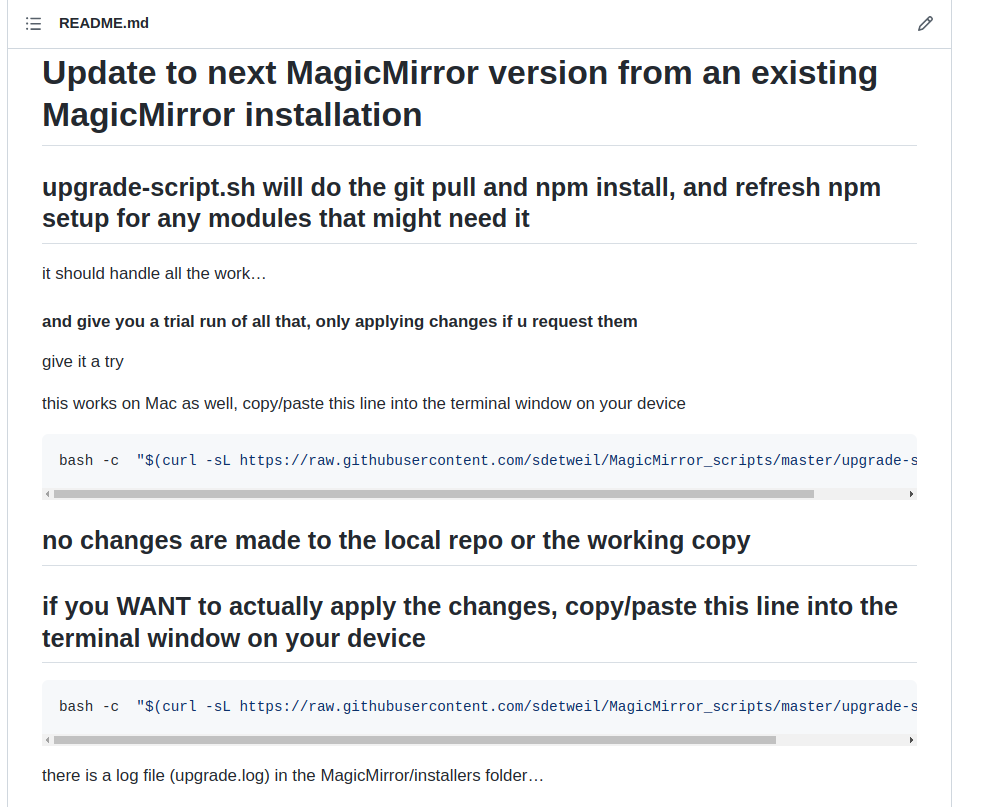
@rikko14 note that my upgrade is a two step process
run the script with no parameters and it is test mode, no changes made. it will highlight if there are issues you need to resolve
then run again with ‘apply’ parameter (no quotes) to actually DO the upgrade.
wouldn’t you want to know if it was about to mess up your work?
-
it stil running
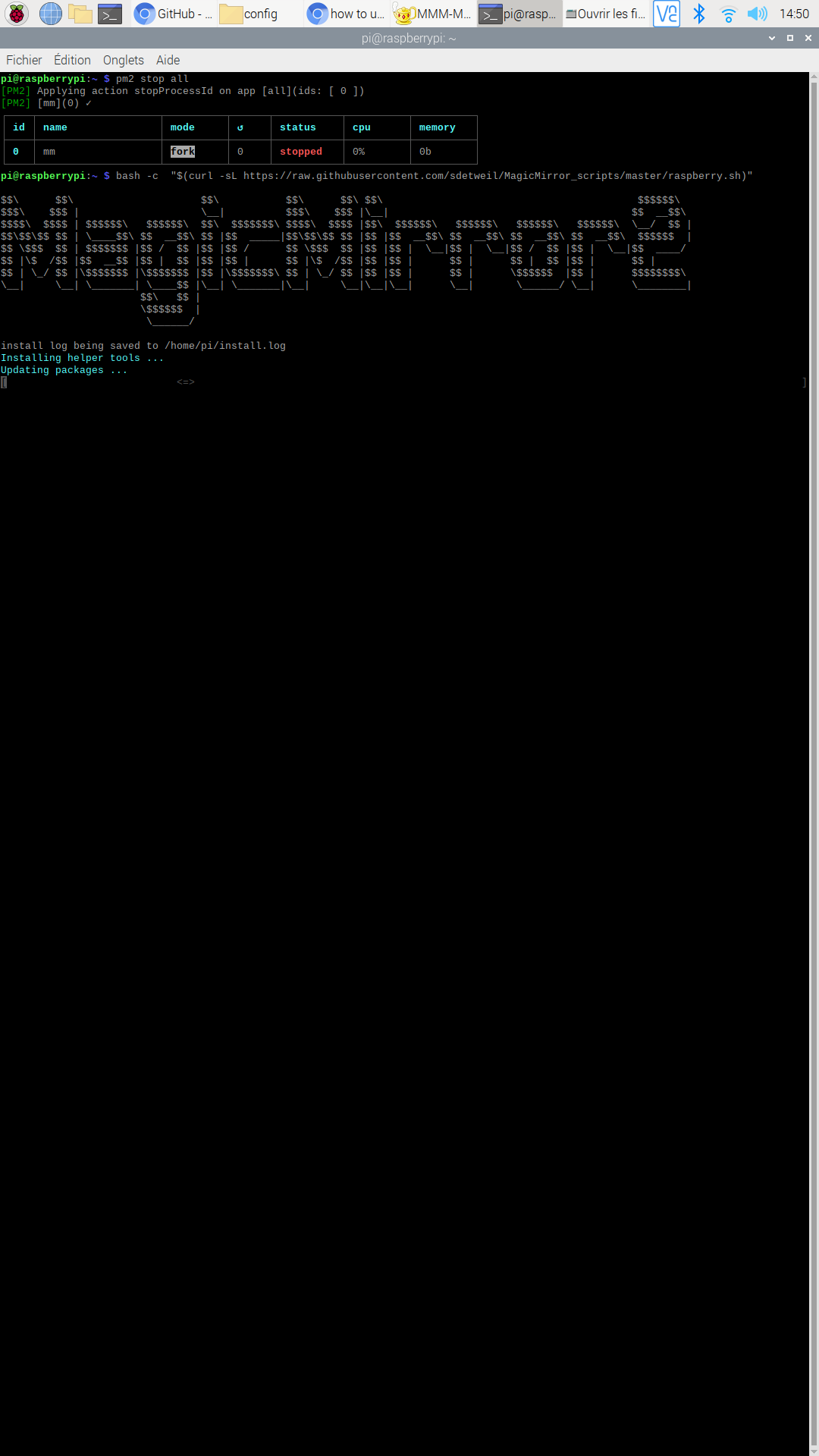
is it normal ? -
@rikko14 yes it has to update the system to be able to upgrade mm.
-
i have this now :
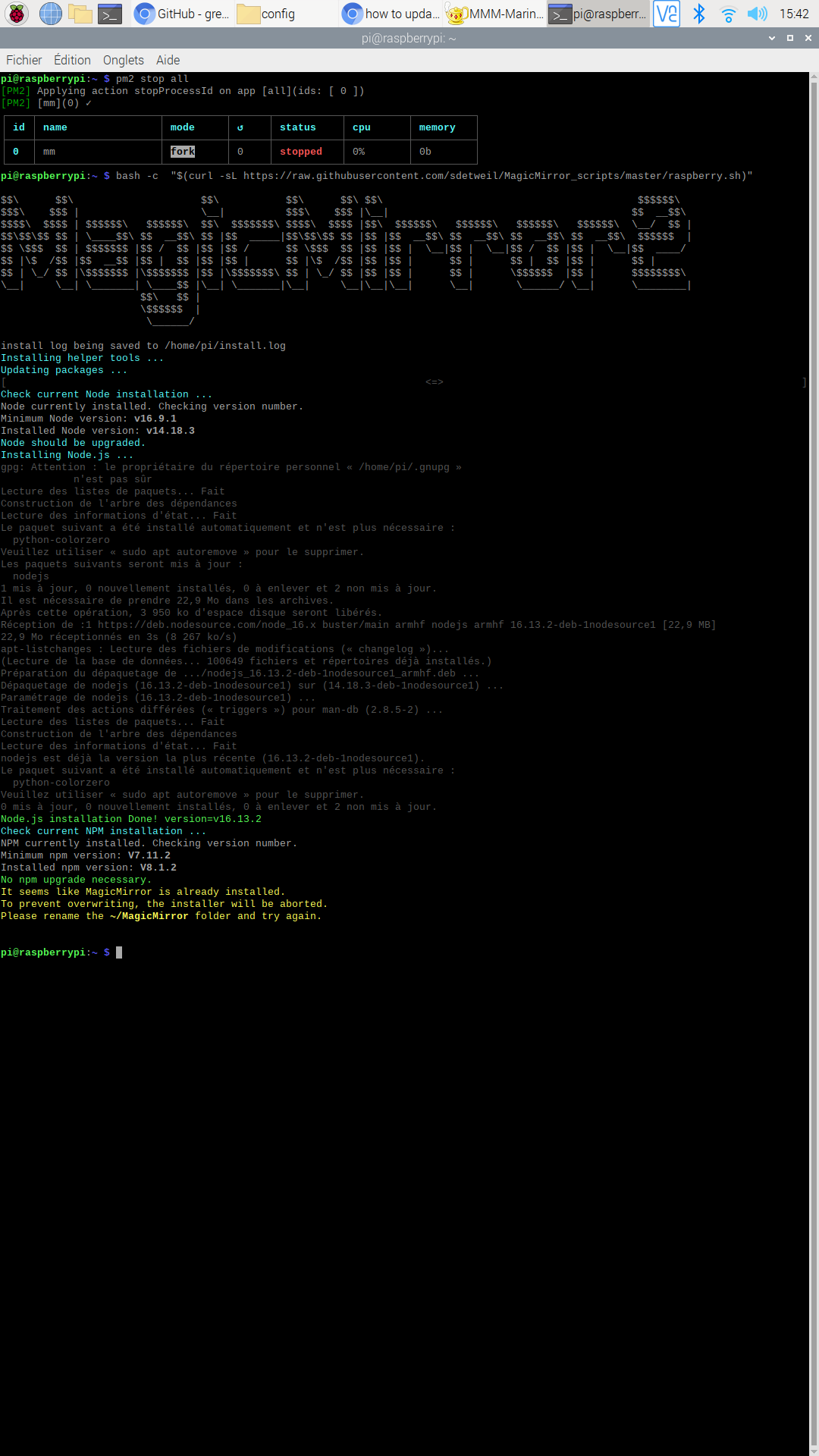
Installing helper tools ... Updating packages ... [ <=> ] Check current Node installation ... Node currently installed. Checking version number. Minimum Node version: v16.9.1 Installed Node version: v14.18.3 Node should be upgraded. Installing Node.js ... gpg: Attention : le propriétaire du répertoire personnel « /home/pi/.gnupg » n'est pas sûr Lecture des listes de paquets... Fait Construction de l'arbre des dépendances Lecture des informations d'état... Fait Le paquet suivant a été installé automatiquement et n'est plus nécessaire : python-colorzero Veuillez utiliser « sudo apt autoremove » pour le supprimer. Les paquets suivants seront mis à jour : nodejs 1 mis à jour, 0 nouvellement installés, 0 à enlever et 2 non mis à jour. Il est nécessaire de prendre 22,9 Mo dans les archives. Après cette opération, 3 950 ko d'espace disque seront libérés. Réception de :1 https://deb.nodesource.com/node_16.x buster/main armhf nodejs armhf 16.13.2-deb-1nodesource1 [22,9 MB] 22,9 Mo réceptionnés en 3s (8 267 ko/s) apt-listchanges : Lecture des fichiers de modifications (« changelog »)... (Lecture de la base de données... 100649 fichiers et répertoires déjà installés.) Préparation du dépaquetage de .../nodejs_16.13.2-deb-1nodesource1_armhf.deb ... Dépaquetage de nodejs (16.13.2-deb-1nodesource1) sur (14.18.3-deb-1nodesource1) ... Paramétrage de nodejs (16.13.2-deb-1nodesource1) ... Traitement des actions différées (« triggers ») pour man-db (2.8.5-2) ... Lecture des listes de paquets... Fait Construction de l'arbre des dépendances Lecture des informations d'état... Fait nodejs est déjà la version la plus récente (16.13.2-deb-1nodesource1). Le paquet suivant a été installé automatiquement et n'est plus nécessaire : python-colorzero Veuillez utiliser « sudo apt autoremove » pour le supprimer. 0 mis à jour, 0 nouvellement installés, 0 à enlever et 2 non mis à jour. Node.js installation Done! version=v16.13.2 Check current NPM installation ... NPM currently installed. Checking version number. Minimum npm version: V7.11.2 Installed npm version: V8.1.2 No npm upgrade necessary. It seems like MagicMirror is already installed. To prevent overwriting, the installer will be aborted. Please rename the ~/MagicMirror folder and try again. pi@raspberrypi:~ $ ^C pi@raspberrypi:~ $ ``` do I have to do something? -
@rikko14 u ran install… not upgrade
what am I doing wrong that users have so much trouble deciding what to do? how can I fix it?
-
it’s absolutely not your fault but mine and my fear of doing stupid things.
so i copied the command line: bash -c “$ (curl -sL https://raw.githubusercontent.com/sdetweil/MagicMirror_scripts/master/upgrade-script.sh)” applyand i get this :
pi@raspberrypi:~ $ bash -c  "$(curl -sL https://raw.githubusercontent.com/sdetweil/MagicMirror_scripts/master/upgrade-script.sh)" apply
No LSB modules are available.
doing test run = false
update log will be in /home/pi/MagicMirror/installers/upgrade.log
Check current Node installation ...
Node currently installed. Checking version number.
Minimum Node version: v16.9.1
Installed Node version: v16.13.2
No Node.js upgrade necessary.
Check current NPM installation ...
NPM currently installed. Checking version number.
Minimum npm version: V7.11.2
Installed npm version: V8.1.2
No npm upgrade necessary.

saving custom.css
upgrading from version 2.17.1 to 2.18.0
fetching latest revisions
there are 3 local files that are different than the master repo

   fonts/package-lock.json
   package-lock.json
   vendor/package-lock.json

any *-lock.json files do not need to be saved
do you want to save these files for later   (Y/n)?y
updating MagicMirror runtime, please wait
npm WARN tar TAR_BAD_ARCHIVE: Unrecognized archive format
npm WARN tarball cached data for qs@https://registry.npmjs.org/qs/-/qs-6.9.6.tgz (sha512-TIRk4aqYLNoJUbd+g2lEdz5kLWIuTMRagAXxl78Q0RiVjAOugHmeKNGdd3cwo/ktpf9aL9epCfFqWDEKysUlLQ==) seems to be corrupted. Refreshing cache.
npm WARN tar TAR_BAD_ARCHIVE: Unrecognized archive format
npm WARN tarball cached data for ms@https://registry.npmjs.org/ms/-/ms-2.1.3.tgz (sha512-6FlzubTLZG3J2a/NVCAleEhjzq5oxgHyaCU9yYXvcLsvoVaHJq/s5xXI6/XXP6tz7R9xAOtHnSO/tXtF3WRTlA==) seems to be corrupted. Refreshing cache.

> magicmirror@2.18.0 install
> echo "Installing vendor files ...
> " && cd vendor && npm install --loglevel=error

Installing vendor files ...


up to date, audited 10 packages in 7s

found 0 vulnerabilities

> magicmirror@2.18.0 postinstall
> npm run install-fonts && echo "MagicMirror installation finished successfully!
> "


> magicmirror@2.18.0 install-fonts
> echo "Installing fonts ...
> " && cd fonts && npm install --loglevel=error

Installing fonts ...


up to date, audited 2 packages in 1s

found 0 vulnerabilities
MagicMirror installation finished successfully!


> magicmirror@2.18.0 prepare
> [ -f node_modules/.bin/husky ] && husky install || echo no husky installed.

no husky installed.

added 3 packages, removed 209 packages, changed 206 packages, and audited 267 packages in 2m

19 packages are looking for funding
  run `npm fund` for details

found 0 vulnerabilities
npm notice
npm notice New minor version of npm available! 8.1.2 -> 8.3.0
npm notice Changelog: <https://github.com/npm/cli/releases/tag/v8.3.0>
npm notice Run `npm install -g npm@8.3.0` to update!
npm notice
Checking for modules with removed libraries
processing dependency changes for active modules with package.json files

processing for module MMM-DHT-Sensor please wait
----------------------------------
npm ERR! code EINTEGRITY
npm ERR! path /home/pi/.npm/_cacache/content-v2/sha512/ea/0f/a546dc24ba5ea99e7354a0e3a388be05355ffab78719fa8adfb1bd3127339805bb10a95582e594138f46a9366a29666551053598df5d0c4106dc1f1958de
npm ERR! errno EINTEGRITY
npm ERR! Invalid response body while trying to fetch https://registry.npmjs.org/jsonfile: Integrity verification failed for sha512-6g+lRtwkul6pnnNUoOOjiL4FNV/6t4cZ+orfsb0xJzOYBbsQqVWC5ZQTj0apNmopZmVRBTWY310MQQbcHxlY3g== (/home/pi/.npm/_cacache/content-v2/sha512/ea/0f/a546dc24ba5ea99e7354a0e3a388be05355ffab78719fa8adfb1bd3127339805bb10a95582e594138f46a9366a29666551053598df5d0c4106dc1f1958de)

npm ERR! A complete log of this run can be found in:
npm ERR!     /home/pi/.npm/_logs/2022-01-13T14_52_46_753Z-debug.log
processing complete for module MMM-DHT-Sensor

processing for module MMM-Weather please wait
----------------------------------

> MMM-Weather@1.0.4 preinstall
> installer/preinstall.sh


Welcome to MMM-Weather

Installing all npm libraries...

added 1 package, and audited 2 packages in 2s

found 0 vulnerabilities
processing complete for module MMM-Weather

processing for module MMM-NowPlayingOnSpotify please wait
----------------------------------
npm WARN tar TAR_BAD_ARCHIVE: Unrecognized archive format
npm WARN tarball cached data for aws4@https://registry.npmjs.org/aws4/-/aws4-1.11.0.tgz (sha512-xh1Rl34h6Fi1DC2WWKfxUTVqRsNnr6LsKz2+hfwDxQJWmrx8+c7ylaqBMcHfl1U1r2dsifOvKX3LQuLNZ+XSvA==) seems to be corrupted. Refreshing cache.
npm WARN deprecated request-promise-native@1.0.9: request-promise-native has been deprecated because it extends the now deprecated request package, see https://github.com/request/request/issues/3142
npm WARN deprecated har-validator@5.1.5: this library is no longer supported
npm WARN deprecated uuid@3.4.0: Please upgrade  to version 7 or higher.  Older versions may use Math.random() in certain circumstances, which is known to be problematic.  See https://v8.dev/blog/math-random for details.
npm WARN deprecated querystring@0.2.1: The querystring API is considered Legacy. new code should use the URLSearchParams API instead.
npm WARN deprecated request@2.88.2: request has been deprecated, see https://github.com/request/request/issues/3142

added 111 packages, and audited 674 packages in 1m

2 packages are looking for funding
  run `npm fund` for details

41 vulnerabilities (1 low, 18 moderate, 14 high, 8 critical)

To address issues that do not require attention, run:
  npm audit fix

To address all issues (including breaking changes), run:
  npm audit fix --force

Run `npm audit` for details.
processing complete for module MMM-NowPlayingOnSpotify

processing for module MMM-Jast please wait
----------------------------------

added 261 packages, and audited 262 packages in 2m

31 packages are looking for funding
  run `npm fund` for details

found 0 vulnerabilities
processing complete for module MMM-Jast

processing for module MMM-TomTomTraffic please wait
----------------------------------
npm ERR! code EINTEGRITY
npm ERR! path /home/pi/.npm/_cacache/content-v2/sha512/14/8e/dcdade657854ccd5d610d29351bd6df101fb52d4d01a837451a7e30bb8d84671c63b2ea77d691763bd70d3f257138ec61bf857c7d487aae8205bca7b4f88
npm ERR! errno EINTEGRITY
npm ERR! Invalid response body while trying to fetch https://registry.npmjs.org/color-name: Integrity verification failed for sha512-FI7c2t5leFTM1dYQ0pNRvW3xAftS1NAag3RRp+MLuNhGccY7Lqd9aRdjvXDT8lcTjsYb+FfH1Ieq6CBbyntPiA== (/home/pi/.npm/_cacache/content-v2/sha512/14/8e/dcdade657854ccd5d610d29351bd6df101fb52d4d01a837451a7e30bb8d84671c63b2ea77d691763bd70d3f257138ec61bf857c7d487aae8205bca7b4f88)

npm ERR! A complete log of this run can be found in:
npm ERR!     /home/pi/.npm/_logs/2022-01-13T14_56_18_973Z-debug.log
processing complete for module MMM-TomTomTraffic

processing for module MMM-MovieListings please wait
----------------------------------
npm WARN deprecated har-validator@5.1.5: this library is no longer supported
npm WARN deprecated uuid@3.4.0: Please upgrade  to version 7 or higher.  Older versions may use Math.random() in certain circumstances, which is known to be problematic.  See https://v8.dev/blog/math-random for details.
npm WARN deprecated request@2.88.2: request has been deprecated, see https://github.com/request/request/issues/3142

added 47 packages, and audited 48 packages in 4s

2 packages are looking for funding
  run `npm fund` for details

found 0 vulnerabilities
processing complete for module MMM-MovieListings

processing for module MMM-soccer please wait
----------------------------------
npm ERR! code EINTEGRITY
npm ERR! path /home/pi/.npm/_cacache/content-v2/sha512/55/9d/0880334436e4cd6964d4caa6757e94f0fa27e66806cd75eaf698cc10016b007bf4e8ccb075d7dbf981ed0e475d529bea6bc174d3f9270e7f80ea8a5007a4
npm ERR! errno EINTEGRITY
npm ERR! Invalid response body while trying to fetch https://registry.npmjs.org/call-bind: Integrity verification failed for sha512-VZ0IgDNENuTNaWTUyqZ1fpTw+ifmaAbNder2mMwQAWsAe/TozLB119v5ge0OR11Sm+prwXTT+ScOf4DqilAHpA== (/home/pi/.npm/_cacache/content-v2/sha512/55/9d/0880334436e4cd6964d4caa6757e94f0fa27e66806cd75eaf698cc10016b007bf4e8ccb075d7dbf981ed0e475d529bea6bc174d3f9270e7f80ea8a5007a4)

npm ERR! A complete log of this run can be found in:
npm ERR!     /home/pi/.npm/_logs/2022-01-13T14_57_21_878Z-debug.log
processing complete for module MMM-soccer

processing for module MMM-MarineWeather please wait
----------------------------------

added 4 packages, and audited 5 packages in 2s

found 0 vulnerabilities
processing complete for module MMM-MarineWeather

processing for module MMM-Shom please wait
----------------------------------

added 2 packages, and audited 3 packages in 3s

found 0 vulnerabilities
processing complete for module MMM-Shom

processing for module MMM-Tools please wait
----------------------------------

added 3 packages, and audited 4 packages in 3s

1 package is looking for funding
  run `npm fund` for details

found 0 vulnerabilities
processing complete for module MMM-Tools

restoring custom.css
we stashed a set of files that appear changed from the latest repo versions. you should review them
see installers/stashed_files for the list

you can use git checkout stash@{0} -- filename to extract one file from the stash

or git stash pop to restore them all

WARNING..
WARNING.. either will overlay the file just installed by the update
WARNING..
pi@raspberrypi:~ $
so everything is OK? Or do you have to do something more?
I just have to do
pm2 start? -
@rikko14 yes, just pm2 start… i don’t know what is causing the
code EINTEGRITY
errors…
the more I look at it, the more it sounds like a networking problem
I checked each reported bad file and I get them clean…on this
fonts/package-lock.json package-lock.json vendor/package-lock.json any *-lock.json files do not need to be saved <----------- do you want to save these files for later (Y/n)?y < --------- but you replied yes??? -
it does not work …
pi @ raspberrypi: ~ $ pm2 start [PM2] [ERROR] File ecosystem.config.js not found -
@rikko14 because of the changed node and npm version… do this
pm2 update -
I do this :
pi@raspberrypi:~ $ pm2 update
Be sure to have the latest version by doing `npm install pm2@latest -g` before doing this procedure.
[PM2] [v] Modules Stopped
[PM2] Applying action deleteProcessId on app [all](ids: [ 0 ])
[PM2] [mm](0) ✓
[PM2] [v] All Applications Stopped
[PM2] [v] PM2 Daemon Stopped
[PM2] Spawning PM2 daemon with pm2_home=/home/pi/.pm2
[PM2] Restoring processes located in /home/pi/.pm2/dump.pm2
[PM2] Process /home/pi/mm.sh restored
>>>>>>>>>> PM2 updated
but nothing happens … the MM does not start
same in the MM folder :
pi@raspberrypi:~/MagicMirror $ pm2 update [PM2] Spawning PM2 daemon with pm2_home=/home/pi/.pm2 [PM2] PM2 Successfully daemonized Be sure to have the latest version by doing `npm install pm2@latest -g` before doing this procedure. [PM2] [v] Modules Stopped [PM2][WARN] No process found [PM2] [v] All Applications Stopped [PM2] [v] PM2 Daemon Stopped [PM2] Spawning PM2 daemon with pm2_home=/home/pi/.pm2 [PM2] Restoring processes located in /home/pi/.pm2/dump.pm2 [PM2] Process /home/pi/mm.sh restored >>>>>>>>>> PM2 updated ┌─────┬───────┬─────────────┬─────────┬─────────┬──────────┬────────┬──────┬───────────┬──────────┬──────────┬──────────┬──────────┐ │ id │ name │ namespace │ version │ mode │ pid │ uptime │ ↺ │ status │ cpu │ mem │ user │ watching │ ├─────┼───────┼─────────────┼─────────┼─────────┼──────────┼────────┼──────┼───────────┼──────────┼──────────┼──────────┼──────────┤ │ 0 │ mm │ default │ N/A │ fork │ N/A │ 0 │ 0 │ stopped │ 0% │ 0b │ pi │ disabled │ └─────┴───────┴─────────────┴─────────┴─────────┴──────────┴────────┴──────┴───────────┴──────────┴──────────┴──────────┴──────────┘ pi@raspberrypi:~/MagicMirror $ -
@rikko14 and then pm2 start
pm2 update fixed the missing file
-
same error :
pi@raspberrypi:~/MagicMirror $ pm2 start
[PM2][ERROR] File ecosystem.config.js not found
and
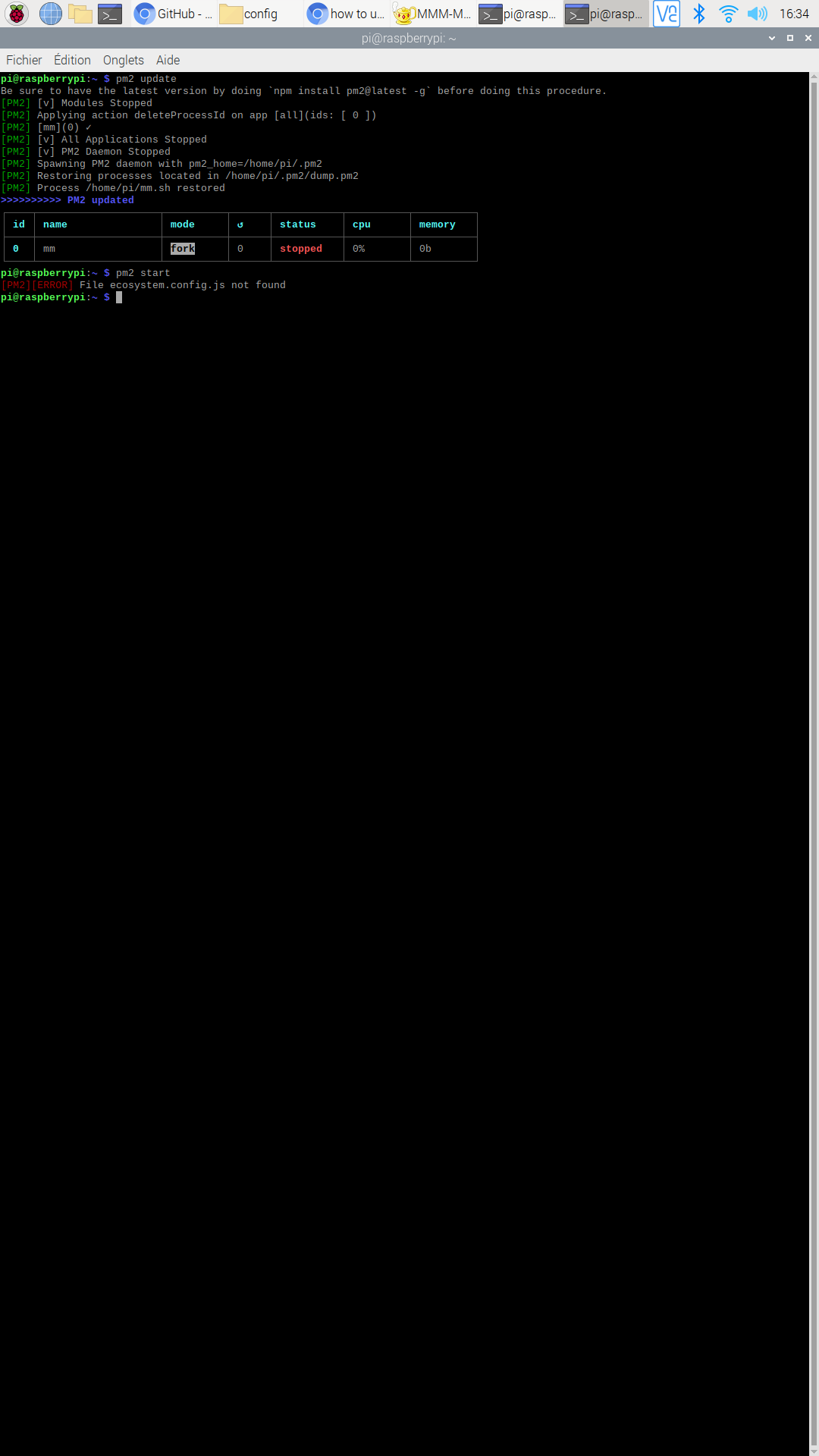
pi@raspberrypi:~ $ pm2 start
[PM2][ERROR] File ecosystem.config.js not found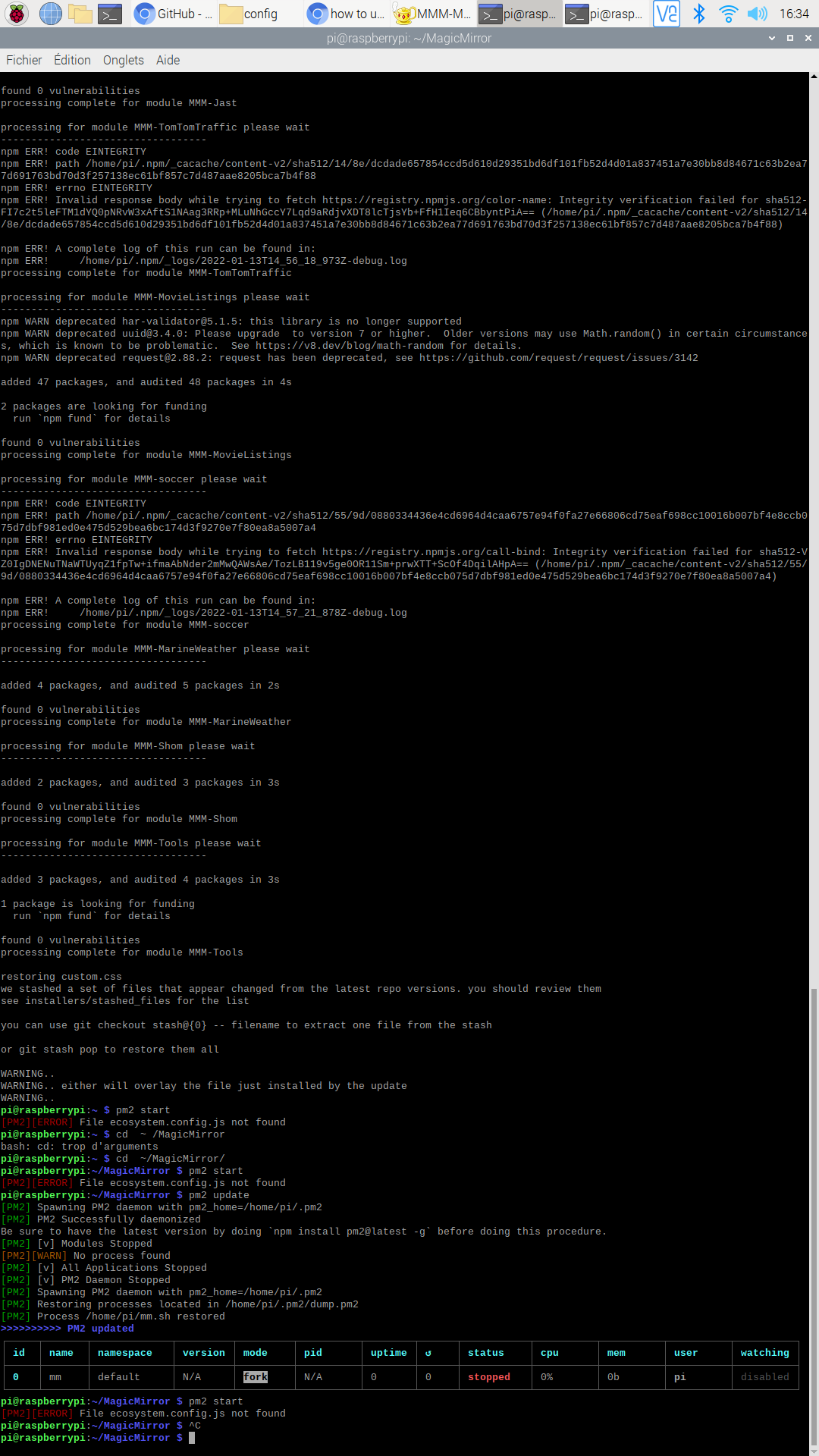
-
@rikko14 ok, (when I said pm2 start, I assumed you would know to add the name or number , pm2 start 0)
do
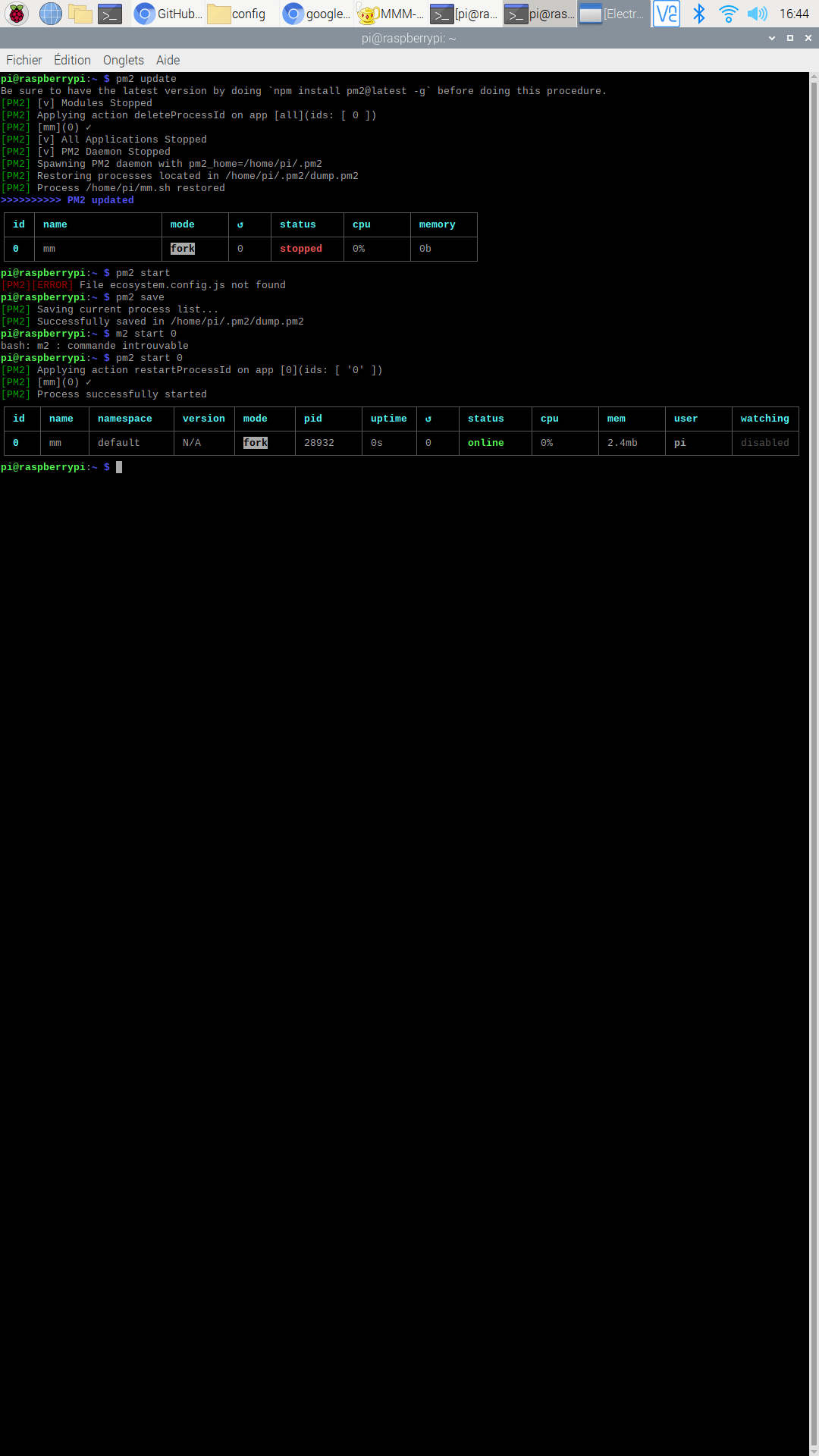
pm2 save pm2 start 0 -
it works but I found this Electron problem … with a black screen :
see a the top right of my screen

Hello! It looks like you're interested in this conversation, but you don't have an account yet.
Getting fed up of having to scroll through the same posts each visit? When you register for an account, you'll always come back to exactly where you were before, and choose to be notified of new replies (either via email, or push notification). You'll also be able to save bookmarks and upvote posts to show your appreciation to other community members.
With your input, this post could be even better 💗
Register Login