Read the statement by Michael Teeuw here.
MMM-Spotify
-
@Lasmazze
Limitation of api. Until spotify really starts, api doesn’t return even the device list. So module can do nothing. Sorry. -
Hi,
im wondering if its possible to allign the spotify module to the right edge of the screen? ive recently added a covid-19 module and the spotify module alligns its self with the longer left edge. also is it possible to increse the padding on the bottom, i just want to space it away from th e covid module.
hopefully the link works and you can see what i mean…
https://drive.google.com/open?id=1_n5ntrUBSJITaOsOVct8U_-VpiiMSaAr
thanks,
Richie -
@banbutcher
Try this. (But it could make unexpected result by your other modules. anyway worthy to try)/* In your `css/custom.css` */ #SPOTIFY { position: absolute; right:0; }Or you can adjust by manual.
#SPOTIFY { left: 150px ; /* depends on your layout */ } -
@Sean Ok thank you for your answer. apart from that your modules work really well, continue like that!
-
Hi !
Thirst, thanks to the devs for this module and the multi account function !I have a problem with the module. After some songs, the module stay stuck on a song.
I have only some modules on my MM, and all others modules work fine.We are 2 at home, with 2 premium account and 1 Spotify Connect receiver. We mainly use le Spotify Connect receiver.
The problem occurs with all the revceivers (Spotify connect or smartphones).
Do you have an idea of the problem ?
[ { "USERNAME": "First user", "CLIENT_ID" : "xxx", "CLIENT_SECRET" : "yyy", "AUTH_DOMAIN" : "http://localhost", "AUTH_PATH" : "/callback", "AUTH_PORT" : "8888", "SCOPE" : "user-read-private app-remote-control playlist-read-private streaming user-read-playback-state user-modify-playback-state", "TOKEN" : "./firstuser_token.json" }, { "USERNAME": "Second user", "CLIENT_ID" : "zzz", "CLIENT_SECRET" : "www", "AUTH_DOMAIN" : "http://localhost", "AUTH_PATH" : "/callback", "AUTH_PORT" : "8888", "SCOPE" : "user-read-private app-remote-control playlist-read-private streaming user-read-playback-state user-modify-playback-state", "TOKEN" : "./seconduser_token.json" } ] -
I did a clean total reinstallation of my RPI3 under Raspbian Buster. Always the same problem, module blocked after a few minutes.
Can we think of a bug?
I will reinstall MMM-Spotify with only 1 account configured to see if the problem recurs. -
Hi!
I have been trouble shooting an install of MMM-Spotify for a few days now and I can’t seem to authorize/authenticate the token…
When executing Step 4 of the install Get Auth;
cd ~/MagicMirror/modules/MMM-Spotify node first_auth.jsMy terminal hangs up and I need to CTRL-C to get out.
pi@raspberrypi:~/MagicMirror $ npm start dev

> magicmirror@2.11.0 start /home/pi/MagicMirror
> DISPLAY="${DISPLAY:=:0}" ./node_modules/.bin/electron js/electron.js "dev"

[2020-04-20 17:46:11.400] [LOG]    Starting MagicMirror: v2.11.0
[2020-04-20 17:46:11.413] [LOG]    Loading config ...
[2020-04-20 17:46:11.427] [LOG]    Loading module helpers ...
[2020-04-20 17:46:11.433] [LOG]    No helper found for module: alert.
[2020-04-20 17:46:11.538] [LOG]    Initializing new module helper ...
[2020-04-20 17:46:11.539] [LOG]    Module helper loaded: updatenotification
[2020-04-20 17:46:11.541] [LOG]    No helper found for module: clock.
[2020-04-20 17:46:12.258] [LOG]    Initializing new module helper ...
[2020-04-20 17:46:12.260] [LOG]    Module helper loaded: MMM-Spotify
[2020-04-20 17:46:12.262] [LOG]    All module helpers loaded.
[2020-04-20 17:46:12.503] [LOG]    Starting server on port 8080 ...
[2020-04-20 17:46:12.531] [LOG]    Server started ...
[2020-04-20 17:46:12.533] [LOG]    Connecting socket for: updatenotification
[2020-04-20 17:46:12.535] [LOG]    Connecting socket for: MMM-Spotify
[2020-04-20 17:46:12.539] [LOG]    Sockets connected & modules started ...
[2020-04-20 17:46:12.700] [LOG]    Whoops! There was an uncaught exception...
[2020-04-20 17:46:12.701] [ERROR]  Error: listen EADDRINUSE: address already in use 127.0.0.1:8080
    at Server.setupListenHandle [as _listen2] (net.js:1226:14)
    at listenInCluster (net.js:1274:12)
    at GetAddrInfoReqWrap.doListen [as callback] (net.js:1413:7)
    at GetAddrInfoReqWrap.onlookup [as oncomplete] (dns.js:65:10) {
  code: 'EADDRINUSE',
  errno: 'EADDRINUSE',
  syscall: 'listen',
  address: '127.0.0.1',
  port: 8080
}
My 8080 port is already in use causing an error? I’ve followed the installation procedure and verified my callback in Spotify Dev is copy and pasted as http://localhost:8888/callback
My spotify.config.json;[ { "USERNAME": "myname", "CLIENT_ID" : "spot_id", "CLIENT_SECRET" : "spot_secret", "AUTH_DOMAIN" : "http://localhost", "AUTH_PATH" : "/callback", "AUTH_PORT" : "8888", "SCOPE" : "user-read-private app-remote-control playlist-read-private streaming user-read-playback-state user-modify-playback-state", "TOKEN" : "./myname_token.json" } ]My MagicMirror config.js;
var config = {
        address: "localhost",           // Address to listen on, can be:
                              // - "localhost", "127.0.0.1", "::1" to listen on loopback interface
                              // - another specific IPv4/6 to listen on a specific interface
                              // - "", "0.0.0.0", "::" to listen on any interface
                              // Default, when address config is left out, is "localhost"
        port: 8080,
        ipWhitelist: ["127.0.0.1", "::ffff:127.0.0.1", "::1"],
                                                                // Set [] to allow all IP addresses
                                                               // or add a specific IPv4 of 192.168.1.5 :
                                                               // ["127.0.0.1", "::ffff:127.0.0.1", "::1", "::ffff:192.168.1.5"],
                                                               // or IPv4 range of 192.168.3.0 --> 192.168.3.15 use CIDR format :
                                                               // ["127.0.0.1", "::ffff:127.0.0.1", "::1", "::ffff:192.168.3.0/28"],

        language: "en",
        timeFormat: 24,
        units: "imperial",
        // serverOnly:  true/false/"local" ,
                             // local for armv6l processors, default
                             //   starts serveronly and then starts chrome browser
                             // false, default for all  NON-armv6l devices
                             // true, force serveronly mode, because you want to.. no UI on this device

        modules: [
                {
                        module: "MMM-Spotify",
                        position: "lower_third",
                        config: {
                                style: "mini", // "default" or "mini" available
                                control: "hidden", //"default", "hidden" available
                                updateInterval: 2000,
                                onStart: null, // disable onStart feature with `null`
                                allowDevices: [], //If you want to limit devices to display info, use this.
                                // allowDevices: ["RASPOTIFY", "My iPhoneX", "My Home speaker"],
                                }
                },
Any help, thanks
-
@ForrestFire2222
It’s not issue of module. You just executed MagicMirror twice. -
@Sean I really appreciate the reply.
Im new so maybe I didn’t convey my issue/logs correctly. As I mention above, when I try to execute Step 4, I get the error below…
pi@raspberrypi:~/MagicMirror/modules/MMM-Spotify $ node first_auth.js
[SPOTIFY_AUTH] creating server { USERNAME: 'MyName',
  CLIENT_ID: 'My_ID',
  CLIENT_SECRET: 'My_Secret',
  AUTH_DOMAIN: 'http://localhost',
  AUTH_PATH: '/callback',
  AUTH_PORT: '8888',
  SCOPE:
   'user-read-private app-remote-control playlist-read-private streaming user-read-playback-state user-modify-playback-state',
  TOKEN: './MyName_token.json' }
[SPOTIFY_AUTH] Opening URL.(https://accounts.spotify.com/authorize?response_type=code&client_id=My_ID&scope=user-read-private%20app-remote-control%20playlist-read-private%20streaming%20user-read-playback-state%20user-modify-playback-state&redirect_uri=http%3A%2F%2Flocalhost%3A8888%2Fcallback&state=1587478945270&show_dialog=true)
At this point the terminal just stalls out. Hope this clarifies the above, my configs are still above. Thanks again
-
@ForrestFire2222
If browser couldn’t open the url automatically, copy the URL and paste it into your web browser. -
@Sean Thanks.
I’ve tried a couple things…
through ssh i tried the link on my laptop browser, and I got an error displayed on the page of “INVALID_CLIENT: Invalid client”.
And on my Mirror, through the command line i executed node first_auth.js and the browser opened up to login to Spotify (this is a good sign, haven’t got this far yet), however, when I enter my Spotify Acct info I get the same error as above, Invalid Client.
-
I started from scratch, loading MMM-Spotify first to my mirror and it works with no issues… sorry I didn’t try that sooner. Thanks again!
-
Set this up and works great! Thanks so much! Now next for me is to set up Assistant and this will be sweet!
Thanks so much! -
@Sean Is there a way to make the connection watchdog more forgiving/resilient? Even though I set the refresh rate to 5 seconds I see API connection timeouts and recently also this:
[SPOTIFY] API Request fail on : /v1/me/player [2020-05-05 16:43:27.591] [LOG] { Error: socket hang up at createHangUpError (_http_client.js:332:15) at TLSSocket.socketOnEnd (_http_client.js:435:23) at TLSSocket.emit (events.js:203:15) at endReadableNT (_stream_readable.js:1145:12) at process._tickCallback (internal/process/next_tick.js:63:19) code: 'ECONNRESET' } undefined -
What would the best approach to hide other specific modules when this module is active, i.e. when music is being played?
It may be to early to ask this since @Bugsounet just volunteered a few minutes ago to take over this project so take your time with your feedback.
-
leave me a few days … I have to inspect the entire API :)
-
@mmmmh i tried to use watchdog for another problem, but there were normal disconnects between the front and back ends, which WOULD have recovered, had watchdbog not restarted MM… I gave up
-
@Bugsounet Take your time.
Currently, the module already has awareness about playback activity. An API call to an endpoint of my choosing on state change would already solve it for me. The endpoint could also be MMM-Remote-Control’s API.
I guess I can sift through the module’s code and see if with my humble skills can insert a simple request at the proper place. We’ll see how it goes.
-
don’t worry ;)
I was trained by @eouia! -
MMM-Spotify
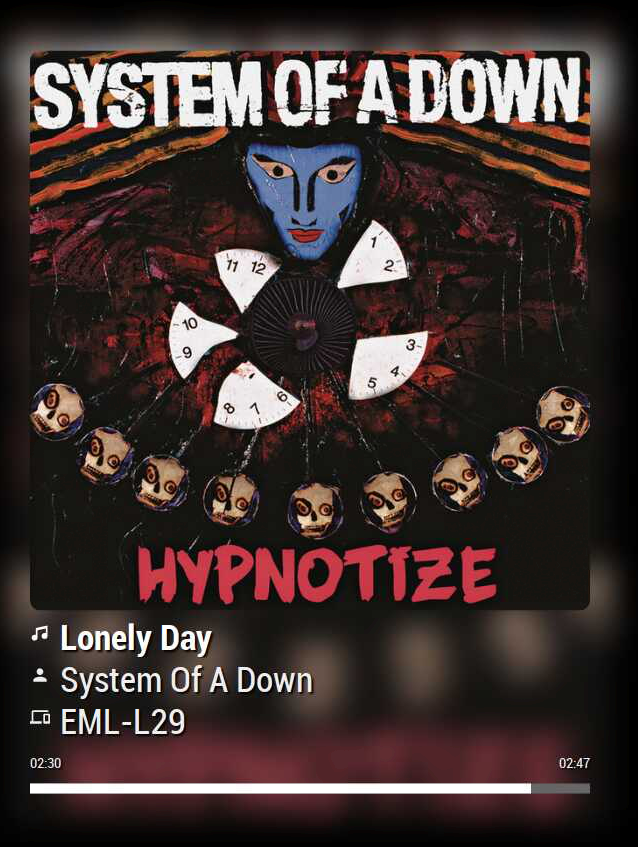
new owner, new version, new change :)
v1.3.0 (2020-05-13)
- Fixed: on lost internet connexion
- Added:
SPOTIFY_CONNECTEDSPOTIFY_DISCONNECTEDnotification - Added:
debugmode - Added:
deviceDisplayfeature - Added: handling for extra device icons
- Added: debug mode for Hiding console logs (memory leaks)
- Added: fade in transition on cover
- Added: box shadow around cover to highlight from background
Again, not in the change log
- Fixed : Spotify Free ads errors solved
Hello! It looks like you're interested in this conversation, but you don't have an account yet.
Getting fed up of having to scroll through the same posts each visit? When you register for an account, you'll always come back to exactly where you were before, and choose to be notified of new replies (either via email, or push notification). You'll also be able to save bookmarks and upvote posts to show your appreciation to other community members.
With your input, this post could be even better 💗
Register Login