Read the statement by Michael Teeuw here.
MMM-MyCommute not showing up.
-
@spoonek no sync time. it’s immediate.
-
@sdetweil said in MMM-MyCommute not showing up.:
@spoonek use the menu to get the dev window open. or start with
npm start dev
if u normally use pm2, do pm2 stop 0
before the npm startOK, that is awesome! Thanks for the tip! So maybe I need to generate a new api key and use that?
[2020-08-20 09:07:14.680] [LOG] MMM-MyCommute: You must use an API key to authenticate each request to Google Maps Platform APIs. For additional information, please refer to http://g.co/dev/maps-no-account
-
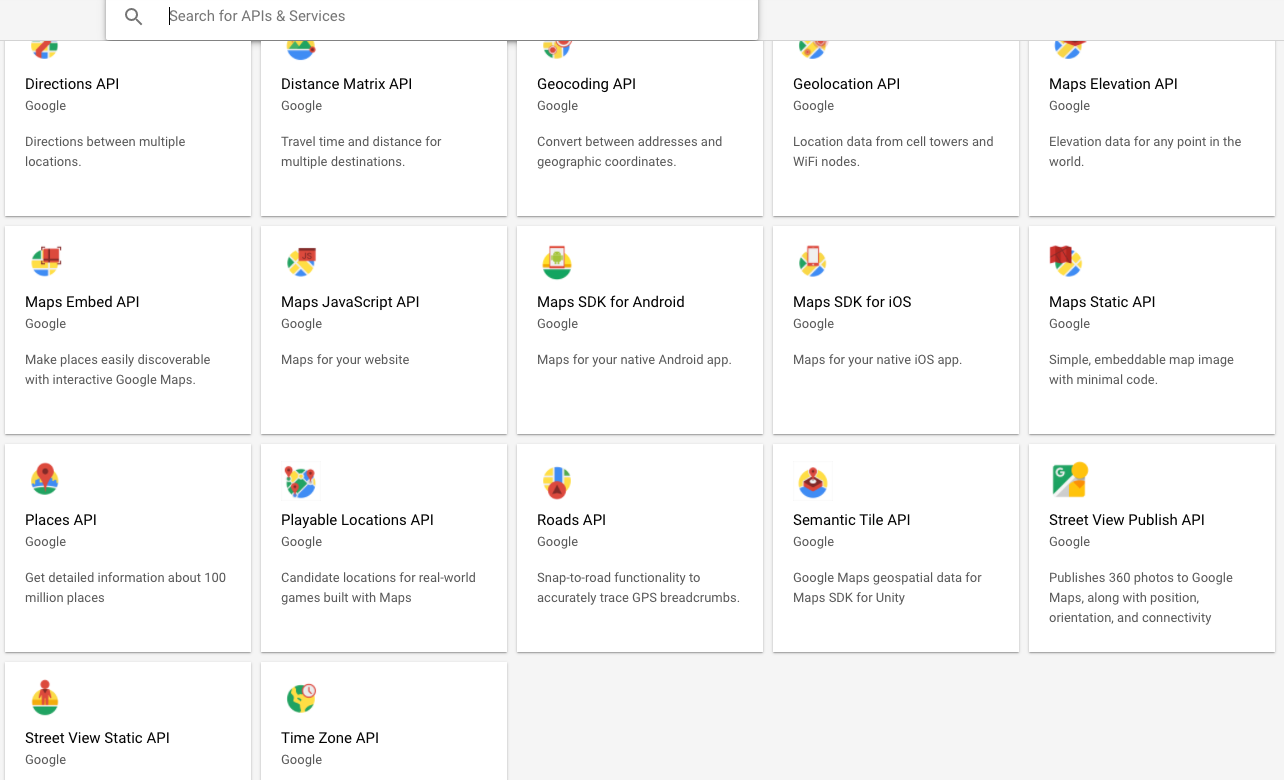
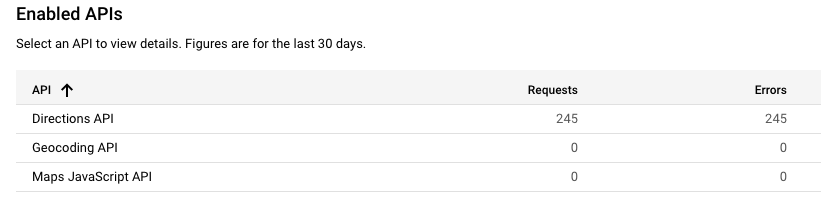
@spoonek u didn’t list the maps api I the list of services above
Google Maps Platform APIs -
@sdetweil thanks. I don’t see it…
-
@spoonek from the link on the module doc
Maps JavaScript APIfrom the image u posted,
2nd row, second box from left -
@sdetweil said in MMM-MyCommute not showing up.:
@spoonek from the link on the moduledoc
Maps JavaScript APIfrom the image u posted,
2nd row, second box from leftYep, got that one already. :(
-
@spoonek so, then, passing the key is a problem,
so it might be the item name in config. u can specify both,
and u got the right string for the API key from Google.which GitHub module are u using?
from the module folder do,
git remote -v -
@sdetweil said in MMM-MyCommute not showing up.:
@spoonek so, then, passing the key is a problem,
so it might be the item name in config. u can specify both,
and u got the right string for the API key from Google.OK, I’ll add apikey and apiKey. I just generated a new key as well. Billing acct is active too.

pi@raspberrypi:~/MagicMirror/modules/MMM-MyCommute $ git remote -v
origin https://github.com/jclarke0000/MMM-MyCommute.git (fetch)
origin https://github.com/jclarke0000/MMM-MyCommute.git (push)
pi@raspberrypi:~/MagicMirror/modules/MMM-MyCommute $ -
@spoonek from the module folder
-
@sdetweil said in MMM-MyCommute not showing up.:
@spoonek from the module folder
jclarke0000/MMM-MyCommute.git
-
@sdetweil Looking good now after adding both apikey and apiKey. Most likely me generating a new key as well. Thanks for the dev tips! Will be useful for me down the road.

-
@spoonek his code uses all lowercase apikey
-
@spoonek also, if you turn on ssh server on pi, and use winscp or bitvise ssh client, you can double click edit with your favorite windows editor (I use notepad++ for code alignment and indentation)
and still issue commands thru the ssh window…if u set
address:"0.0.0.0",
ipWhitelist:[],
in config.js, then you can connect to mm with your windows chrome browser and do all the dev work there too…
Hello! It looks like you're interested in this conversation, but you don't have an account yet.
Getting fed up of having to scroll through the same posts each visit? When you register for an account, you'll always come back to exactly where you were before, and choose to be notified of new replies (either via email, or push notification). You'll also be able to save bookmarks and upvote posts to show your appreciation to other community members.
With your input, this post could be even better 💗
Register Login