Read the statement by Michael Teeuw here.
Weatherunderground - currently - hourly - daily - configurable
-
MMM-Wunderground is Yet Anothet Modified Weatherforecast module using Weather Underground.
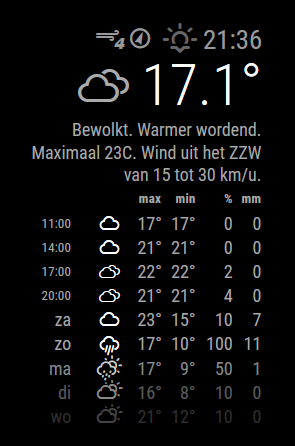
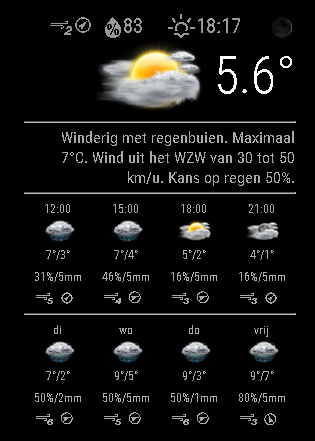
Can optionally display hourly forecasts. These forecasts display the temperature in the max xolumn and the feels-like in the min column.
Daily forecasts are as you’d expect.Uses weather-icons-wind.css which means updating the weathericons package in the vendor directory in MM and adding it to vendor.js.
Alternatively you could have them in your MMM-Wunderground directory.[card:RedNax67/MMM-WunderGround]
-
This looks beautiful!
-
UPDATE: The updated weathericons are now included in thegit repository… Just update your install (git pull) and things should work…
Did you update the weathericons files in the vendor directory in MM and added it to vendor.js? It’s probably stalling on the weather-icons-wind.css being missing…
/* exported vendor */

/* Magic Mirror
 * Vendor File Definition
 *
 * By Michael Teeuw http://michaelteeuw.nl
 * MIT Licensed.
 */

var vendor = {
	'moment.js' : 'moment/moment-with-locales.js',
	'weather-icons.css': 'weather-icons/weather-icons.css',
	'weather-icons-wind.css': 'weather-icons/weather-icons-wind.css',
	'font-awesome.css': 'font-awesome-4.5.0/css/font-awesome.min.css'
};
Alternatively you can have them in the MMM-Wunderground directory…
-
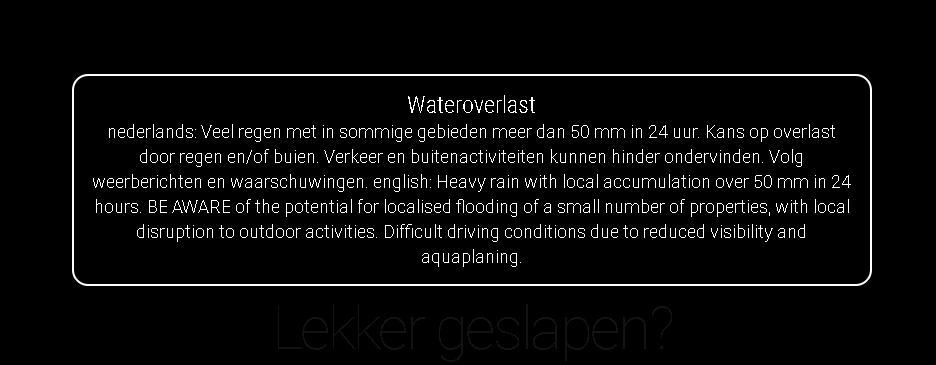
Added alerts… When the weatherforecast refreshes, any alerts will be shown using the alert module.
The duration of the alert can be ser by adding
alerttime: 10000for a 10 second alert.
The wu alertsystem is a bit borked as it has the alert in multiple languages in a single variable.
-
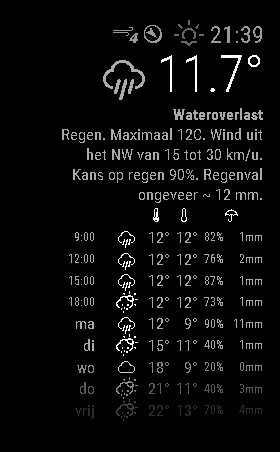
Unfortunately it’s not possible to edit the opening post… but here’s some new screenshots from the module:
-
For troubleshooting or HOWTO questions, please post in the Troubleshooting thread:
https://forum.magicmirror.builders/topic/206/weatherunderground-currently-hourly-daily-configurable/1 -
Hello There,
I couldn’t find the github or download link. Can you please help to find it? -
@murattyilmaz, scroll to the top of this page, read the first post.
-
@KirAsh4 Thank for reply but I’m not sure how can it help me to have module files.
-
@KirAsh If I understand it right, @murattyilmaz has to install Weatherunderground. But could you please explain, how to modify the module to have it configurable?
I also don´t understand how modify it, to have a module like RedNax.Regards,
Sebastian
-
@KirAsh4 Where?
-
It’s not in the post, but found it anyway…
-
The very first post in this thread has the module link posted in it. It’s the exact same link you just posted above.
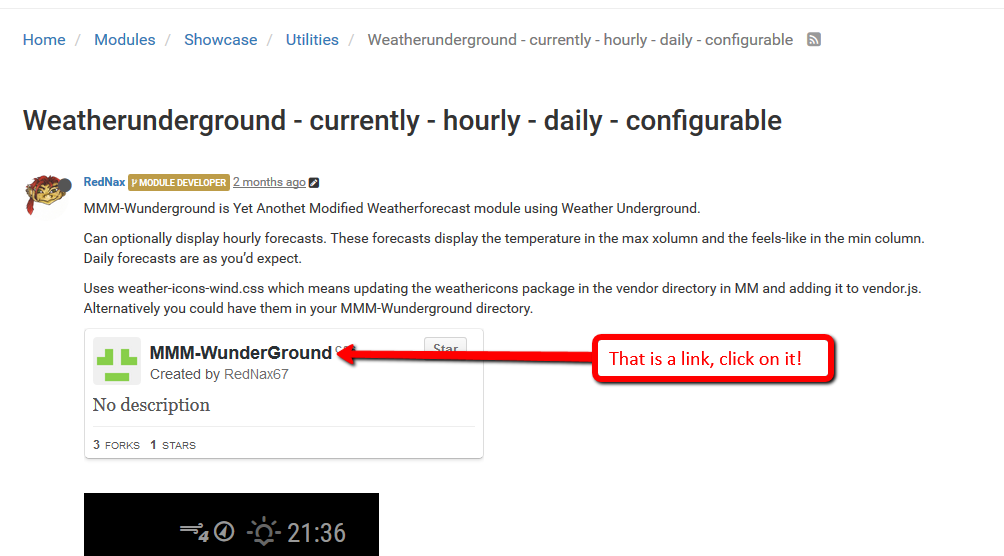
-
@KirAsh4 that isn’t showing for me
I just see white space then the screenshot
-
@Mitchfarino said in Weatherunderground - currently - hourly - daily - configurable:
@KirAsh4 that isn’t showing for me
I just see white space then the screenshot
Oh @paviro … was ist das? Why isn’t Github displaying properly for everyone? I can see them just fine … Is that because I have a GH account? This makes me wonder how many others can’t see them and therefore have no clue how to get to the module source.
-
@KirAsh4 I used to be able to see them, even without my github account being logged in
I think it might be since the outage
-
@KirAsh4 just checked MMM-PIRsensor thread and I could see that
-
Same here, this one I cant see… others I do. My only solution is to go to github and search the module name or author.
-
@RedNax Hi, since a few days I am configuring my MM and it is a lot of fun with all the cool modules even for me as newbie. I like yours because it was really easy to get it running. But I have still some trouble to remove the decimal for the temperature.
I changed already the roundValue part to " return parseInt (temperature);" within the MMM-WunderGround.js which works before fine with the old currentweather and weatherforecast .
Furthermore I wuld like to replace the winddirection icons with the cardials “N,NO…”.
can you help me on this? -
@fireshipmate Hi!
The roundValue isn’t used (it’s a leftover bit from earlier versions). The temperature is displayed as it’s delivered in the weather underground payload. You could however modify the code and apply the rounding function to the temp:this.temperature = this.roundValue(this.temperature);To get cardials “N,NO…”. you could use data.current_observation.wind_dir friom the wu payload which should have them in your defined language. You could assign:
windDirectionIcon.innerHTML = this.windDirectionTxt;You’ll have to take out the arrow, as it will otherwise rotate your winddirectiontxt to the winddirection :D
Or you could just do a git pull and have a look at the readme ;)
Hello! It looks like you're interested in this conversation, but you don't have an account yet.
Getting fed up of having to scroll through the same posts each visit? When you register for an account, you'll always come back to exactly where you were before, and choose to be notified of new replies (either via email, or push notification). You'll also be able to save bookmarks and upvote posts to show your appreciation to other community members.
With your input, this post could be even better 💗
Register Login