Read the statement by Michael Teeuw here.
MMM-Face-Reco-DNN
-
I was configuration MMM-Face-Reco-DNN module but i can not data train or photo set , can any one help me to make a video tutorial to config MMM-Face-Reco-DNN.
-
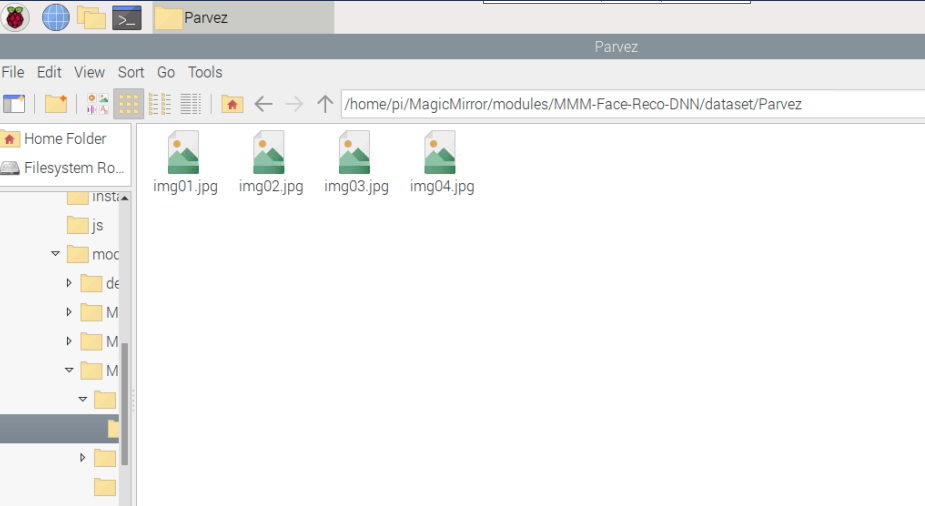
@Parvez you take pics, selfies, and u put the pics in a folder just for you (your ‘identity’), and then you run the script that processes the pics.
if there is another person, they do the same, and they have a separate folder, and then u run the script. -
but its do not work.
-
-
@Parvez what happens when u run the script?
Facial Recognition Embeddings
After you set up your dataset, we need to go to the embeddings for the recognitions. I prepared a script for that. It took a while to run on my Macbook and will take much longer on a Raspberry Pi, so if possible, use it on a computer with more power and then transfer the resulting file.

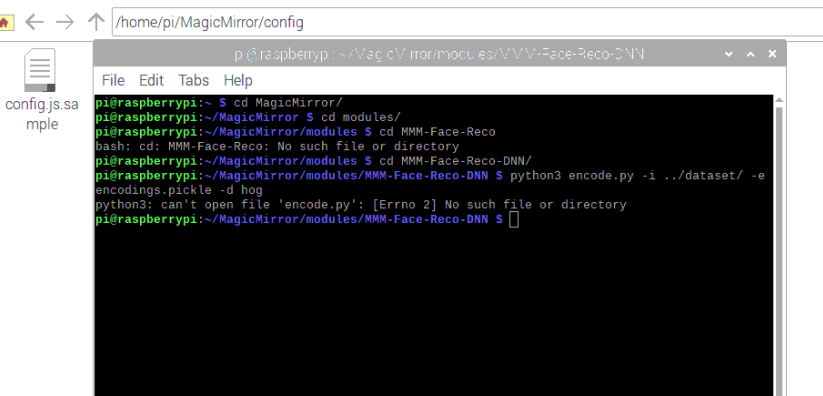
You will find a script called encode.py in folder tools of the module. The following arguments are default:

python3 encode.py -i ../dataset/ -e encodings.pickle -d hog
linux us case sensitive… so Parvez is not the same as parvez
-
if any one make a vedio for me is very helpful . i will submit this project my university
-
@sdetweil said in MMM-Face-Reco-DNN:
python3 encode.py -i …/dataset/ -e encodings.pickle -d hog
how to run this script
-
-
-
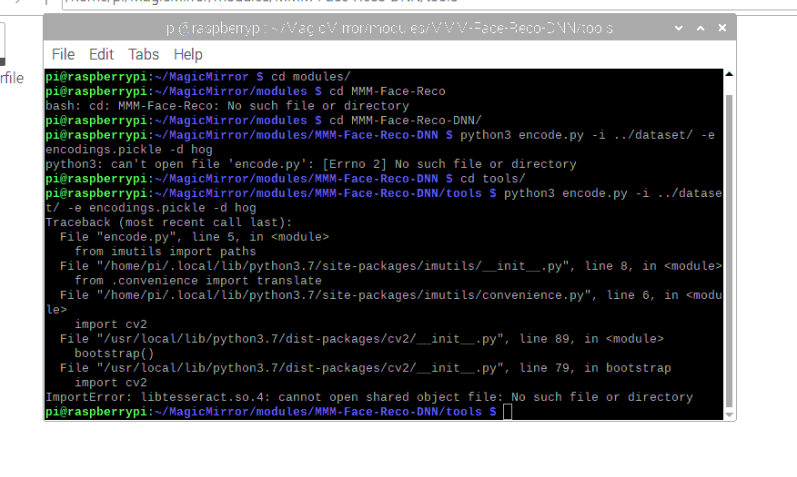
@Parvez looks like it is trying to detect text in the images… don’t know why
https://raspberrypi.stackexchange.com/questions/89231/tesseract-ocr-4-x-beta-for-raspberry-pi
-
@Parvez dist-packages/cv2 seems pretty old… cv3 is current, cv4 is also out…
-
@sdetweil ok i will download open cv3
-
i can’t solve it
-
@Parvez sorry, no idea…
-
@sdetweil Thank you for your help…
-
@Parvez hi,
I took a fork of SMAI that uses recoDNN an doesn’t require any external python running (recoDNN does that), i also detail training.
https://github.com/jimbydude/MMM-AI-Face-Login
Cheers
-
Hi,
i have done all to import my fotos. i worked all along without any error.
is it possible to test the importet Foto set?
As i set up the Module, i will not recognice me. Is it possible to test anyway? -
@Seregeth I do not know. this would have to be provided by the OCV (Open computer vision)
code, not ours -
@sdetweil
Thank you very much for the feedback.I almost thought so. But maybe someone knows, so I can narrow down where my mistake is.
If it’s because the person isn’t recognised, it’s different than if I’ve set a parameter incorrectly.
-
@Seregeth the module hasn’t been supported for a number of years, and I don’t remember any debugging assistance provided

Hello! It looks like you're interested in this conversation, but you don't have an account yet.
Getting fed up of having to scroll through the same posts each visit? When you register for an account, you'll always come back to exactly where you were before, and choose to be notified of new replies (either via email, or push notification). You'll also be able to save bookmarks and upvote posts to show your appreciation to other community members.
With your input, this post could be even better 💗
Register Login