MagicMirror Forum
    • Recent
    • Tags
    • Unsolved
    • Solved
    • MagicMirror² Repository
    • Documentation
    • 3rd-Party-Modules
    • Donate
    • Discord
    • Register
    • Login
    A New Chapter for MagicMirror: The Community Takes the Lead
    Read the statement by Michael Teeuw here.

    Help with creating a table

    Scheduled Pinned Locked Moved Development
    22 Posts 4 Posters 8.3k Views 4 Watching
    Loading More Posts
    • Oldest to Newest
    • Newest to Oldest
    • Most Votes
    Reply
    • Reply as topic
    Log in to reply
    This topic has been deleted. Only users with topic management privileges can see it.
    • S Offline
      Schmaniel
      last edited by

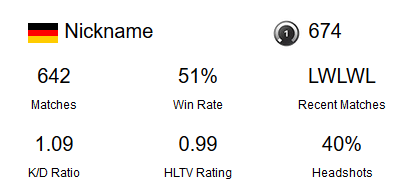
      uuh, that worked pretty well, thank you!

      Now I’m stuck with the size of the module…
      0a033cb9-b01a-4428-aaa4-6d1462066cd6-grafik.png

      S 1 Reply Last reply Reply Quote 0
      • S Do not disturb
        sdetweil @Schmaniel
        last edited by sdetweil

        @Schmaniel welcome to the fun. 900,000 details to consider. size color, font … css

        https://forum.magicmirror.builders/topic/6808/css-101-getting-started-with-css-and-understanding-how-css-works?_=1611671889049

        Sam

        How to add modules

        learning how to use browser developers window for css changes

        S 1 Reply Last reply Reply Quote 2
        • S Offline
          Schmaniel @sdetweil
          last edited by

          @sdetweil said in Help with creating a table:

          welcome to the fun.

          you misspelt nightmare…
          Thanks for your help!

          S 1 Reply Last reply Reply Quote 1
          • S Do not disturb
            sdetweil @Schmaniel
            last edited by

            @Schmaniel it gives u an appreciation for the art of good user experience web pages

            Sam

            How to add modules

            learning how to use browser developers window for css changes

            1 Reply Last reply Reply Quote 0
            • S Offline
              Schmaniel
              last edited by

              Everytime my module do an API request to refresh the data, the table is disappearing for a second or two, this shouldn’t be normal, right?

              S 1 Reply Last reply Reply Quote 0
              • S Do not disturb
                sdetweil @Schmaniel
                last edited by sdetweil

                @Schmaniel u get new data, then say, this.updateDom(how-fast)

                then mm calls your getDom() routine to get the new content to display

                so, what is the number u pass to updateDom()

                0 means immediately
                2000 means transition new content in 2 seconds

                Sam

                How to add modules

                learning how to use browser developers window for css changes

                S 1 Reply Last reply Reply Quote 0
                • S Offline
                  Schmaniel @sdetweil
                  last edited by

                  @sdetweil thats the code I got:

                      start: function() {
                          var self = this;
                          setInterval(function() {
                              self.updateDom(1000);
                          }, 60000);
                      },
                  

                  So as I understand now it updates every minute (60000) and it needs 1 second (1000) to update?
                  Should I change the 1000 to 0, so it updates immediately?

                  S 1 Reply Last reply Reply Quote 0
                  • S Do not disturb
                    sdetweil @Schmaniel
                    last edited by

                    @Schmaniel yes, 0.

                    doesnt NEED 1 second. should TAKE 1 second

                    so.u slowed it down

                    Sam

                    How to add modules

                    learning how to use browser developers window for css changes

                    S 1 Reply Last reply Reply Quote 0
                    • S Offline
                      Schmaniel @sdetweil
                      last edited by

                      @sdetweil aaaaaaaah, thank you :)

                      1 Reply Last reply Reply Quote 0
                      • S Offline
                        Schmaniel
                        last edited by

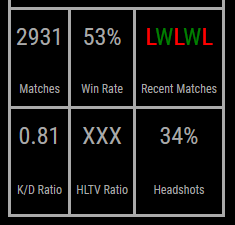
                        After hours of testing I’m at my end…

                        Thats the result so far:
                        880d1c7e-84c7-4fc8-b334-36caee71f2c4-grafik.png

                        I want to shrink the cells down, but I can’t find a way to do it…

                        I tried it with height, line-height, padding and so on…

                        Do you have any ideas?

                        S 1 Reply Last reply Reply Quote 0
                        • S Do not disturb
                          sdetweil @Schmaniel
                          last edited by

                          @Schmaniel
                          see https://stackoverflow.com/questions/17342181/how-to-fit-html-table-row-to-its-content

                          Sam

                          How to add modules

                          learning how to use browser developers window for css changes

                          S 1 Reply Last reply Reply Quote 0
                          • S Offline
                            Schmaniel @sdetweil
                            last edited by

                            @sdetweil still no success, nothing happens with height: 0px; or

                            also because of the main.css the table is getting expanded over the whole screen

                            .region table {
                              width: 100%;
                              border-spacing: 0;
                              border-collapse: separate;
                            }
                            

                            Could it be, that the main.css is interupting something more than just the width? removed this point from the css earlier, didn’t thought about that…

                            S 1 Reply Last reply Reply Quote 0
                            • S Do not disturb
                              sdetweil @Schmaniel
                              last edited by

                              @Schmaniel notice its style=“height:0px;”
                              on the ROW tr

                              Sam

                              How to add modules

                              learning how to use browser developers window for css changes

                              S 1 Reply Last reply Reply Quote 0
                              • BKeyportB Offline
                                BKeyport Module Developer
                                last edited by

                                The MMM-Multimonth module I created, and had some help re-writing, does an wonderful job of creating a table on the fly that autosizes, and you can use that to see how things work. Just a thought.

                                The "E" in "Javascript" stands for "Easy"

                                1 Reply Last reply Reply Quote 0
                                • S Offline
                                  Schmaniel @sdetweil
                                  last edited by

                                  @sdetweil yes, I know, but it didn’t worked Out :/

                                  @BKeyport thanks I will Look into it later!

                                  1 Reply Last reply Reply Quote 0
                                  • S Offline
                                    Schmaniel
                                    last edited by

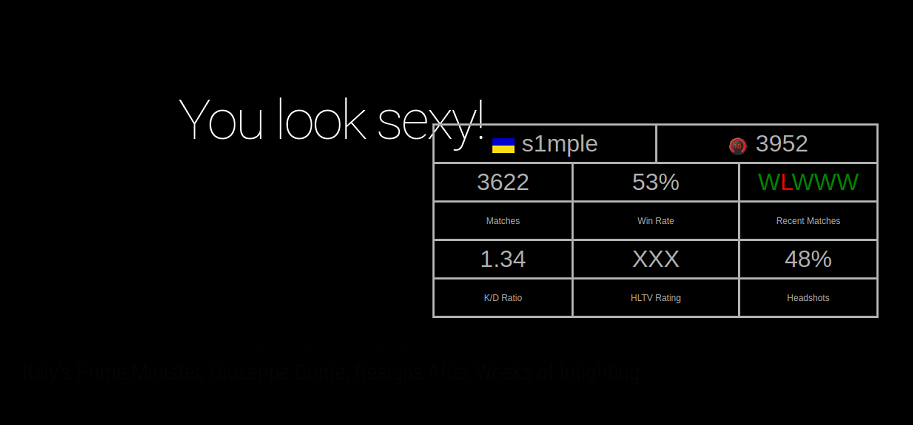
                                    Thats the view with the developer console
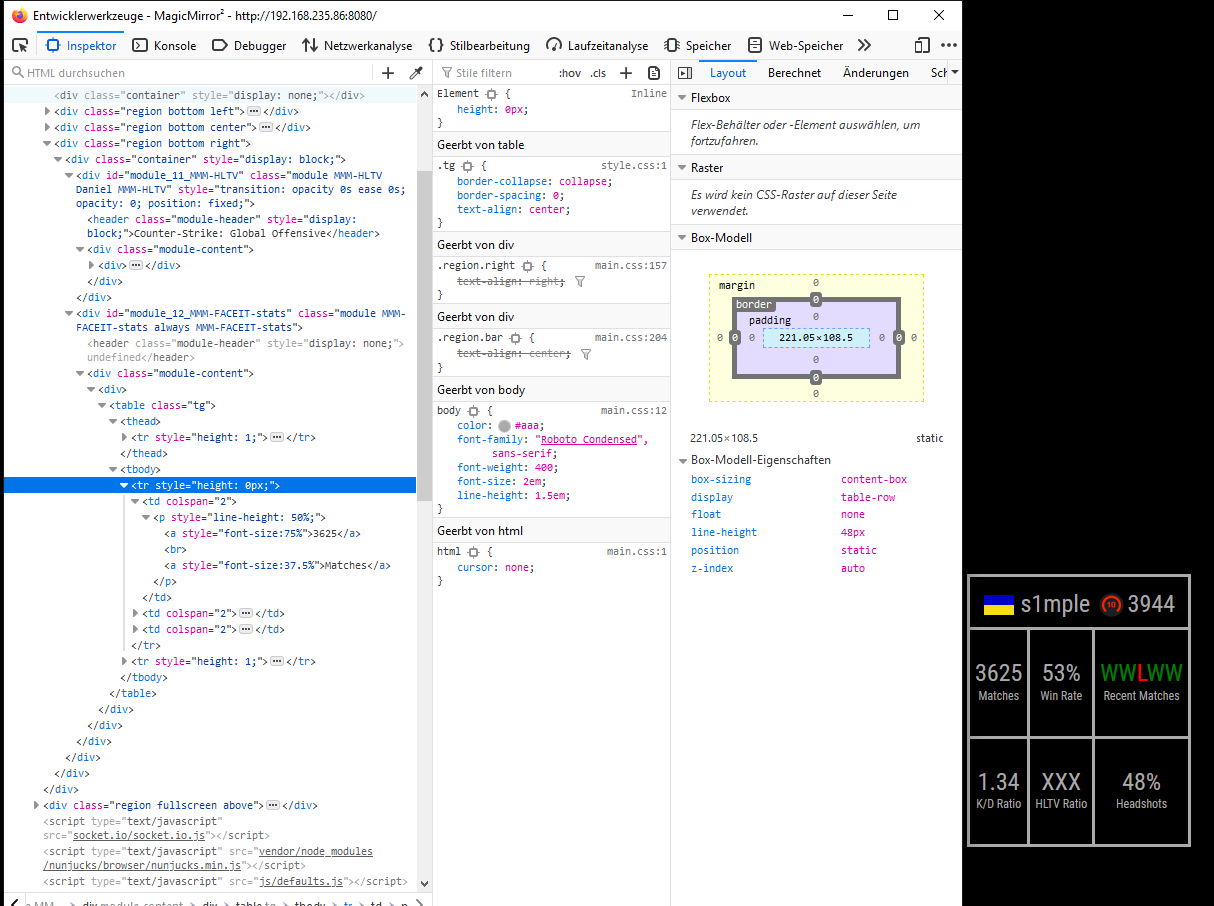
                                    5539253b-960c-457a-9aea-be8fe5fc3cc9-grafik.png

                                    1 Reply Last reply Reply Quote 0
                                    • S Offline
                                      Schmaniel
                                      last edited by

                                      The problem was the p tag, but now the break is too big inbetween the lines…a1204375-c435-430d-a355-0b1c9a804bf4-grafik.png

                                      S 1 Reply Last reply Reply Quote 0
                                      • S Do not disturb
                                        sdetweil @Schmaniel
                                        last edited by sdetweil

                                        @Schmaniel paragraph AND a line break?
                                        too much space ?
                                        come on man.

                                        thats why they creared div and span

                                        Sam

                                        How to add modules

                                        learning how to use browser developers window for css changes

                                        S 1 Reply Last reply Reply Quote 1
                                        • S Offline
                                          Schmaniel @sdetweil
                                          last edited by Schmaniel

                                          @sdetweil hahaha, worked with line-height and span style=display now…
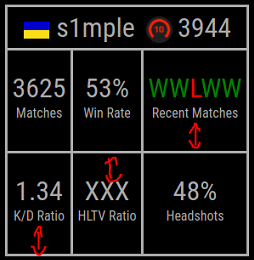
                                          Im pretty happy with the results now:
                                          a3bfaab5-246a-4d23-9d0d-88b97b8a68e5-grafik.png

                                          Just need to calculate the HTLV ratio, but thats another problem I have to solve myself :)

                                          S 1 Reply Last reply Reply Quote 0
                                          • S Do not disturb
                                            sdetweil @Schmaniel
                                            last edited by

                                            @Schmaniel good

                                            and if u set a class instead of the individual styles then u can change them in custom.css without changing the code and fiddle w them in the elements view of the dev env to get them like u want 1st…

                                            Sam

                                            How to add modules

                                            learning how to use browser developers window for css changes

                                            1 Reply Last reply Reply Quote 0

                                            Hello! It looks like you're interested in this conversation, but you don't have an account yet.

                                            Getting fed up of having to scroll through the same posts each visit? When you register for an account, you'll always come back to exactly where you were before, and choose to be notified of new replies (either via email, or push notification). You'll also be able to save bookmarks and upvote posts to show your appreciation to other community members.

                                            With your input, this post could be even better 💗

                                            Register Login

                                            • 1
                                            • 2
                                            • 1 / 2
                                            • First post
                                              Last post
                                            Enjoying MagicMirror? Please consider a donation!
                                            MagicMirror created by Michael Teeuw.
                                            Forum managed by Sam, technical setup by Karsten.
                                            This forum is using NodeBB as its core | Contributors
                                            Contact | Privacy Policy