Read the statement by Michael Teeuw here.
Are you tired of editing config.js, or have trouble doing it, see my new module
-
@sdetweil Sure what file/ image do you want to see?
-
@alyx hang on… let me test here… I am working on other fixes…
-
@sdetweil no worries cheers buddy lemme know if you need anything
-
@alyx did you do the npm install in the module folder?? I need libs installed
http://mmip:mmport/modules/MMM-Config/reviewI got
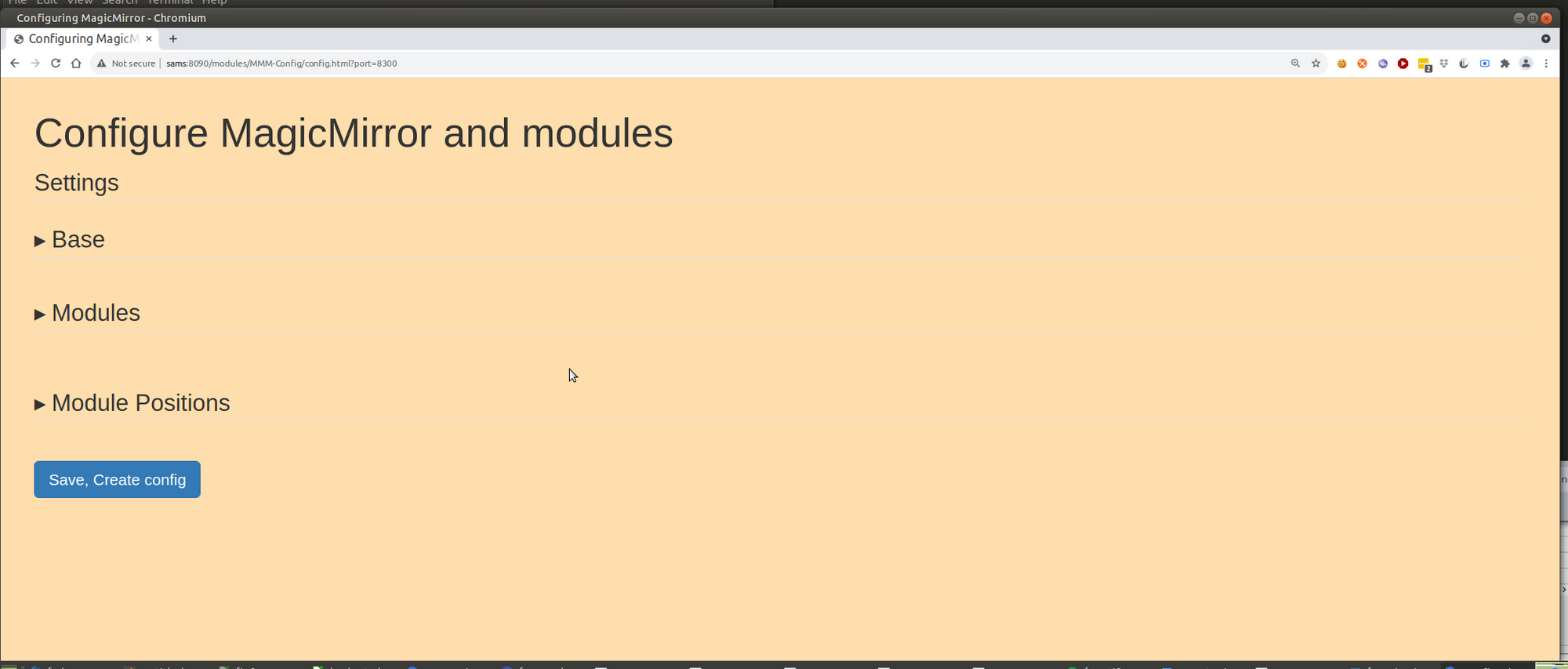
-
@sdetweil Yep I did it within the MMM-Config directory, did it again there with no luck. Got some audit issues for npm but nothing big
-
@alyx actually i had a harder look, does this seem important?
smartmirror@smartmirror-ThinkCentre-M72e:~/MagicMirror/modules/MMM-Config$ sudo npm install
npm WARN lifecycle mmm-config@1.0.0~postinstall: cannot run in wd mmm-config@1.0.0 node exec_script.js ./postinstall:postinstall.cmd (wd=/home/smartmirror/MagicMirror/modules/MMM-Config)
npm WARN mmm-config@1.0.0 No repository field.
npm WARN optional SKIPPING OPTIONAL DEPENDENCY: fsevents@2.3.2 (node_modules/fsevents):
npm WARN notsup SKIPPING OPTIONAL DEPENDENCY: Unsupported platform for fsevents@2.3.2: wanted {“os”:“darwin”,“arch”:“any”} (current: {“os”:“linux”,“arch”:“x64”})audited 136 packages in 1.22s
7 packages are looking for funding
runnpm fundfor detailsfound 3 moderate severity vulnerabilities
runnpm audit fixto fix them, ornpm auditfor details
smartmirror@smartmirror-ThinkCentre-M72e:~/MagicMirror/modules/MMM-Config$ -
@alyx ok, add debug:true
to my module def in config.js
(stop any pm2 version running, pm2 stop all)
then start MM like this
npm start >somefile.txtthere are all kinds of interesting problems with other modules, but none on the base that I know of.
send me the somefile.txt and the defaults. js from the MMM-Config folder… it is constructed from the modules installed
same userid as here at gmail
-
@alyx no… all useless messages we cannot do anything about
wait… is this windows?
-
@alyx said in Are you tired of editing config.js, or have trouble doing it, see my new module:
sudo npm install
NEVER EVER use sudo on any MM command…
delete my module folder and git clone and then npm install
-
@sdetweil So I did as you said and the npm run is stuck loading for a while and the text file is empty.
Now I’m running in server mode if that matters? I used npm run server >somefile.txt
-
@alyx but you used sudo, which messed things up… permissions as root when we need user level…
please delete my module folder, and reinstall without sudo…
you MAY have messed up the rest of the MM files too…
linux has very strict permissions
the postinstall failed which moves files to the right places…
-
@sdetweil I used sudo because some package files reported back errors and that I dont have the required permissions?
-
@alyx probably cause you used sudo before…
so, I’d start over again… delete the MM folder
and run my install script, then add my module and npm install in its folder…
-
@sdetweil ok I flash reinstalled MM (worryingly good at it now…) and it seems to be working :)
The config pops up on the webpage correctly and all.
Thanks Sam!
-
@sdetweil hi sam, i hope you haven’t much work from my issues :/ can you tell me if you have a solution? at this time i had to deinstall your module to finish my project for university but i want to use it again ;)
-
@dinschal I have 2 of the 3 fixed I think, but not finished testing… I would just skip using for now… sorry… you found some good ones…
-
@sdetweil oh its totally fine ;) just tell me when you finished ;)
-
@dinschal so, 3 problems (all issued opened on the module github page
- timeFormat was changed to a string, easy, done
https://github.com/sdetweil/MMM-Config/issues/27 - changed parm for clock was not saved… in progress,
https://github.com/sdetweil/MMM-Config/issues/29 - weather lost parms on save. fixed I think. this takes a special schema file to expose the providers parameters. (this schema file is to make the UI correct, above what I can do to discover the variables)
https://github.com/sdetweil/MMM-Config/issues/28
I save the generated on (little script provided to do that, upgraded cause of this problem to allow just ONE modules info to be saved) and then customize it to the module…
I can ship some (I will for this) , but if the module author ships that is good too (won’t happen for base) - timeFormat was changed to a string, easy, done
-
@sdetweil
okay i have to admit that i had to google for a moment to understand what you mean
:D i think i got it … it would be better from the start if the developer would pack all optional options in the config so that your module loads them !? for my university project i will leave it out for now and configure it as standard. for the future i will use your tool again ;) -
@dinschal said in Are you tired of editing config.js, or have trouble doing it, see my new module:
it would be better from the start if the developer would pack all optional options in the config
no… then config is a large mess… the design for config is JUST the changes you NEED, all the rest are defined already…
i want to keep that model. i just had a bug in my code… if the option wasn’t in config, then i don’t copy it from the form… oops… now I need to check if some option changed from the form data 1st… so I don’t copy all of the parms, just the needed one to match
BUT the form exposes the parms for every module… most users (and me!) are poor at reading the doc, BEFORE they use things… and get in trouble … the form is intended to help with that too …
Hello! It looks like you're interested in this conversation, but you don't have an account yet.
Getting fed up of having to scroll through the same posts each visit? When you register for an account, you'll always come back to exactly where you were before, and choose to be notified of new replies (either via email, or push notification). You'll also be able to save bookmarks and upvote posts to show your appreciation to other community members.
With your input, this post could be even better 💗
Register Login